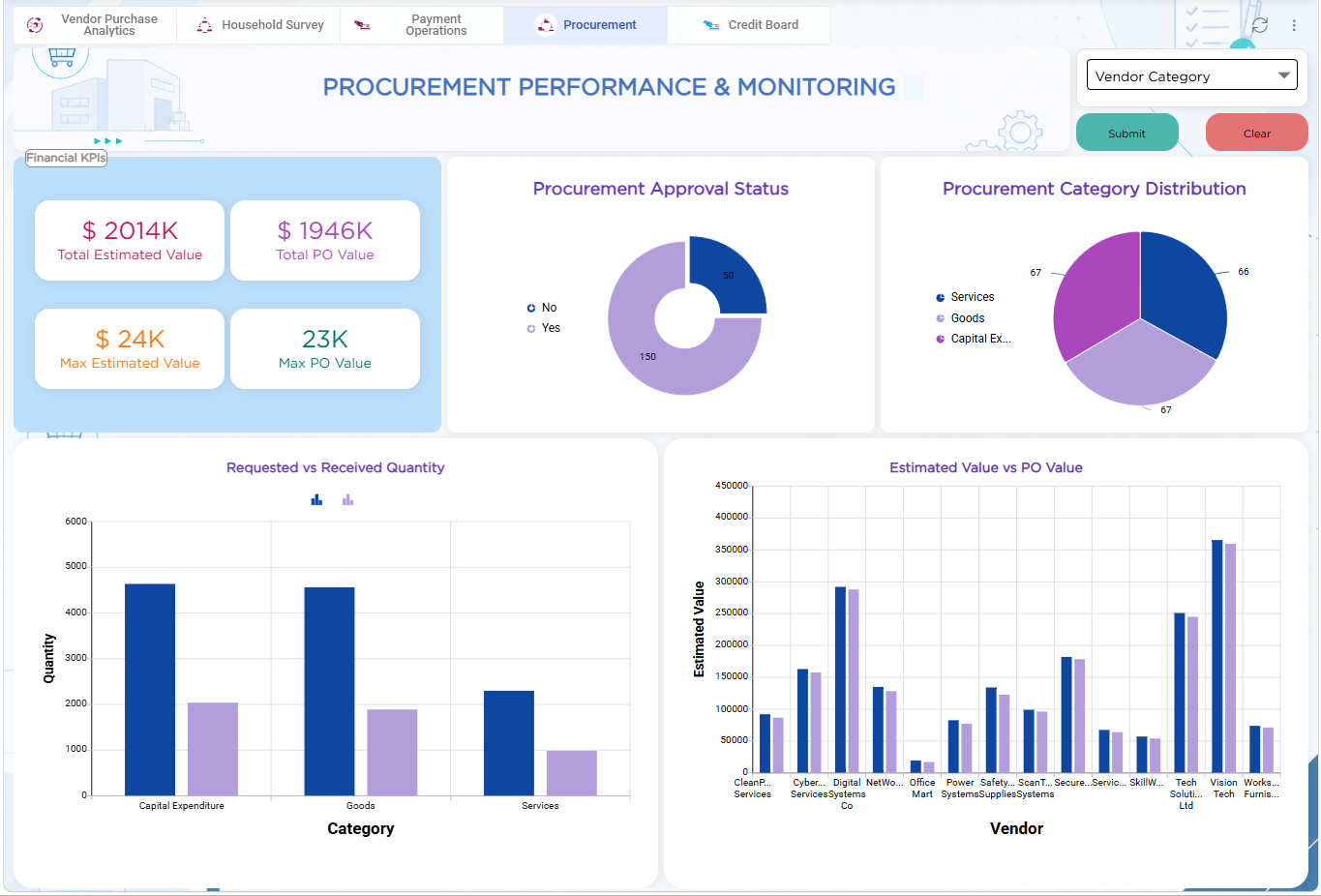
For the Procurement Management solution, the Procurement Performance & Monitoring Dashboard provides procurement teams and leadership with centralized visibility into procurement value, approval status, category distribution, quantity fulfilment, and vendor-level procurement performance.
The dashboard brings together key procurement metrics and analytical reports in a single interface. It helps teams compare estimated and PO values, monitor requisition approvals, understand procurement distribution across categories, and track requested quantities against received quantities.
To build the dashboard, multiple dashlet types are used to organize procurement information in a visually structured format.
| Dashlet Type | Purpose |
|---|---|
| Rich Text Dashlet | Displays the Procurement Performance & Monitoring dashboard title |
| Grouping Dashlet | Groups key procurement value metrics under the Financial KPIs section |
| Number Dashlets | Displays Total Estimated Value, Total PO Value, Max Estimated Value, and Max PO Value |
| Report Dashlets | Displays Procurement Approval Status, Procurement Category Distribution, Requested vs Received Quantity, and Estimated Value vs PO Value |
| Filter Dashlet | Enables users to filter dashboard information by Vendor Category |
The dashboard provides a consolidated view of procurement performance, helping teams monitor financial values, approval activity, fulfilment gaps, and vendor-related procurement trends from a single screen.
To learn more about dashboard capabilities and dashlet configurations used in this implementation, refer to the Dashboard article.