Note
Before understanding the development of a dashboard, you must know that development of any artifact in Quixy happens in a sustained environment, i.e., Sandbox. A Sandbox is the environment where citizen developers build, test, and deploy solutions. It can have two stages—Dev and Live or four stages—Dev, QA, UAT, and Live.
¶ 1. Dashboard Creation
Before you start, switch to the Dev stage of the Sandbox on the landing page of Quixy. This enables the developer options.
You can create a dashboard in two cases, depending on whether you are creating a dashboard for the first time or adding more dashboards.
- When you are creating a dashboard for the first time, click Create Dashboard to start creating a dashboard.

- When you already have dashboards and want to create another one, click on the three-dot menu and select Manage Dashboards. You will be redirected to the dashboard list page. Click Add New Dashboard to start creating a dashboard.

- After you begin the creation process from either of the steps above, a pop up appears with the dashboard types. Select one and click Continue.
- You will be redirected to the dashboard canvas where you can start configuring your dashboard.
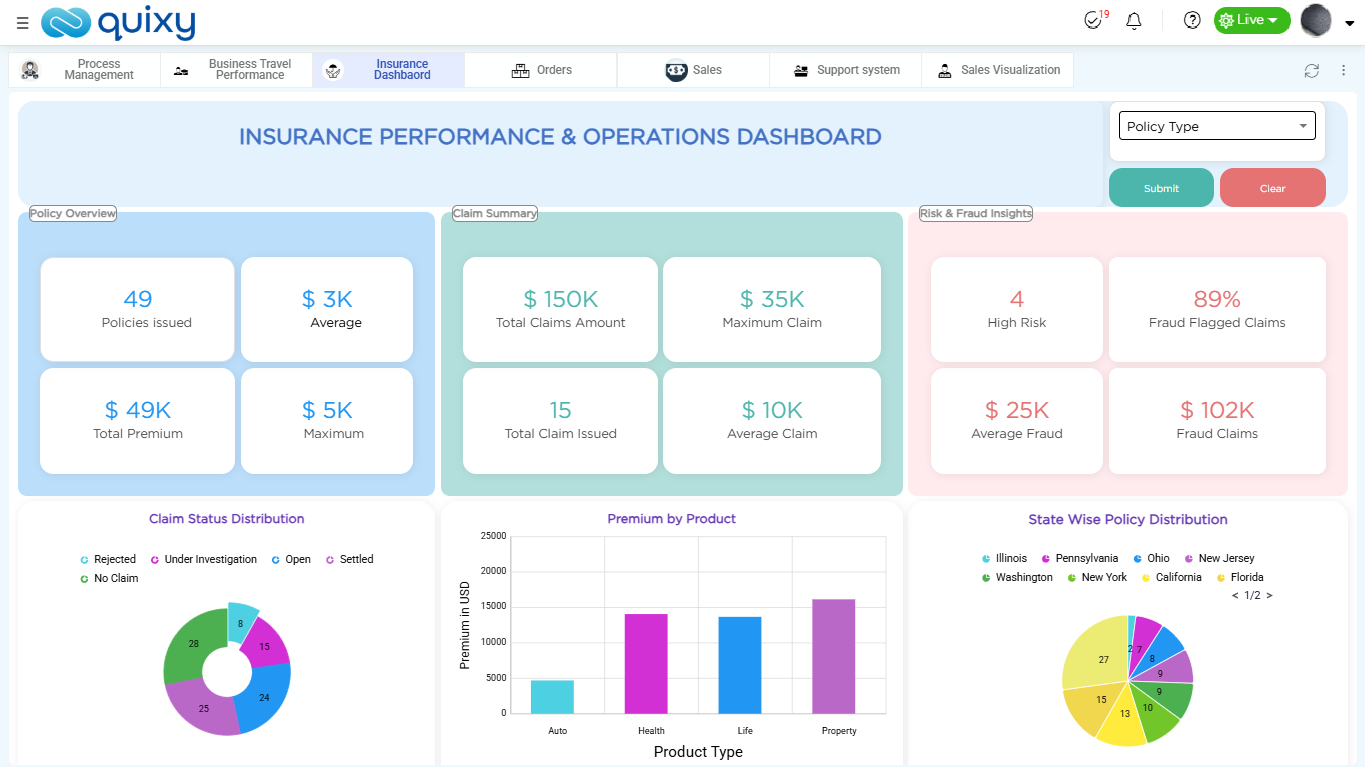
Example of a configured dashboard:
¶ 2. Dashboard Types
Quixy provides two types of dashboards as explained below:
- Private Dashboard: A private dashboard is visible only to the user who creates it. It is used for personal tracking, quick access to reports, and individual monitoring. You can customize the layout, add dashlets, and update the dashboard at any time.
- Public Dashboard: A public dashboard is created for wider visibility. It can be shared with selected users or roles based on access needs. This type is used for team-level or organization-level monitoring. The structure and data shown are the same for all assigned users.
Note
End users can create a dashboard in the Live stage, and these will be private dashboards only.
¶ 3. Configuration Page Placeholders
The dashboard canvas is the arena where you build the dashboard. The canvas looks like a grid layout. You have a dashlet panel with different types of dashlets. You also have three device options to check how the dashboard appears on desktop, tablet, and mobile. At the top, you have a top bar with dashboard settings that control spacing, background, layout behavior, and best practices. Learn more about the configuration page placeholders for detailed layout information.
¶ 4. Dashlets
Dashlets are the building blocks of a dashboard. Each dashlet shows one type of information or action. You can add different dashlets to shape your dashboard as per your needs. To add a dashlet, drag and drop it on the canvas and start configuring it.