Add-Ons and Data Actions are configured for the Registration List View and the Vaccination Tracking Kanban View to provide healthcare workers with direct access to connected forms, reports, and vaccination activities.
| Add-On | View Type | Purpose |
|---|---|---|
| Registration Add-On | Registration View | Connects registration records with healthcare forms, reports, and vaccination activities |
| Vaccination Add-On | Vaccination Tracking | Manages vaccination stages and connected healthcare reports |
The implementation uses Rules, Smart Columns, Data Actions, and Element Mapping to connect forms, reports, and vaccination activities throughout the solution.
¶ 1. Registration Add-On
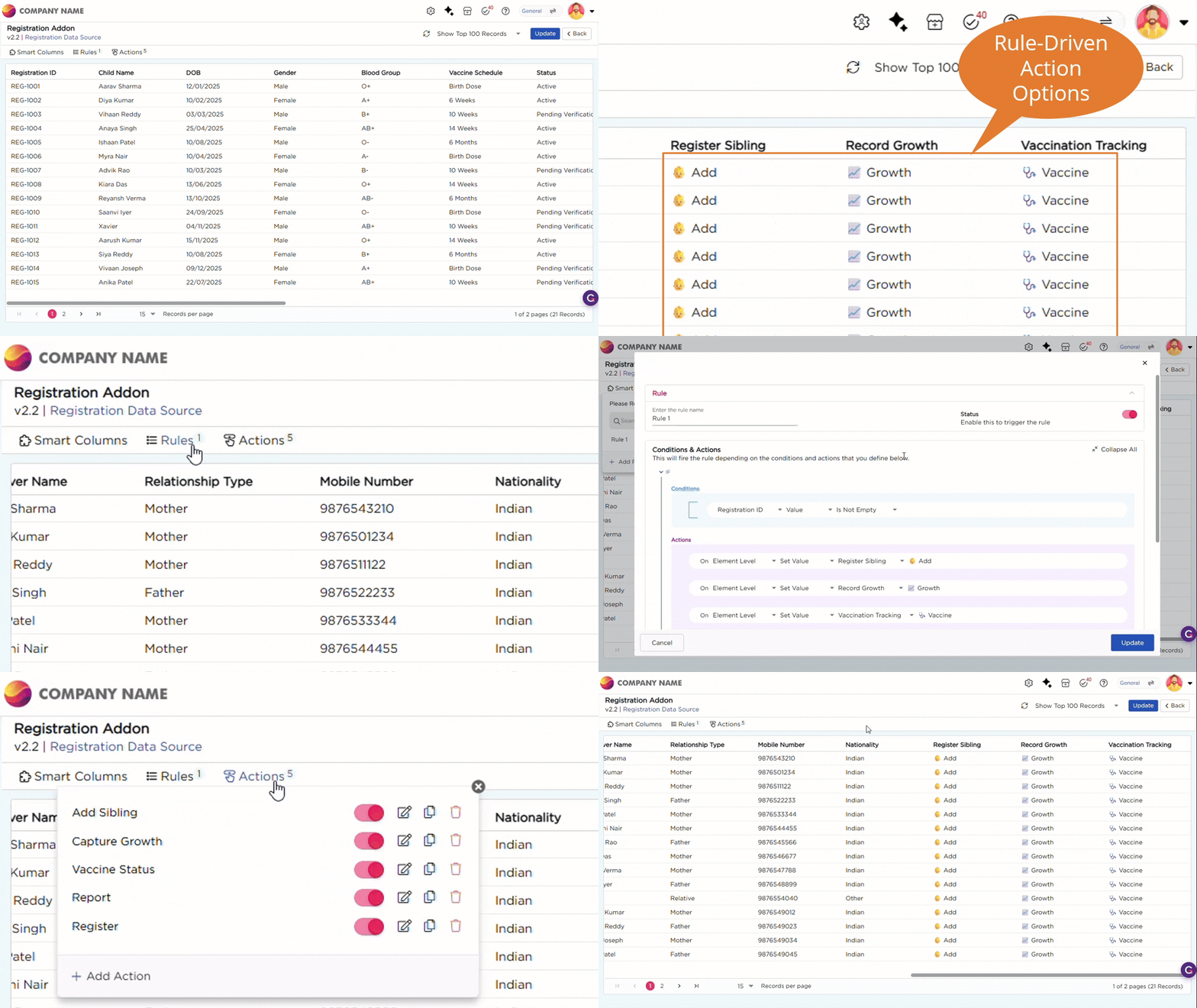
- The Registration Add-On is configured for the Registration List View. It uses Rules, Data Actions, and Element Mapping to connect registration records with related healthcare activities.
- The Registration Data Table contains the columns Register Sibling, Record Growth, and Vaccination Tracking. Rules automatically display the action options Add, Growth, and Vaccine under these respective columns based on conditions configured against each record.
- The configured Data Actions make these values clickable, allowing healthcare workers to quickly access related forms, reports, and vaccination workflows directly from the Registration List View.
The following actions are configured as part of the Registration Add-On:
| Action | Action Type | What it does |
|---|---|---|
| Add Sibling | Open Add Record | Opens the Sibling Capture Form |
| Capture Growth | Open Add Record | Opens the Growth Management Form |
| Vaccine Status | Open Kanban View | Opens the Vaccination Tracking Kanban View |
| Report | Open Report | Opens the Child Healthcare Report |
| Register | Open Add Record | Opens the Child Registration Form |
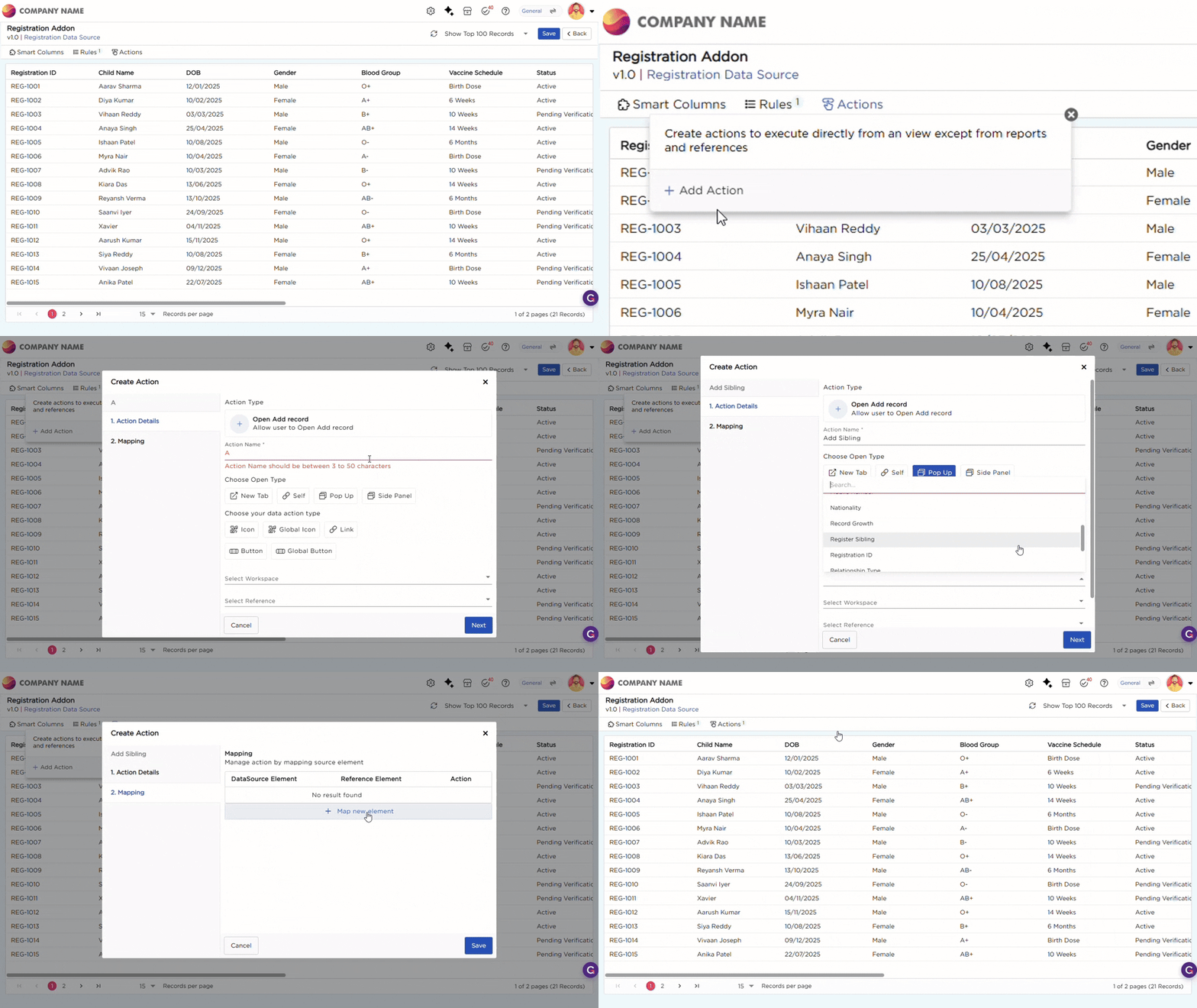
- The Add Sibling and Capture Growth actions use the Open Add Record action type to open the respective forms directly from the Registration List View. Element Mapping is configured on these actions to automatically carry over child and caregiver information into the connected forms, reducing manual data entry.
Refer to the GIF below for a better understanding of the Open Add Record action configuration:
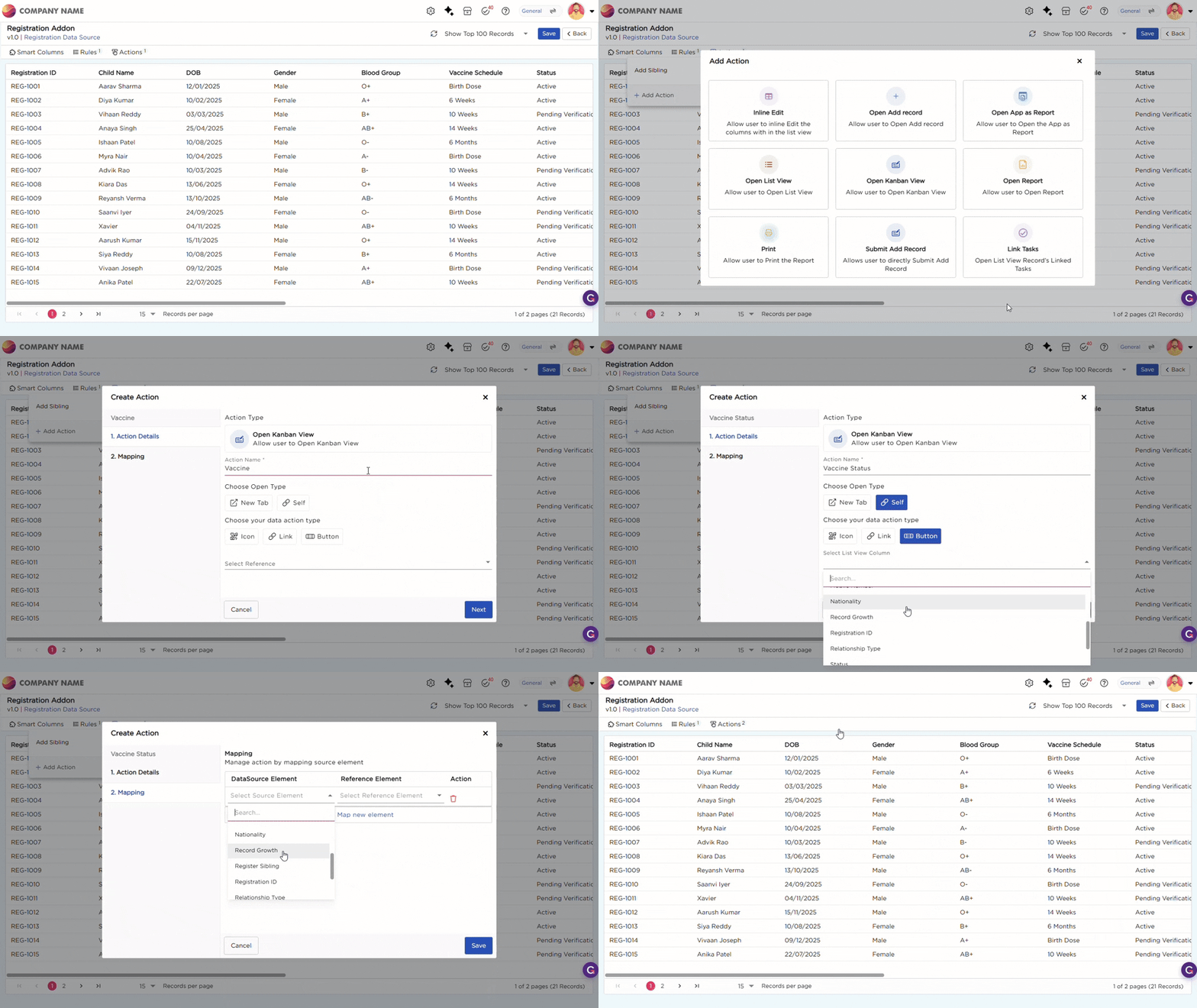
- The Vaccine Status action uses the Open Kanban View action type to open the Vaccination Tracking Kanban View directly from the Registration List View.
Refer to the GIF below for a better understanding of the Open Kanban View action configuration:
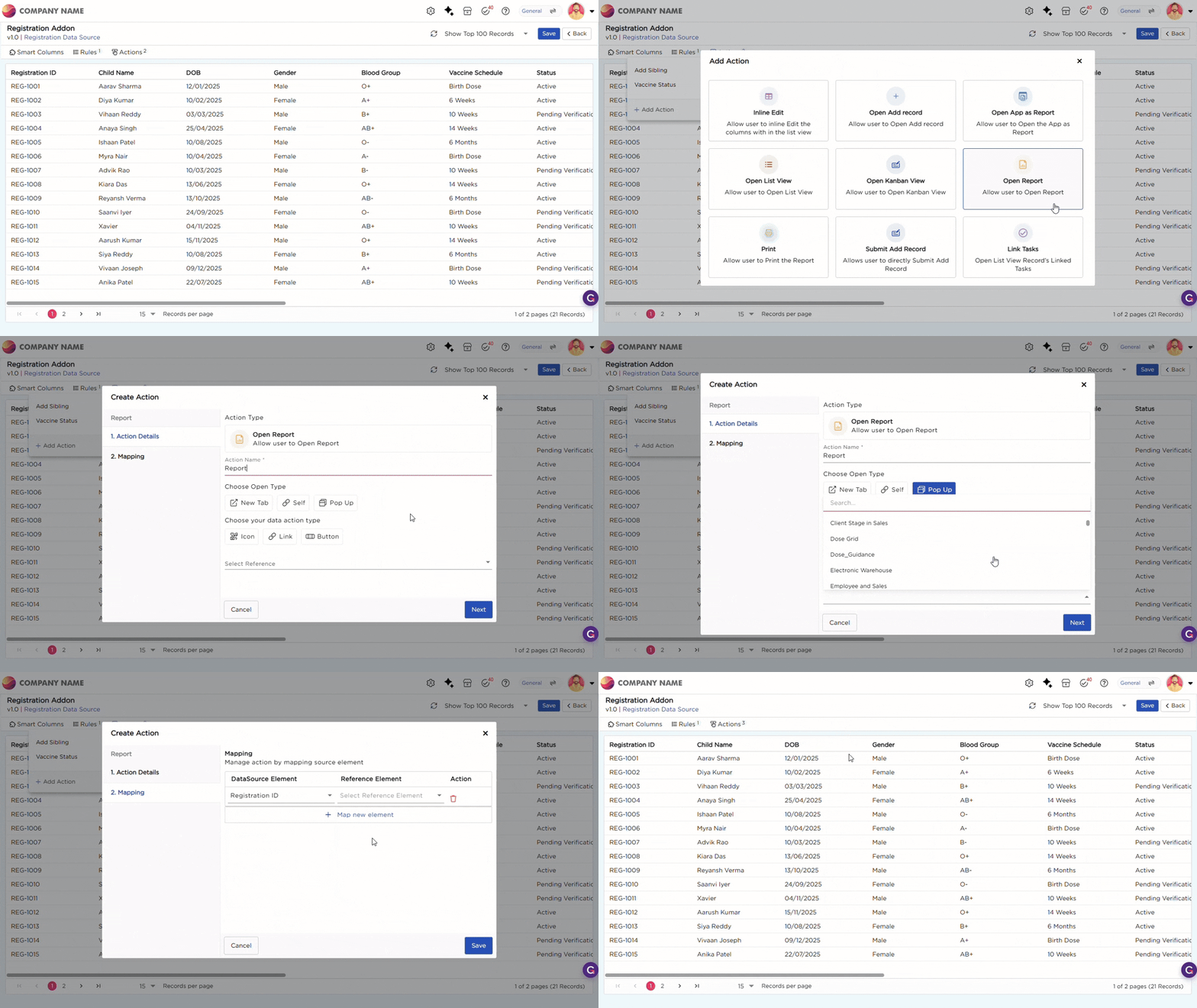
- The Registration ID column uses the Open Report action type to open the Child Healthcare Report directly from the Registration List View.
Refer to the GIF below for a better understanding of the Open Report action configuration:
¶ 2. Vaccination Add-On
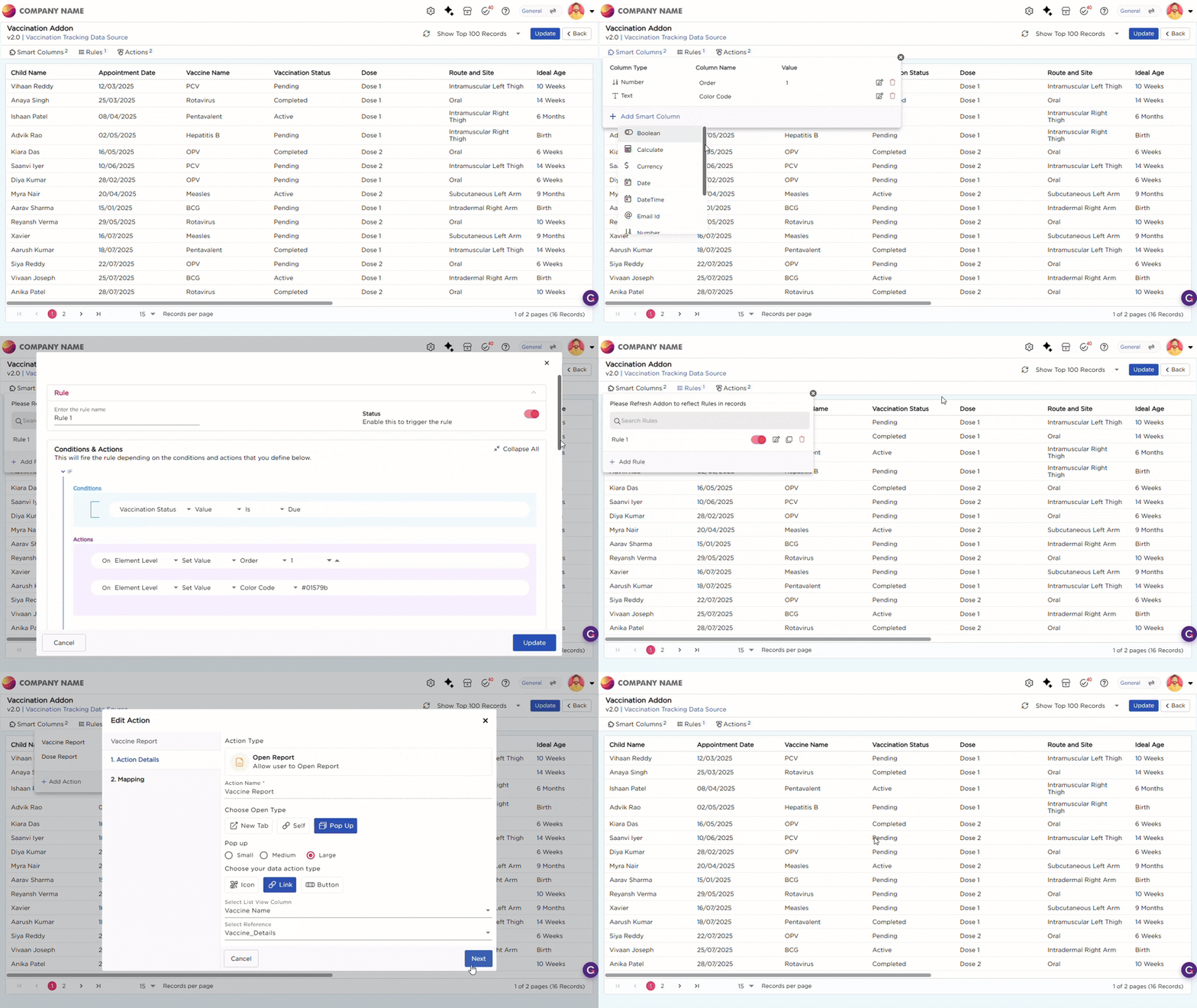
- The Vaccination Add-On is configured for the Vaccination Tracking Kanban View to help healthcare workers organize vaccination records and access healthcare reports directly from the Kanban cards.
- Rules automatically assign vaccination records to stages such as Due, Overdue, Missed, and Completed based on vaccination status values. Smart Columns are used to organize the records into their respective stages and apply the configured stage colors.
- Element Mapping ensures that the correct report opens based on the selected vaccination record.
The following report actions are configured as part of the Vaccination Add-On:
| Action | Action Type | What it does |
|---|---|---|
| Vaccine Report | Open Report | Opens the Vaccine Information Report for the selected record |
| Dose Report | Open Report | Opens the Dose Guidance Report for the selected record |