For the Immunization Tracking System, the Registration View is created to manage child registration records and connected healthcare workflows. This view helps healthcare workers access child information, monitor registration records, and perform healthcare activities directly from registration records.
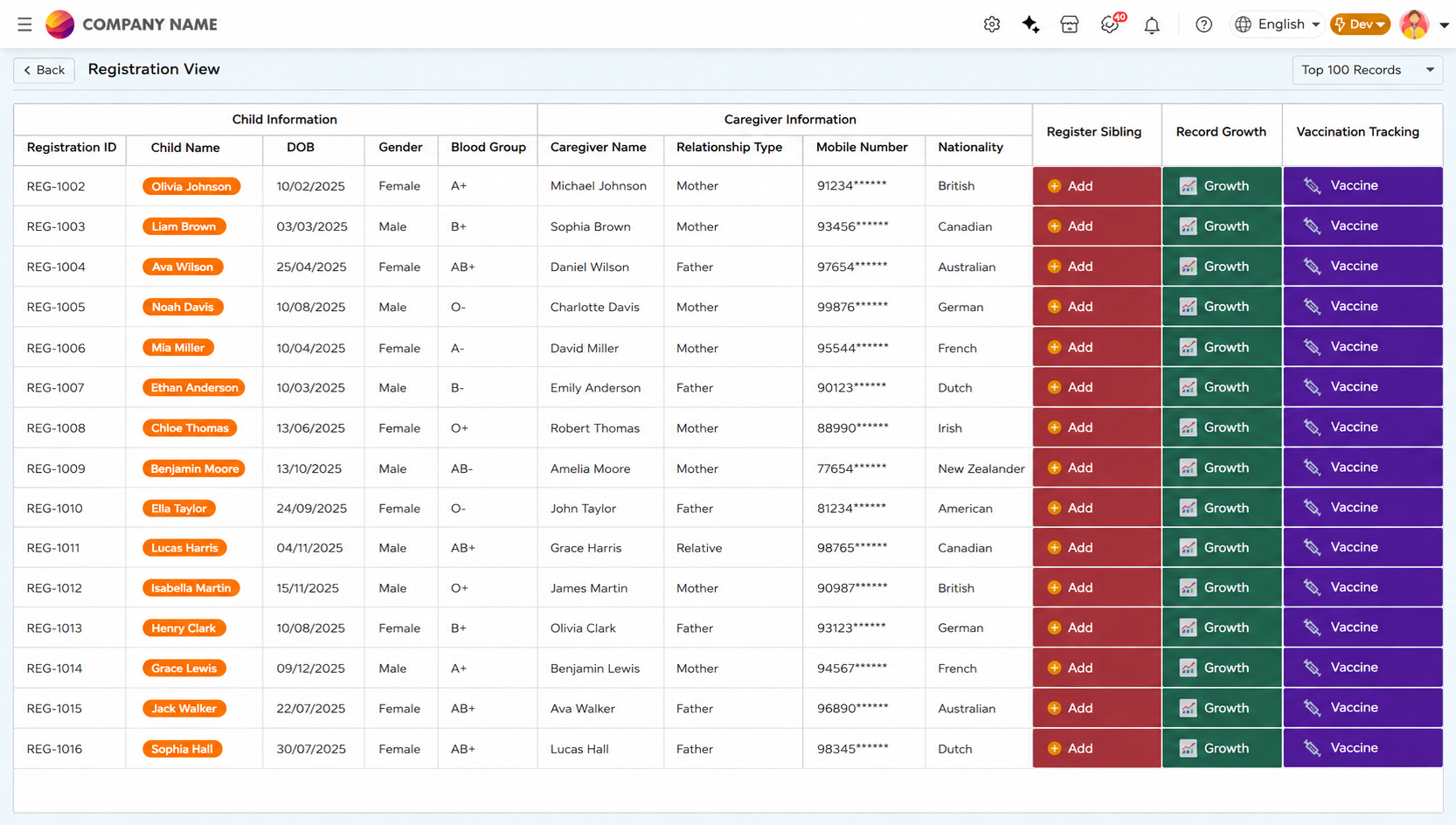
The Registration View displays child registration records captured through the Registration Form, giving healthcare workers a single screen to access registration details, caregiver information, and connected healthcare activities.
From this view, healthcare workers can initiate key activities directly against a record including capturing growth data, registering siblings linked to the same caregiver, and opening the Vaccination Tracking Kanban View to monitor immunization progress. A global Register action is also available to create new child registrations without leaving the screen.
Clicking a Registration ID opens the Child Healthcare Report, which displays the complete registration, vaccination, and caregiver information for that child in a structured report format.
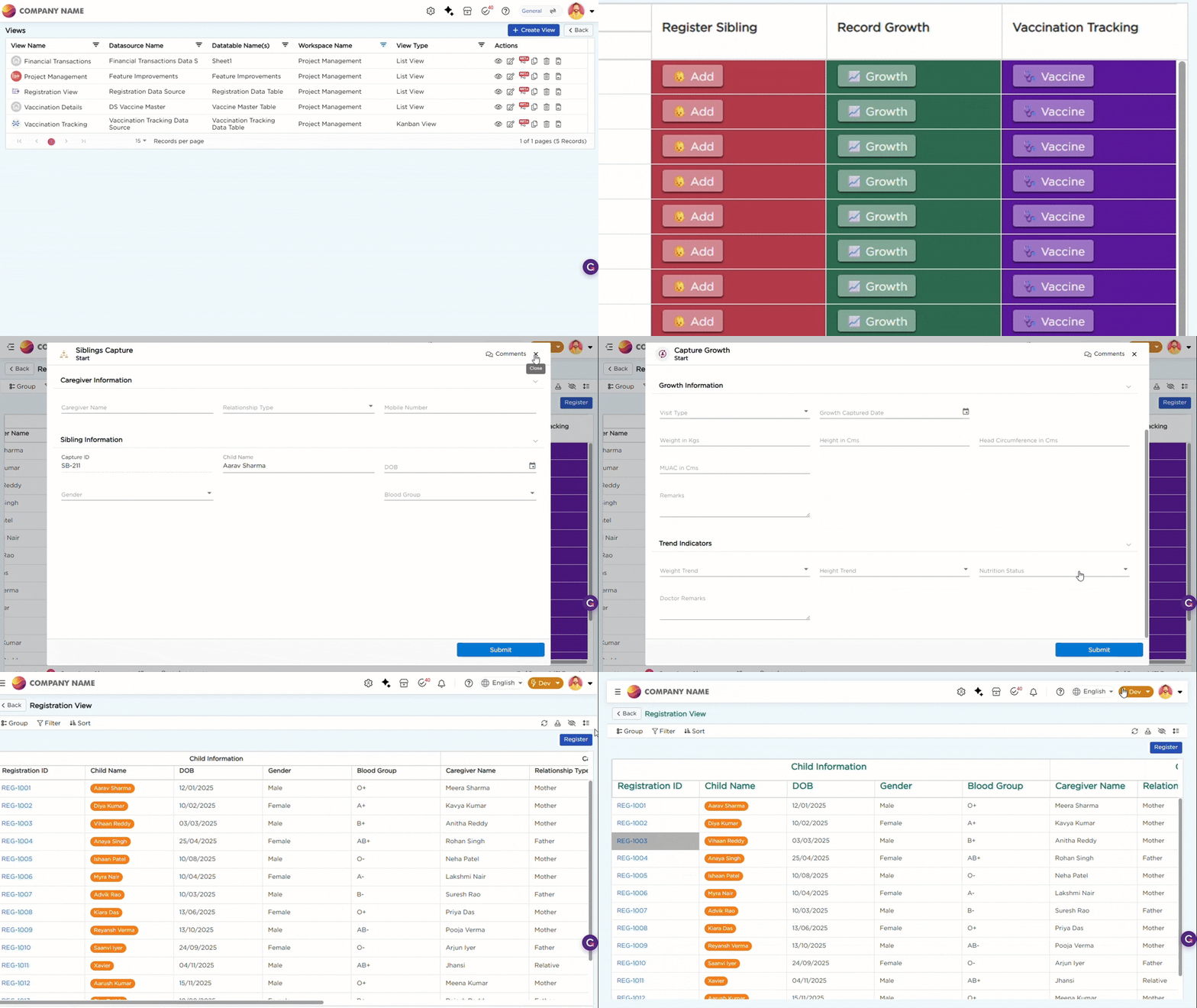
Refer to the GIF below for a better understanding of the Registration List View operations:
To learn more about the list view capabilities used in this view, refer to the List View article.