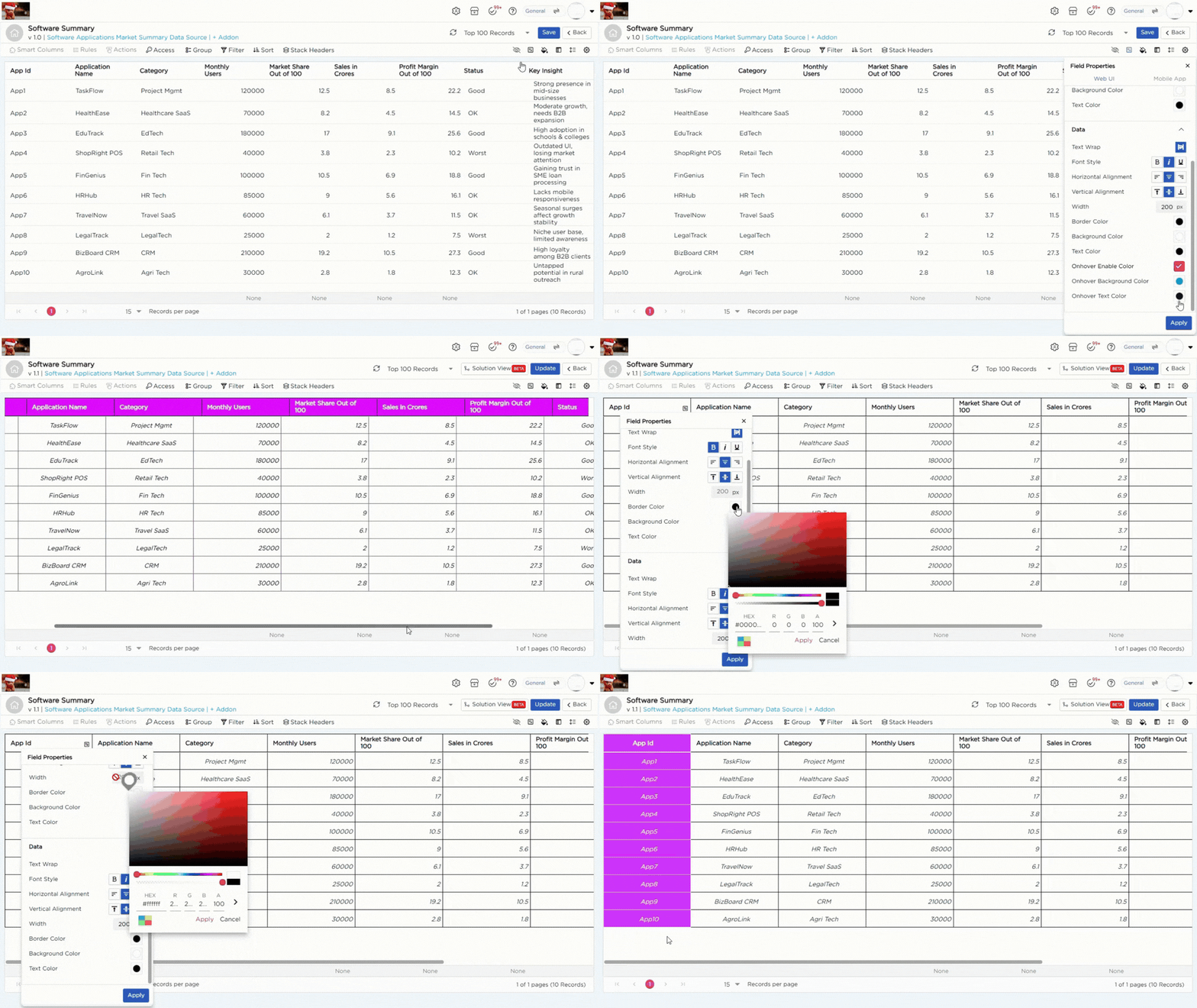
In the Field Properties, you can personalize the UI of your List View for both desktop and mobile.
¶ 1. Field Properties for Desktop
You can customize how labels and data values appear in the List View.
| Label Customization | ||
|---|---|---|
| # | Properties | Description |
| 1 | Text Wrap | Wraps label text within the column to keep it visible. |
| 2 | Font Style | Apply bold, italic, or underline to label text. |
| 3 | Alignment | Set horizontal and vertical alignment for labels. |
| 4 | Width | Set a fixed column width, for example 200px. |
| 5 | Border and Background Color | Set background and border colors for labels. |
| Data Customization | ||
|---|---|---|
| # | Property | Description |
| 1 | Text Wrap | Wraps data text within the cell to keep it visible. |
| 2 | Font Style | Apply bold, italic, or underline to data text. |
| 3 | Alignment | Set horizontal and vertical alignment for data. |
| 4 | Width | Set a fixed column width, for example 200px. |
| 5 | Border and Background Color | Set background and border colors for data cells. |
| 6 | On-hover Effects | Change row background and text color on hover. |