Use Additional Settings to customize the behavior and appearance of a List View. These settings allow you to configure record display, search, pagination, task actions, visibility of UI components, and display preferences to improve the end-user experience.
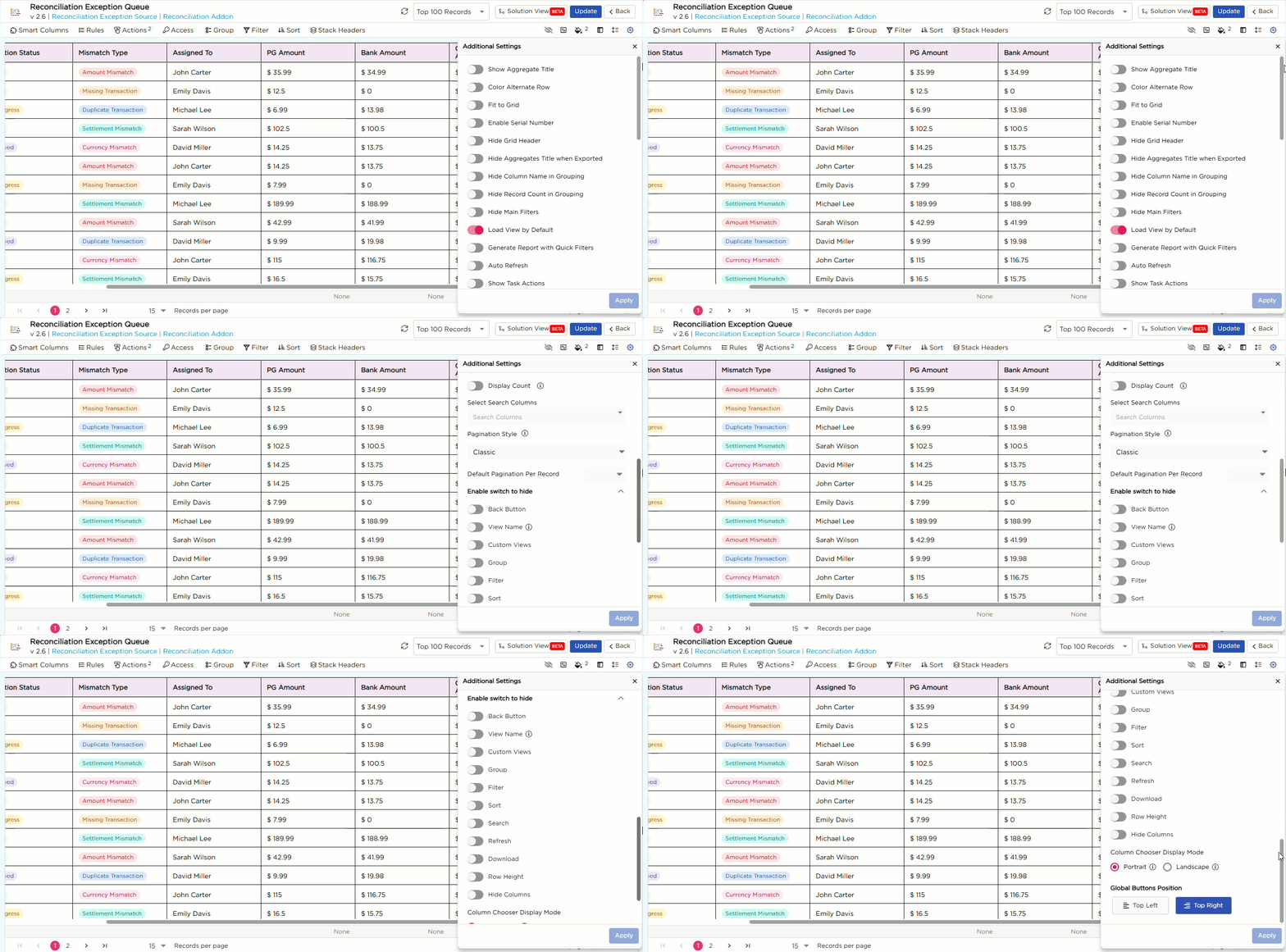
¶ 1. Configure Additional Settings
- In the List View configuration page, click the Additional Settings (⚙️) icon.
- The Additional Settings panel opens.
- Toggle the required settings on or off, or select the required options as needed.
- Click Apply to save the changes.
The Additional Settings panel provides various configuration options to customize the behavior and appearance of the List View. For ease of understanding, the available configuration options are organized into the following sections.
¶ 1.1. General Settings
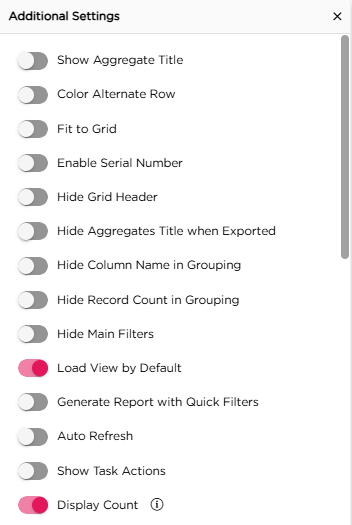
| Setting | Description |
|---|---|
| Show Aggregate Title | Displays the aggregate title above the calculated values in the List View. |
| Color Alternate Row | Applies alternating colors to rows to improve readability. |
| Fit to Grid | Adjusts the column widths to fit within the available grid width. |
| Enable Serial Number | Displays a serial number for each record in the List View. |
| Hide Grid Header | Hides the column headers in the List View. |
| Hide Aggregates Title when Exported | Hides the aggregate title when exporting the List View. |
| Hide Column Name in Grouping | Hides the column name in grouped records. |
| Hide Record Count in Grouping | Hides the record count displayed for each group. |
| Hide Main Filters | Hides the main filters in the List View. |
| Load View by Default | Opens the configured List View by default when users access the page. |
| Generate Report with Quick Filters | Includes the applied Quick Filters when generating reports. |
| Auto Refresh | Automatically refreshes the List View to display the latest data. |
| Show Task Actions | Displays the available workflow task actions directly in the List View. This option is available only for List Views created using a Basic Data Source that includes the Tasks Table. |
| Display Count | Displays the record count as a badge next to the List View in the custom menu. |
¶ 1.2. Search Configuration
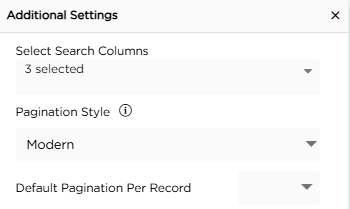
| Setting | Description |
|---|---|
| Select Search Columns | Selects the columns that can be used to search records in the List View. |
¶ 1.3. Pagination
| Setting | Description |
|---|---|
| Pagination Style | Selects the pagination style for the List View. |
| Default Pagination Per Record | Specifies the default number of records displayed per page in the List View. |
¶ 1.4. Enable Switch to Hide
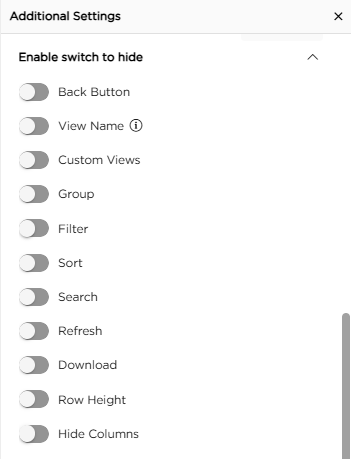
| Setting | Description |
|---|---|
| Back Button | Shows or hides the Back button in the List View. |
| View Name | Shows or hides the List View name. |
| Custom Views | Shows or hides the Custom Views option in the List View. |
| Group | Shows or hides the Group option in the List View. |
| Filter | Shows or hides the Filter option in the List View. |
| Sort | Shows or hides the Sort option in the List View. |
| Search | Shows or hides the Search option in the List View. |
| Refresh | Shows or hides the Refresh option in the List View. |
| Download | Shows or hides the Download option in the List View. |
| Row Height | Shows or hides the Row Height option in the List View. |
| Hide Columns | Shows or hides the Hide Columns option in the List View. |
¶ 1.5. Display Preferences
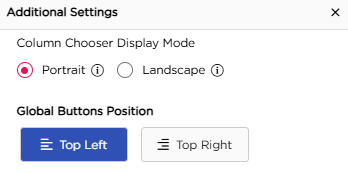
| Setting | Option | Description |
|---|---|---|
| Column Chooser Display Mode | Portrait | Displays the column chooser with the columns listed vertically. Recommended when there are fewer columns |
| Landscape | Displays the column chooser with the columns arranged in rows and columns. Recommended when there are many columns. | |
| Global Buttons Position | Top Left | Displays the global action buttons at the top-left of the List View. |
| Top Right | Displays the global action buttons at the top-right of the List View. |