Workspace Admins play a crucial role in managing and maintaining solutions within a specific workspace. They have the authority to create applications, configure workflows, manage data tables, and handle workspace-level settings.
Note
A Workspace Admin can only organize and manage items within the workspace(s) where they have been assigned as an admin.
¶ 1. Follow the steps below to assign a user as a Workspace Admin in Quixy
- Navigate to the Admin Menu → Workspaces → Workspace to open the list of workspaces available in your account.
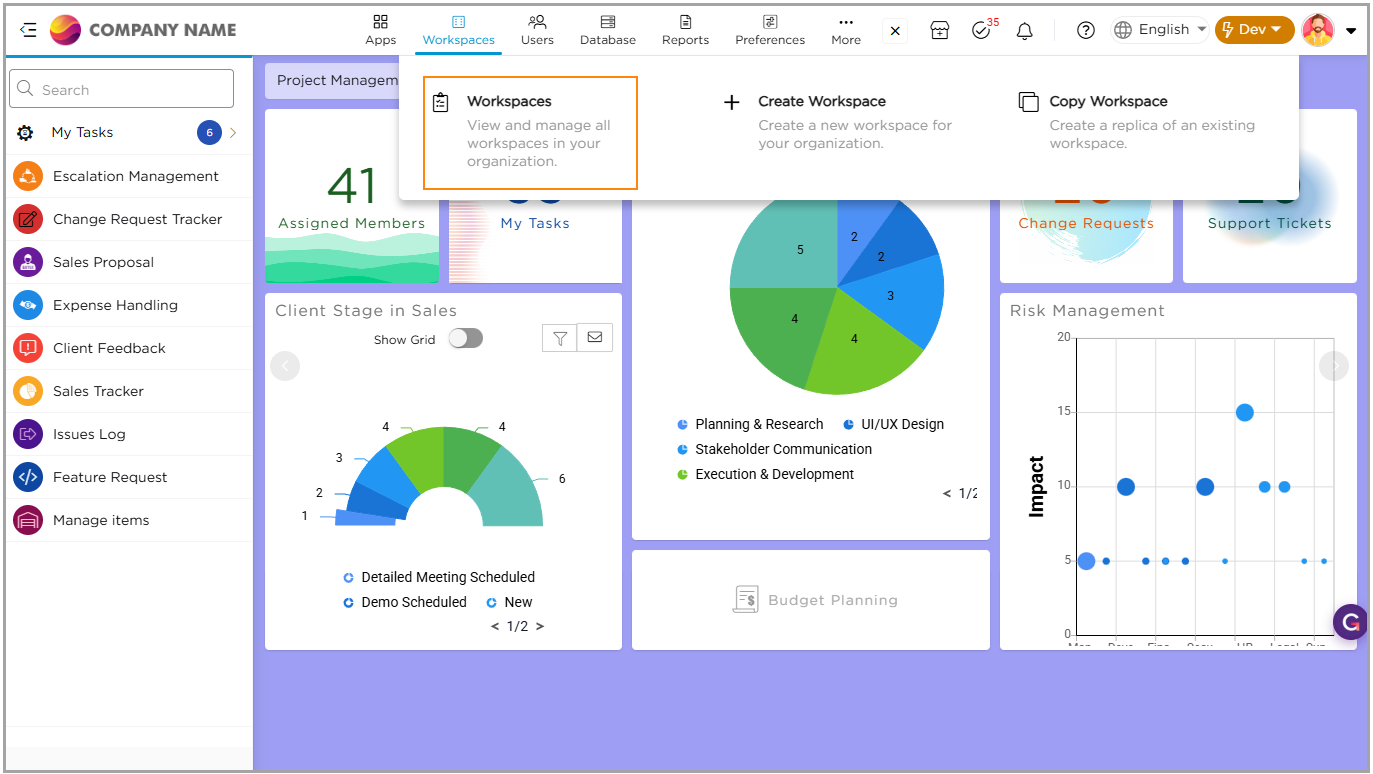
2. From the list, select the workspace for which you want to assign an admin.
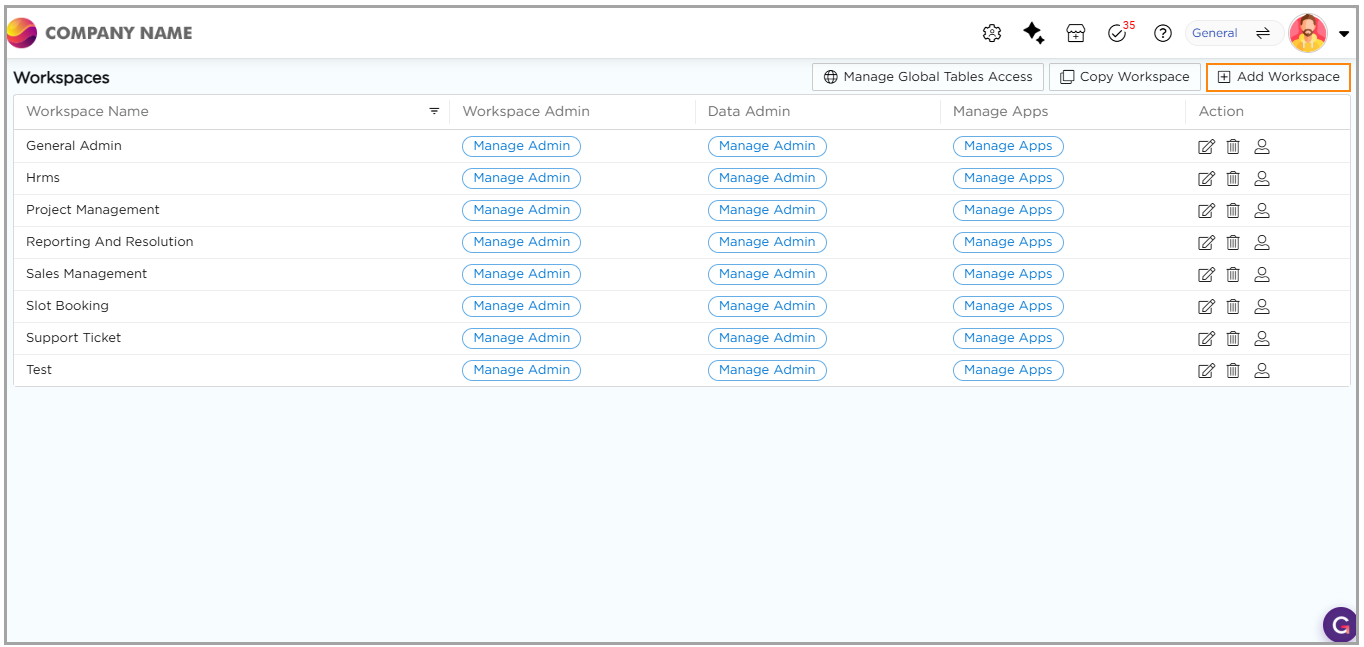
3. Under the Workspace Admin section, click Manage Admin corresponding to that workspace.
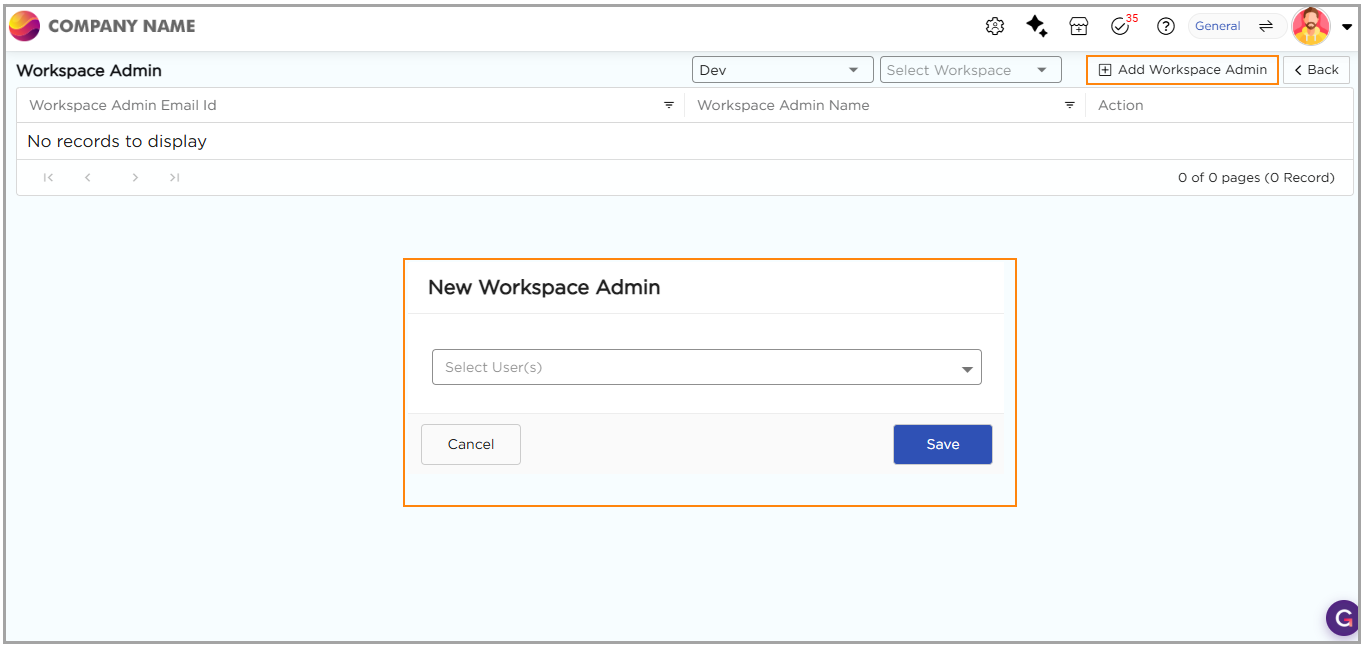
4. You will be taken to the Manage Admin page.
5. Select the sandbox environment where you want to assign the Workspace Admin.
6. Click Add Workspace Admin located at the top-right corner of the page.
7. In the New Workspace Admin pop-up, choose the user you want to assign as the Workspace Admin.
8. Click Save to confirm the assignment.
Note
Only an Organizational Admin can assign a Workspace Admin.