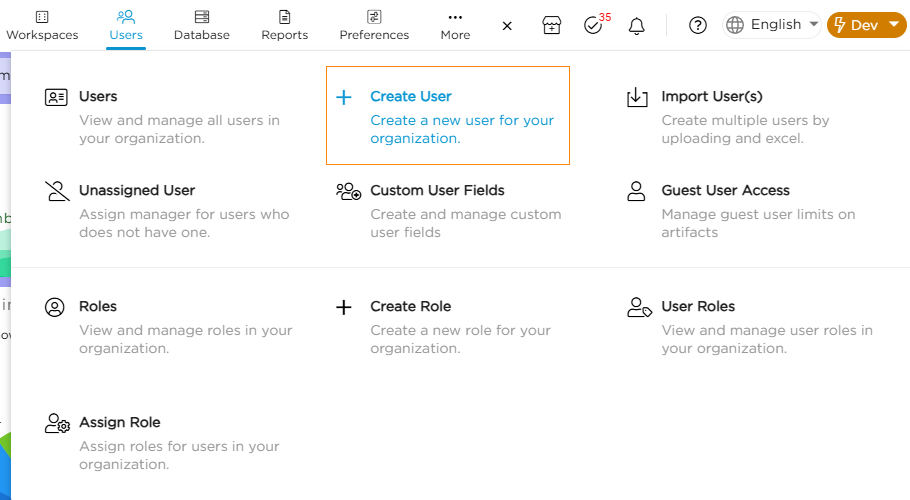
2. Provide the required user details and click save.
User Detail Fields
Description
Requirement
Email ID
Provide a valid email id
Mandatory
Manager
Select the user's manager from the list existing users
Mandatory
First Name
Provide the First Name
Mandatory
Last Name
Provide the Last Name
Mandatory
Password
Set a strong password with mix of Capital letters, small letters, Special Characters, and Numbers. Also ensure the password length is min. 8 characters. You can also choose to Auto Generate Password and save it.
Mandatory
Contact Number
Provide a valid Contact Number
Mandatory
Emergency Contact Number
Provide an Emergency Contact Number
Non-Mandatory
Employee ID
Provide an Employee ID
Non-Mandatory
Employee Code
Provide an Employee Code
Non-Mandatory
Date Of Birth
Provide the user's DOB
Non-Mandatory
Calendar
Attach the dedicated calendar that aligns with the user's working hours
Non-Mandatory
Time Zone
Assign the relevant time zone in which user operates in
Non-Mandatory
Login Type
Choose the login method — Regular or any configured SSO (Single Sign-On).
Non-Mandatory
Username
Username is used when the the Login Type is set to LDAP
Non-Mandatory
Enable RTL
Enable this option if the user interface should display from right to left. Disabling it flips the screen to display from left to right.
Non-Mandatory
Integration
Enable this option to provide the user with the 3rd party integration capabilities
Non-Mandatory
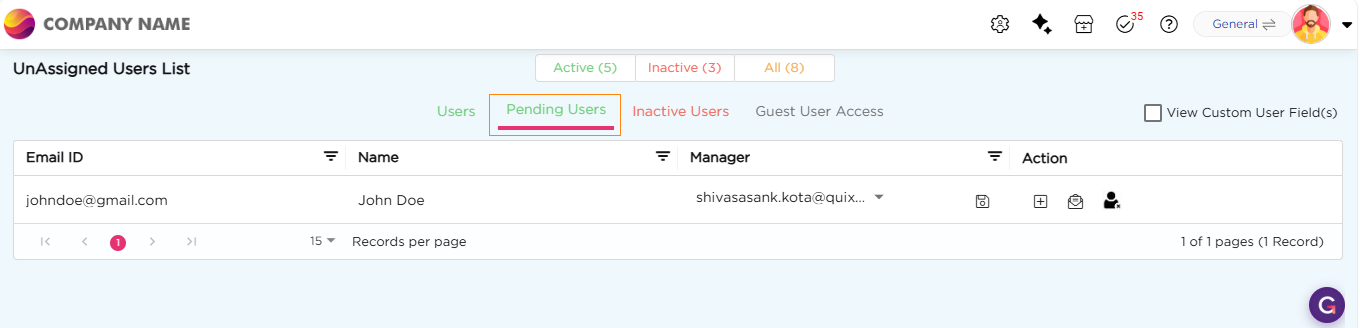
3. The user will be created.
Note
Newly created users remain in the Pending Users list until they are activated. An inactive user cannot perform any actions on the platform till they are active.