¶ 1. What is a Table?
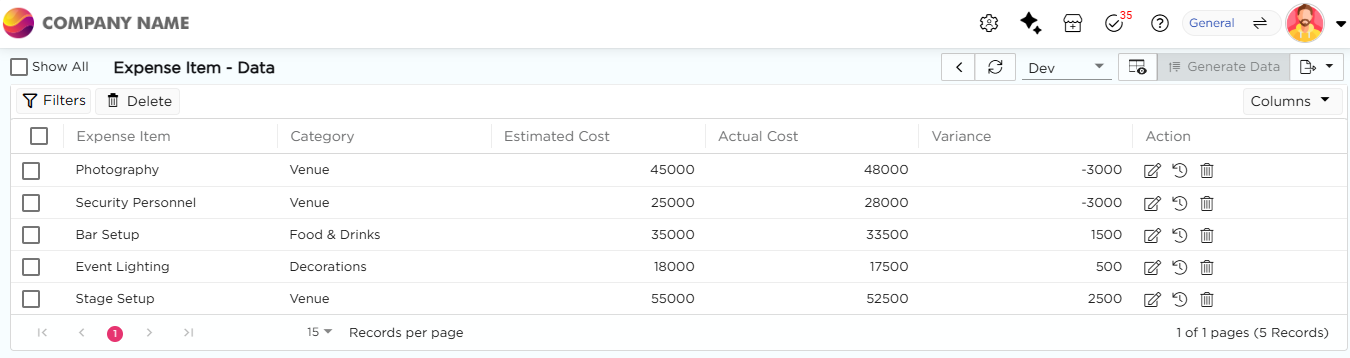
A table is where your application stores data. In Quixy, this is called a Data Table. Each row represents one record. Each column represents one data field.
Tables hold all business data used by forms, workflows, views, and reports. Every time a user submits a form or a workflow updates data, the information is stored in a table.
Tables provide a way to store, retrieve, and manage data. This lets you sort, filter, search, and report on data across the platform.
¶ 2. Why do you need a Table?
You need a table to store and manage all business data in one place.
A table lets you:
- Add new records
- Update existing records
- Delete records that are no longer required
- Reuse the same data across forms, workflows, views, and reports
The data table becomes the single source of truth for your application. All operations read from and write to this table.
Example
In a leave management application, each row represents one leave request. Each column stores a specific detail, such as employee name, leave type, start date, end date, and approval status.
The table is used to capture leave requests from forms, update approval status through workflows, track leave history, and generate HR reports.