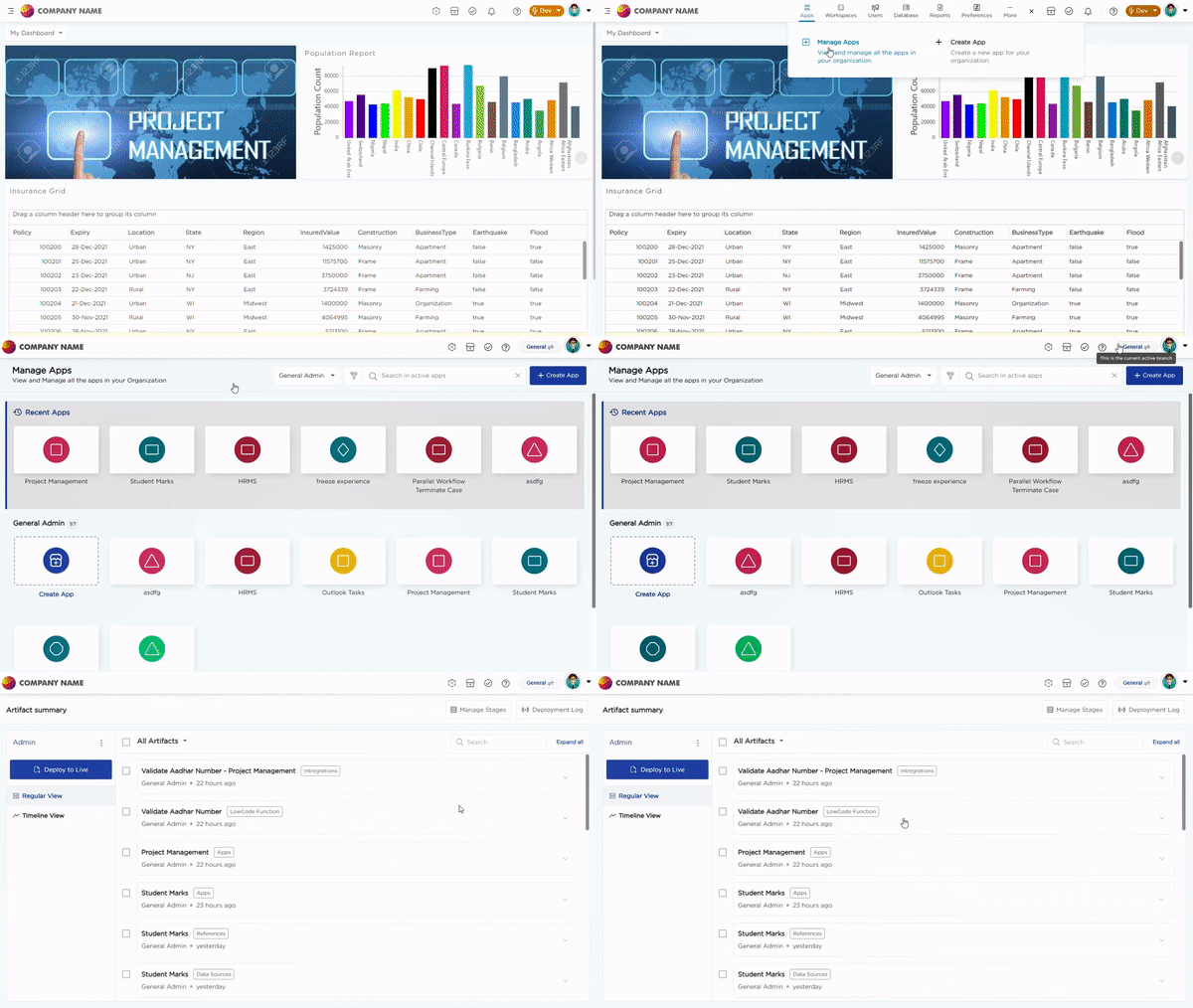
The Basic Sandbox in Quixy provides a safe and controlled space to build, configure, test, and prepare solutions before they are used by real users. It separates development activities from live usage so ongoing changes do not affect active users, transactions, or production data.
This separation helps teams validate solutions properly before making them available for actual business use.
¶ 1. Dev and Live Environments
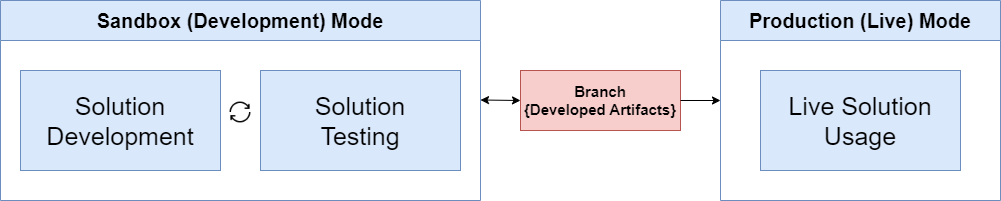
In the Basic Sandbox, the platform works with two environments, Dev and Live.
The Live stage is the production environment. All users, including Organization Admins, Workspace Admins, Data Admins, and End Users, have access to this stage. It is used for real-time operations, transactions, and approved solutions.
The Dev stage is the development environment. It is used to build, configure, and test solutions before publishing them to Live. Only Organization Admins and Workspace Admins have access to this stage because they act as citizen developers. Data Admins also have access since they manage data across both environments.
Note
End Users do not have access to the Dev stage.
¶ 2. Default Login Behavior and Stage Switching
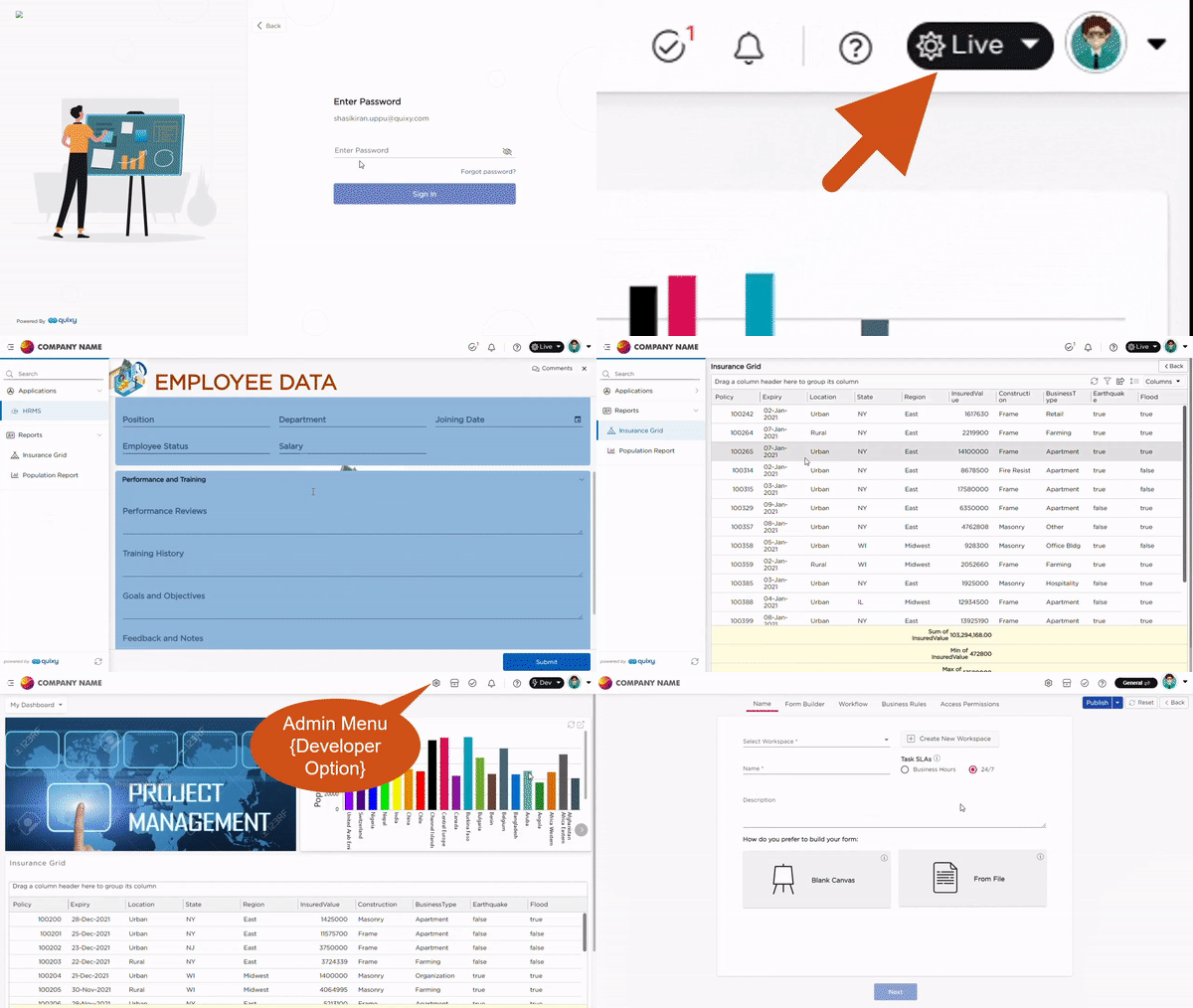
When any user logs in to the platform, they always land on the Live stage by default. This ensures users interact only with stable and approved solutions.
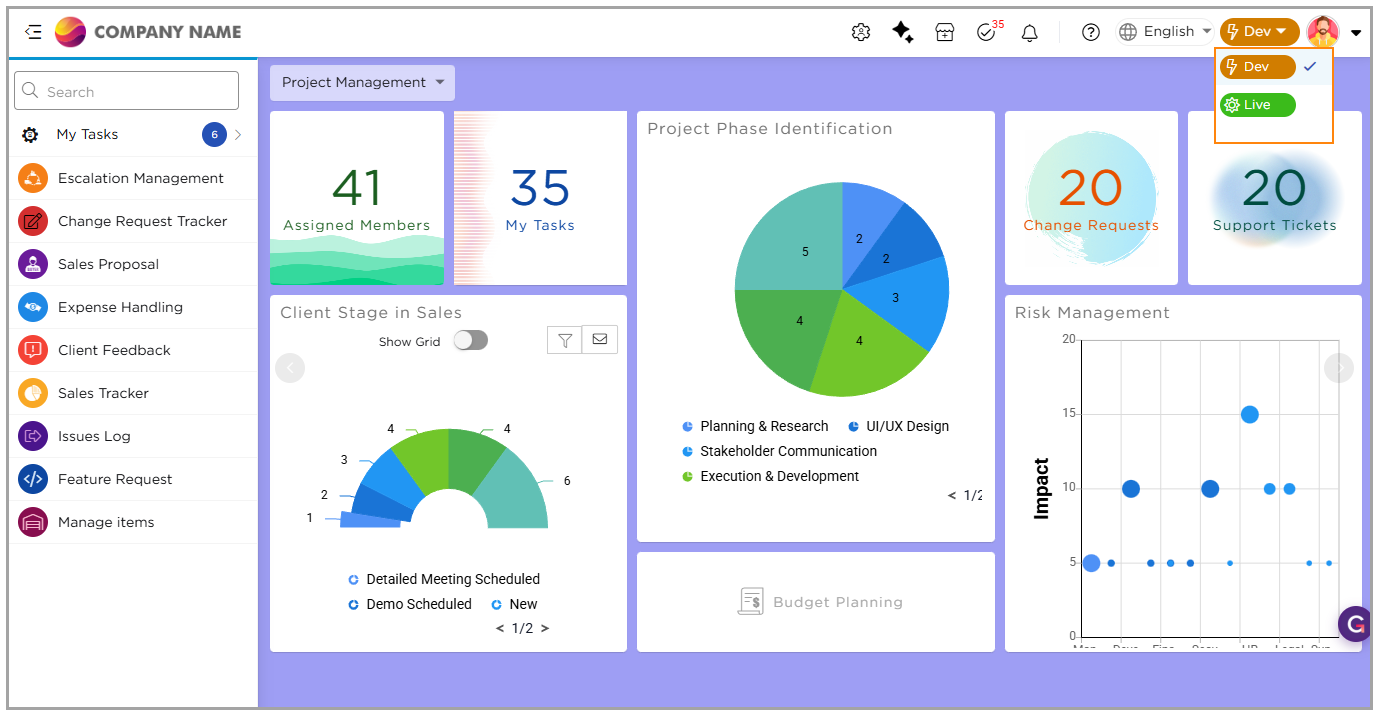
Authorized users such as Organization Admins and Workspace Admins can switch from the Live stage to the Dev stage using the stage selector available on the top bar. This allows them to move into development mode whenever they need to build or test solutions.
¶ 3. Developer Mode and Admin Menu
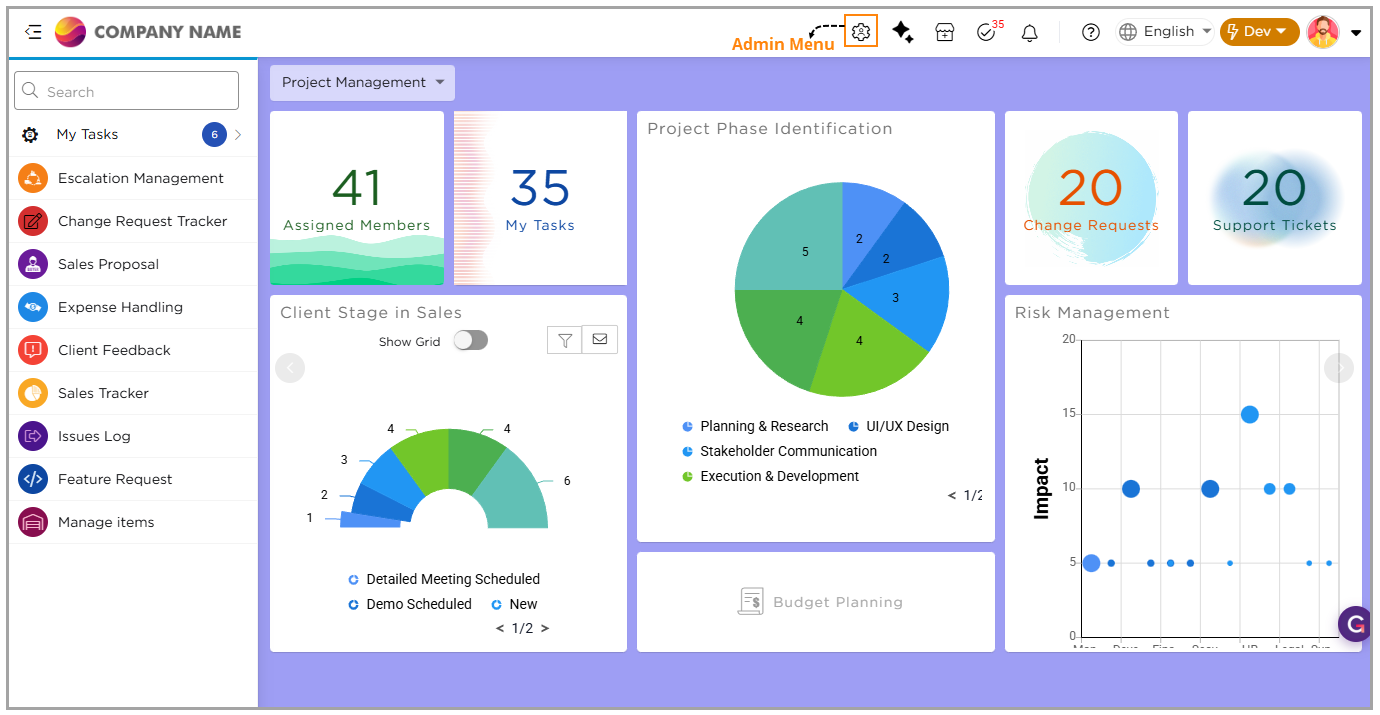
When a user switches to the Dev stage, the platform enters developer mode. In this mode, the Admin Menu becomes available.
The Admin Menu provides access to tools required to build solutions. From here, developers manage workspaces, users, roles, applications, data tables, data sources, reports, dashboards, lookups, custom menus, app events, and other configuration items.
This menu is visible only in the Dev stage and is hidden in the Live stage to prevent accidental changes.
¶ 4. Development, Testing, and Branches
In the Dev stage, developers create and modify artifacts and test them within the same environment. This helps validate workflows, logic, and data handling before releasing solutions for real usage.
Artifacts created or updated in the Dev stage do not move directly to the Live stage. Instead, they are stored in branches. Branches act as a holding area until artifacts are reviewed and published.
The Basic Sandbox includes a default General branch. All new artifacts and changes are automatically stored here until they are published.
Developers can access the General branch from various artifact list pages such as Applications, Data Tables, Data Sources, Reports, Dashboards, Lookups, Workspaces, and Users to review unpublished changes.