A branch is a temporary holding space in the Dev stage. The artifacts you create or modify, such as apps, data tables, lookups, and functions, stay in a branch until you deploy them to the next stage (QA, UAT, or Live).
¶ 1. Default Branches
Every Sandbox has a default branch called General, where newly created or modified artifacts are stored until you deploy them. This applies to both the Basic Sandbox and the Advanced Sandbox.
In the Advanced Sandbox, there is also a default Admin branch for the artifacts that only an Organization Admin manages. Both default branches appear on the Branches page, marked Default.

Note
The Branches page, and creating, switching, and deleting branches, are available in the Advanced Sandbox only. In the Basic Sandbox, all artifacts are stored in the General branch.
¶ 2. Multiple Branches in Advanced Sandbox
When several people build at the same time, all their artifacts end up in the General branch. This makes it hard to identify who owns what and to deploy the right artifacts to the next stage.
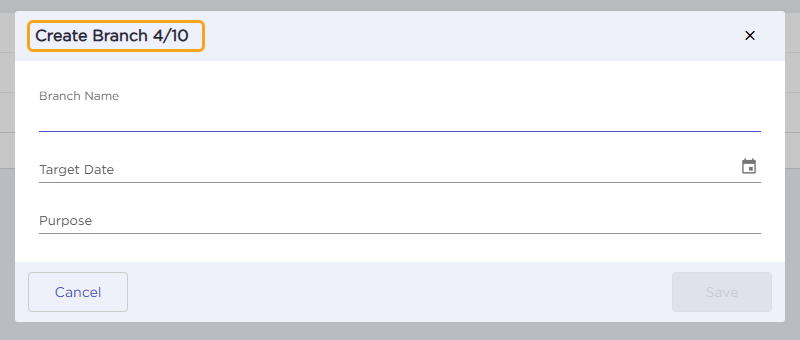
To avoid this, each citizen developer (Organization Admin or Workspace Admin) can create their own branch. The Create Branch window shows a counter, such as 4/10, which means the Sandbox allows up to 10 branches, including the default General and Admin branches. With their own branch, a citizen developer manages and deploys their artifacts independently. This makes it easier to separate and deploy artifacts and saves time and effort.

Let's understand how multiple branches work with an example:
Example
An organization has one Organization Admin and two Workspace Admins. When each of them creates artifacts or solutions, these all end up in the General branch, and it becomes unclear who owns what.
To prevent this, the Organization Admin asks the two Workspace Admins to create separate branches. Each admin then works in their own branch and can access their own artifacts without interfering with those of other users.
¶ 3. How to Create a Branch
- Go to Admin Menu → More → Branches.
- Click Create Branch at the top right corner.
- In the Create Branch window, enter the Branch Name, Target Date, and Purpose, and then click Save.
- A confirmation message, Branch Created Successfully, appears at the top center.
Note
A branch created by a Workspace Admin is private. Other Workspace Admins cannot see it unless they are added as collaborators. An Organization Admin can always open any Workspace Admin's branch, switch to it, and store artifacts in it.
¶ 4. How to Switch Between Branches
New and modified artifacts are stored in the branch you are currently working in. To store them in a different branch, switch to it first.
- Go to Admin Menu → More → Branches.
- Hover over the branch you want to switch to and click Switch.
- In the Switch Branch window, click Yes.
- The branch name at the top right corner changes to the branch you switched to.

¶ 5. How to Delete a Branch
Important
Before you delete a branch, deploy its artifacts to the Live stage or delete them.
- On the Branches page, hover over the branch you want to delete and click View Artifact Summary.
- Click the three-dot menu and select Delete Branch.
- In the window that appears, enter the Branch Name and click Delete.
- A confirmation message, Branch Deleted Successfully, appears.

