Add-ons extend the functionality of the List View by enabling actions, automation, and logical data handling. In List View, add-ons make reports interactive by allowing users to perform operations directly on records, without leaving the view.
They help convert static tabular data into actionable workflows, especially when records move through defined stages or processes.
¶ 1. Sales Pipeline List View
Consider a sales pipeline where leads move through stages such as New, Qualified, Demo Scheduled, and Customer. Managing these leads efficiently requires timely actions at each stage.
Add-ons help define stage-based actions, so users always know the next step to take.
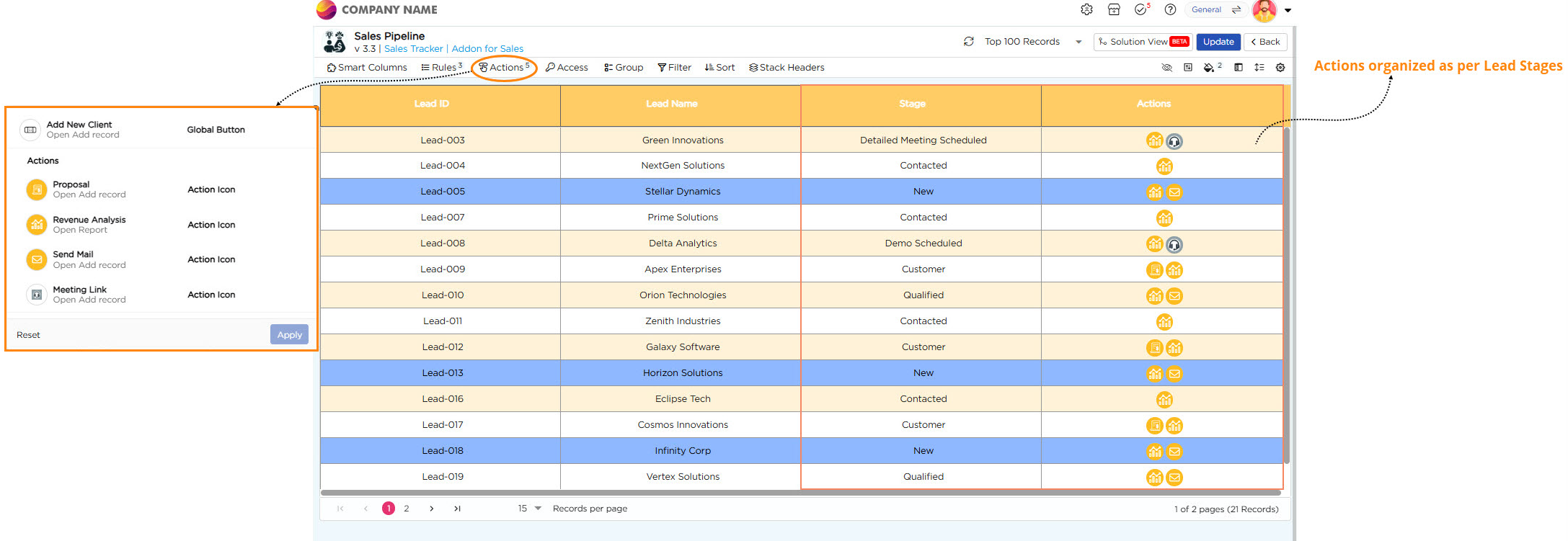
Here’s how actions work based on lead stages:
- When the stage is New or Qualified, use Send Mail to reach out to the client.
- When the stage is Demo Scheduled or Detailed Meeting Scheduled, use Meeting Link to arrange and track meetings.
- When the stage is Customer, use Proposal to share the final offer.
These actions appear directly in the List View and stay aligned with the current stage of each lead.
¶ 2. Additional Add-ons
Other add-ons such as Add New Client and Revenue Analysis help expand client data and track performance through chart-based reports. Know more about how to configure Chart reports.
By combining these add-ons, the List View becomes a complete lead management hub. It helps teams act quickly, maintain accuracy, and guide every lead toward conversion.
¶ 3. Access Tasks from List View
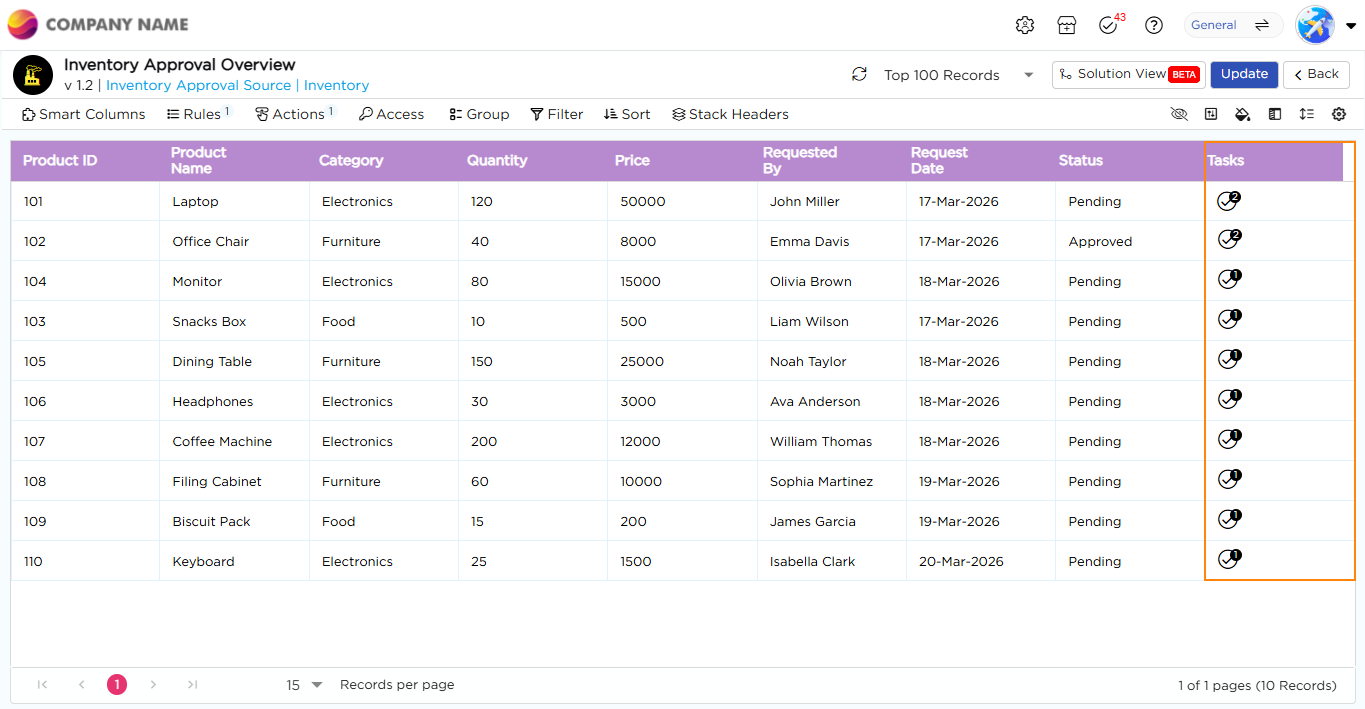
In addition to performing actions such as sending emails or scheduling meetings, add-ons also allow users to access and complete workflow tasks directly from the List View.
This is useful when tasks are tied to each record and require quick action. Instead of navigating to a separate Tasks page, users can view pending tasks and complete them in the same context where the data is available. This helps reduce navigation and improve efficiency. To configure this, see Link Tasks Action.
¶ 3.1. Perform Tasks from List View
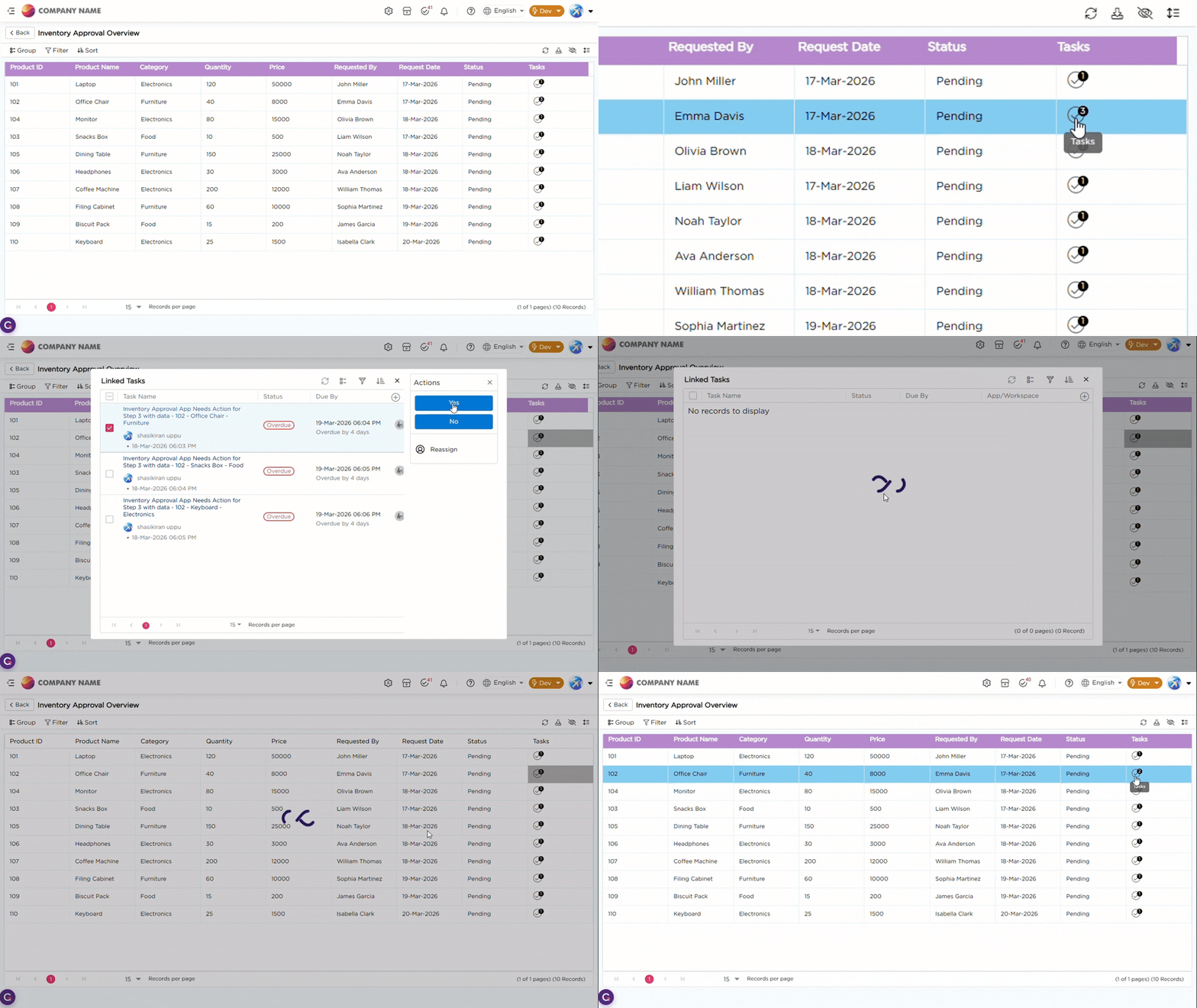
Once tasks are available for a record, you can perform them directly from the List View.
- Click the Tasks icon in the respective record
- View the list of available tasks
- Select and complete the required task
Refer to the Gif below to understand how to perform Tasks inside List View :