This section explains how to create a List View using an existing data source.
¶ 1. Pre-requisites
Before you begin to create a List View, ensure the following pre-requisites are ready:
- Data Table: Set up a data table with the necessary fields. For instance, in a sales pipeline scenario, fields might include:
- Lead ID
- Lead Name
- Client POC Name
- POC Email
- POC Contact Number
- Source (e.g., Referral, Event, Web Form)
- Stage (e.g., New, Contacted, Customer)
- Revenue Potential
- Data Source: Use the data table to create a data source that serves as the foundation for your List View. Save the data source after its creation.
- Add-ons: Add-ons are extension of data sources that allow you to add smart columns (static column with static data), rules and actions. When plugged into views, they extend functionality and turn reports into actionable views.
¶ 2. Creating a List View
You can create a List View in two ways.
¶ 2.1. From the Data Source List Page
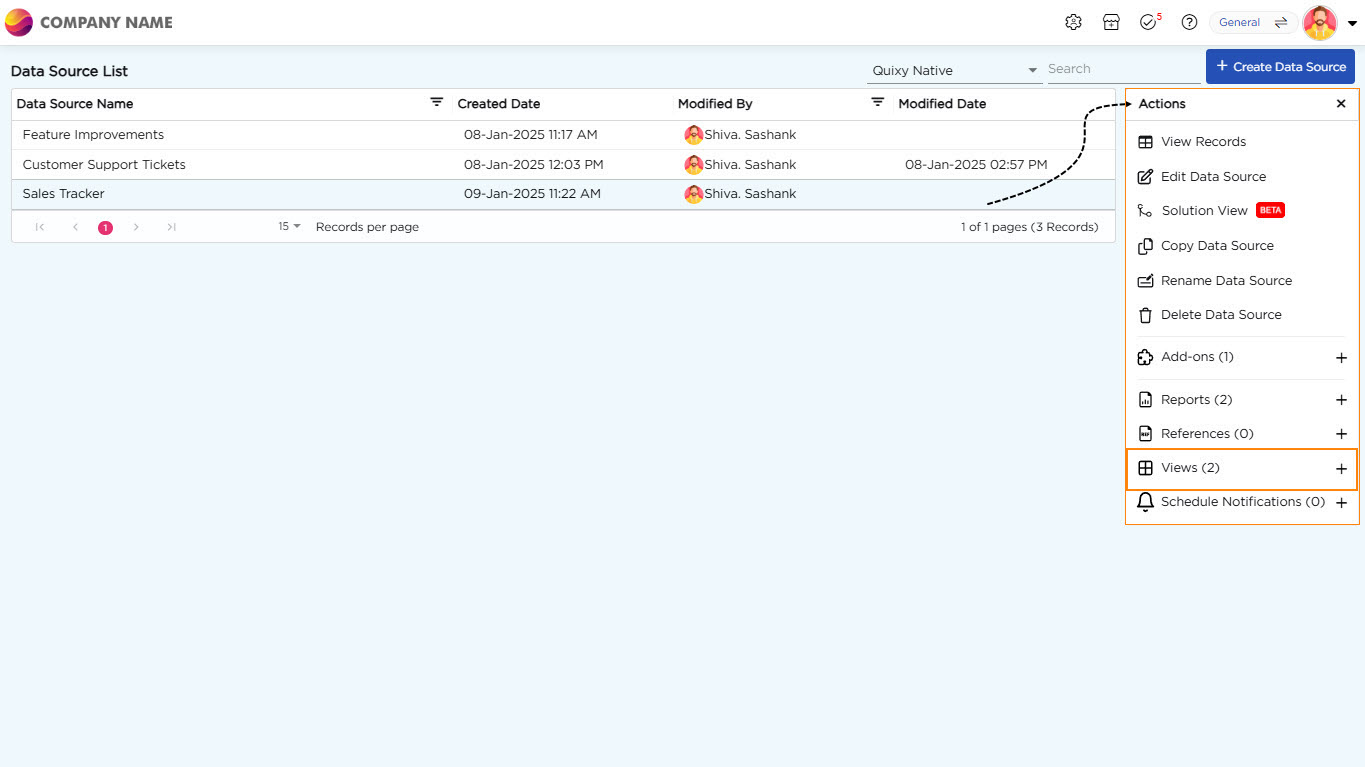
- From the Data Source List Page, select the required data source to create a view.
- Click the selected data source to open the Actions panel on the right.
- Click the "+" icon corresponding to the Views option in the Actions panel to start creating a new view.
¶ 2.2. From Admin Menu
- Go to Admin Menu → Reports → Create View.
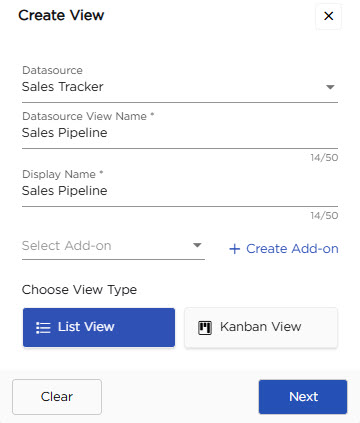
- The platform opens a Create View pop-up.
- Select a data source from the dropdown.
- Enter a name for the view and provide a suitable display name that will be visible for the end-users.
- Choose or create an Add-on if required.
- Select List View under Choose View Type and click Next.
The List View is now created and ready for further setup.