Webhook APIs allow third-party platforms to automatically push data into Quixy applications—without any manual intervention from end users. Once configured, any event or data capture in an external system can instantly trigger a POST request into a designated Quixy app, streamlining information flow and eliminating redundancy.
¶ 1. Bearer Token Authentication
To consume a Quixy Webhook API, the external system must authenticate using a Bearer Token.
Note
Only Quixy users with Integration Access can generate and view the required token. Organizational Admin must assign this permission when creating a user or by editing an existing user profile.
¶ 2. Generate Webhook API
Follow the steps below to enable secure data reception from a third-party system. Before generating a Webhook:
¶ 2.1. Create the Application
1. Create an application with all the fields that will receive data from the external platform.
- Example: text fields, numbers, dropdowns, date fields, etc., based on the expected JSON payload.
2. Complete the app design and move to the Publish step.
3. In the Publish dialog, under App Usage, select Webhook from the list.
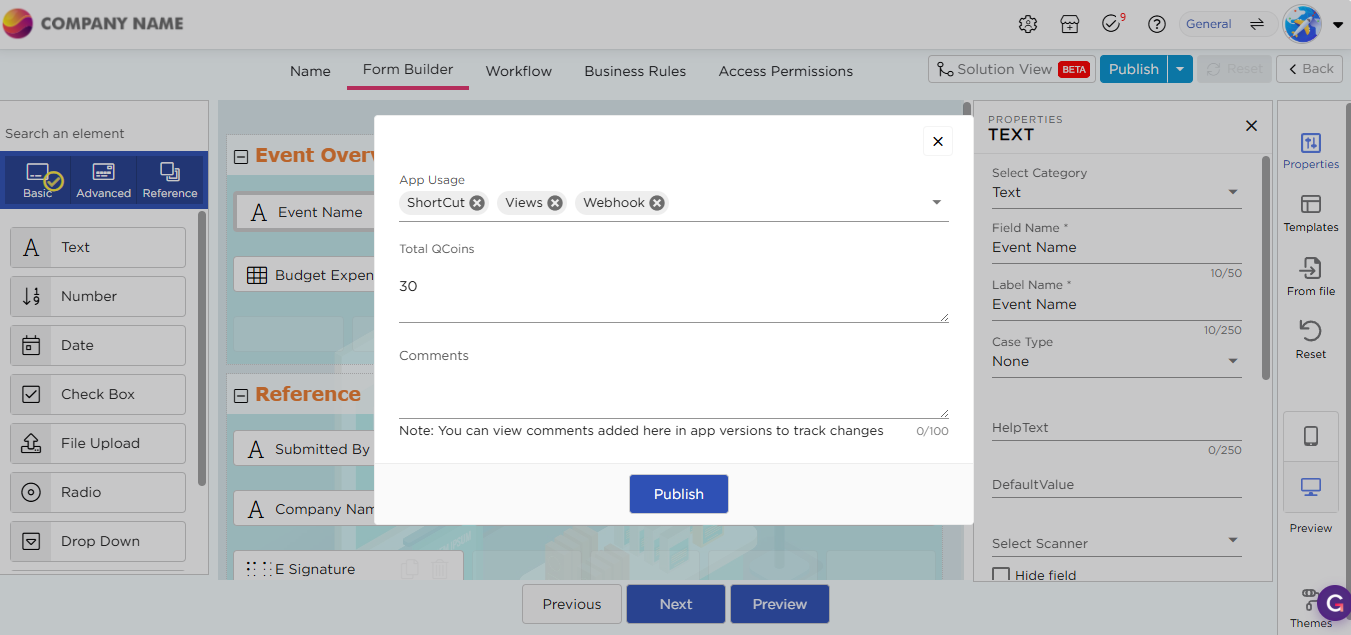
Note
Webhook must be explicitly selected during publishing. If it is not selected, Webhook API details will not be generated.
¶ 2.2. Generate and Retrieve Webhook Details
To generate and access the Webhook API details, follow these steps:
- Open the application where you want to configure the Webhook.
- Go to the Settings tab.
- Locate the Webhook option under the Share section and ensure the Webhook toggle is enabled.
- Click the “Click Here” link to open the Webhook API configuration popup.
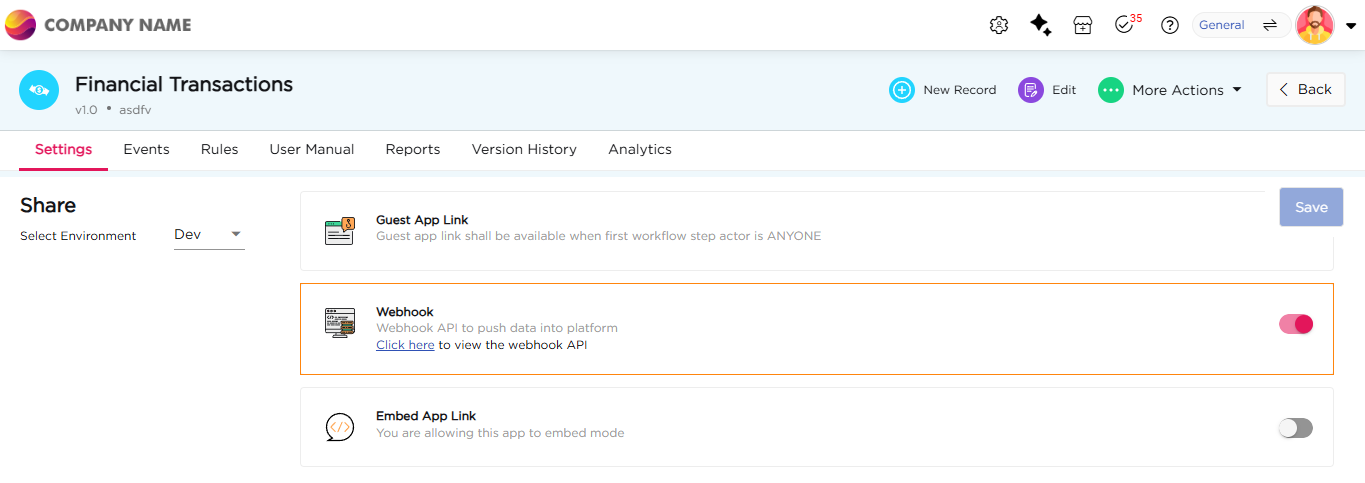
5. Retrieve Webhook Details, the popup displays all integration details required by the third-party system:
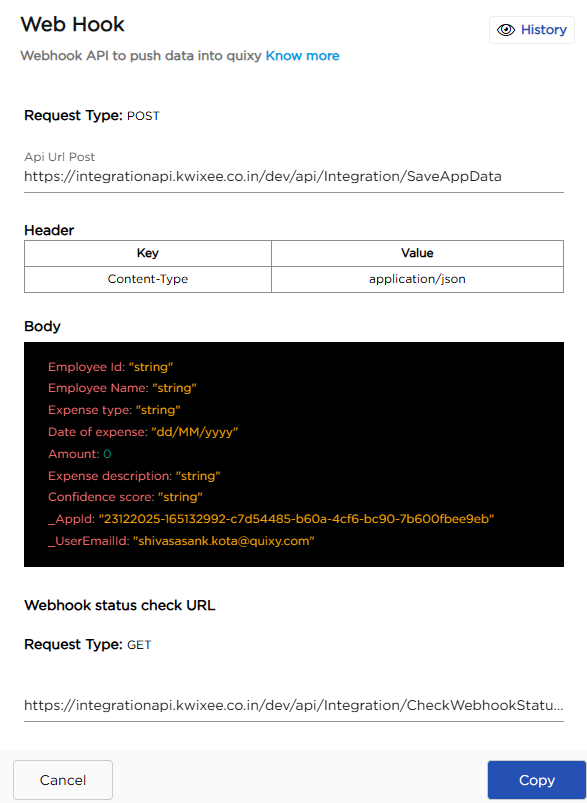
| # | Field | Description |
|---|---|---|
| 1 | Request Type | POST: Used to send data from an external system into Quixy. |
| 2 | API URL | Endpoint used by external platforms to send POST requests into Quixy. |
| 3 | Headers | Specifies request headers required by Quixy. Content-Type must be set to application/json. |
| 4 | JSON Structure | Request payload containing app fields and their values in JSON format. The structure is auto generated based on the app fields. |
| 5 | History | Click History to view request status, execution time, user email, and remarks for each webhook call. Use this to monitor successful deliveries and troubleshoot failures. |
| 6 | Webhook Status Check URL | GET endpoint used to check the execution status of webhook requests. Returns delivery status, completion time, and failure details for troubleshooting. |
Important
All credentials must be securely stored and referenced by the external system for every API call.
¶ 3. How the Webhook Works
Once the webhook is configured, the third-party system sends data to Quixy automatically. For the webhook call to succeed, the external system must include:
- The API URL
- The correct JSON payload structure
- The Bearer Token for authorization
When these are in place, Quixy receives data through an HTTP POST request and stores it in the application.
Integration
Request Header
POST /webhook/app/incoming-data HTTP/1.1
Host: quixy.com
Authorization: Bearer <Your_Bearer_Token>
Content-Type: application/jsonExample Payload
{
"email_subject": "System Alert",
"email_body": "Threshold exceeded on Node 12",
"received_date": "2025-07-22T10:35:00Z" }