To perform any third-party integration in Quixy, a user must have Integration Access. Only Organizational Admins are authorized to grant this access.
Integration Access allows a user to:
- Generate and manage a Secret Key
- Authenticate and consume APIs
- Configure and manage third-party integrations
- Without Integration Access, a user cannot perform any API-based integration activities.
¶ 1. Who Can Grant Integration Access?
- Only Organizational Admins can enable or manage Integration Access
- Access is controlled at the user level
- The permissions granted through Integration Access follow the user’s role and data access scope
¶ 2. How to Enable Integration Access
Integration Access can be enabled in two ways:
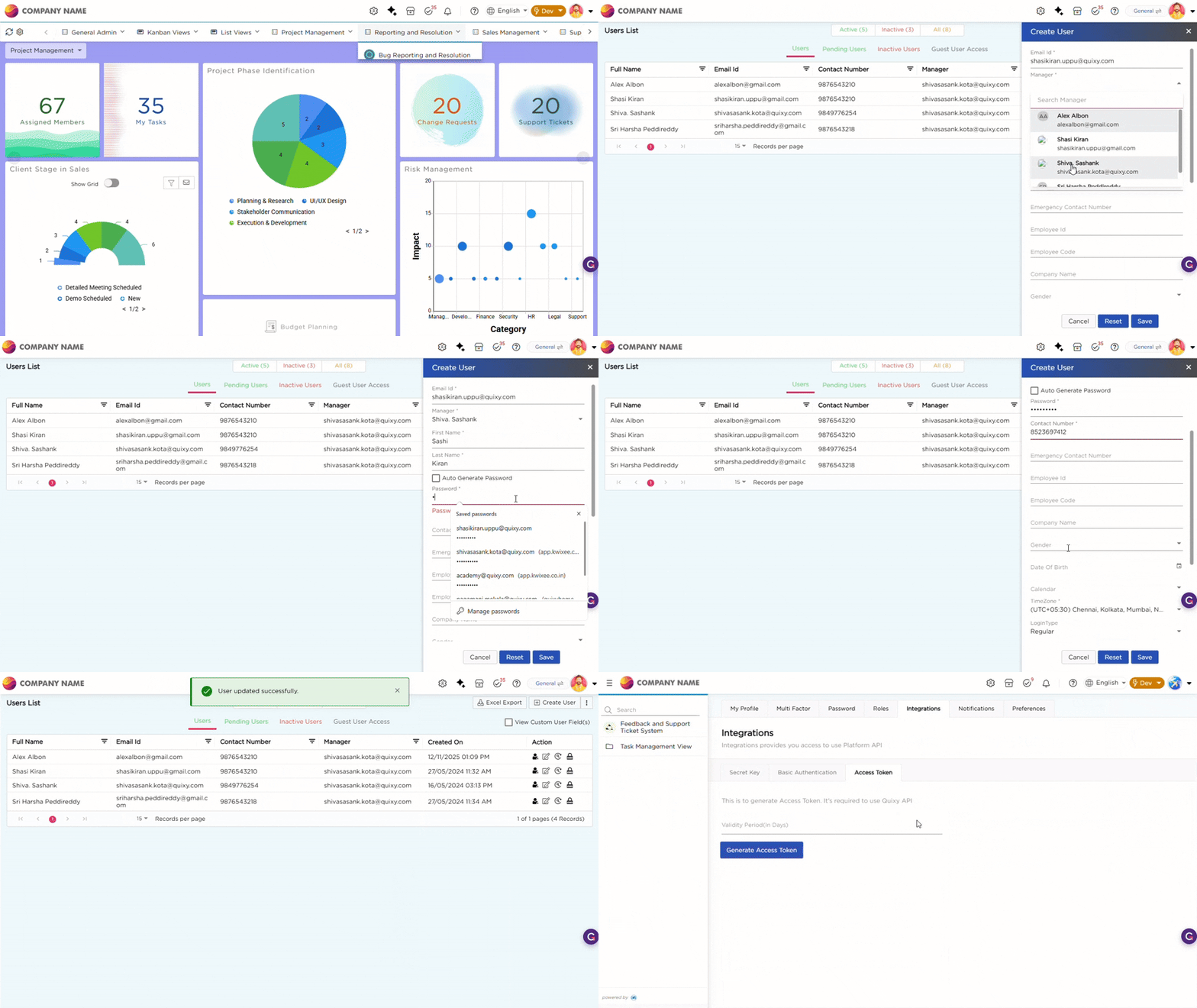
¶ 2.1. During User Creation
When creating a new user:
- Navigate to Admin Menu → Users → Create User
- Enter the user details
- Enable the Integration Access option
- Save the user
- The user will have Integration Access immediately upon creation.
¶ 2.2. For an Existing User
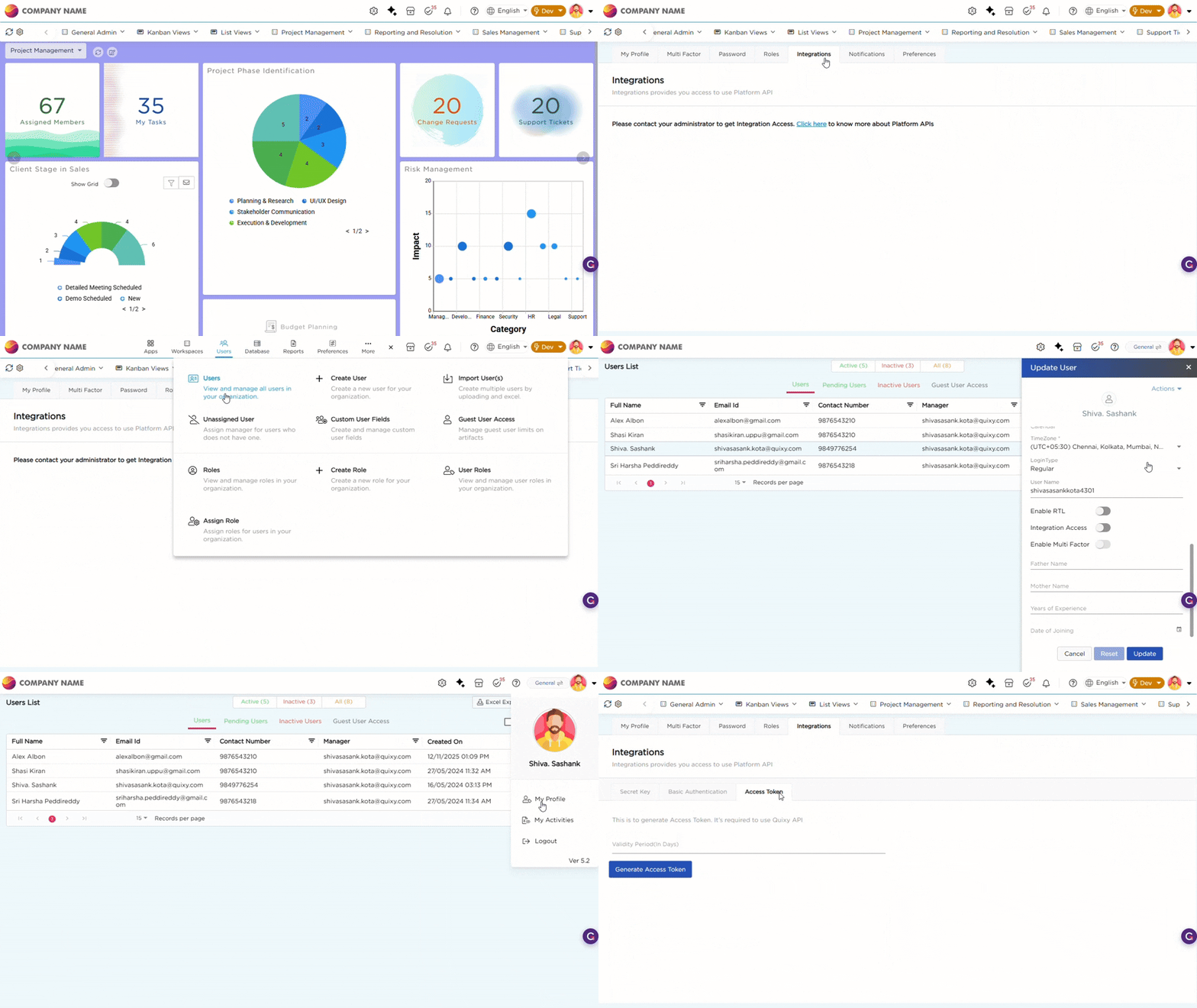
To enable Integration Access for an existing user:
- Navigate to Admin Menu → Users→ Users
- Open the user profile
- Edit the user details
- Enable the Integration Access option
- Update the changes
- The user can now access the Secret Key and perform integrations.
Note
- Integration Access provides access to the Secret Key, which has the same privileges as the user account
- API access remains role-based and follows existing permission rules
- It is recommended to grant Integration Access only to trusted users