A Reference field is used to retrieve and display existing data from a Data Table or Data Source within an application. It helps reuse data that is already available in another table instead of entering the same information manually multiple times. The Reference field fetches and auto-populates related data into the form, which helps:
- reduce duplicate data entry
- save time
- improve data accuracy
- maintain consistent data across applications
For example, if employee details are already stored in an Employee Data Table, the Reference field can fetch those details into another application whenever required, instead of users entering the same employee information again manually.
There are two types of Reference:
- Data Table Reference
- Data Source Reference
Although both data table and data source reference serve similar purposes in an app, they require different prerequisite configurations before they can be set up in an app.
¶ 1. Data table Reference
A Data Table Reference is used to fetch and display data stored in a Data Table within the application. To retrieve data from a Data Table, the selected Data Table must have a configured Get function.
¶ 1.1. Configuration
Follow the steps below to configure a Data Table Reference field in the application.
- In the Form Builder, go to the References section.
- Drag and drop the Reference field onto the canvas.
- In the Reference field properties, select the category as Data Table Reference.
- Select the required Data Table from which data should be fetched into the application.
- Select the required Get Function configured for the selected Data Table.
- The following values are automatically fetched from the selected Get Function:
- Function Type (Single/List)
- Reference Element (Input Element)
- Select the referenced output elements that should be displayed in the form. These fields are retrieved from the output configuration defined in the Get Function.
- Enter the required Field Name.
- Save the configuration.
- The selected output fields will automatically appear on the Form Builder canvas. Rearrange the fields as required.
¶ 1.2. End-User Experience
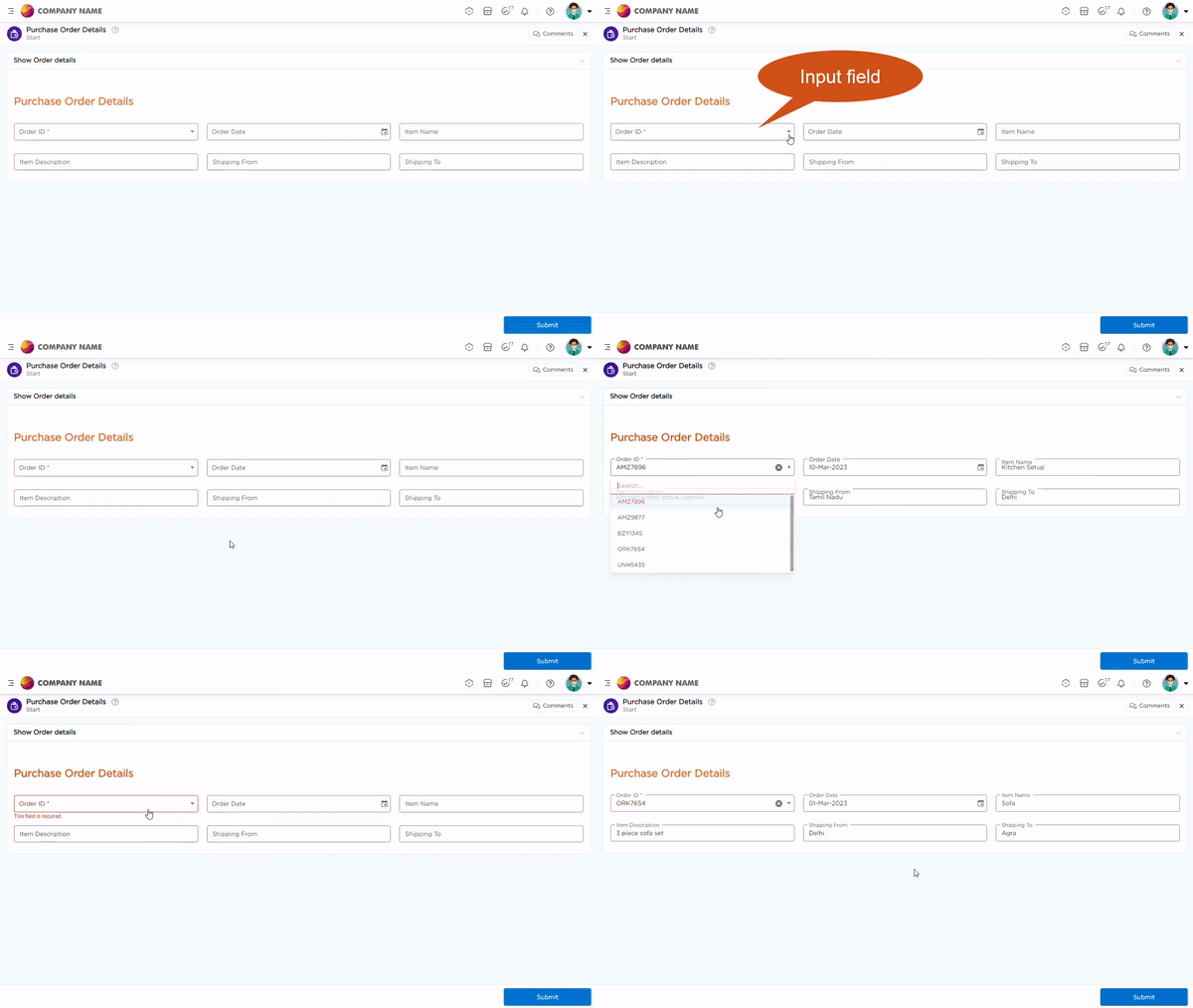
¶ 2. Field-Specific Properties
Note
This field supports all standard form field properties. Refer to the Form Field Properties article to understand common properties.
The properties below apply specifically to the Reference field.
| Property Type | Description |
|---|---|
| Select Category |
Used to define the type of reference configuration required for the field. Available options
|
| Select Data Table | Appears only when the category is selected as Data Table Reference. Used to select the data table from which the application should fetch data. |
| Select Data Table Function | Used to select the Get Function configured for the selected Data Table. The selected function determines the input element and output fields available for the reference configuration. |
| Select Type / Function Type | Defines how the referenced data is displayed in the application. |
| Select Referenced Elements | Used to select the output fields that should be displayed in the form after retrieving the reference data. Multiple fields can be selected based on the configured output values. |