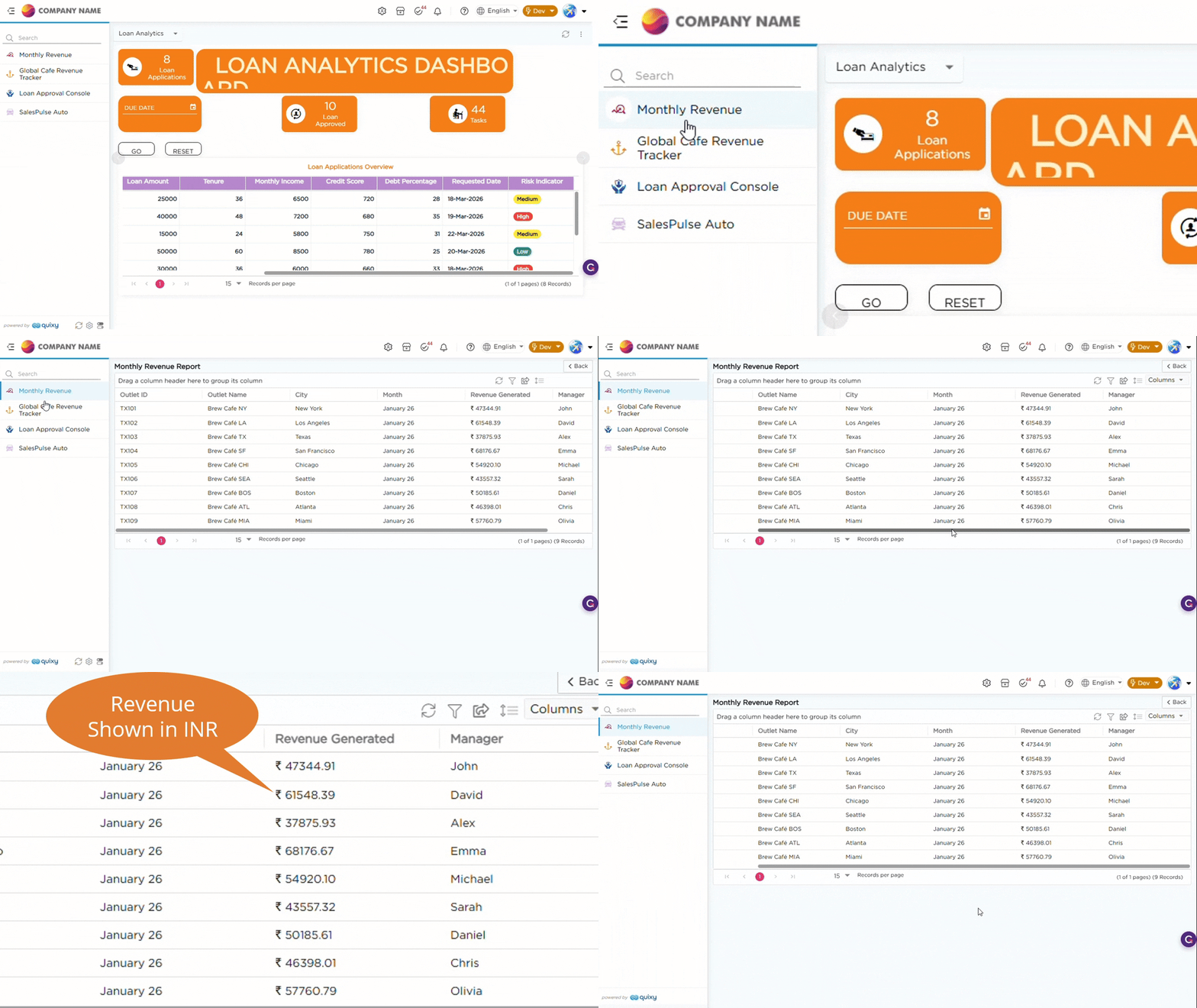
This article explains how to configure a Currency field in a Data Table and use Base Currency to convert and display values in a standard format for reporting.
¶ 1. Use Case
Consider a café chain with outlets in the United States. Daily sales are recorded in USD. At the end of the month, the business owner needs to review total revenue in another currency. Manual conversion makes this difficult and time-consuming. To address this, a Currency field is configured in the Data Table with a Base Currency. This ensures that all the values entered in USD are automatically converted into the selected base currency using the current exchange rate. This allows revenue data to be viewed in a single currency for reporting and comparison.
¶ 2. Configuration
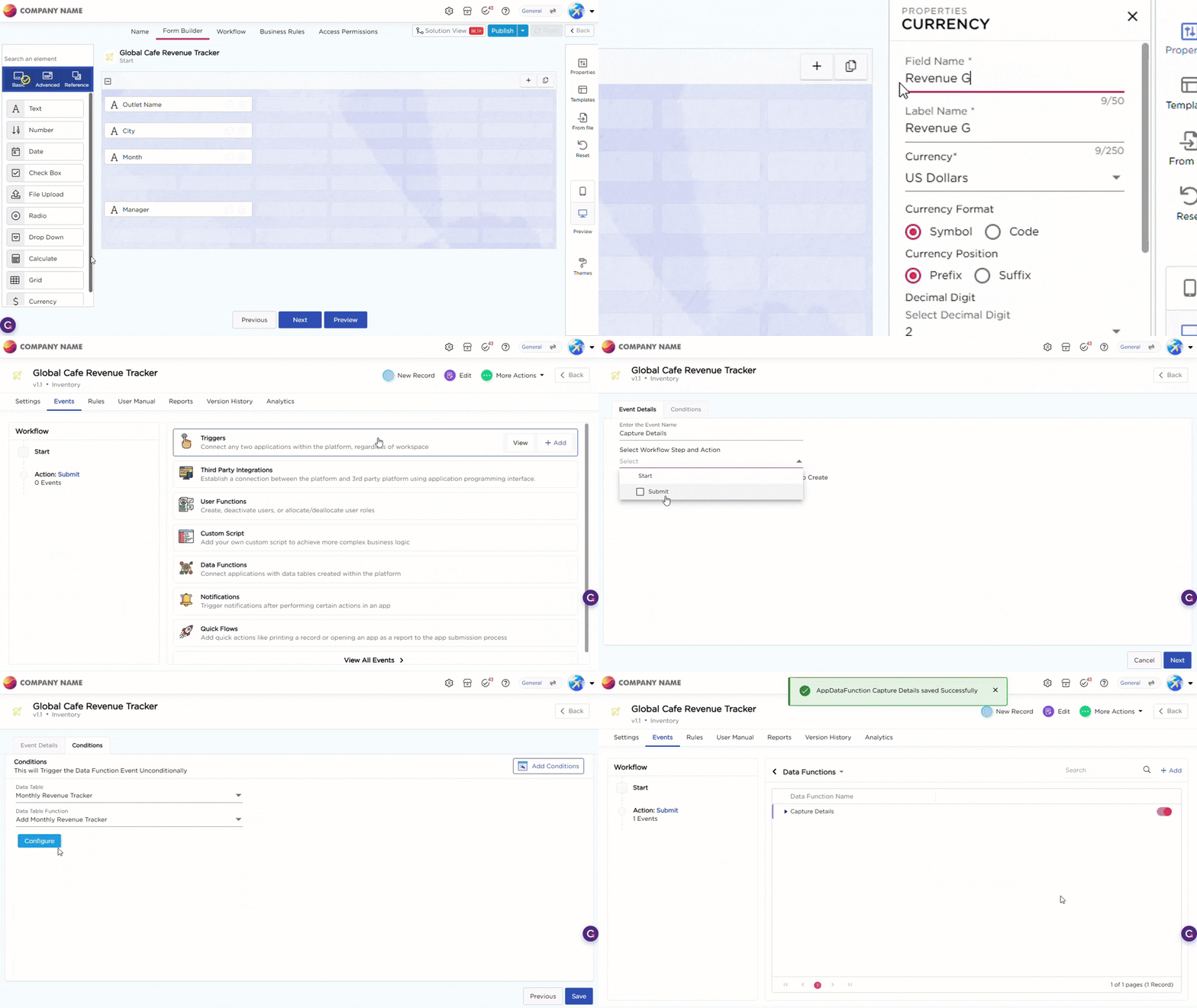
For this use case, make sure you have an application created and a Data Table with required fields and include a Currency field. Once the Currency field is added, select it to open the Properties panel and configure the following:
- Set Currency = USD
- Choose the required Currency Format
- Set Currency Position
- Define Decimal Digits
- Set Base Currency = INR
This ensures all values entered in USD are automatically converted into INR using the current exchange rate. To capture and store data in the Data Table, the application uses App Data Functions. These ensure that data entered in the application is automatically stored in the corresponding Data Table.
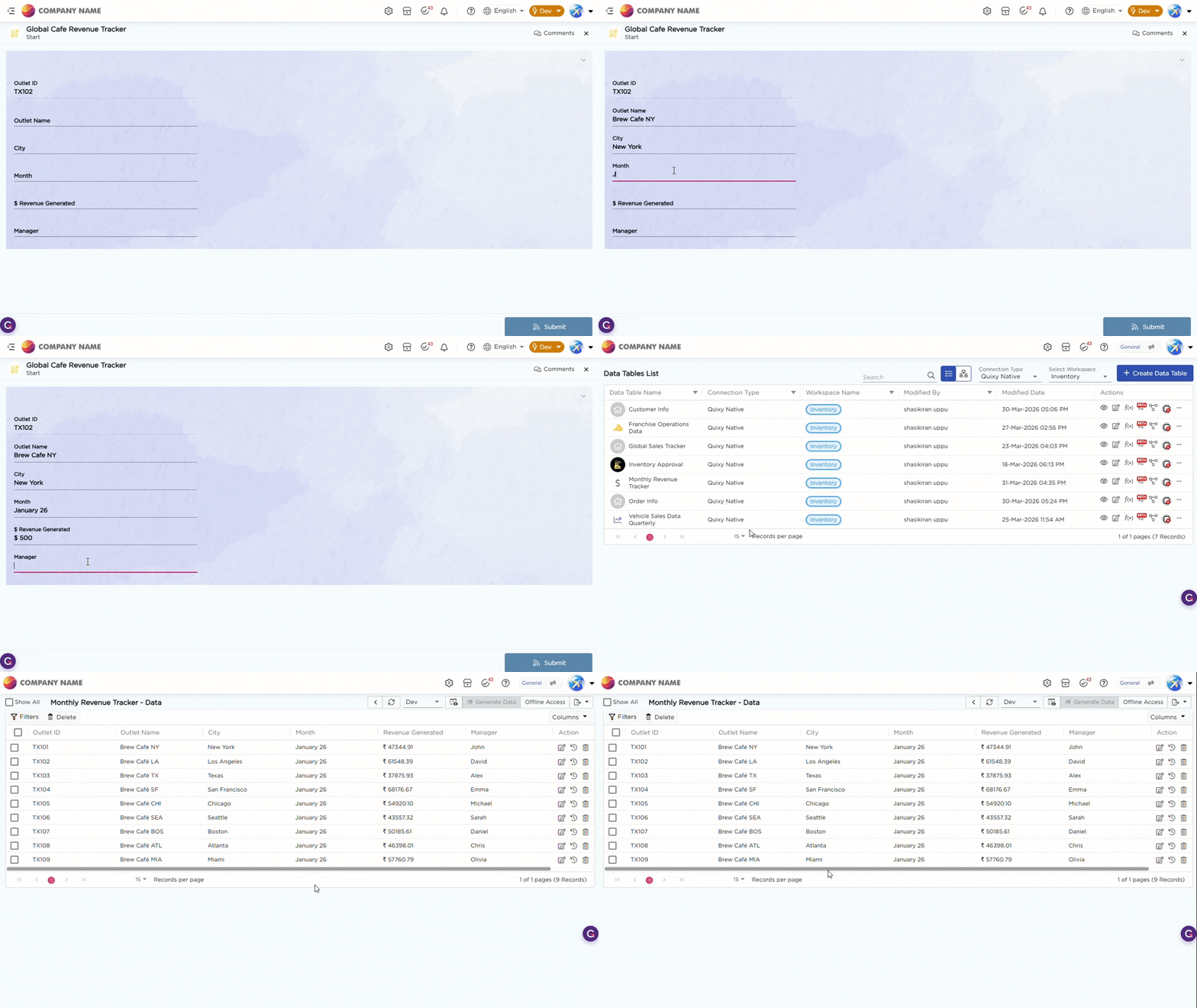
The Base Currency configuration is shown in the GIF below for reference:
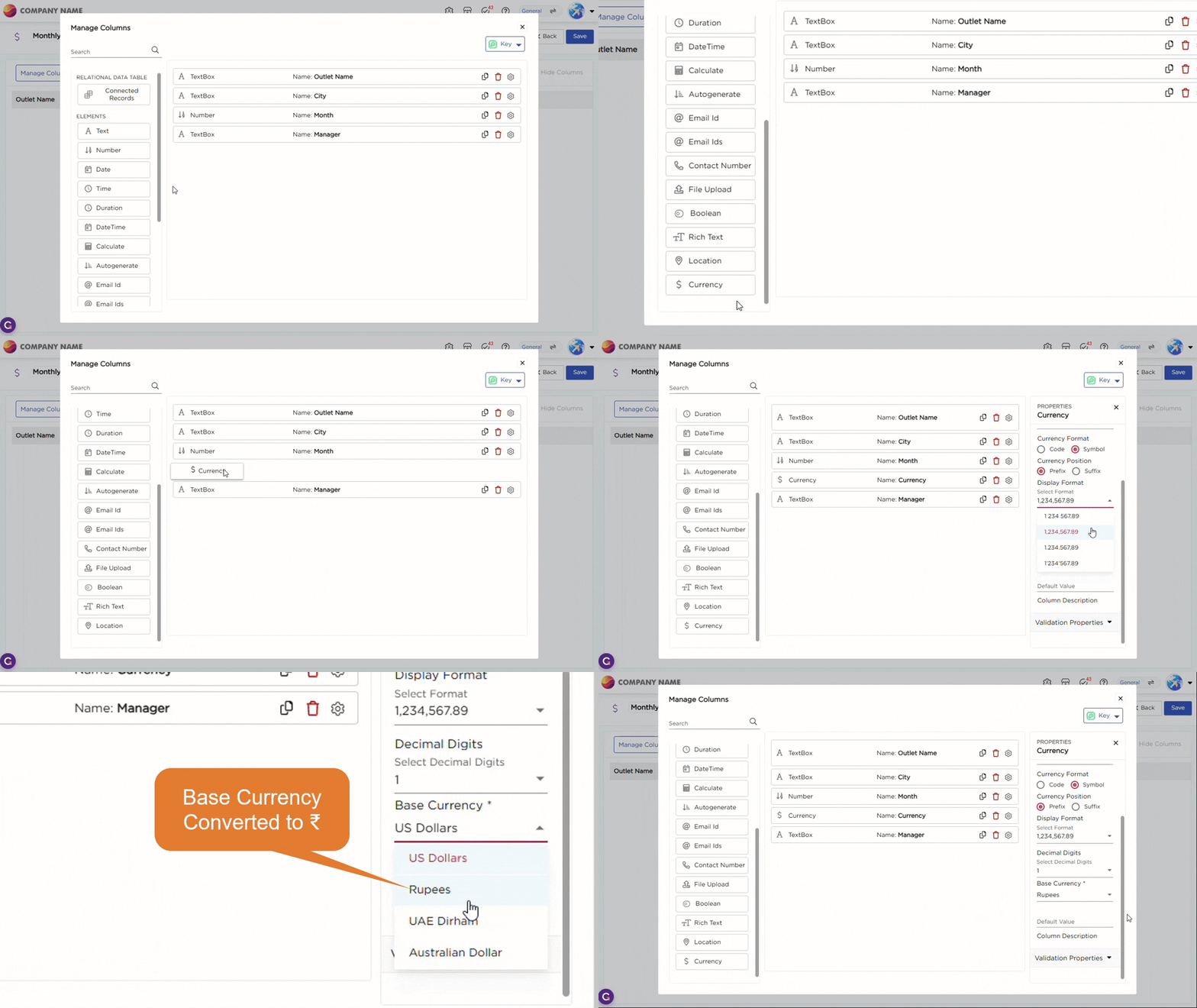
The GIF below shows how revenue captured in USD in the application is displayed in INR in the data table due to base currency configuration:
The GIF below shows how values entered in USD are displayed in INR in reports due to base currency configuration: