¶ 1. Promotion Planning View
A List View named Promotion Planning View is created to manage promotion records and support promotion planning activities.
The view displays each promotion as a row with its Promotion ID, Promotion Name, Start Date, End Date, Deadline Date Time, participating Store Count, and the number of articles added. Clicking a promotion opens its article list, so a buyer can review or edit the Articles details without leaving the view.
This gives business users a single place to monitor promotion timelines and article coverage throughout the planning stage.

¶ 2. HO Allocation Board
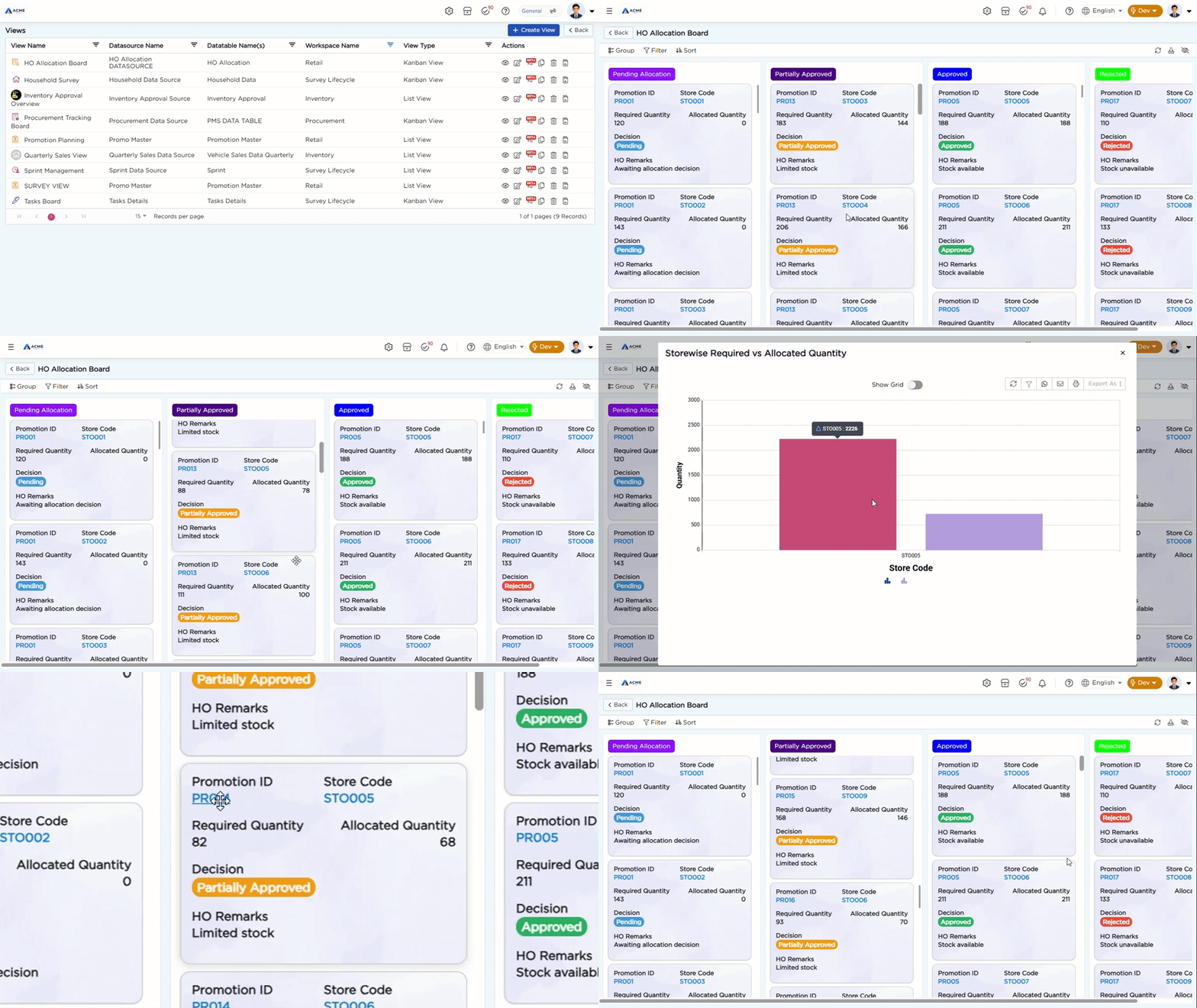
A Kanban View named HO Allocation Board is created to monitor promotion allocation activities across participating stores.
The view groups store-wise allocation records into Pending Allocation, Partially Approved, Approved, and Rejected columns based on their Status. Each card displays the Promotion ID, Store Code, Required Quantity, Allocated Quantity, Decision, and HO Remarks.
This provides Head Office and store teams with a shared view of promotion allocation status and decisions as the promotion moves through execution.
Refer to the Views article for details on configuring List Views and Kanban Views.