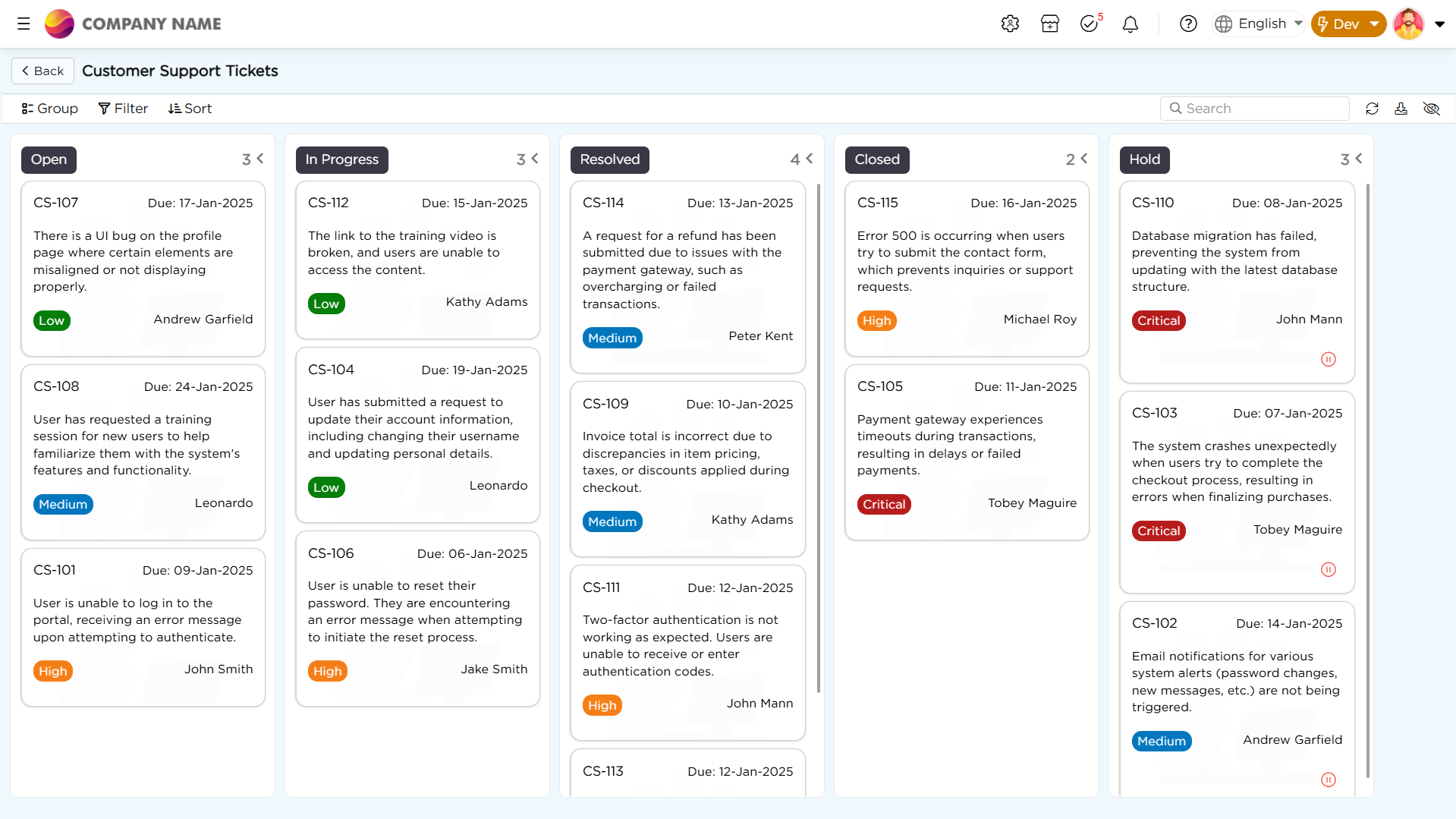
Kanban is a process-focused view designed to help users visualize, manage, and refine workflows efficiently. This view organizes work into columns, with each column representing a distinct stage in the process. As tasks, data points, or project elements move from one stage to the next stage, those data point or project elements are represented by cards that progress across the board, showing a clear journey from start to finish.
¶ 1. Understanding Data Source and Services in Kanban View
Kanban view/board depends on two key components to effectively fulfill its purpose. They are:
Data Source: The data source serves as the central repository that holds all records displayed on the Kanban board. Each record represents a card, and the data points within the card come from the field values of that record, visually organizing tasks or project elements for seamless tracking.
These cards will be moved among stages, meaning they will be transitioning from one stage to other. When this transition happens in the Kanban board, the data base (tables, sources) get updated; But, how does this work? Through a functionality called Services. But what exactly does a "Service" mean?
Services: When card moves across stages in the Kanban board, Services act as a bridge between the Kanban board and the database, ensuring smooth updates. Upon created and connected to Kanban and Data table using data function (update), here’s how it works:
- Services detect the movement – When a card transitions from one stage to another on the Kanban board, Services recognize the change and trigger an update.
- Data functions update the record – The corresponding record in the Data Source is updated to reflect the new stage. This, in turn, updates the Data Table (DT) since the Data Source pulls information from it.
- Card details stay accurate – Since each card displays information (data points) directly from the record in the Data Table, any updates made in the table are automatically reflected on the card, ensuring it always shows the latest stage.
- The Data Source stays in sync – Because the Data Source is linked to the Data Table, any updates to the table are also reflected in the Data Source.
- Kanban remains aligned – Since the Kanban board is built on the Data Source, it remains synchronized, ensuring that cards stay in their correct stages without discrepancies.
This flow ensures real-time updates and consistency across the Kanban board, Data Table, and Data Source, keeping everything seamlessly connected.
Now that we have a clear understanding of the key foundations and the functional flow of Kanban, let's explore how to create one.
Important
To simplify understanding the process of creating a Kanban view, let's break it down into three main parts, each focusing on a specific aspect. This will make it easier to understand and implement a fully functional Kanban.
- Initiating creation of a Kanban: This phase involves setting up the foundational elements (Table, Source, Service) of your Kanban board.
- Configuring a Kanban: Initiating the creation of a Kanban is just the beginning; next, you need to organize the board. This involves determining how the columns/stages will be structured and integrating the board with the service.
- Personalizing a Kanban: Personalizing a Kanban is the final and most crucial step to make it truly effective and tailored to your needs. This involves customizing the appearance by adding colors to columns or data points, making it easier to identify task priorities and their importance at a glance. You can enhance cards by incorporating images, unique colors, adjust cards width and flexible layouts that provide additional context and align with your processes needs. Filters and specific settings can also be applied to streamline your view and focus only on what matters most.