For the Retail Promotion Planning solution, multiple forms are created to support promotion planning, article management, store quantity collection, and Head Office allocation activities.
The solution uses Create Promotion, Add Articles, Store Quantity Submission, and HO Buyer Allocation forms to manage different stages of the promotion planning process.
Since each activity requires different information and user involvement, separate forms are created for each requirement. This helps streamline promotion planning, improve visibility into quantity requirements, and simplify coordination between stores and Head Office teams.
¶ 1. Create Promotion
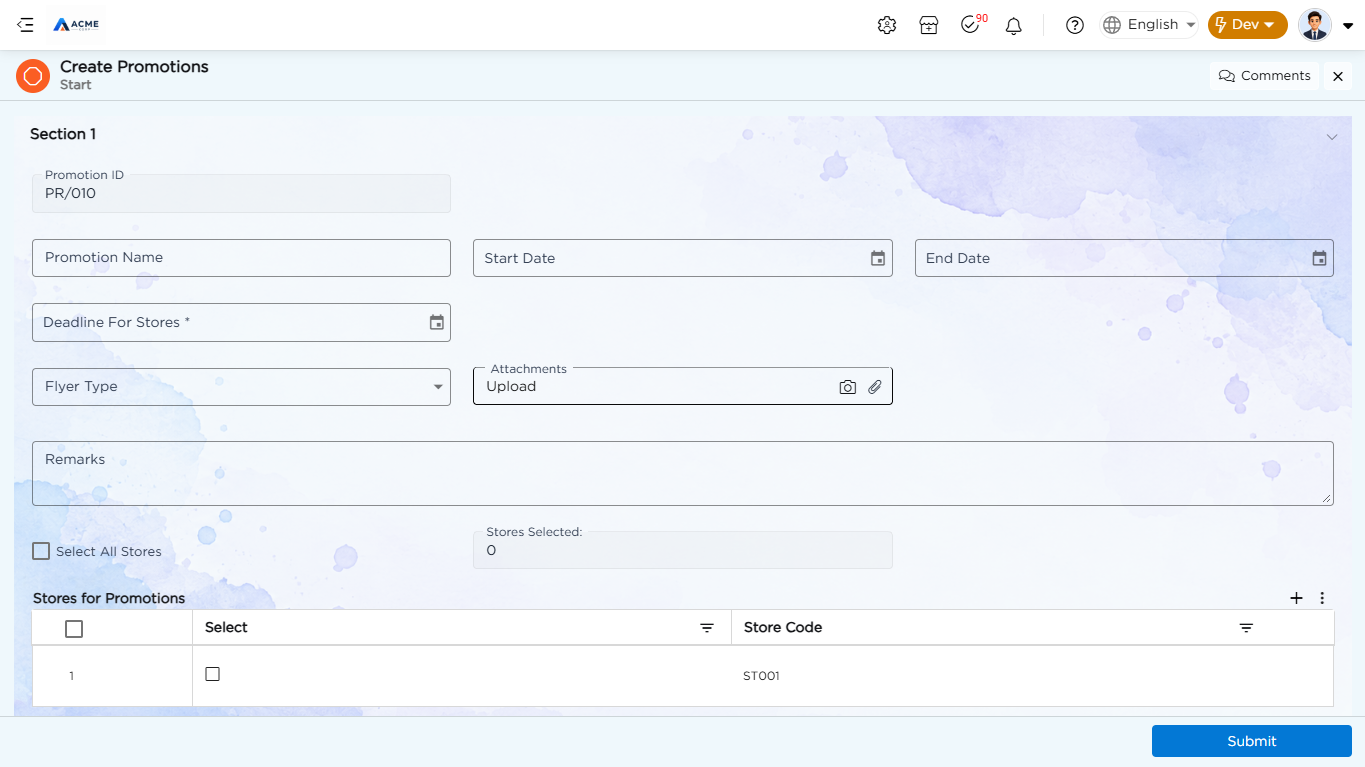
The Create Promotion form is created to define promotion details, set the promotion period and store submission deadline, and select the stores participating in the promotion. The form also allows users to provide promotional information, upload attachments, add remarks, and manage the stores included in the promotion.
| Field Name | Field Type |
|---|---|
| Promotion ID | Auto Generate |
| Promotion Created By | Text |
| Promotion Name | Text |
| Start Date | Date |
| End Date | Date |
| Deadline For Stores | Date |
| Flyer Type | Drop Down |
| Attachments | File Upload |
| Remarks | Text Area |
| Status | Data Table Reference |
| Select All Stores | Check Box |
| Total Count | Number |
| Calculate count | Calculate |
| Stores for Promotions | Grid |
The Promotion ID is automatically generated for each promotion. The Status field retrieves the promotion status from the Store Master data table and is hidden from the form.
The Select All Stores option allows users to select all available stores for the promotion. The Total Count and Calculate count fields support store selection and quantity calculation.
¶ 1.1. Stores for Promotions Grid
The Stores for Promotions grid is used to select and maintain the stores participating in the promotion.
| Field Name | Field Type |
|---|---|
| Select | Check Box |
| Store Code | Text |
| Text | Text |
| count | Number |
¶ 2. Add Articles
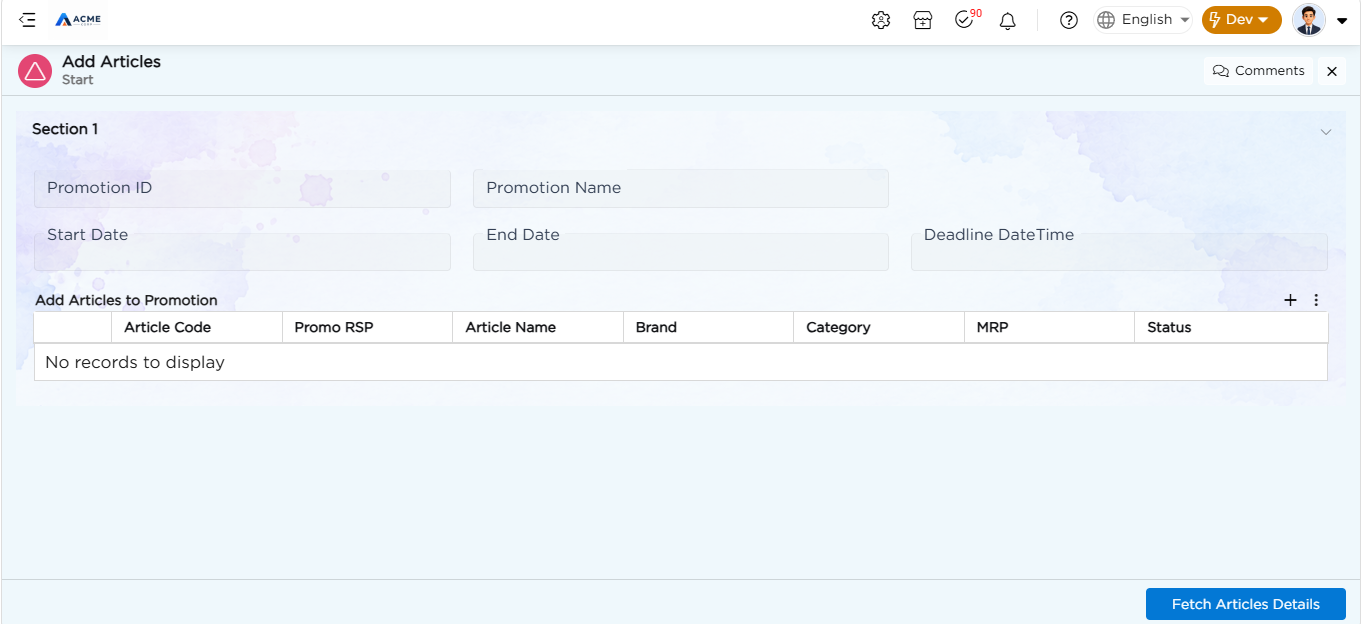
The Add Articles form is created to associate articles with a promotion. It captures the promotion details and allows users to add promotional articles through the Add Articles to Promotion grid. The form includes the following fields:
| Field Name | Field Type |
|---|---|
| Promotion ID | Data Table Reference |
| Promotion Name | Text |
| Start Date | Date |
| End Date | Date |
| Deadline DateTime | Date Time |
| Add Articles to Promotion | Grid |
The Promotion ID field retrieves promotion details using a Data Table Reference. The Add Articles to Promotion grid is used to add and maintain article details for the selected promotion.
¶ 2.1. Add Articles to Promotion Grid
| Field Name | Field Type |
|---|---|
| Article Code | Data Table Reference |
| Promo RSP | Number |
| Article Name | Text |
| Brand | Text |
| Category | Text |
| MRP | Number |
| Status | Text |
The Article Code field retrieves article details from the Article Details Master using a Data Table Reference.
¶ 3. Store Quantity Submission
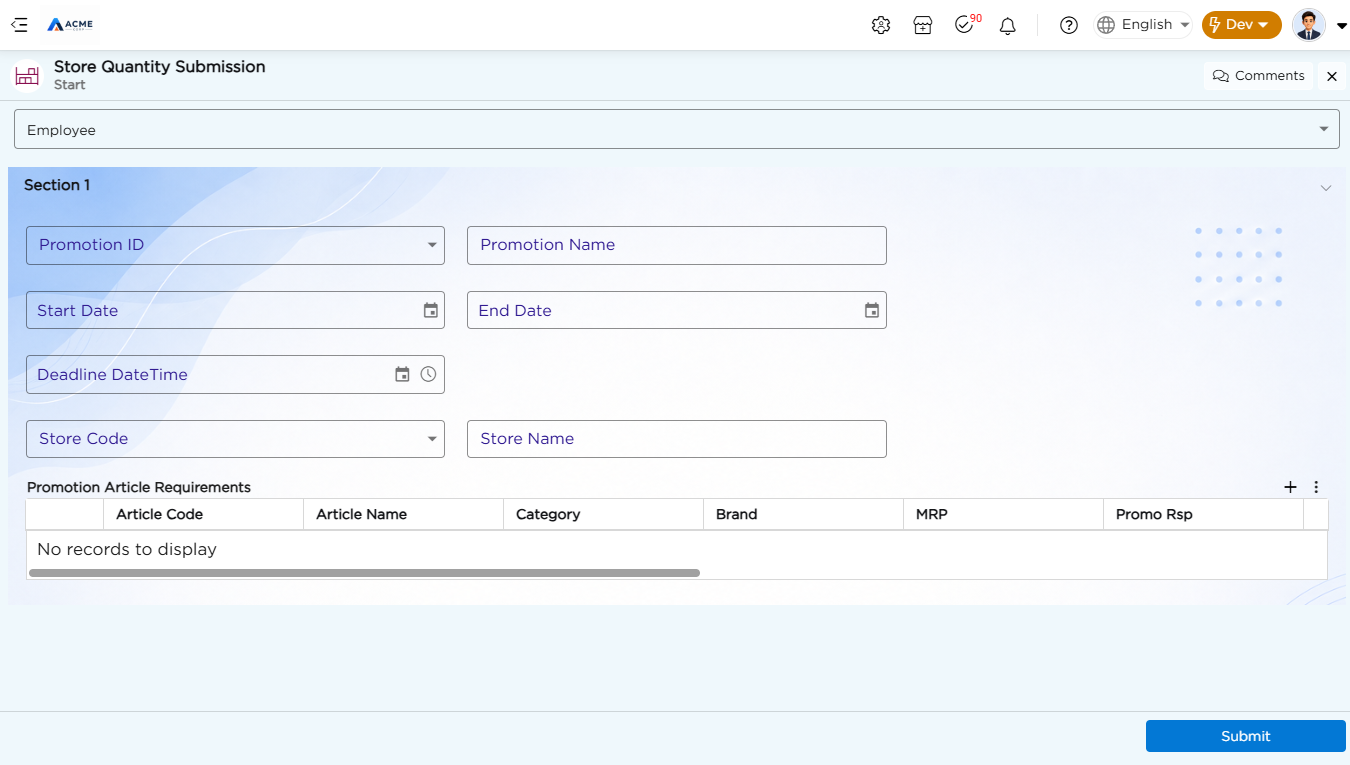
The Store Quantity Submission form is created to collect article-wise quantity requirements from participating stores. Store users can review promotion details, view article and inventory information, enter the required quantity, and add remarks before submitting their requirements. The form includes the following fields:
| Field Name | Field Type |
|---|---|
| Promotion ID | Data Table Reference |
| Promotion Name | Text |
| Start Date | Date |
| End Date | Date |
| Deadline DateTime | Date Time |
| Store Code | Data Table Reference |
| Store Name | Text |
| Promotion Article Requirements | Grid |
The Promotion ID field retrieves promotion details from the Promotion Master using a Data Table Reference.
The Store Code field retrieves store details from the Store Master using a Data Table Reference. The Store Name is populated based on the selected store.
¶ 3.1. Promotion Article Requirements Grid
The Promotion Article Requirements grid displays article and inventory information for the selected promotion. Store users can enter the required quantity and provide remarks for each article.
| Field Name | Field Type |
|---|---|
| Article Code | Data Source Reference |
| Article Name | Text |
| Category | Text |
| Brand | Text |
| MRP | Number |
| Promo Rsp | Number |
| Current Stock | Number |
| Reorder Level | Number |
| Last Month Sales | Number |
| Avg Monthly Sales | Number |
| Required Quantity | Number |
| Remarks | Text Area |
The Article Code field retrieves article and inventory details from the Inventory Promotions data source. The retrieved information includes the article name, category, brand, MRP, Promo Rsp, current stock, reorder level, last month sales, and average monthly sales.
Store users enter the Required Quantity based on their promotion requirements and can add additional information in the Remarks field.
¶ 4. HO Buyer Allocation
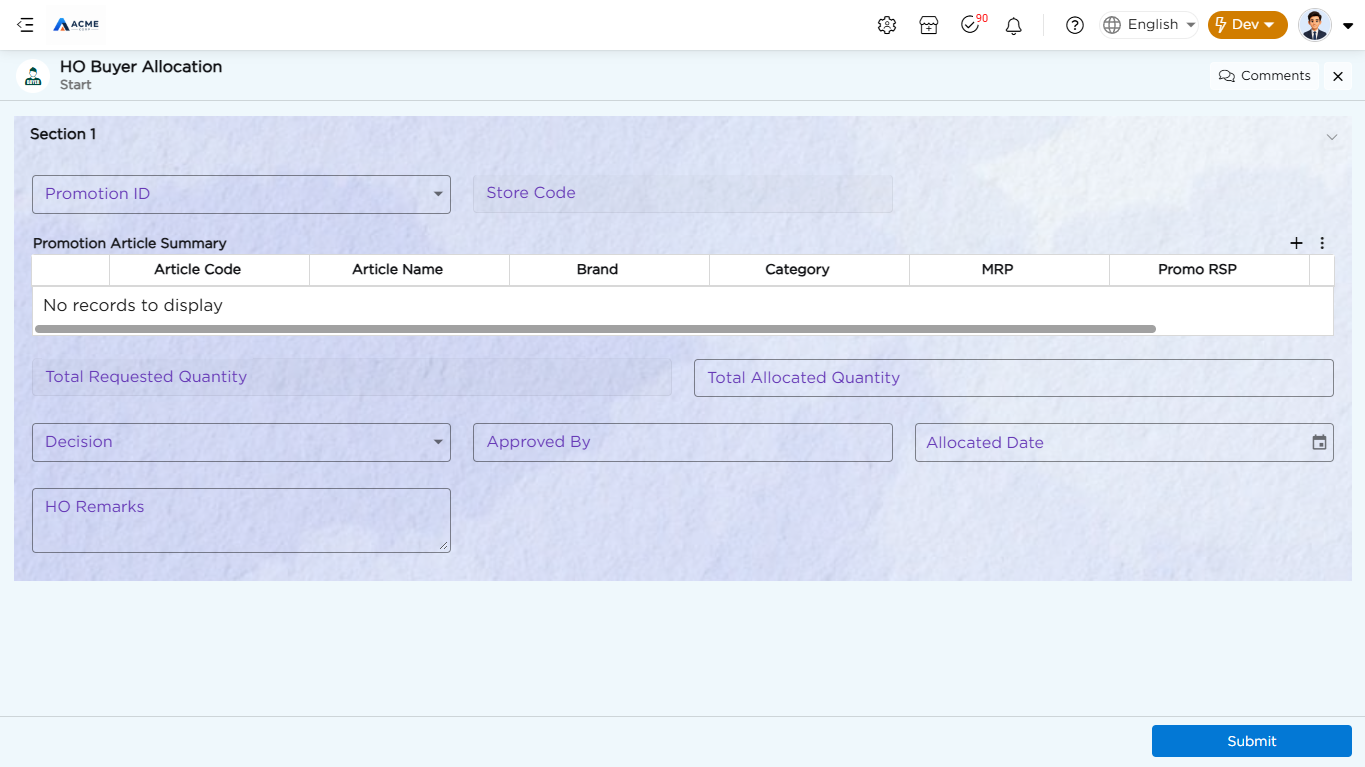
The HO Buyer Allocation form is created to enable Head Office buyers to review store-wise promotion quantity requirements and allocate quantities for promotional articles. The form retrieves promotion and store details from the Store Quantity Submission data table. It also provides a summary of requested and allocated quantities, along with decision and allocation details.
| Field Name | Field Type |
|---|---|
| Promotion ID | Data Table Reference |
| Store Code | Data Table Reference |
| Promotion Article Summary | Grid |
| Total Requested Quantity | Number |
| Total Allocated Quantity | Number |
| Decision | Drop Down |
| Approved By | Text |
| Allocated Date | Date |
| HO Remarks | Text Area |
The Promotion ID field retrieves submission details from the Store Quantity Submission data table using the Get Store Submission function. The Store Code field retrieves store details associated with the submission.
¶ 4.1. Promotion Article Summary Grid
The Promotion Article Summary grid displays the article-wise promotion requirements submitted by the store.
| Field Name | Field Type |
|---|---|
| Article Code | Text |
| Article Name | Text |
| Brand | Text |
| Category | Text |
| MRP | Number |
| Promo RSP | Number |
| Required Qty | Number |
The grid provides Head Office buyers with visibility into the articles and quantities requested by the store. The Total Requested Quantity and Total Allocated Quantity fields provide an overall view of the quantities requested and allocated. The Decision field allows the Head Office buyer to record the allocation decision. The Approved By, Allocated Date, and HO Remarks fields capture the approval and allocation details.
Refer to the Form Builder article for details on creating and configuring forms.
¶ 5. Business Rules
Business rules keep promotion data consistent as it moves from creation through allocation.
| Rule Name | Purpose |
|---|---|
| Submission Deadline Lock | Prevents Store Quantity Submission once a promotion's Deadline Date Time has passed. |
| Required Quantity Validation | Prevents a store from submitting a blank or zero Required Quantity for an added article. |
| Allocation Within Stock | Warns the Head Office buyer if Allocated Quantity exceeds an article's Current Stock. |
Refer to the Business Rules article for details on configuring these rules.