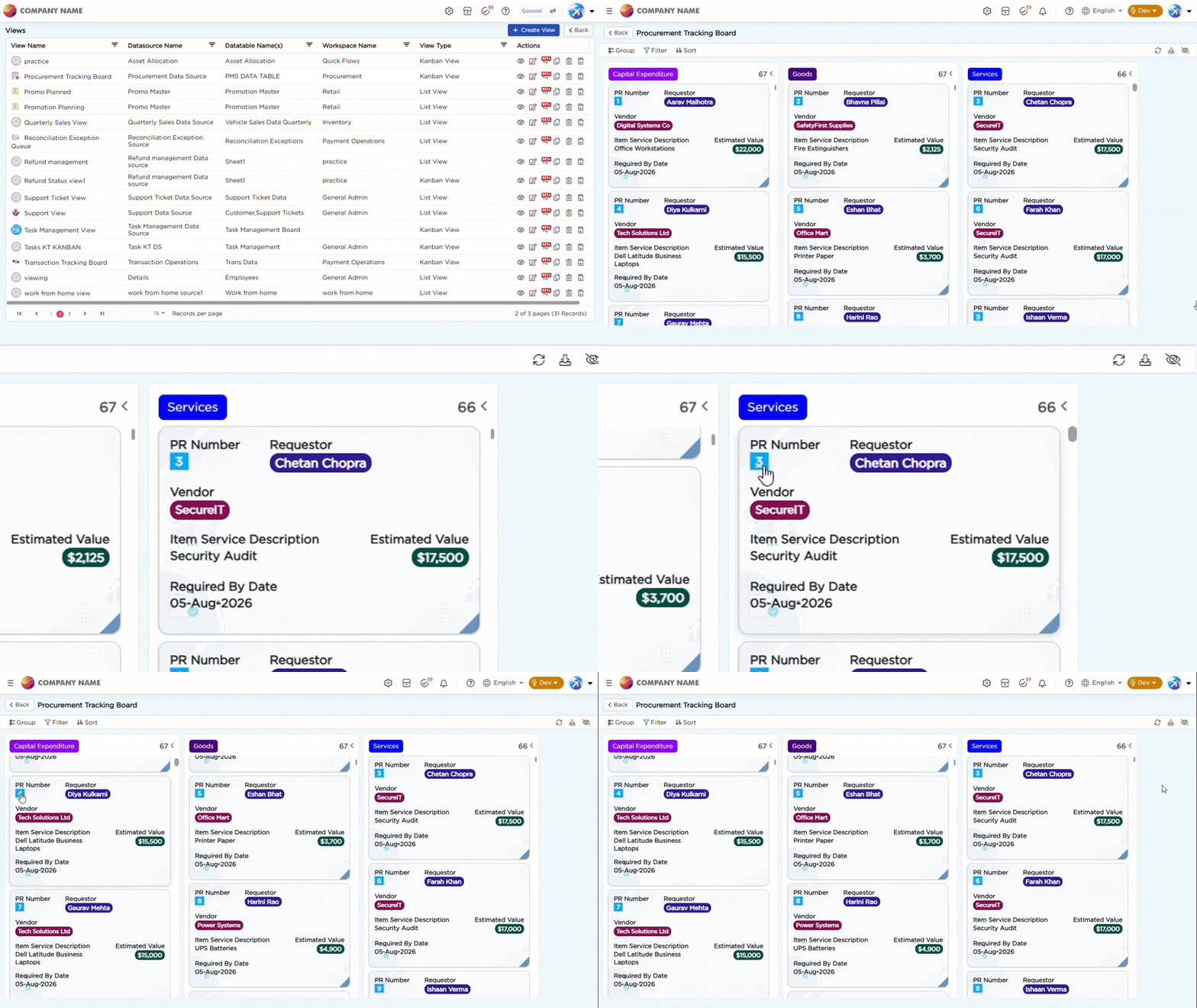
A Kanban View named Procurement Tracking Board is created to help procurement teams monitor purchase requisitions in a card-based layout. The view organizes requisitions by Category into Capital Expenditure, Goods, and Services, providing a clear view of procurement demand across categories.
Each Kanban card displays key requisition details, including PR Number, Requestor, Vendor, Item / Service Description, Estimated Value, and Required By Date.
A Color Column visually distinguishes each procurement category, while a Smart Column organizes requisition records into their respective category columns.
The PR Number is configured with a Data Action. Selecting a PR Number opens the Requested vs Received Quantity report for the selected requisition, allowing users to compare the requested quantity against the quantity received.
To learn more about the Kanban View capabilities used in this implementation, refer to the Kanban View article.