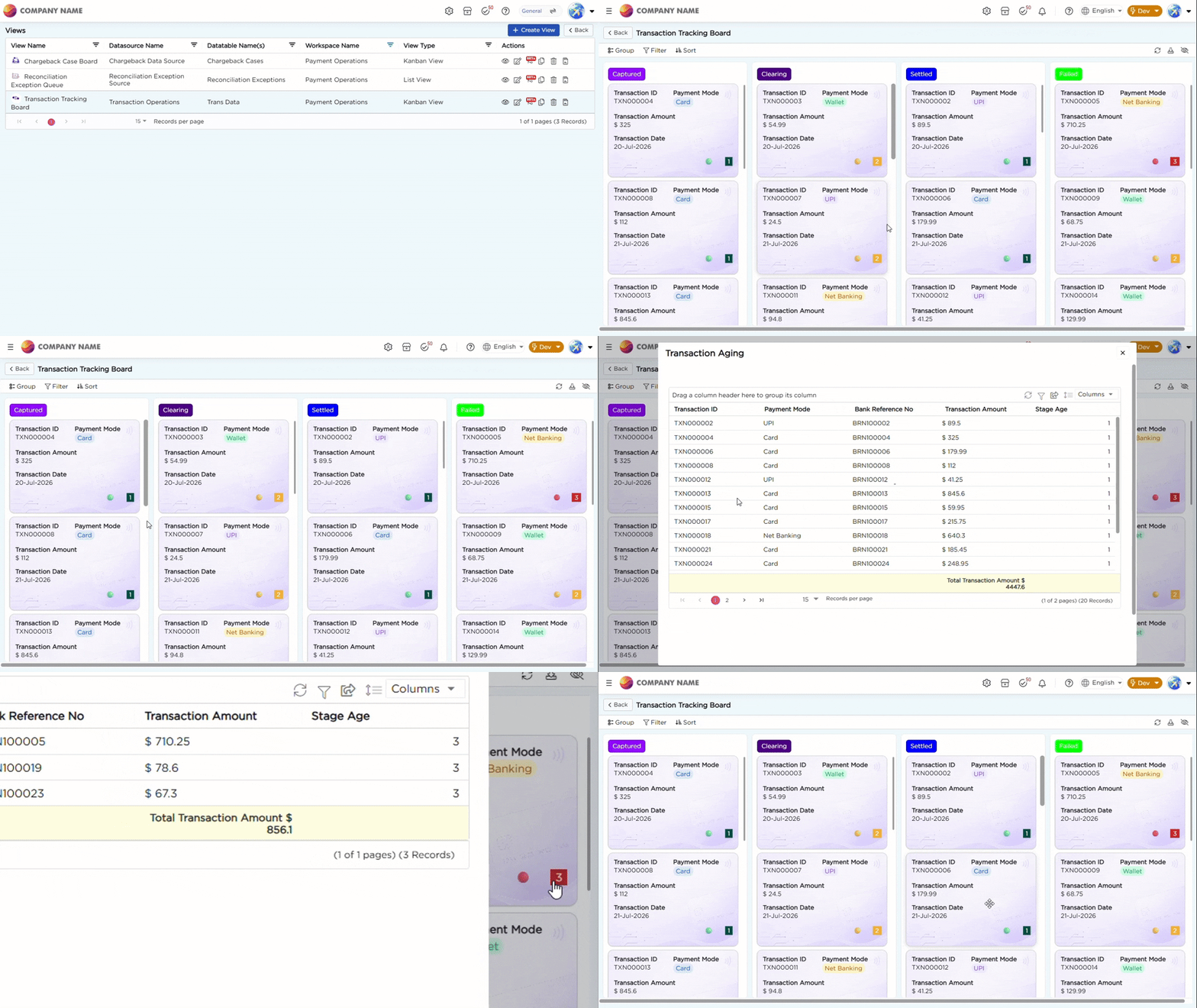
¶ 1. Transaction Tracking Board
A Kanban View named Transaction Tracking Board is created to help operations teams monitor transactions through a card-based workflow. It organizes transactions into columns by pipeline stage — Authorized, Captured, Clearing, Settled, and Failed.
The board displays transaction information through Kanban cards, including Transaction ID, Payment Mode, Amount, and Stage Age. A Color Column highlights the stage, and a Smart Column keeps records organized into their respective columns.
Refer to the GIF below for a better understanding:
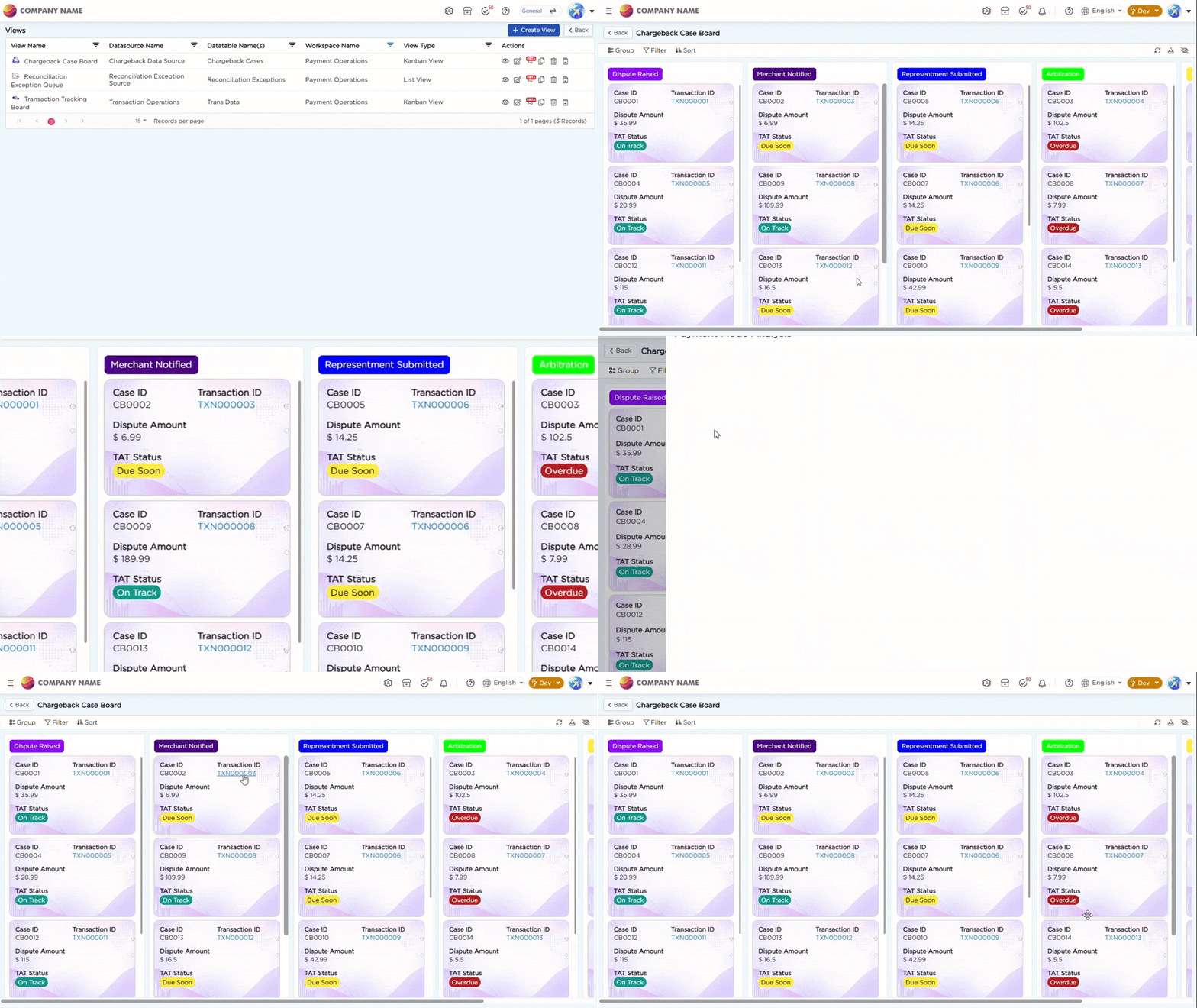
¶ 2. Chargeback Case Board
A Kanban View organized by Chargeback Lifecycle stage — Dispute Raised, Merchant Notified, Representment Submitted, Arbitration, and Resolved — displaying Case ID, Transaction ID, Dispute Amount, and Representment Deadline. Cards approaching the Representment Deadline are highlighted through a TAT warning Color Column.
Refer to the GIF below for a better understanding:
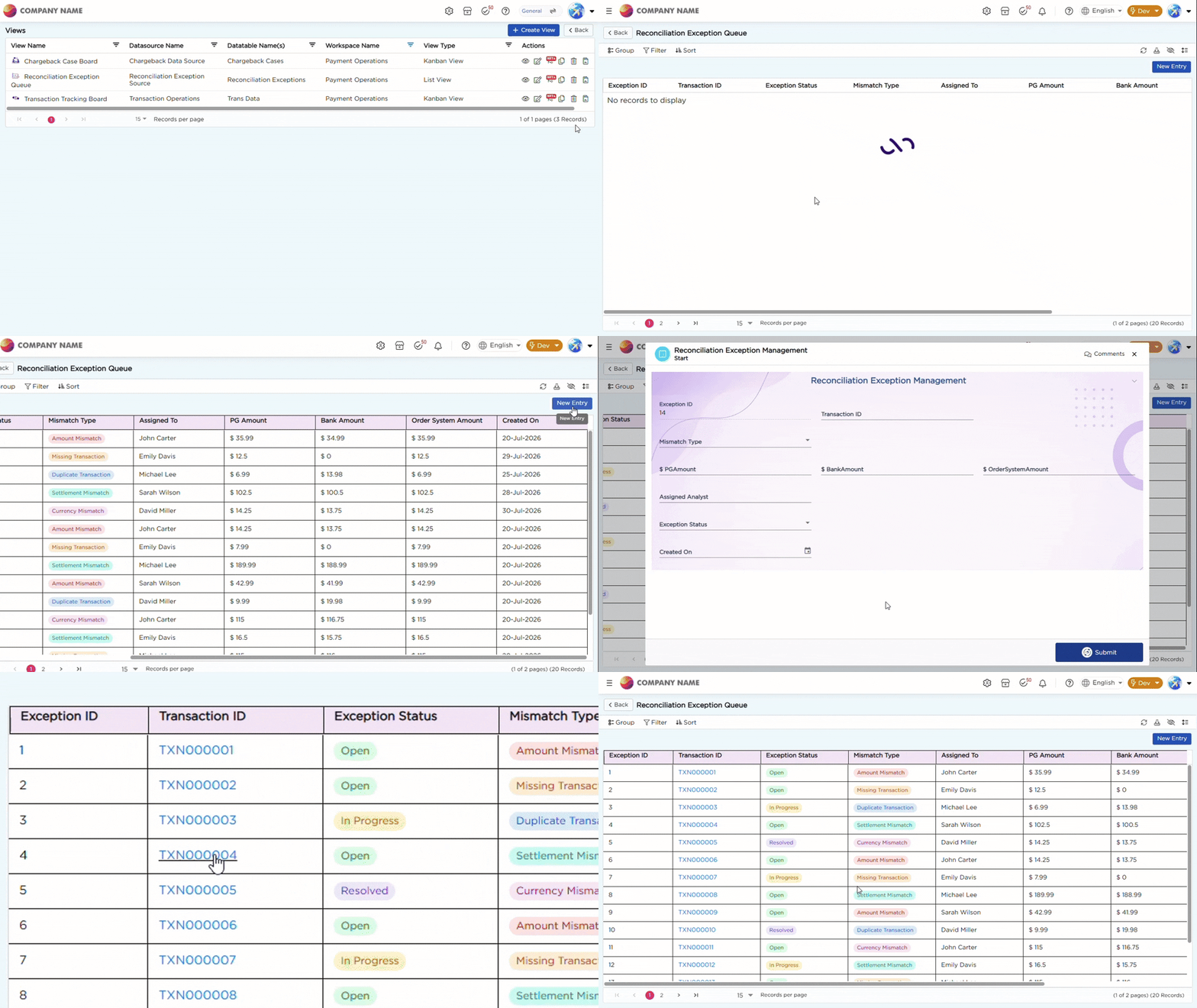
¶ 3. Reconciliation Exception Queue
A List View displaying open Reconciliation Exception records, with Mismatch Type, PG/Bank/Order System amounts, and Assigned To, so exceptions can be triaged and closed before month-end settlement.
To learn more about the Kanban View and List View capabilities used in this implementation, refer to the Kanban View and List View articles.
Refer to the GIF below for a better understanding: