The Payment Operations Management solution uses forms to capture the information needed whenever a transaction requires manual intervention — a reconciliation mismatch, a customer dispute, or a refund request. Routine transactions (authorization, capture, clearing, settlement) are captured automatically from the payment gateway and bank feeds into the Transaction Data Table; forms exist for the exception paths that need human input and approval.
Each form is designed to show only the fields relevant to the case type being raised, which helps reduce manual effort and keeps the record consistent with what's actually required for that exception type.
¶ 1. Reconciliation Exception Form
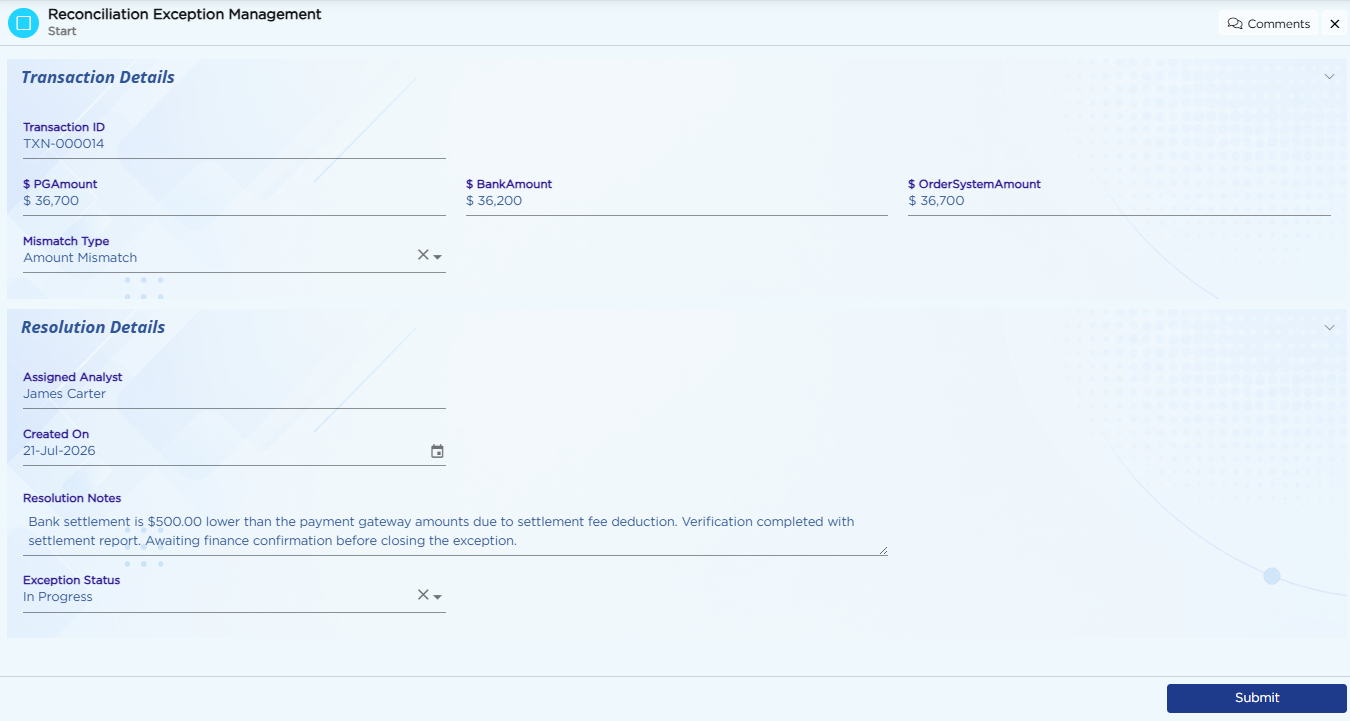
Raised when the three-way match between the PG ledger, bank statement, and order system fails for a transaction.
| Field Name | Field Type |
|---|---|
| Exception ID | Auto-Generate |
| Transaction ID | Text |
| Mismatch Type | Dropdown (Amount Mismatch / Missing in Bank / Missing in PG / Duplicate Entry) |
| PG Amount | Currency |
| Bank Amount | Currency |
| Order System Amount | Currency |
| Assigned To | Text |
| Status | Dropdown |
¶ 2. Chargeback Case Form
Raised when a dispute is received against a card transaction, and carried through the full Chargeback Lifecycle.
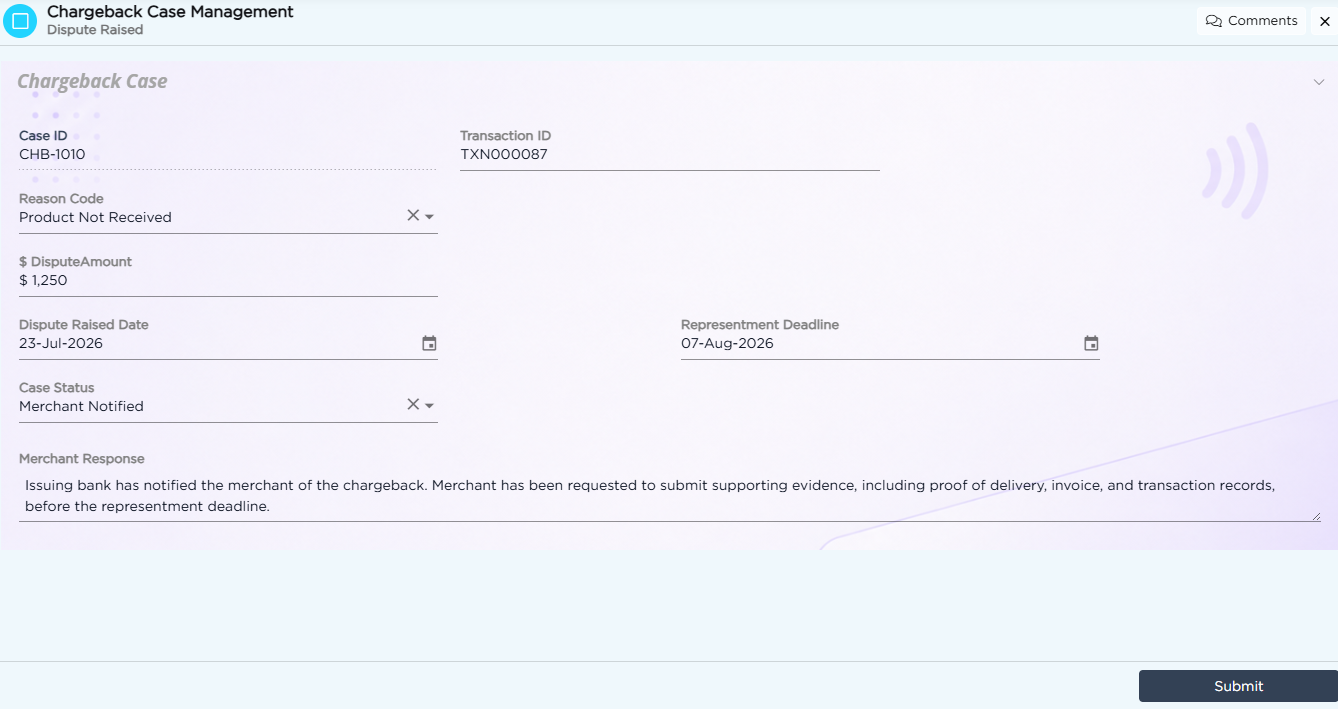
| Field Name | Field Type |
|---|---|
| Case ID | Auto-Generate |
| Transaction ID | Text |
| Reason Code | Dropdown |
| Dispute Amount | Currency |
| Dispute Raised Date | Date |
| Representment Deadline | Date (calculated) |
| Merchant Response | Text Area |
| Case Status | Dropdown |
¶ 3. Refund Request Form
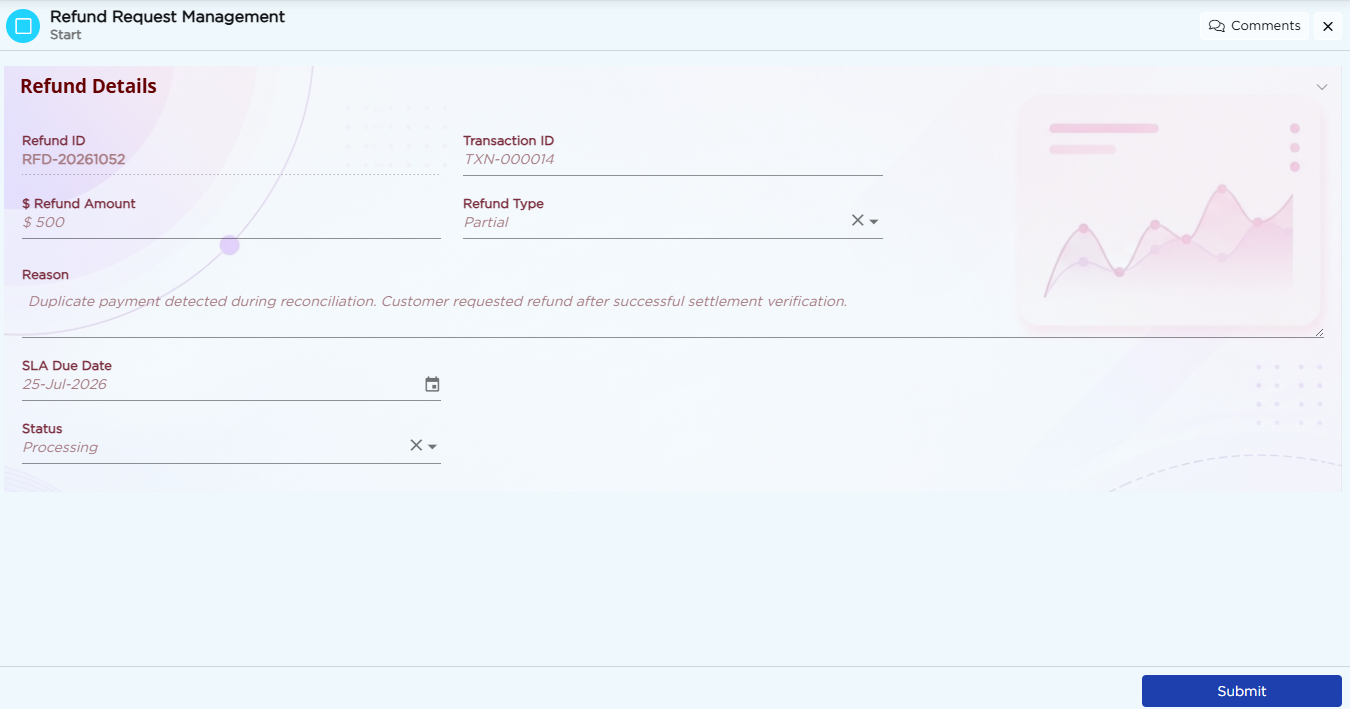
Raised to process any of the 6 refund types tracked across the solution.
| Field Name | Field Type |
|---|---|
| Refund ID | Auto-Generate |
| Transaction ID | Text |
| Refund Type | Dropdown (Full / Partial / Goodwill / Chargeback-Driven / Alternate-Mode / Auto-Reversal) |
| Refund Amount | Number |
| Reason | Text Area |
| Request Date | Date (system, hidden) |
| SLA Due Date | Date (calculated) |
| Status | Dropdown |
To learn more about designing form fields, refer to the Form Builder article.