The Immunization Tracking System uses reports to help healthcare workers review registration details, vaccination activities, dose guidance, and healthcare information in a structured and easy-to-understand format.
To provide visually organized and healthcare-specific report layouts, the implementation uses Custom Reports. Custom Reports help create formatted healthcare documents with better presentation, structured sections, and operational healthcare visibility using XML and XSLT configurations.
These reports help healthcare workers quickly access detailed healthcare information directly from the Registration List View and Vaccination Tracking Kanban View.
| Report | Purpose |
|---|---|
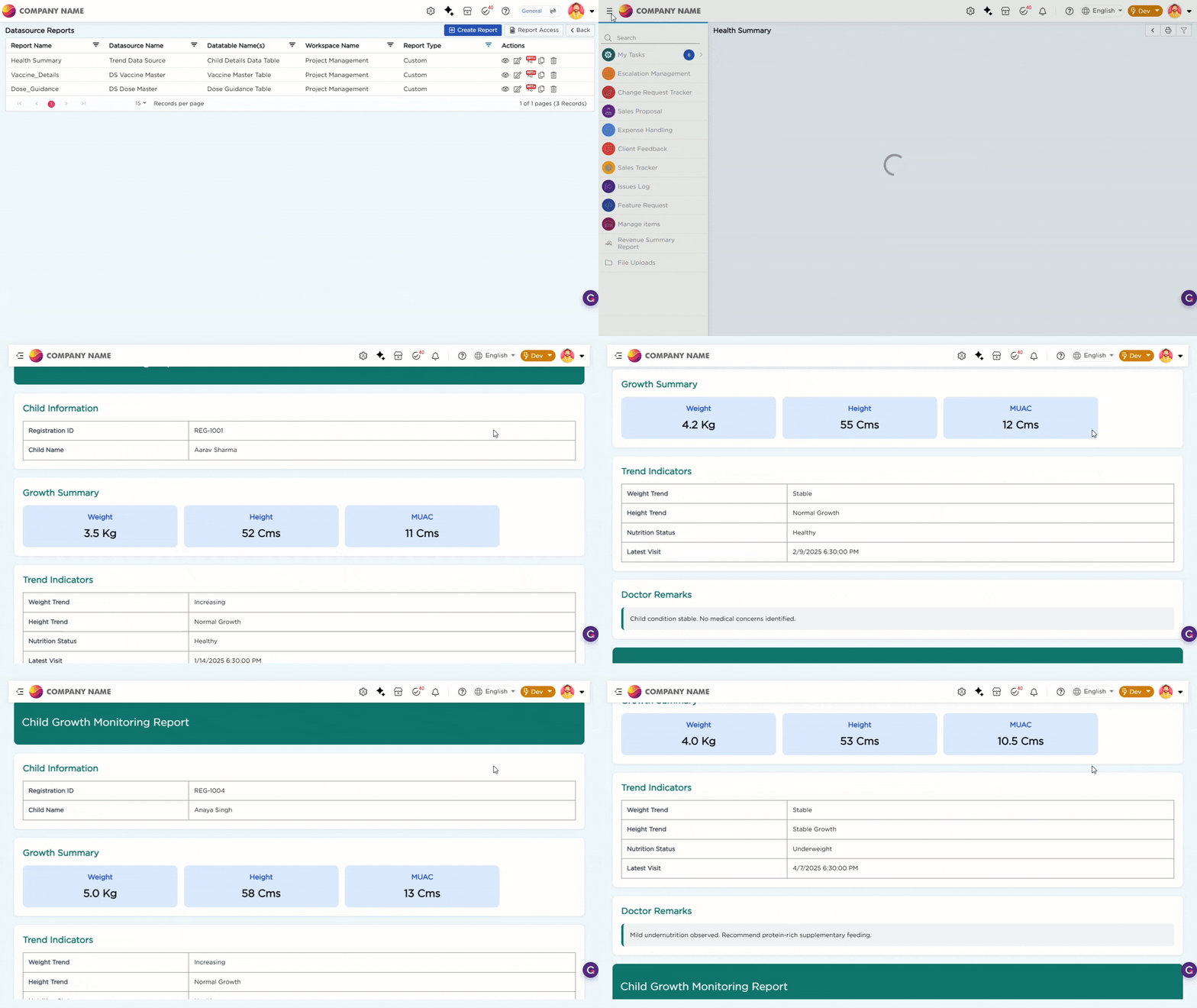
| Child Healthcare Report | Displays complete child healthcare and registration information |
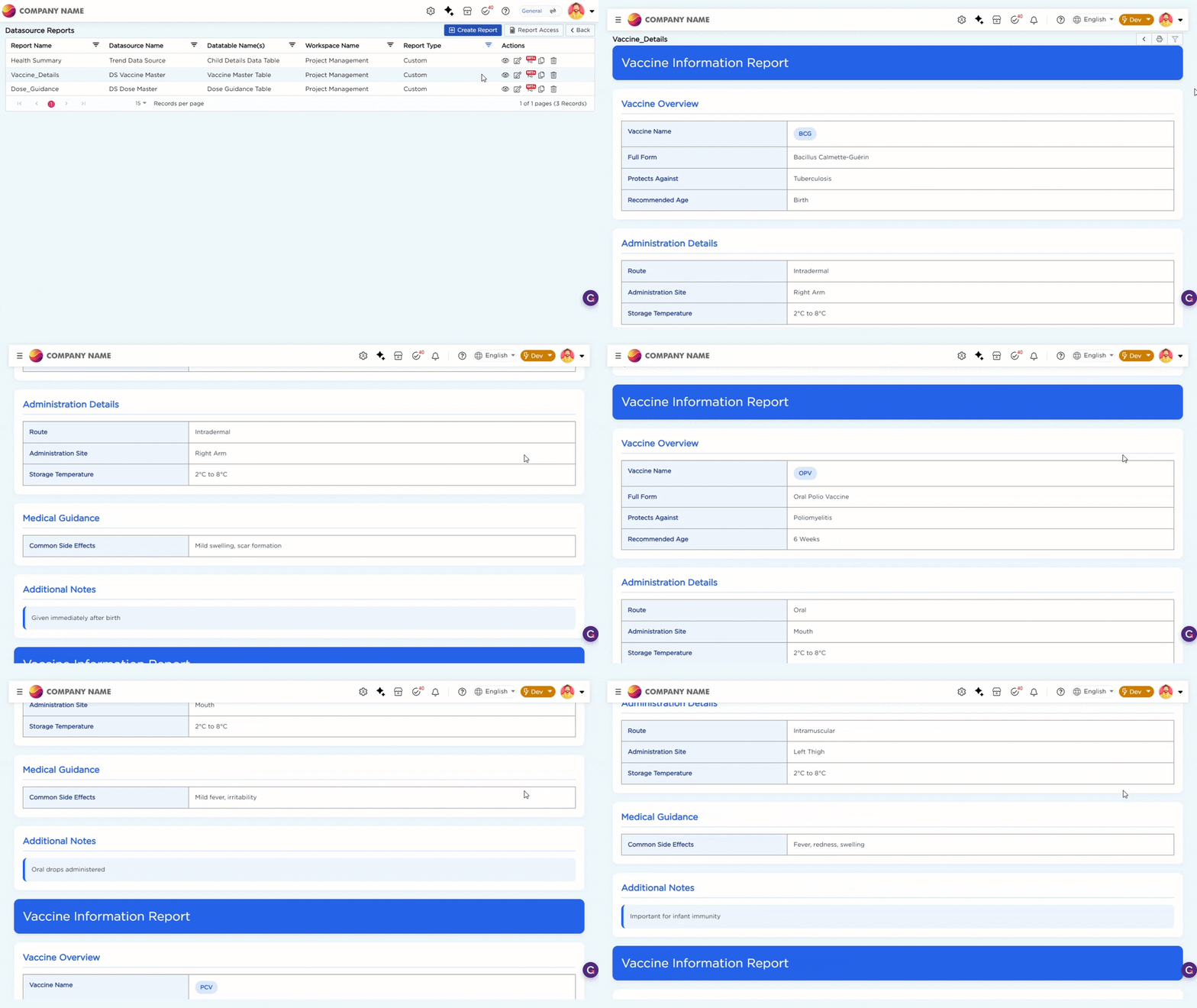
| Vaccine Information Report | Displays vaccine-related healthcare information |
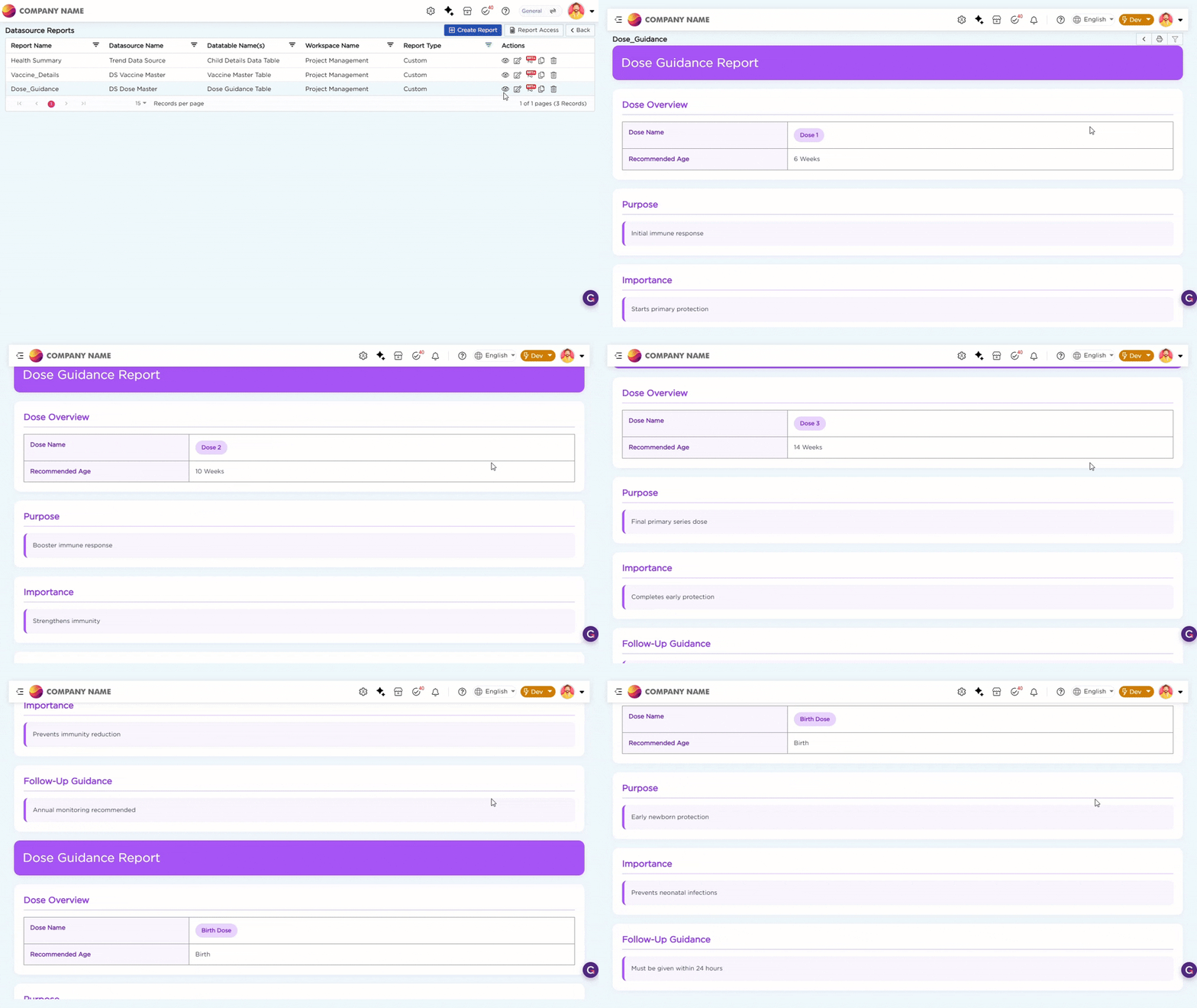
| Dose Guidance Report | Displays dose-related healthcare guidance and vaccination details |
Open Report Actions and Element Mapping are used to open the related healthcare reports based on the selected registration or vaccination record.
| Source View | Trigger Element | Opened Report |
|---|---|---|
| Registration List View | Registration ID | Child Healthcare Report |
| Vaccination Tracking Kanban View | Vaccine Name | Vaccine Information Report |
| Vaccination Tracking Kanban View | Dose | Dose Guidance Report |
Refer to the GIFs below for a better understanding of the Custom Report operations:
- Child Healthcare Report
- Vaccine Information Report
- Dose Guidance Report