The Household Survey Dashboard gives a supervisor a single-screen summary of registration and verification progress, built from five dashlets.
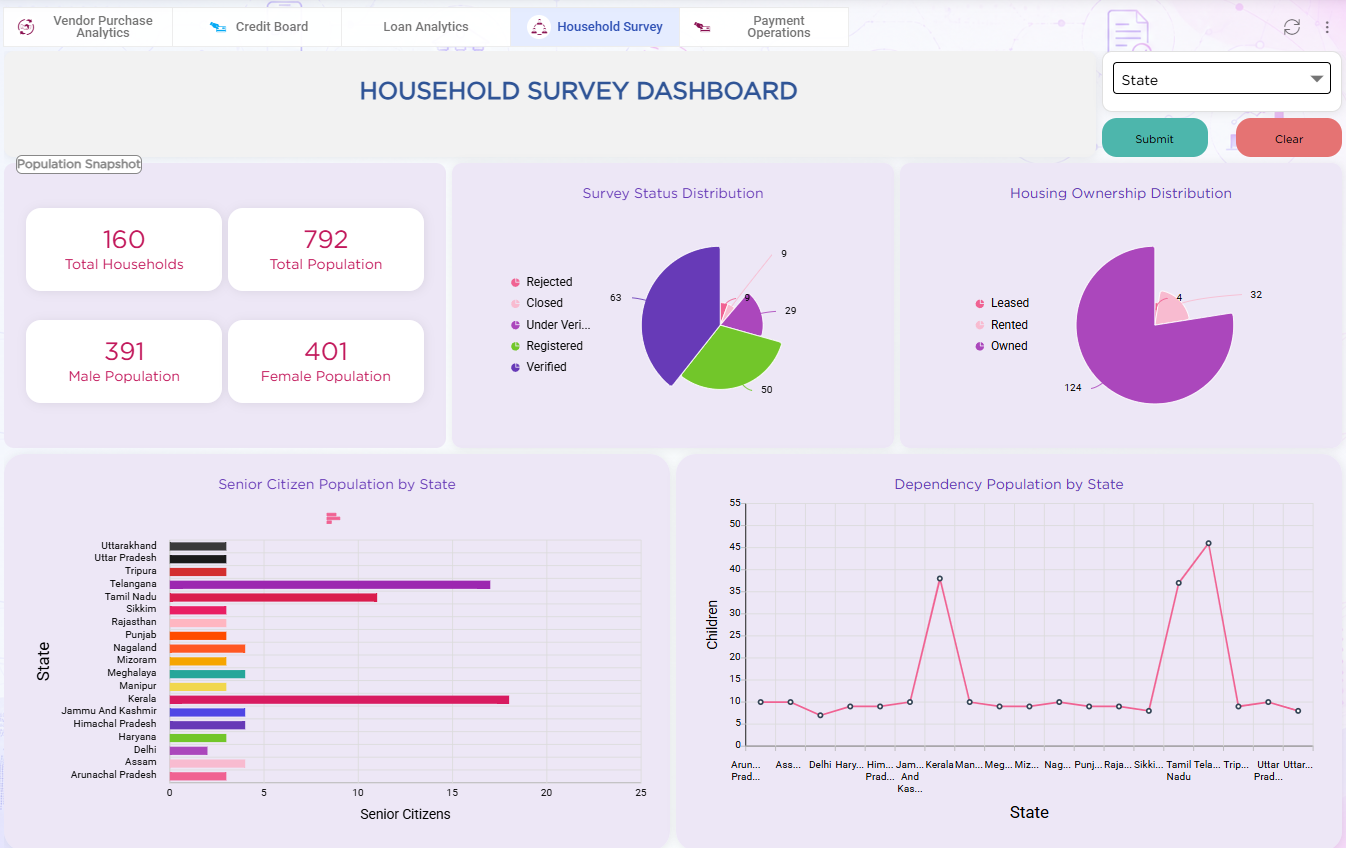
| Dashlet | Purpose |
|---|---|
| Number Dashlet | Displays the total count of households registered so far |
| Reports Dashlet | Embeds the Survey Completion Report (Bar Chart) tracking district progress. |
| Views Dashlet | Embeds the Household Survey Board for status counts. |
| Filter Dashlet | Lets a supervisor narrow every dashlet on the dashboard by district and submission date range |
| Button Dashlet | Applies the Filter dashlet values across the Reports and Views dashlets |
Refer to the Dashboard article for details on adding and configuring dashlets.