While most tasks in Quixy are created automatically through application workflows, users can also manually create tasks for ad-hoc work, personal reminders, delegations, or team coordination. The manual task creation feature gives users greater flexibility in managing responsibilities that fall outside automated processes.
Tasks can be created as one-time tasks or recurring tasks, depending on the requirement. Each task includes essential details such as the workspace, application, assignee, deadlines, and task description.
¶ 1. Steps to Create a Task
Manual tasks can be created directly from the My Tasks page.
- Click on Tasks. The My Tasks page opens.
- Click + Create Task at the top right.
- A popup opens for entering task details.
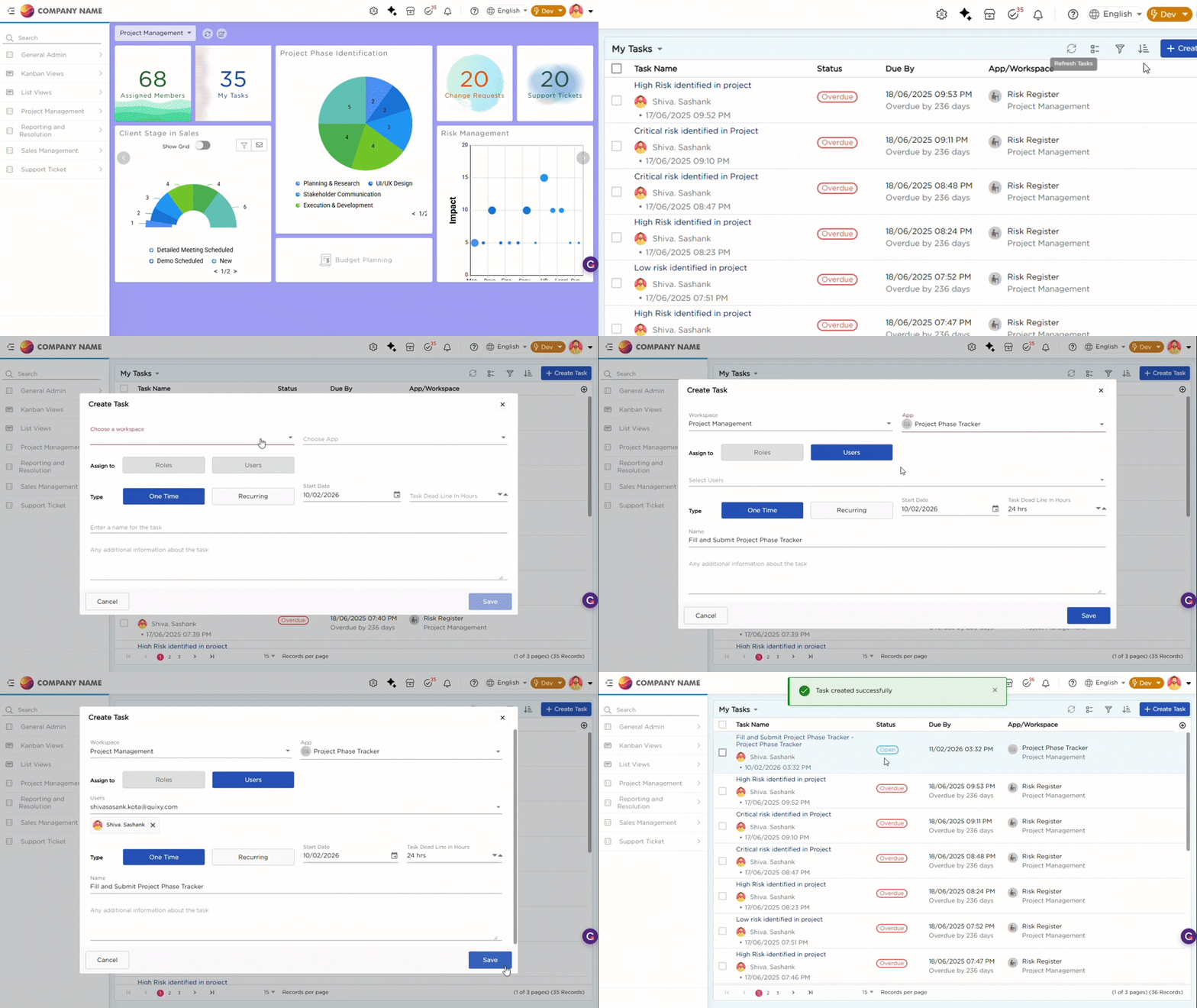
4. Follow the steps from the table below:
| # | Action | Description |
|---|---|---|
| 1 | Select Workspace | Choose the workspace to which the task should belong. |
| 2 | Select Application | Pick the application under which the task will be categorized (optional for general tasks). |
| 3 | Choose Assignee | Assign the task to a specific user, role, or team based on who needs to perform the action. |
| 4 | Choose Task Type | Select between a One-time Task or Recurring Task. |
| 5 | Configure Dates | For recurring tasks, set start and end dates. For one-time tasks, set a start date and deadline (in hours). |
| 6 | Enter Task Name | Provide a clear and meaningful title for the task. |
| 7 | Add Task Description (optional) | Include additional information or instructions for the assignee. |
| 8 | Click Save | The task will be created and assigned to the chosen user or role. A confirmation message appears once saved. |