Link Tasks action allows you to access and complete workflow tasks directly from List View records. This helps users perform task-related actions without navigating to the Tasks page.
¶ 1. Configuration
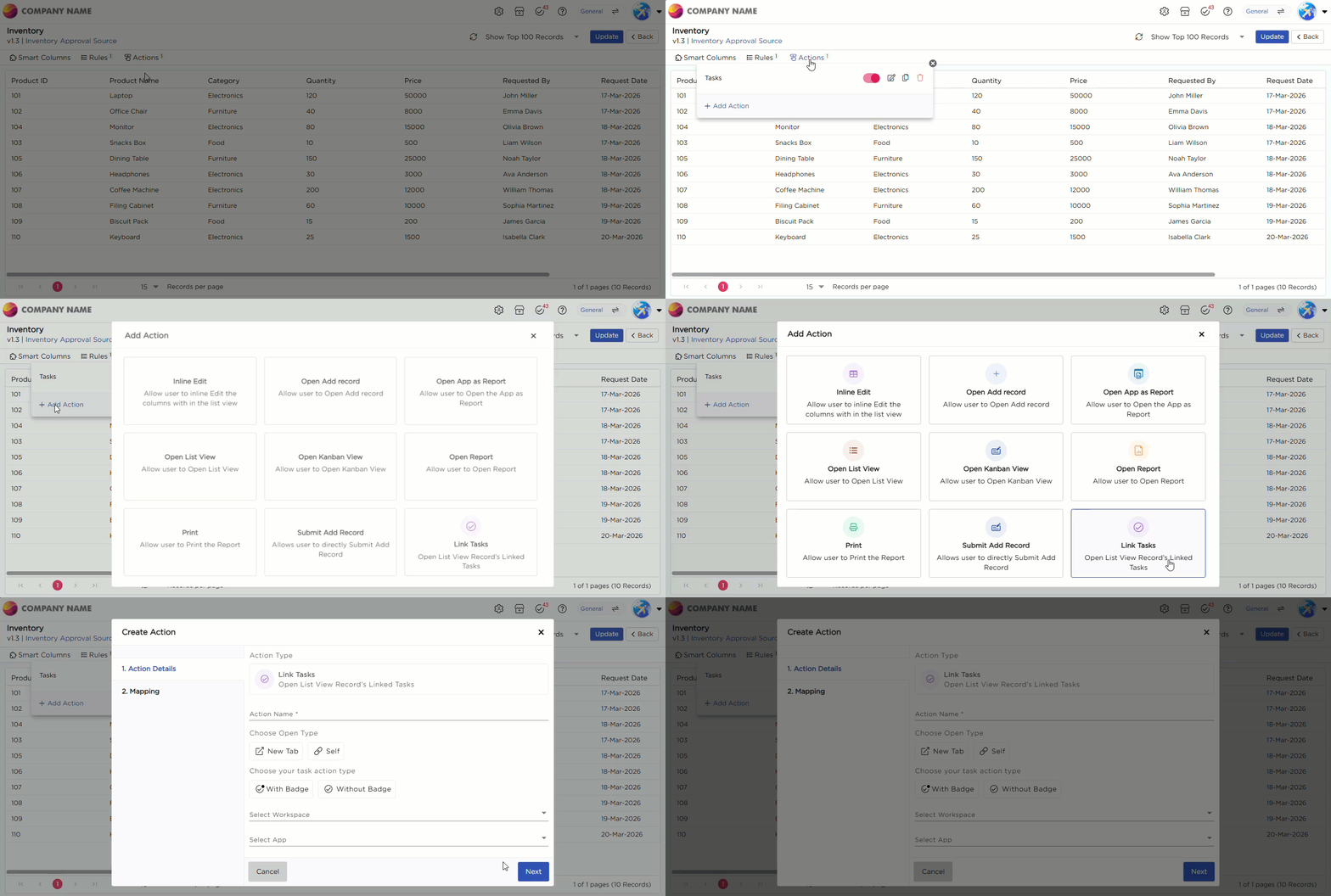
- Navigate to Actions → Add Action.
- Click Add Action.
- Select Link Tasks from the available action types.
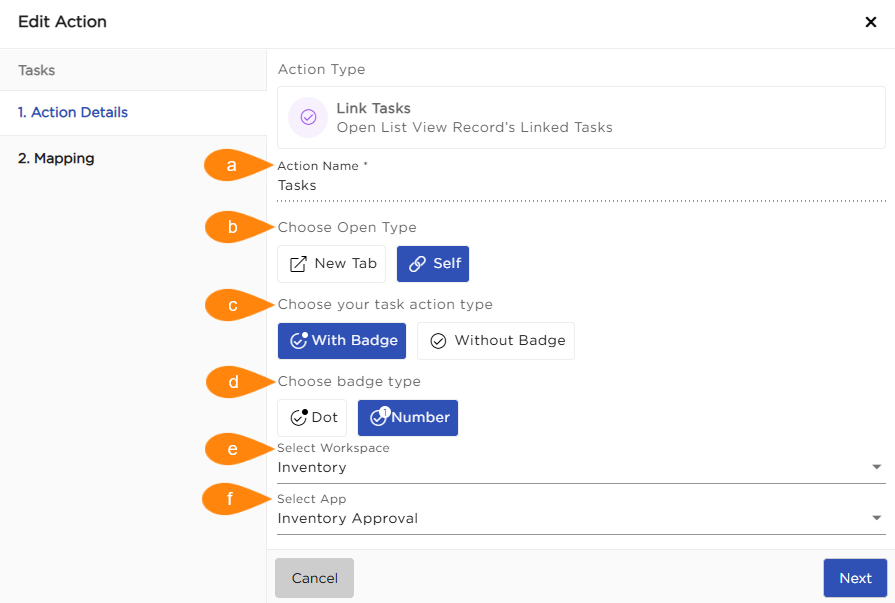
| S.No | Field | Description |
|---|---|---|
| a | Action Name | Enter a name to identify the Link Tasks action in the List View |
| b | Open Type |
Choose how the selected task opens:
|
| c | Task Action Type |
Define how tasks are shown for each record:
|
| d | Badge Type | Select Dot to indicate task availability or Number to show the count of pending tasks for the record (available only when With Badge is selected) |
| e | Select Workspace | Select the workspace where the task-related application is configured |
| f | Select App | Select the application from which workflow tasks are fetched and linked to the List View records |
Once configured, click Next to proceed to the mapping section.
¶ 2. Mapping
Mapping ensures each row in the List View shows its own tasks. For example, mapping Product Name to Product Name ensures each row displays its related tasks.
¶ 2.1. Configuration
- Select a value in DataSource Column.
- Select the corresponding field in App Element.
- Click Save to complete the configuration.
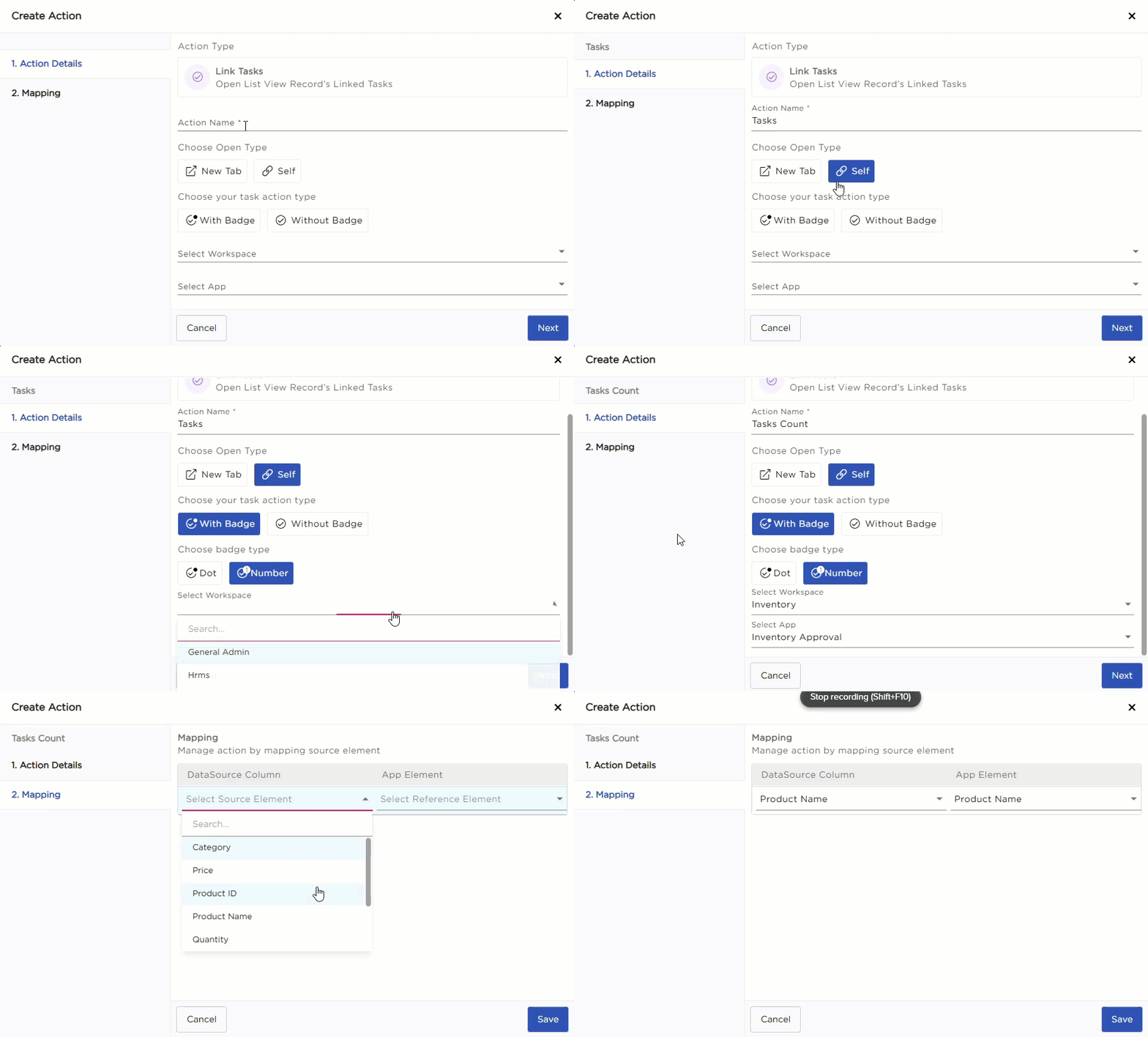
Once configured, tasks are displayed for each record in the List View.