Workflows in applications define how a business process progresses from start to finish. They map out the sequence of tasks, the users or roles who perform those tasks, and the actions or automations that occur at each stage. Workflows give structure and operational logic to an application, ensuring that information captured through forms moves through the correct process path.
A workflow acts as the engine of an application, orchestrating activities, routing decisions, automation logic, approvals, notifications, and data updates—all based on business rules.
¶ 1. Key Concepts in Workflows
Workflows in an application are built using a set of core concepts that define how a process operates, who performs each task, and how information flows through the system. Understanding these concepts is essential for designing efficient, structured, and automated business processes.
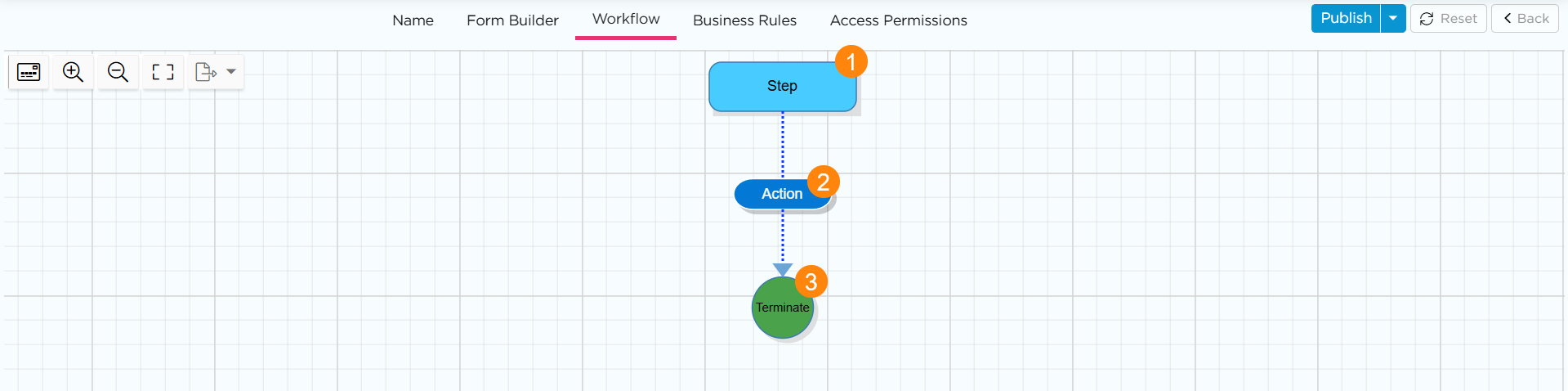
¶ 1.1. Workflow Step (Process Steps)
Steps represent the individual stages or tasks in a workflow. Each step corresponds to an action that must be performed—such as submitting data, reviewing information, approving a request, or performing automated tasks.
Purpose: Break the process into clear, manageable stages that reflect real business operations.
¶ 1.2. Step Actions
Step Actions define what an actor can do at a step—such as Submit, Review, Accept, Reject, Approve, or Send Back. These actions move the workflow forward or redirect it based on pre-defined decisions made by the actor.
Purpose: Capture user decisions and trigger transitions to the next step in the process.
¶ 1.3. Terminate
When a workflow reaches a Terminate point, the process is considered closed, and no additional tasks will generate for any actor.