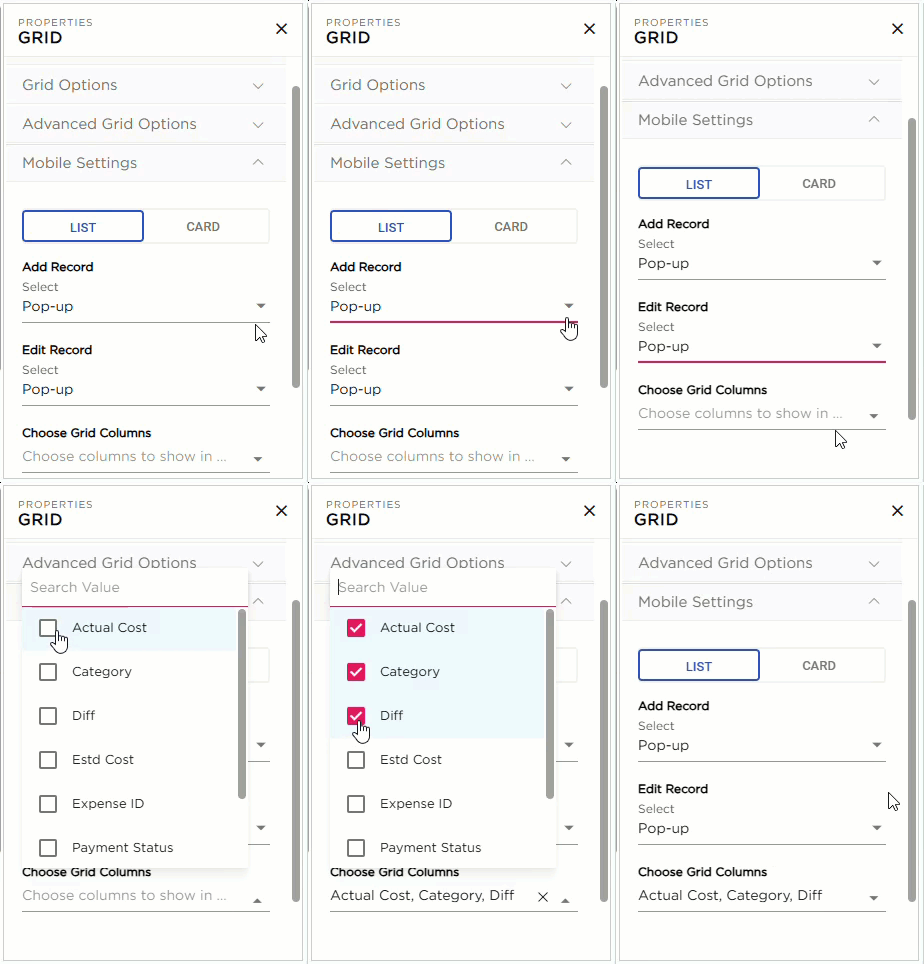
The mobile setting provides a user-friendly interface for accessing the app grid on mobile phones, allowing end users to add and edit records directly within the app grid. There are two types of layouts available for the mobile screen:
- List Layout
- Card Layout
¶ 1. List Layout
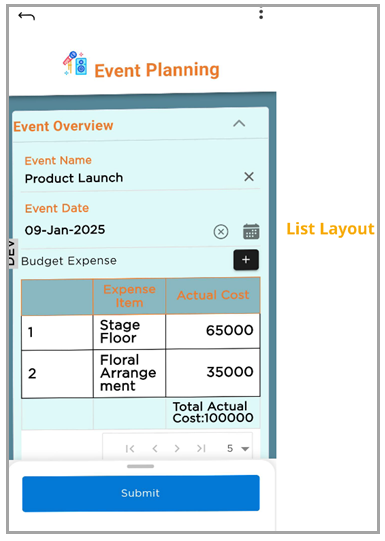
The List Layout displays records in rows and columns optimized for mobile screens.
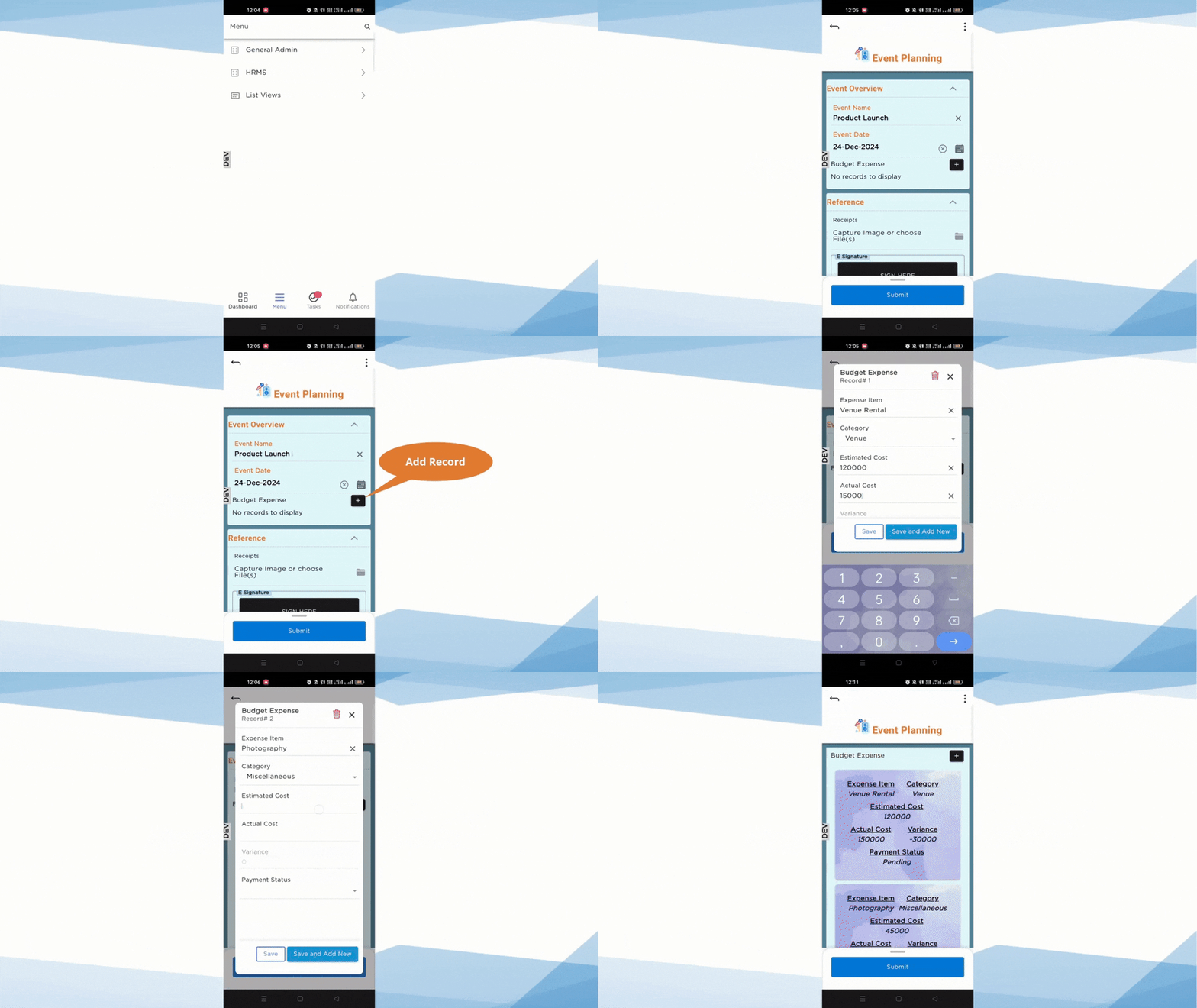
¶ 1.1 Add Record
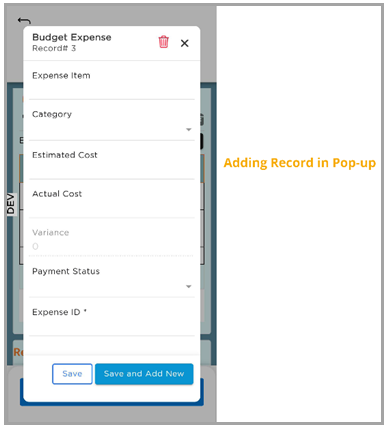
This option allows end users to add records through a pop-up. When a record is added in a pop-up and saved, the data will be reflected in the respective row.
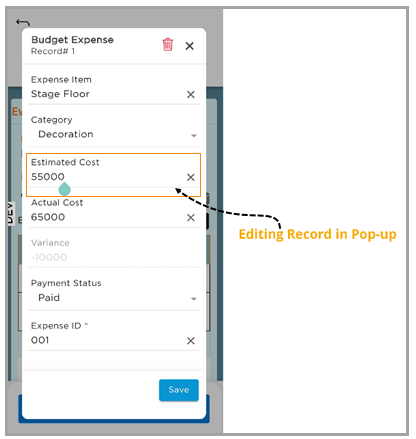
¶ 1.2 Edit Record
This option allows end users to edit records through a pop-up. When a record is edited in a pop-up and saved, the updated data will be reflected in the respective row.
¶ 1.3 Choose Grid Columns
This option allows CDs to select up to two key columns to display in the mobile grid layout for better readability on smaller screens.