The Grid field is used to capture and manage multiple related records in a table format. You use it when one form needs to store repeating data such as line items, tasks, inventory entries, or logs.
Each row represents one record. Each column represents a field. The grid field allows users to:
- Add new records
- Edit existing records
- Duplicate records
- Delete records
- View large datasets in a structured way
Grid data is typically shown later in list views for easy tracking and reporting.
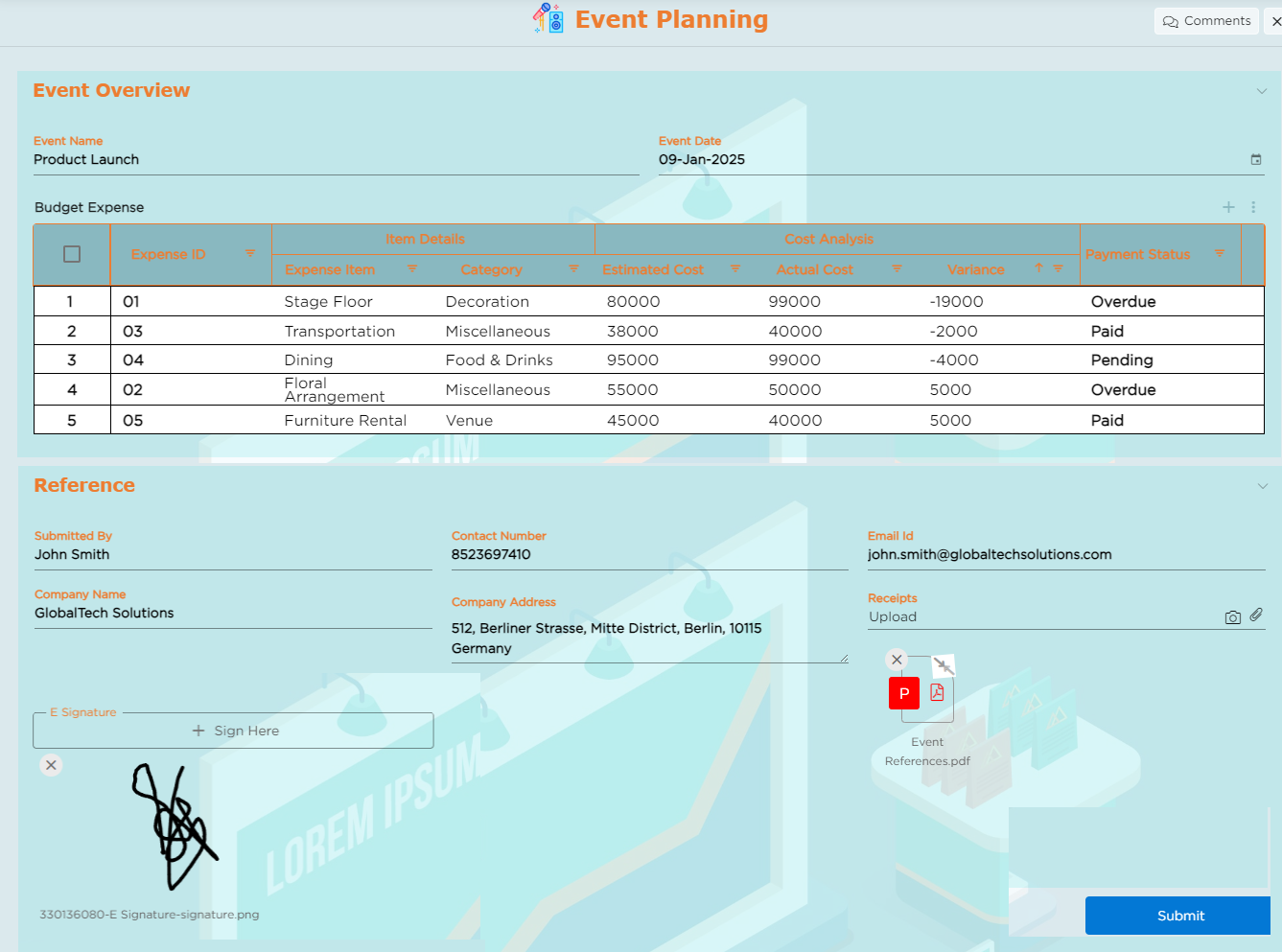
¶ 1. Field-Specific Properties
Note
This field supports all standard form field properties. Refer to the Form Field Properties article for common settings.
The properties below are specific to the Grid field.
| # | Property | Description |
|---|---|---|
| 1 | Don’t Allow to Add Record |
|
| 2 | Don’t Allow to Add Records Using Excel | Removes the Excel upload option. |
| 3 | Don’t Allow to Download Records to Excel | Disables exporting grid data to Excel. |
| 4 | Delete Options |
Controls record deletion behavior. Options
|
| 5 | Multi-select Records to Delete | Allows selecting and deleting multiple rows at once. |
| 6 | Multi-select Records to Duplicate | Allows duplicating multiple rows at once. |
| 7 | Add Record Mode |
Controls how new records are created. Options
|
| 8 | Edit Record Mode |
Controls how records are edited. Options
Changes reflect immediately after saving. |
| 9 | Advanced Grid Options | Controls spacing, layout, and column-level calculations. |
| 10 | Aggregates |
Applies calculations on numeric columns. Supported operations
How to apply aggregates
|
| 11 | Choose Row Height |
|
| 12 | Stack Headers | Allows grouping column headers up to three levels deep. |
¶ 2. Mobile Settings (Mobile-Only)
Grid behavior can be optimized for mobile users. Two layouts are available.
| Types | Description |
|---|---|
| Mobile List Layout |
Displays records in rows. Options
|
| Mobile Card Layout |
Displays each record as a card. Layout options
Predefined layouts
Custom layout
|
¶ 3. Common mistakes when using the Grid field
| Types | Mistakes | Impact | Fix |
|---|---|---|---|
| Using Grid for single-value data | You use a grid when only one record is required. |
|
Use normal fields instead. |
| Allowing record deletion for audit data | You enable delete for critical records. |
|
Set Delete Options to Disable or Hide. |
| Not limiting Excel uploads | You allow Excel uploads without validation rules. |
|
Restrict Excel uploads or validate input fields strictly. |
| Using Inline edit for complex forms | You use inline mode for records with many fields. |
|
Use Pop-up or Side Panel mode. |
| Not configuring mobile layout | You rely on default mobile view. | Grid becomes hard to read on small screens. | Configure List or Card layout for mobile. |