The Monitor Scheduler lets you keep track of all automated activities in one place — including Report Schedulers, Recurring Tasks, Integrations, Data Sync, and Data Source Schedulers. It helps you see what’s running, what has failed, and what needs attention.
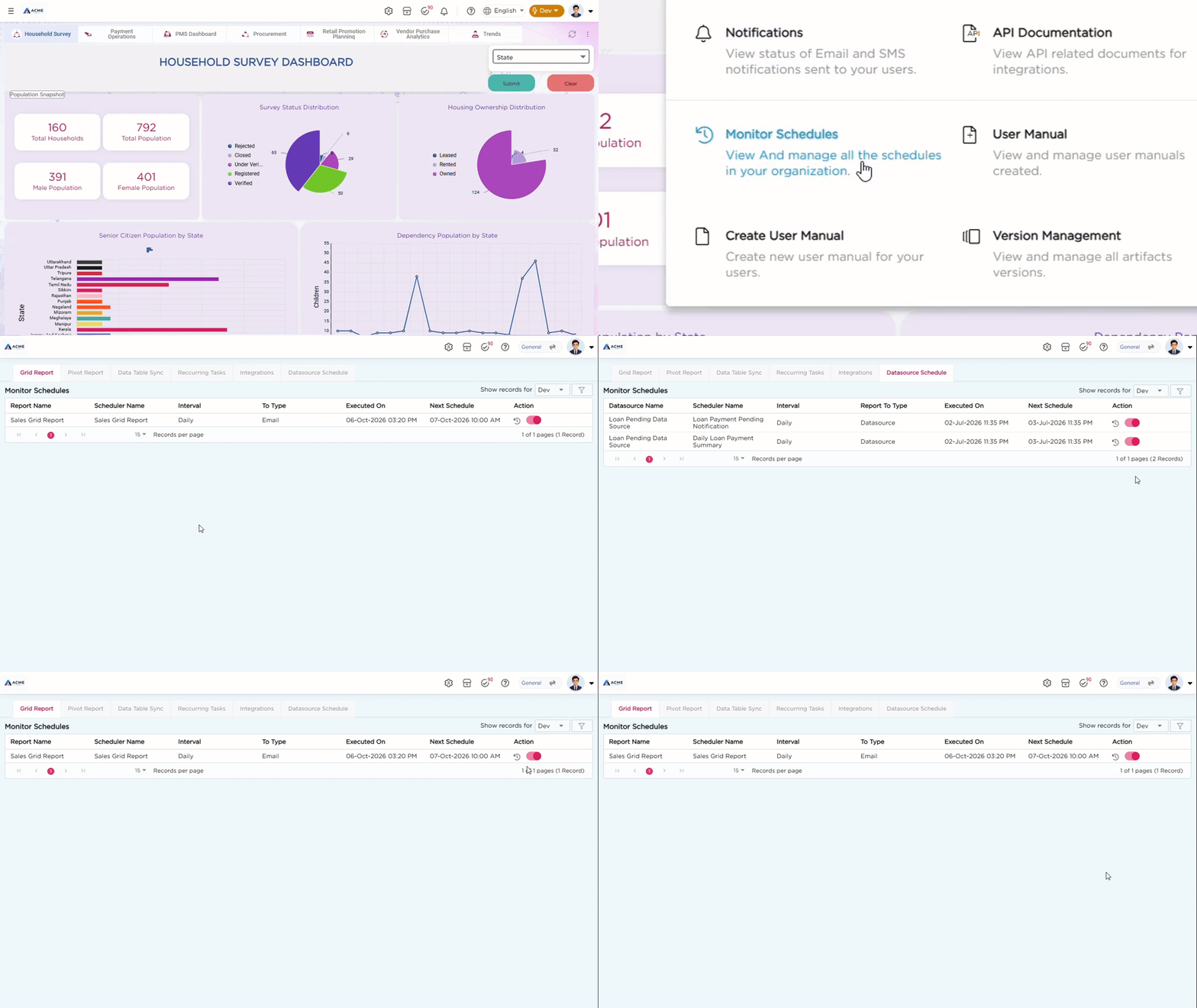
¶ 1. View Scheduler History
This section shows the complete history of all executed schedulers. Admins can easily check whether a schedule ran successfully or failed.
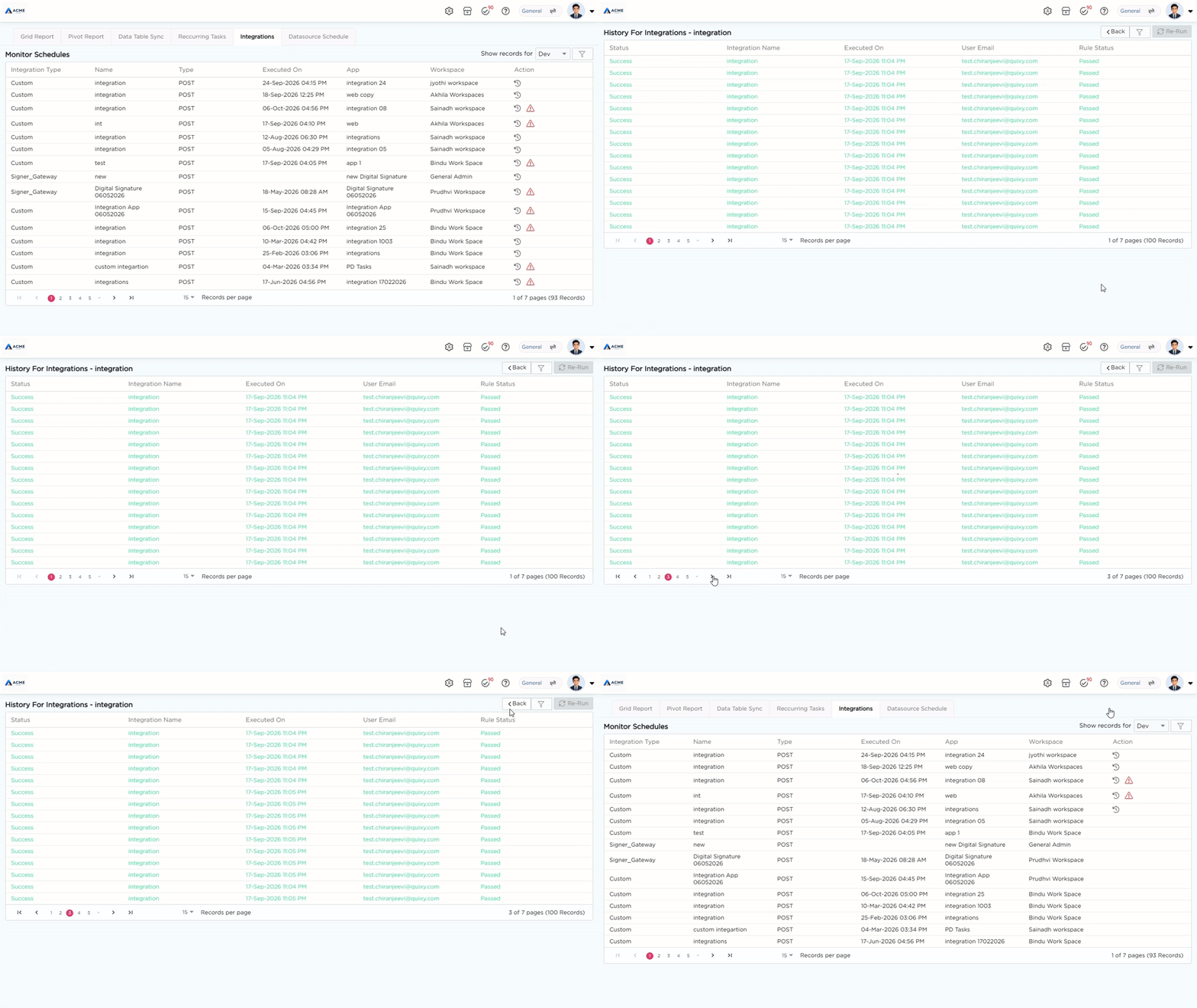
¶ 2. Re-run Failed Integrations
If any integration fails due to a technical issue, Citizen Developers can quickly fix it themselves. Using the Re-Run button, they can manually reprocess failed integrations without waiting for help from IT or admins.
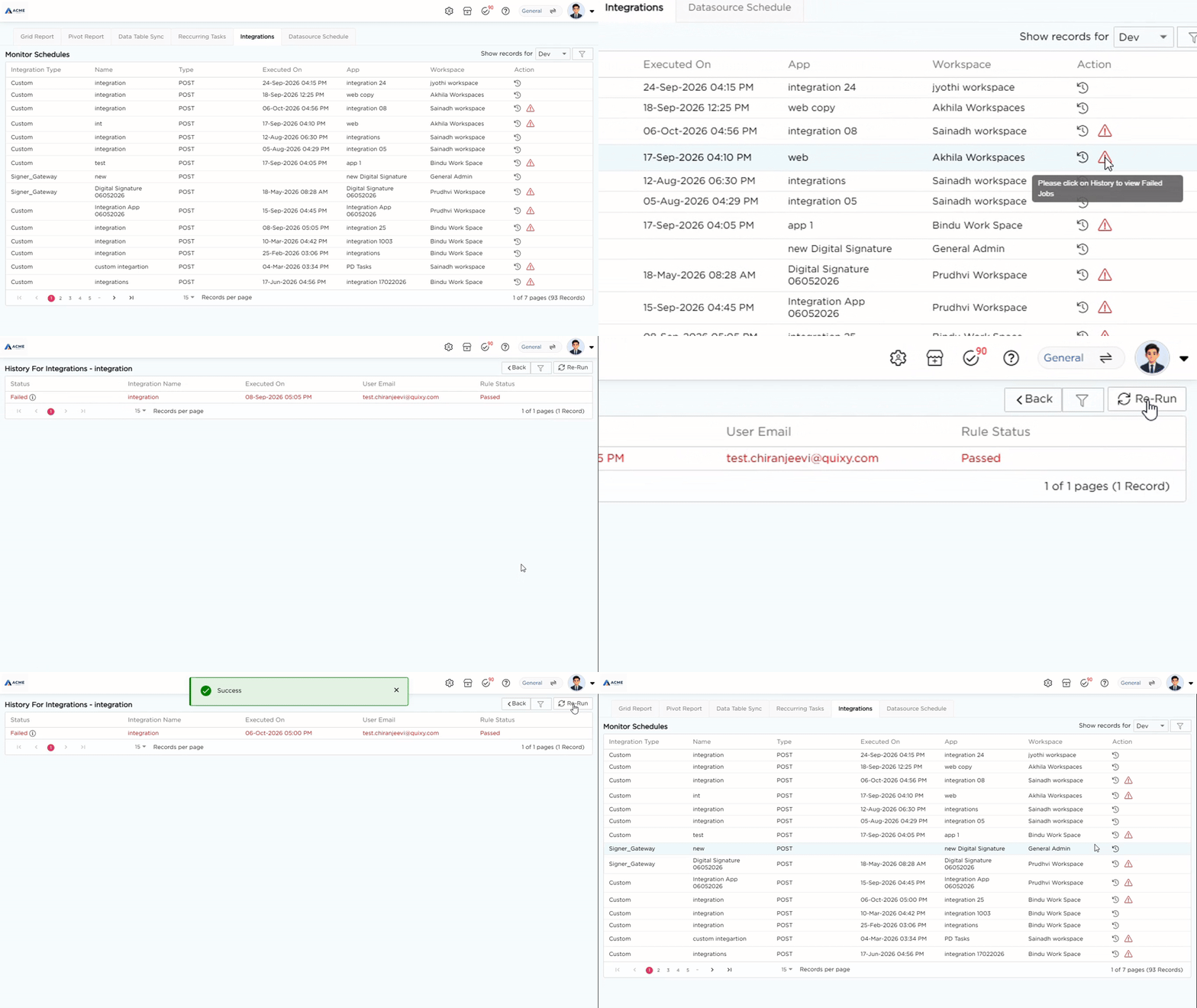
¶ 3. For Workspace Admins
The Monitor Scheduler is especially useful for Workspace Admins. It gives them a central place to track, manage, and control all scheduled activities in their workspace.
Admins can:
- Monitor all active and completed schedules
- Check status and performance
- Adjust scheduling settings if needed