Branding Options let you define how the platform looks and functions for your organization. You can upload logos, manage visibility of interface elements like icons, menus, or help sections, and control user access preferences.
¶ 1. Navigating to Branding Options
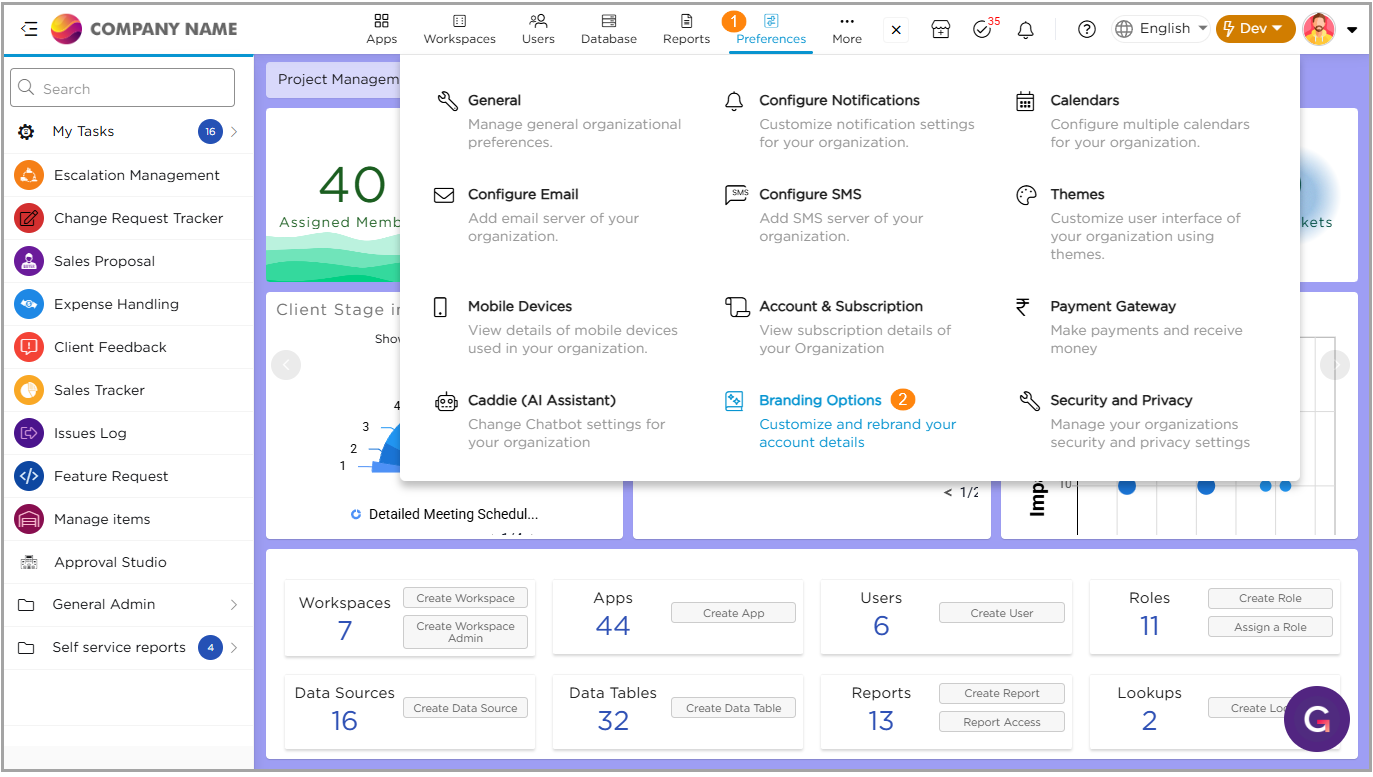
- Go to Admin Menu → Preferences → Branding Options.
- The Branding Options page opens, where you can configure all appearance and visibility settings.
¶ 2. Configuration Settings
¶ 2.1. Organization Logo
Upload or update your organization logo displayed across the platform.
- Ideal size: 190px × 40px
- Maximum file size: 1 MB
- Supported formats: JPG, PNG, GIF

¶ 2.2. Powered By Logo
Toggle this to show or hide the Powered by Quixy logo on the login page and left navigation menu.

¶ 2.3. Pending Tasks Image
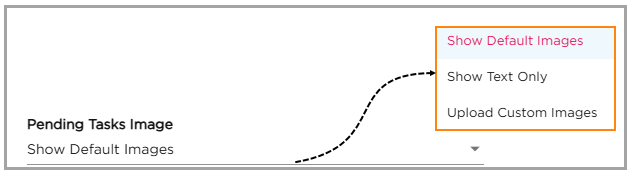
Choose how pending tasks appear when no items are available:
- Show Default Images: Displays system illustrations
- Show Text Only: Displays text without graphics
- Upload Custom Images: Use branded visuals
¶ 2.4. Help
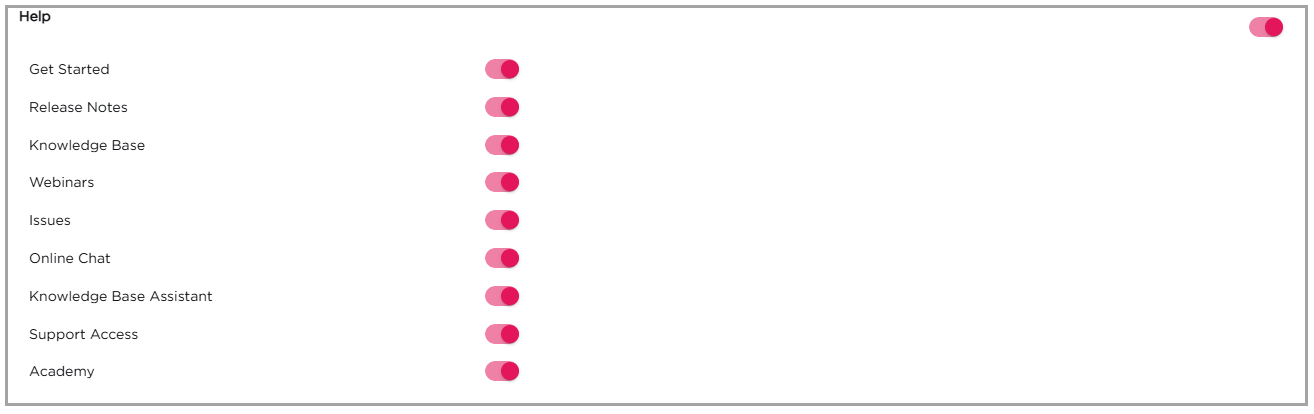
Manage the visibility of help-related modules in the platform interface. You can enable or disable the following options:
- Get Started
- Release Notes
- Knowledge Base
- Webinars
- Issues
- Online Chat
- Knowledge Base Assistant
- Support Access
¶ 2.5. My Activities
Show or hide the My Activities section for users.
For more details, refer to the My Activities Overview.

¶ 2.6. WhatsApp
Enable or disable the display of WhatsApp features if integrated with your account.

¶ 2.7. My Profile (Web & Mobile)
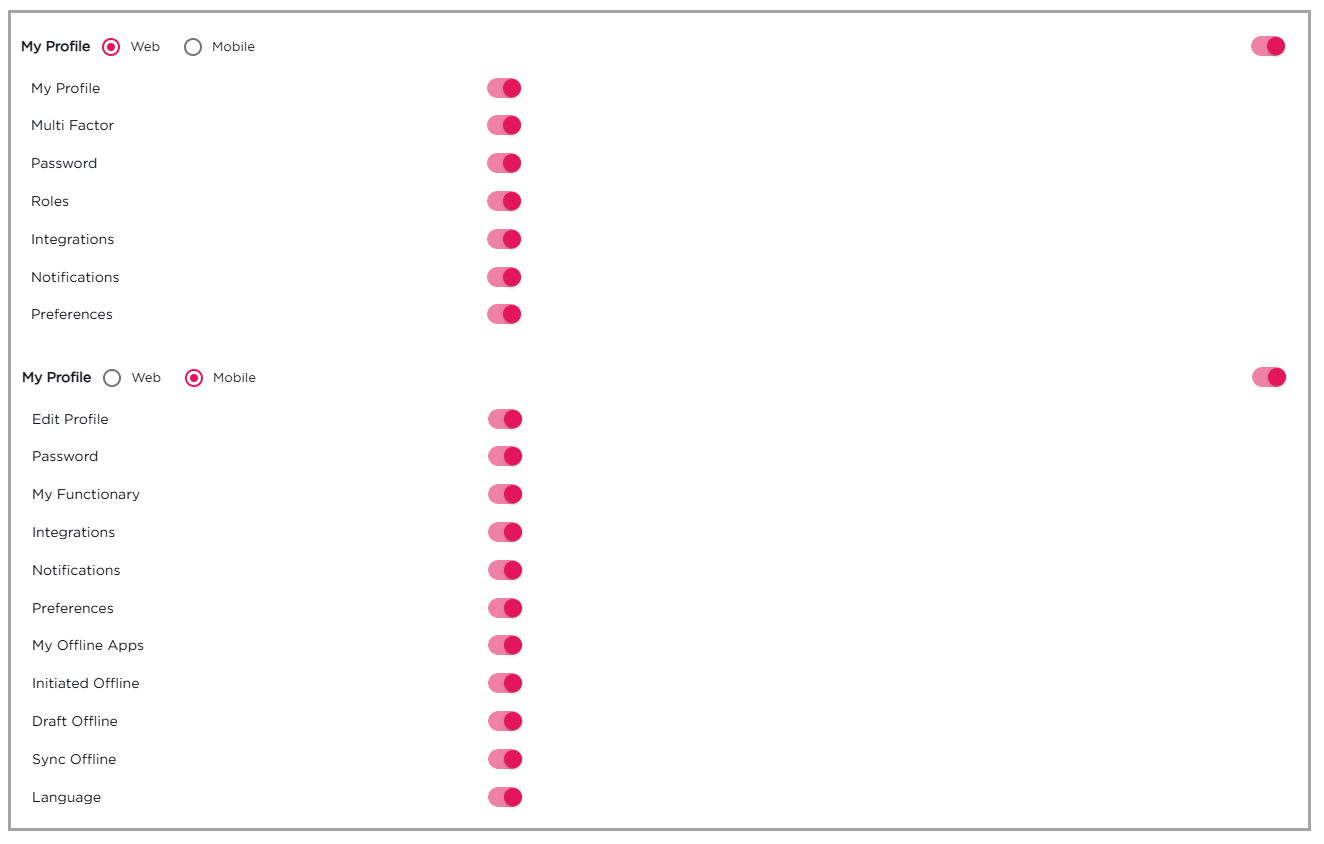
This section lets you control which profile settings users can access or change on both the web and mobile apps. Each option can be turned on or off using a toggle switch.
¶ 2.7.1. Web Settings
Enable or disable access to the following options on the web:
- My Profile
- Multi Factor (for extra security)
- Password
- Roles
- Integrations
- Notifications
- Preferences
¶ 2.7.2. Mobile Settings
Enable or disable access to the following options on the mobile app:
- Edit Profile
- Password
- My Functionary
- Integrations
- Notifications
- Preferences
- My Offline Apps
- Initiated Offline
- Draft Offline
- Sync Offline
- Language
¶ 2.8. Choose Loaders
Customize the loading screen experience.

- Show Account Logo: Toggle on to show logo during loading.
- Change Loading Icon:
- Select Icon: Choose from built-in system icons.
- Custom: Upload your own custom loader icon.
¶ 2.9. Manage Icons Visibility
Choose which icons appear in the top navigation bar based on user activity or status.

¶ 2.9.1. Task Icon
- Show always: The Task icon remains visible at all times.
- Show only when there are tasks: The icon appears only when the user has pending tasks. (This setting applies only to users who are not Organization Admins, Workspace Admins, or Reporting Managers.)
¶ 2.9.2. Notification Icon
- Show always: The Notification icon is always visible.
- Show only when there are notifications: The icon appears only when there are new notifications.
Once you’ve set your branding preferences, click Save to apply the changes.