When you copy a workspace, a new workspace is created that behaves just like one built from scratch. During the copy process, you can choose to:
- Duplicate all components from the original workspace (such as applications, data tables, lookups, integrations, and reports).
- Create an empty workspace by opting out of copying specific components.
This gives you full flexibility—whether you want a complete replica or a fresh workspace structure.
¶ Steps to Copy a Workspace
- Admin Menu → Workspaces → Workspaces
- Click Copy Workspace
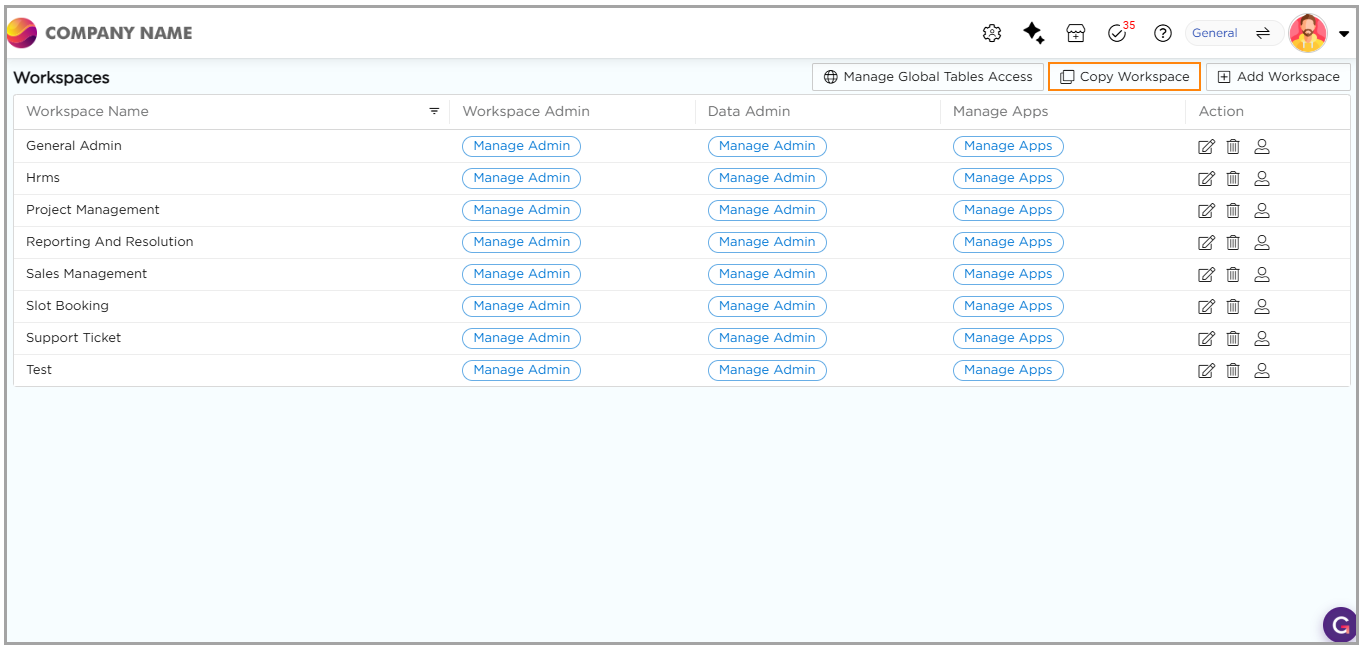
3. Select a Workspace you want to Copy.
4. Provide a Unique Name to the Workspace.
5. Select a User to assign them as a Workspace Admin.
6. Select artifacts to copy along with the Workspace (apps, tables, lookups, integrations, etc.)
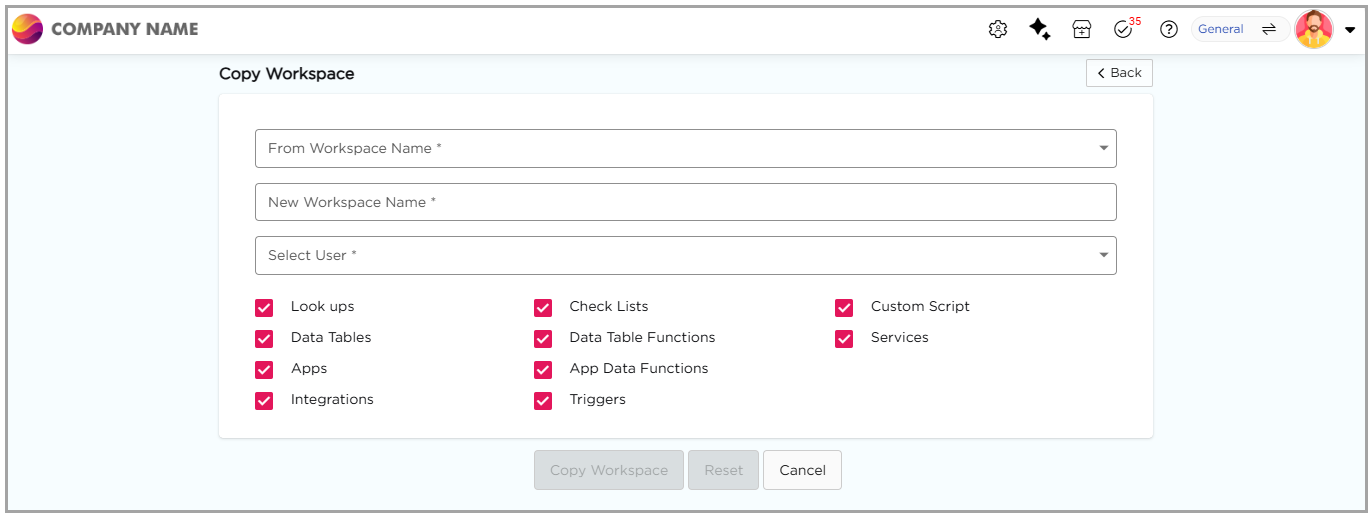
7. Click Copy Workspace to create the new workspace.