Reactivating a user restores platform access for a previously deactivated user.
¶ 1. Steps for User Reactivation
1. Go to Admin Menu → Users → Users.
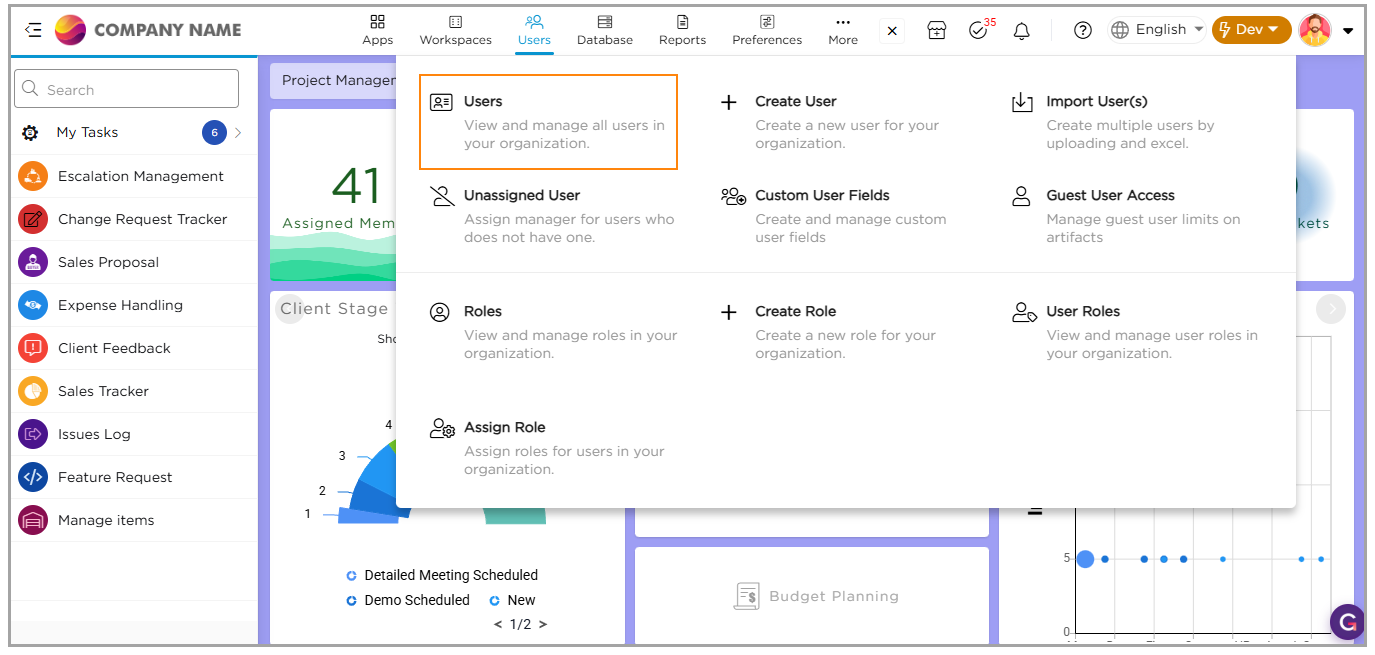
2. Click the Inactive Users tab.
3. Locate the user you want to reactivate.
4. Click the Reactivate icon in the Action column.
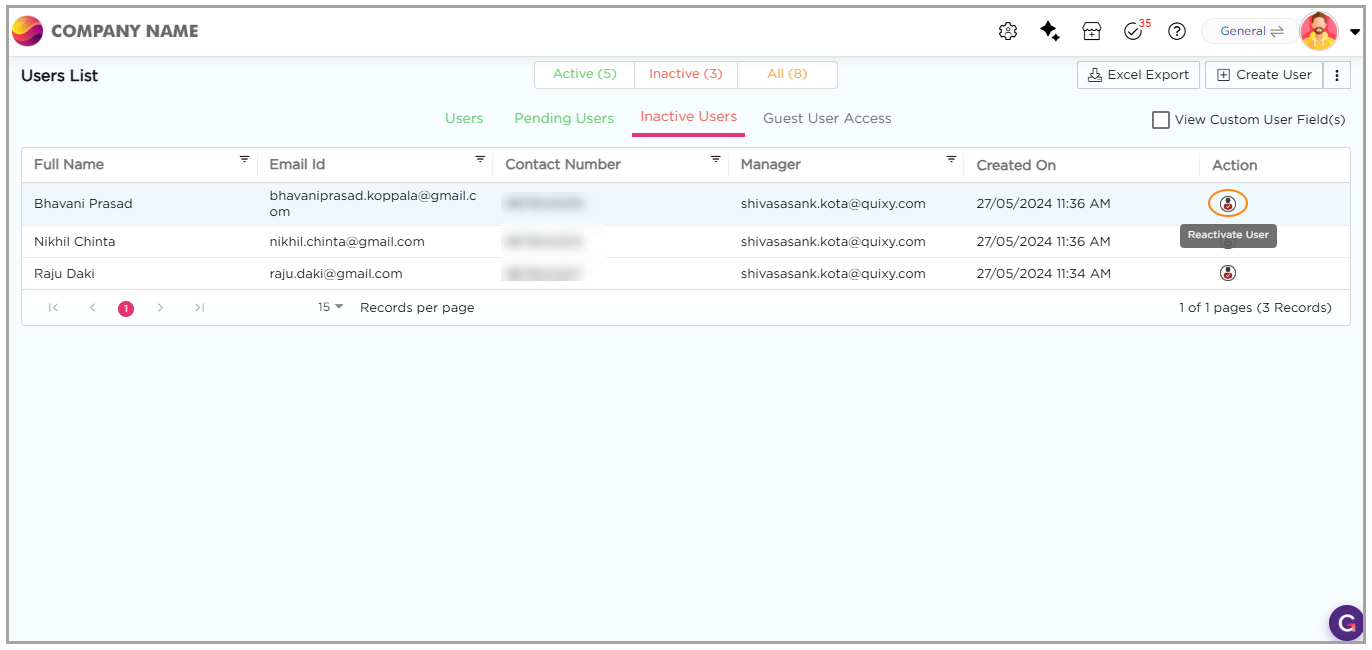
5. A success message confirms the user is reactivated.
6. The reactivated user now appears in the Users list.