For the Project Management solution, the Sprint View helps teams manage and track sprints from a single screen.
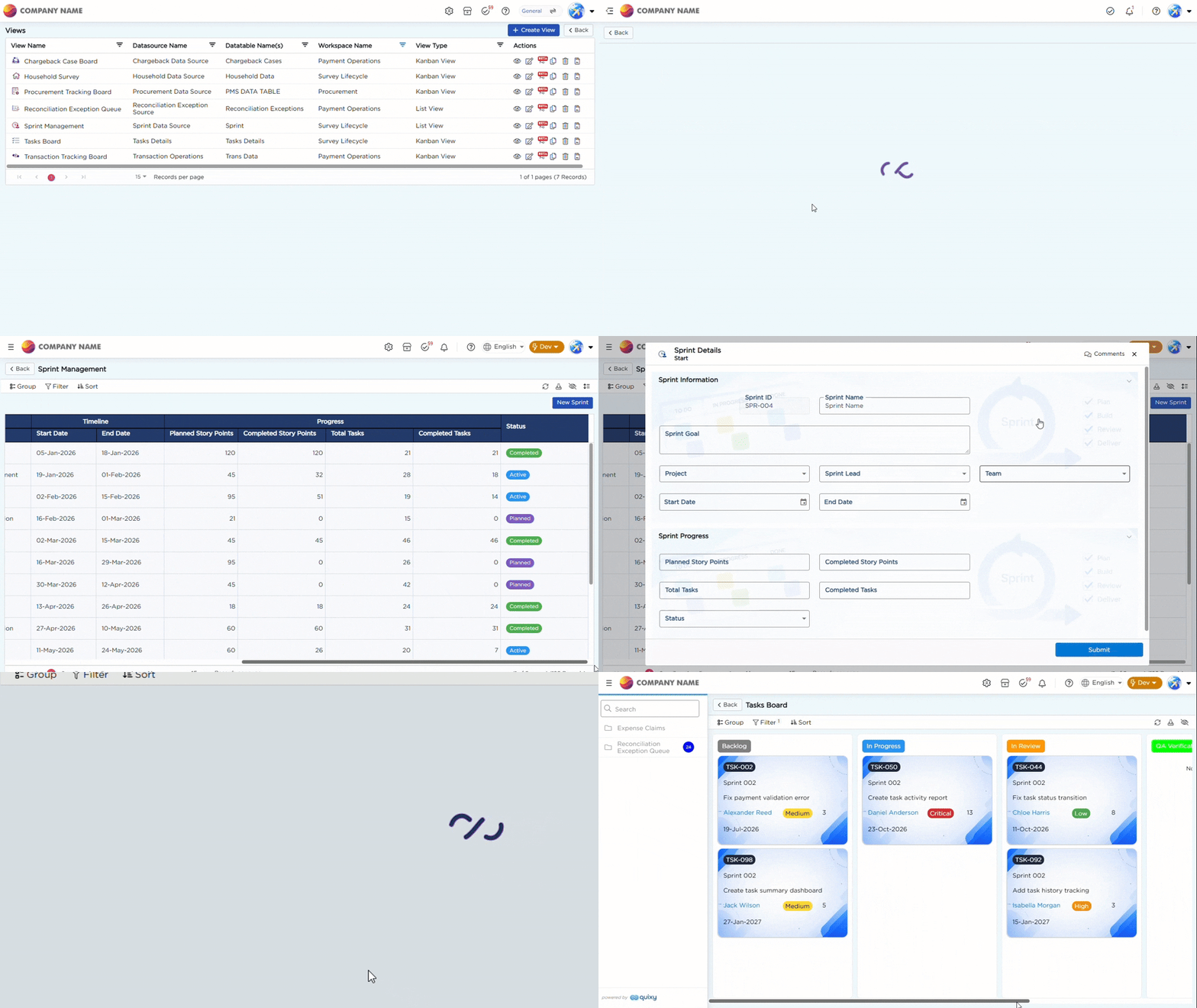
The view displays sprint details such as Sprint Name, Project, Sprint Lead, Team, Start Date, End Date, Planned Story Points, Completed Story Points, Total Tasks, Completed Tasks, and Status. This gives teams a quick view of sprint information and progress.
From the Sprint View, users can click a Sprint Name to open the Task Board and view the tasks associated with that sprint. Tasks are linked to sprints through the Sprint field in the Tasks Details data source.
The Sprint View uses colored Status values to help users quickly identify the current state of each sprint, including Planned, Active, Spillover, and Completed.
Refer to the GIF below for a better understanding of the Sprint View operations:
To learn more about the list view capabilities used in this view, refer to the List View article.