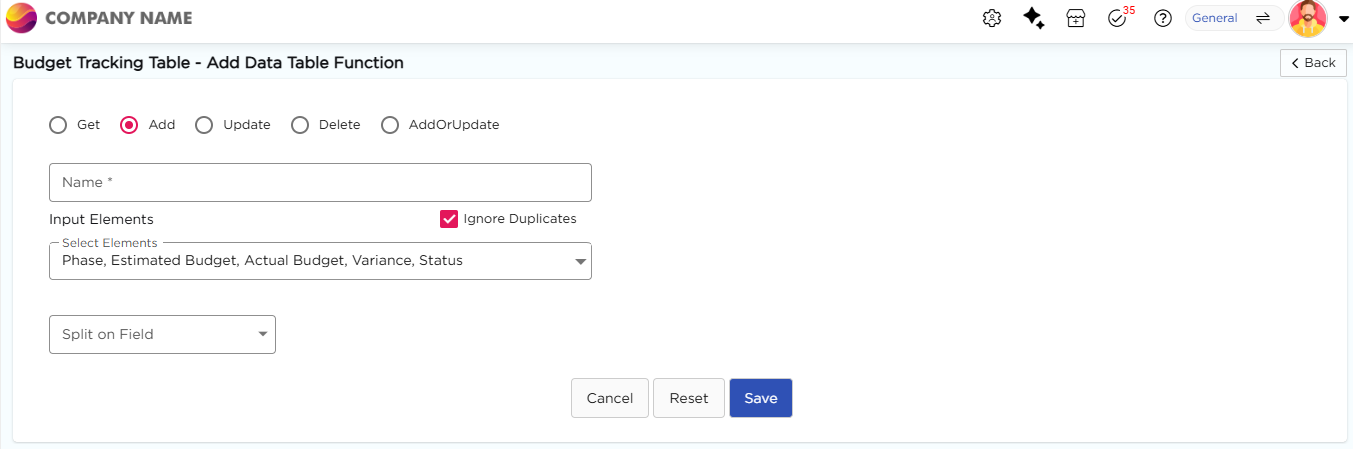
The Add function is used to insert new records into a data table from an application.
¶ 1. Steps to create an Add function
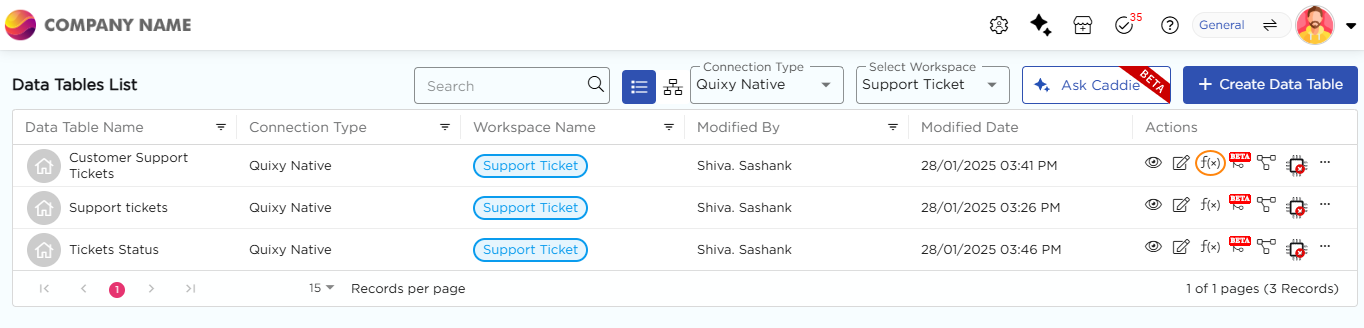
- Go to Admin Menu → Database → Data Tables. You will land on the Data Tables List page.
- Select the required data table and click the f(x) icon under the Actions column. You will land on the Data Table Function page.
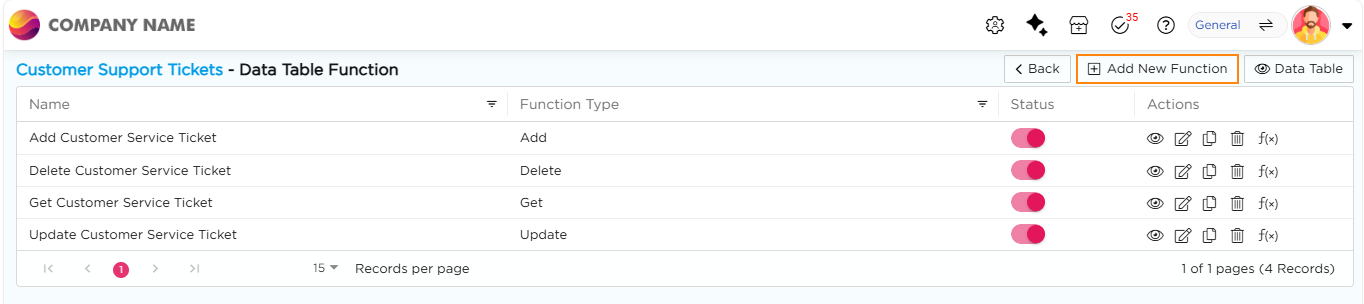
3. Click + Add New Function. You will land on the Add Data Table Function page.
4. Select Add as the function type and enter a name for the function.
5. Under Input Elements, select the elements whose data should be stored in the data table.
6. Enable Ignore Duplicates if duplicate records should be skipped.
7. Select a field from Split on Field if you want to store multi-select or checklist values as separate rows.
8. Click Save to store the data function.