Navigate to Admin Menu → Database→ Data Tables. The Data Tables List page opens.
From the Data Tables List Page, select the required data table to create an index.
Click the three-dot menu next to the required data table and select Manage Indexes.
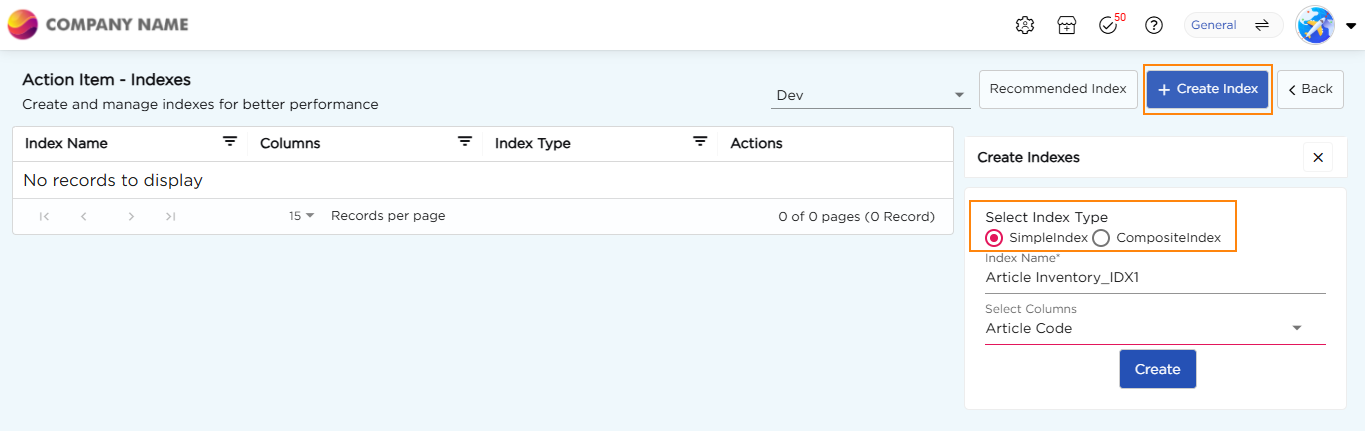
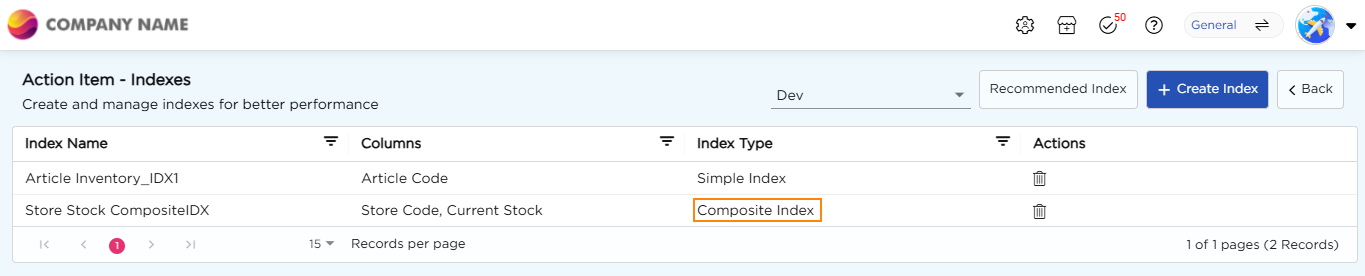
You will be redirected to the Action Item - Indexes Page for the selected data table.
From the Stage dropdown, select the required stage.
A Basic Sandbox displays Dev and Live.
An Advanced Sandbox displays Dev, QA, UAT, and Live.
Note
Indexes are managed independently for each stage. The list of existing indexes, recommended indexes, and index creation options are displayed based on the selected stage.
If the selected data table has not been deployed to the selected stage, the page displays a message indicating that the data table does not exist in that stage. No indexes can be viewed or created until the data table is deployed to the selected stage.
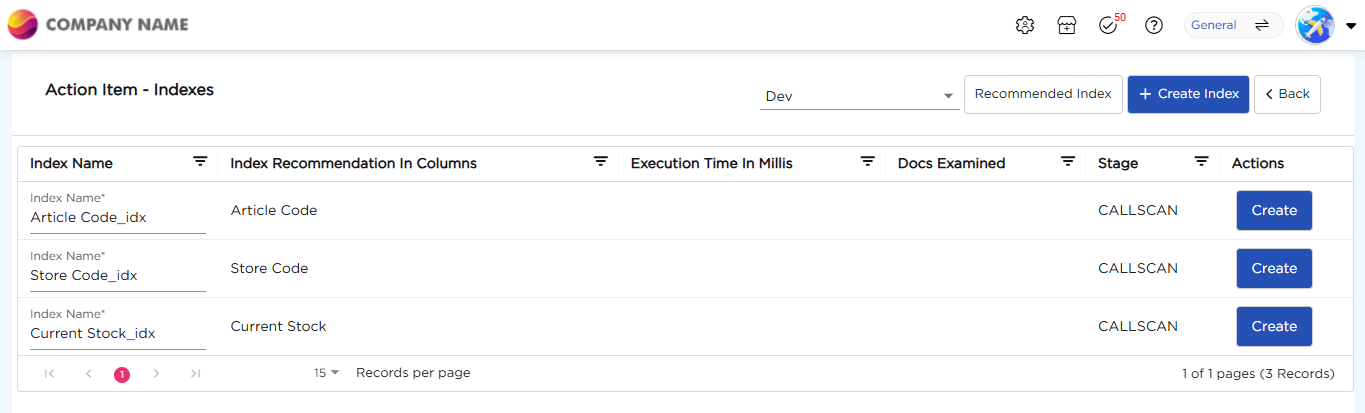
On the Action Item - Indexes page, click Recommended Index.
Review the recommended indexes.
Modify the Index Name, if required.
Review the recommended column.
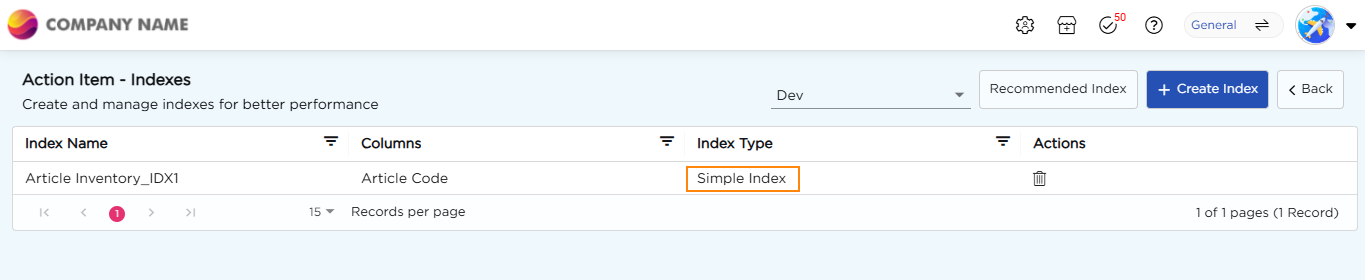
Click Create corresponding to the required recommendation. The recommendation is removed from the Recommended Index list, and the index is added to the index list.