Joins allow you to combine data from multiple data tables into a single data source. This helps you view and work with related data together instead of using separate tables.
A data source created using joins displays combined data as rows and columns based on the selected join type.
¶ 1. What a Join does
A JOIN clause is used to join data rows from two or more data tables based on a common field. There are several Join types in the SQL programming language that you may be familiar with. However, as of today, there are two types of Join clauses in Quixy, as listed below:
- Inner Join
- Left Join
Note
Additional join types such as Right Join, Full Join, and Multiple Join will be supported in future releases.
¶ 2. Inner Join
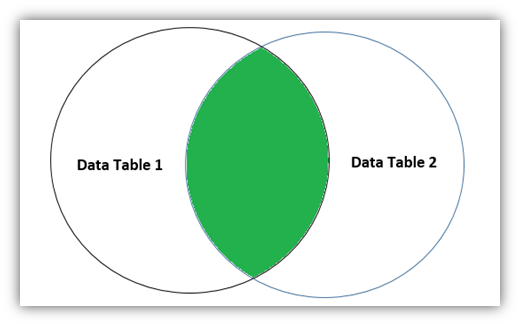
The INNER JOIN selects records from both tables that have matching values in the common field of the data tables.
Data Table 1: Customer Info
| Customer ID | Customer Name | Address | City | Postal Code | Country | Date |
| QXY9987 | Rahul | Bihar | Muzzarpur | 998765 | India | 01-Apr-2022 |
| VVT1001 | Xing Lo | Hunana | Hunana | 667890 | India | 16-Apr-2022 |
Data Table 2: Orders
| Order ID | Customer ID | Employee ID | Order Date | Shipper ID |
| 99876544 | VVT9987 | QXY0098 | 22-Apr-2022 | 23456787654 |
| 2345678764 | 44567788 | 2345678 | 19-Apr-2022 | 87656543 |
| 9987609 | QXY9987 | 998760 | 11-Mar-2022 | 9876 |
| 8873409 | VVT1001 | 554678 | 11-Mar-2022 | 7768653 |
If you closely observe the above two tables, you will notice that Customer ID is common in both of them. Now, if you combine both the above tables using Inner Join and a common field (Customer ID), the resultant set will get the data of the matching records in the common field. Refer to the result-set given below.
¶ 2.1. Resultant Data source: (Data Table 1_Customer ID {Inner Joined} Data Table 2_Customer ID)
This table will have only the elected columns (when configuring the Data source) from the above two tables, and the data rows of the matching values in the common column field, as shown below.
| Customer ID | Customer Name | Postal Code | Country | Order ID | Employee ID | Order Date |
| QXY9987 | Rahul | 998765 | India | 9987609 | 998760 | 11-Mar-2022 |
| VVT1001 | Xing Lo | 667890 | India | 8873409 | 554678 | 11-Mar-2022 |
¶ 3. Left Join
The Left Join clause puts all the rows of the data table on the left side of the join and the matching rows for the data table on the right side of the join. The data rows with no matching records or data on the right will have null in the result-set. The LEFT JOIN is also known as the LEFT OUTER JOIN.
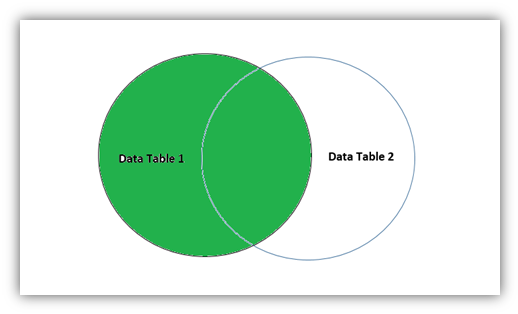
Observe the tables below carefully to understand the result of the Left Join functionality.
Data Table 1: Orders
| Order ID | Customer ID | Employee ID | Order Date | Shipper ID |
| 99876544 | VVT9987 | QXY0098 | 22-Apr-2022 | 23456787654 |
| 2345678764 | 44567788 | 2345678 | 19-Apr-2022 | 87656543 |
| 9987609 | QXY9987 | 998760 | 11-Mar-2022 | 9876 |
| 8873409 | VVT1001 | 554678 | 11-Mar-2022 | 7768653 |
Data Table 2: Customer Info
| Customer ID | Customer Name | Address | City | Postal Code | Country | Date |
| QXY9987 | Rahul | Bihar | Muzzarpur | 998765 | India | 01-Apr-2022 |
| VVT1001 | Xing Lo | Hunana | Hunana | 667890 | India | 16-Apr-2022 |
¶ 3.1. Resultant Data source: (Orders table_Customer ID {Left Joined} Customer Info table_Customer ID)
This table will have only the elected columns (when configuring the Data source) from the above two tables. In this scenario, all the columns from the above two tables are selected. Now, as the definition of Left Join states, all the data rows of the left table will be present in the result-set, but matching values in the common column fields of the right table will be combined in the result-set, as shown below.
As stated in the definition of Left Join, you can see the result below. The data discrepancies that you noticed are because the right table didn’t have any matching data.
