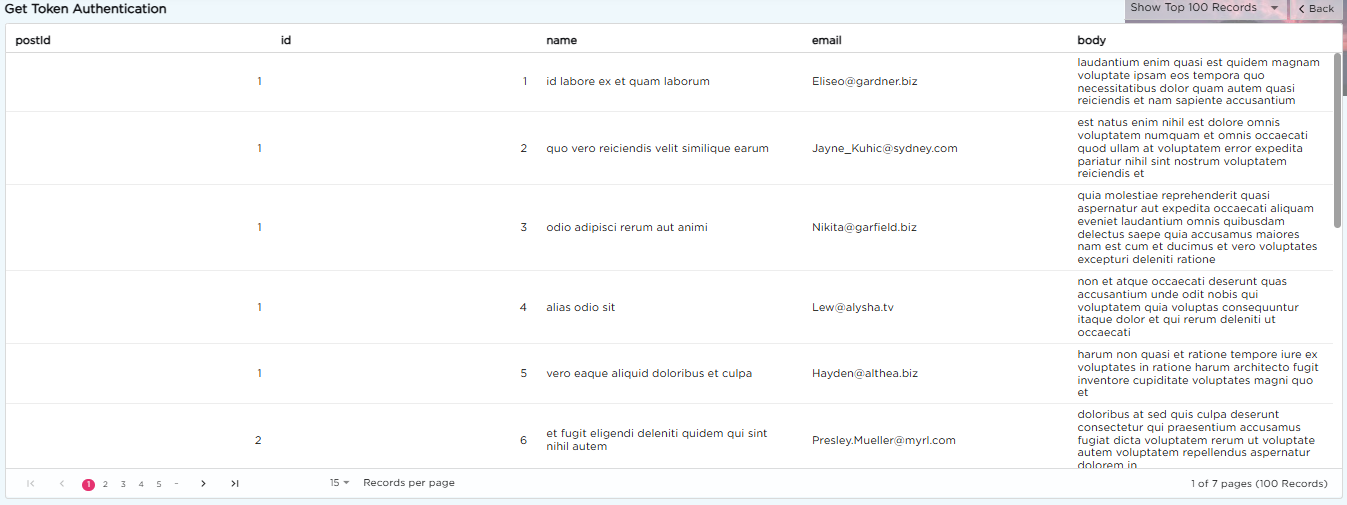
A Connector Data Source links Quixy with external systems or APIs to fetch real-time data without storing it inside the platform. It suits data that changes often, such as stock levels, account balances or order details. Unlike other data sources (Basic, Merged or Query), a Connector pulls live values from the external system each time a report, dashboard or chart loads.
¶ 1. When to Use a Connector
Use a Connector when data stored in another system needs to be viewed or used within Quixy. The Connector fetches the latest values from the external source whenever you open a report, dashboard or view.
Example:
Display live inventory from your ERP, or customer details from your CRM.
¶ 2. Configuration
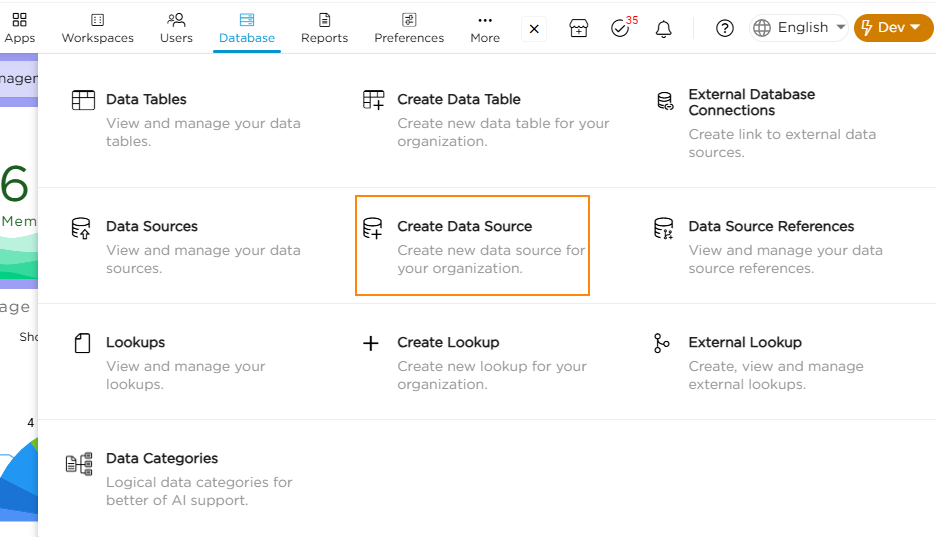
1. Go to Admin Menu → Database → Create Data Source.
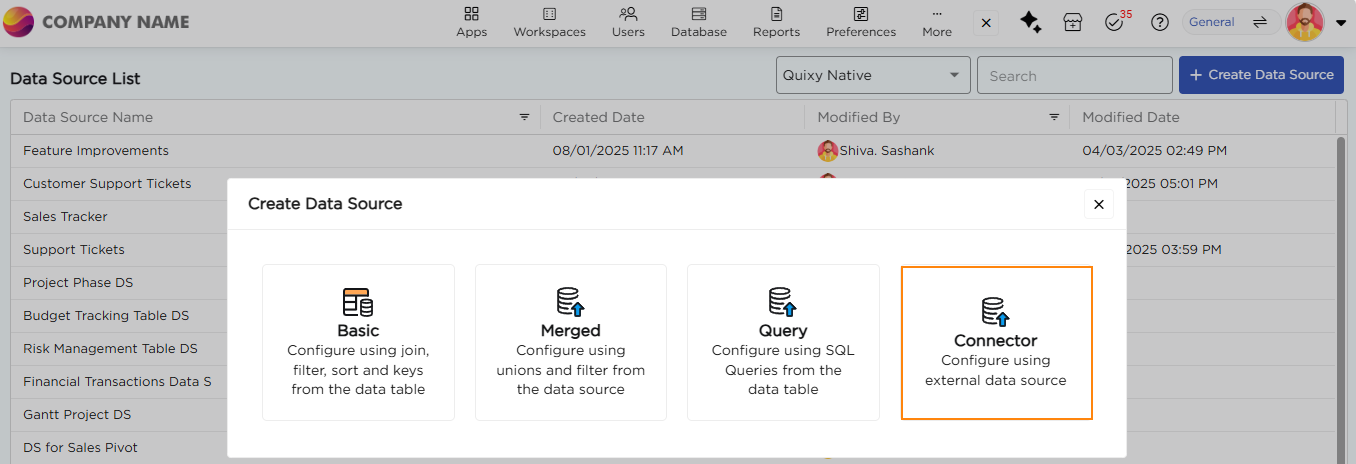
2. From the list of data source types, select Connector. This opens the configuration page.
3. Provide a unique name for your Connector Data Source.
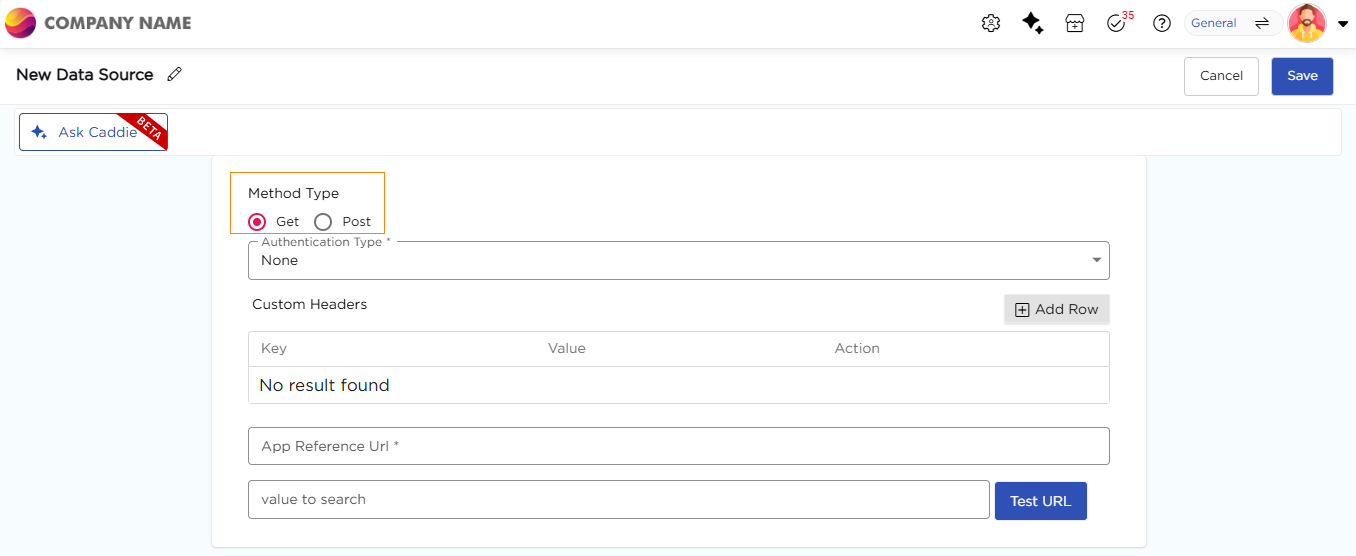
4. Choose the Method Type: Get or Post, based on how the API should be called.
| Method Type | What it does | Where parameters go |
|---|---|---|
| Get | Retrieves data directly from an external API. | In the URL. Add a search parameter in the value to search box. |
| Post | Sends data or parameters to the API to get specific results. | In the URL or in the Body (as JSON). Choose this under Send Parameters In. |
Note:
Depending on your API, configure either a Get Request or a Post Request as explained below.
¶ 2.1. Configure Get Request
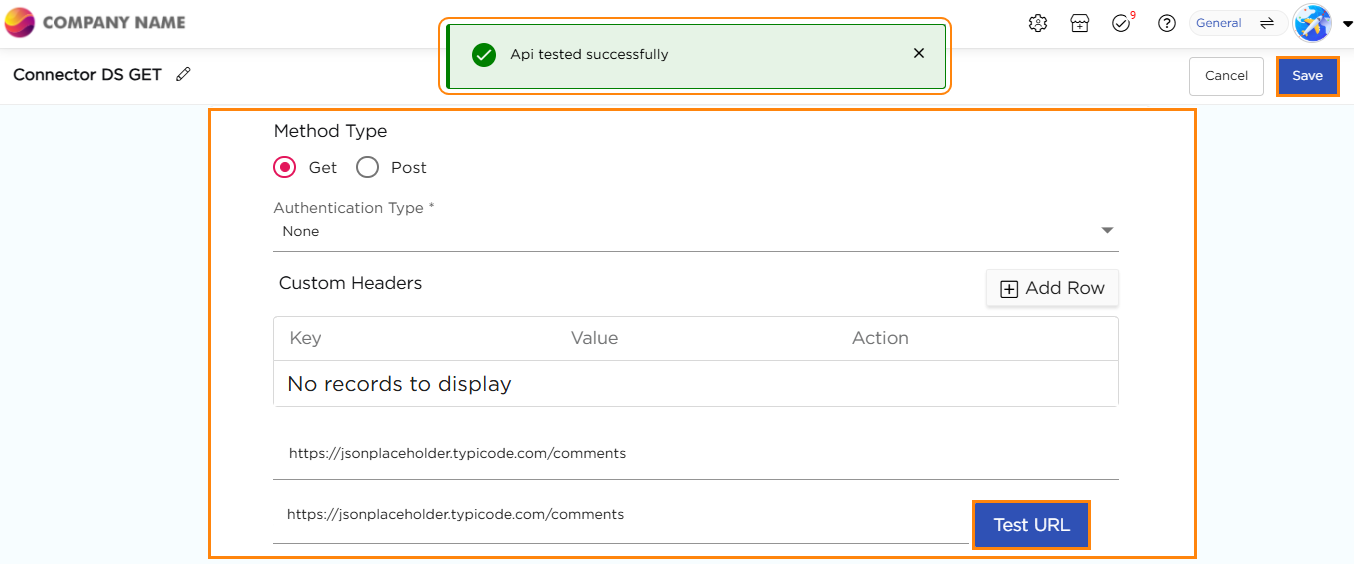
Follow these steps if you chose Get in step 4.
- Select Method Type: Get.
- Choose the Authentication Type required by the API. For details, refer to the “Authentication” section in the External Lookups article.
Available types: None, Basic Authentication, Token Authentication, OAuth 2 Basic and OAuth 2 ClientId Secret. - (Optional) Add Custom Headers.
- Enter the App Reference Url.
- (Optional) Add search parameters in value to search.
- Click Test URL to verify the connection. A success message appears if the API is connected successfully.
Example:
https://api.example.com/customers?customerId=12345
¶ 2.2. Configure Post Request
Follow these steps if you chose Post in step 4.
- Select Method Type: Post.
- Under Send Parameters In, choose how to send parameters:
- URL – Sends parameters directly in the URL. Example:
https://api.example.com/addCustomer?name=John&city=Dallas - Body – Sends parameters as JSON. Enter the JSON in the Json Object box. A sample is shown below the steps.
- URL – Sends parameters directly in the URL. Example:
- Choose the Authentication Type required by the API.
- (Optional) Add Custom Headers.
- Enter the App Reference Url.
- Click Test URL to verify the connection. A success message appears if the API is connected successfully.
Sample JSON:
{
"name": "John",
"city": "Dallas"
}
¶ 2.3. Map API Response
After the connection test succeeds, map the fields returned by the API:
- The response fields appear under Element Mapping.
- Each field from the API response is listed automatically.
- Check the Element Type for each field, such as TextBox or Number.
- Rename fields using the Alias Name column for easier identification in reports and dashboards.
- Click Save to complete the setup.
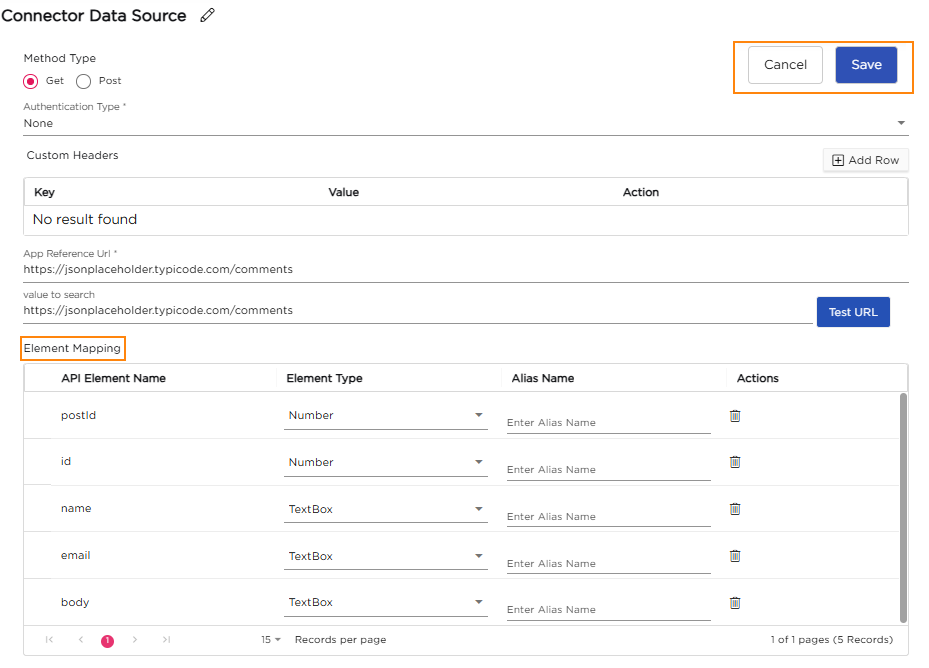
The Element Mapping table has these columns:
| Column | What it shows |
|---|---|
| API Element Name | The field name from the API response. |
| Element Type | The data type of the field, such as TextBox or Number. |
| Alias Name | The name used for the field in reports and dashboards. |
| Actions | A delete icon for each field. |
¶ 3. Viewing Connector Data in the Data Source List
- On the Data Source List page, a Connector tag is shown beside the data source name, indicating it was created using an external connection.
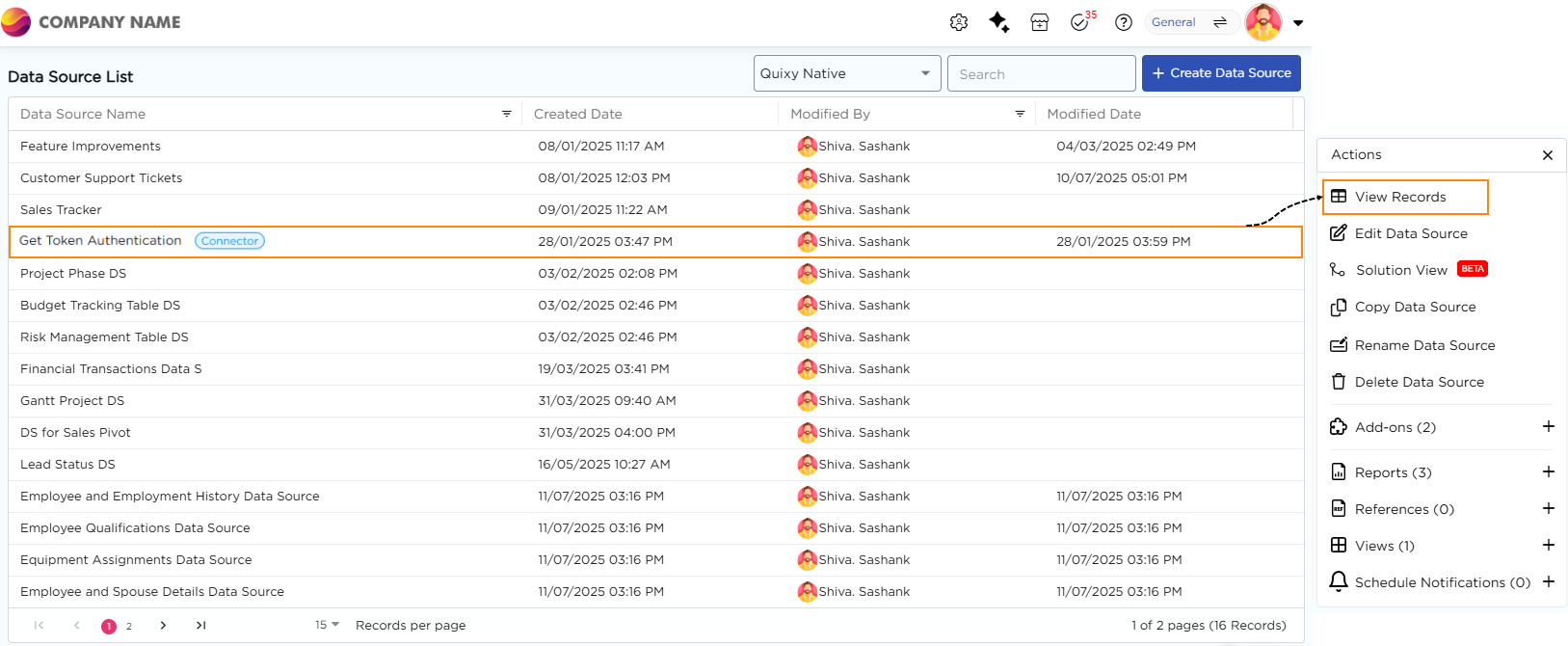
- When you select the Connector Data Source and click View Records, the live data fetched from the external API is displayed in a tabular format.
Each row represents data pulled directly from the connected system in real time.