Session Management controls how user login sessions behave in Quixy. It allows administrators to manage multiple active logins and define how long an inactive session can remain open. These settings help balance user convenience with organizational security.
Using session settings, admins can decide whether users can stay logged in from multiple devices at the same time and how the system should handle inactive sessions.
¶ 1. How to configure Sessions?
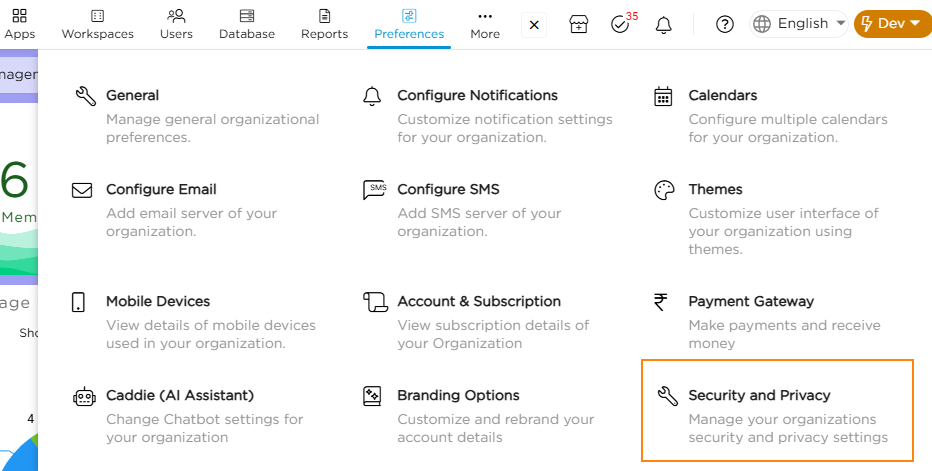
- Go to Admin Menu → Preferences → Security & Privacy.
- Navigate to the Sessions tab and enable the Multiple Sessions toggle.
- The platform prompts you to choose between Organization and User level.
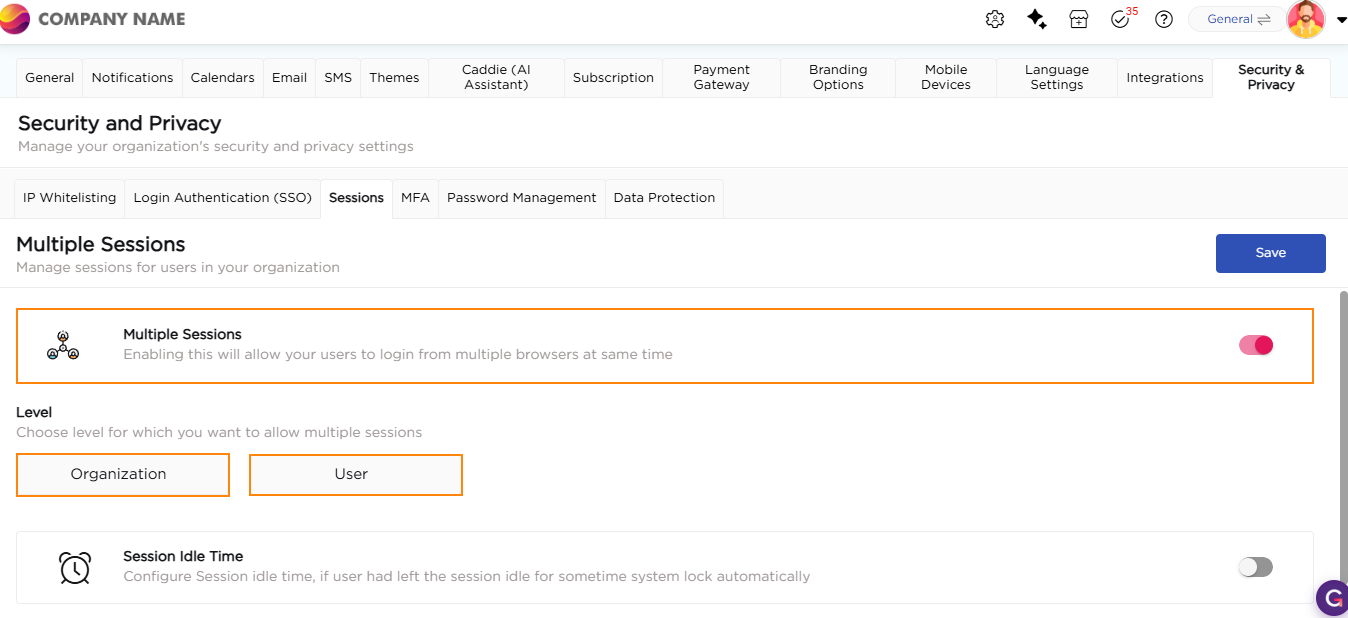
4. If you choose Organization, multiple sessions will be applied to all the users in your organization.
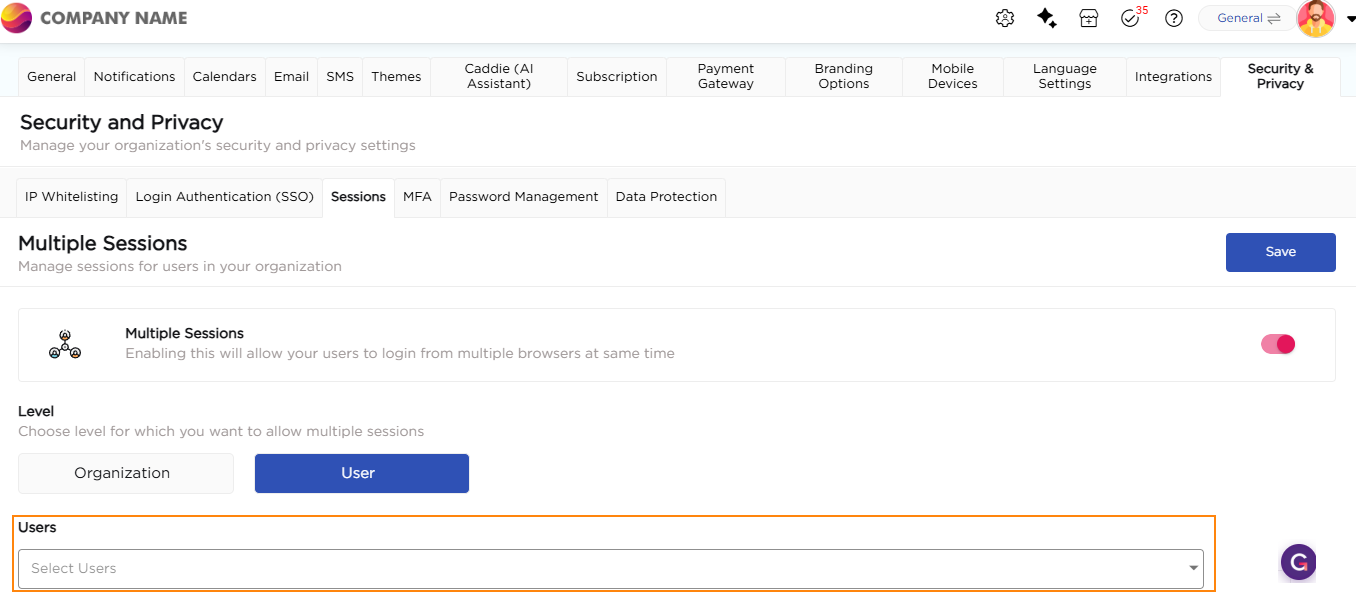
5. If you choose User, the platform allows you to select users for multiple sessions.
¶ 2. Session Idle Time
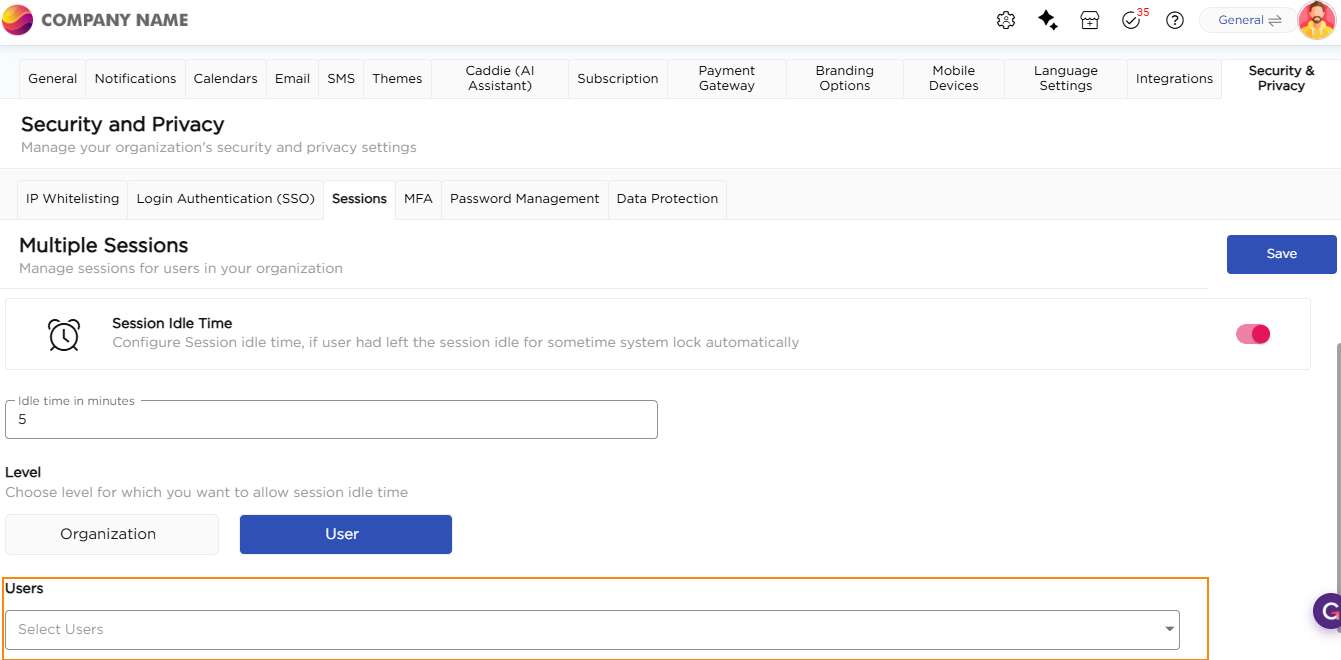
Session Idle Time defines how long a user session can remain inactive before Quixy automatically logs the user out.
This setting helps protect accounts from unauthorized access, especially when users forget to log out or leave sessions unattended. It also improves security on shared or public devices.
¶ 2.1. Configure Session Idle Time
Use the following steps to configure session idle time:
- Turn ON the Session Idle Time toggle.
- Enter the idle time in minutes after which inactive sessions should be logged out.
- Choose the level at which session idle time should apply:
- Organization: Applies the idle time setting to all users.
- User: Applies the idle time setting only to selected users.
- If you choose User, select the users for whom session idle time should be enforced.