Access to reports is granted through a report access system, which provides users with the necessary permissions to view the content of the reports. Without proper permissions, users will be unable to view the reports, even if they are visible in the user menu or dashboard.
¶ 1. How to provide report access?
Note
In order to grant report access, it is necessary for you to have a report. Additionally, the user you wish to grant access to must possess a role within the workspace where the report is either being created or has been created.
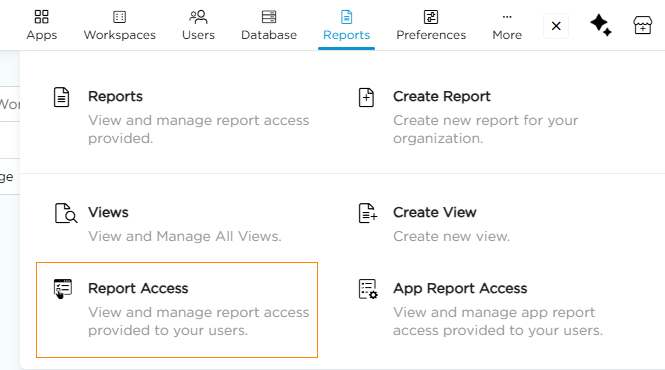
- Go to Admin Menu → Reports → Report Access. This opens the Report Access listing page.
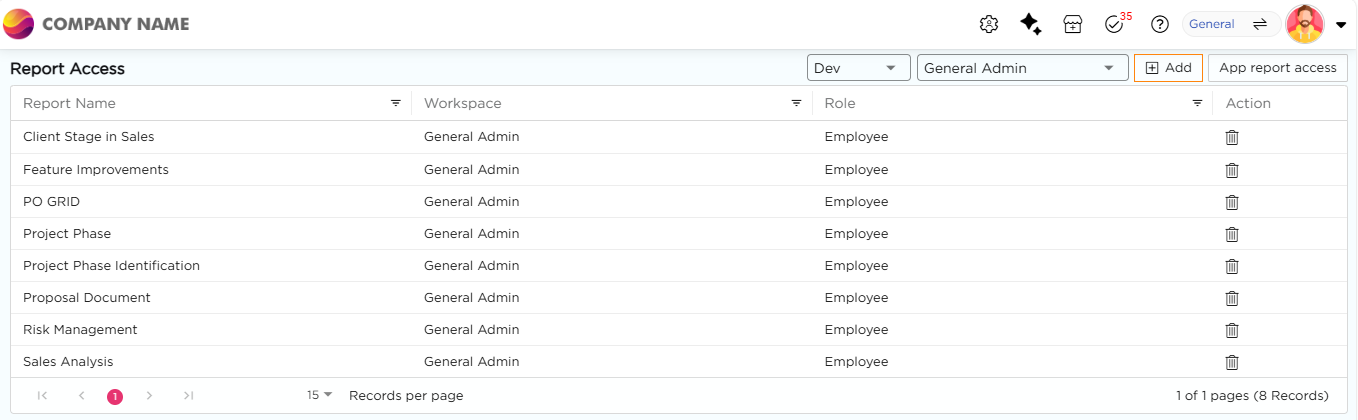
2. Click Add. The Add New Report Access pop-up opens.
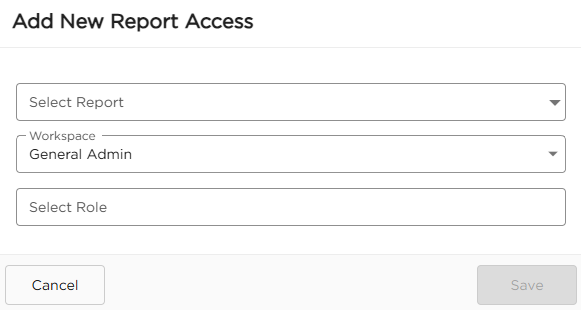
3.In the pop-up, select the Report you want to grant access to.
4. Select the Workspace.
5. Select the Role. You can choose one or more roles.
6. Click Save. Access is granted to the selected role(s) for the selected report.