Output Type defines how data is returned from the data table to the application. It controls whether the result is shown as a list of records or as single field values.
¶ 1. List
Use this option to fetch multiple records and display them in a grid or table format. It returns all matching records from the data table. Suitable for reports, listings, and search results.
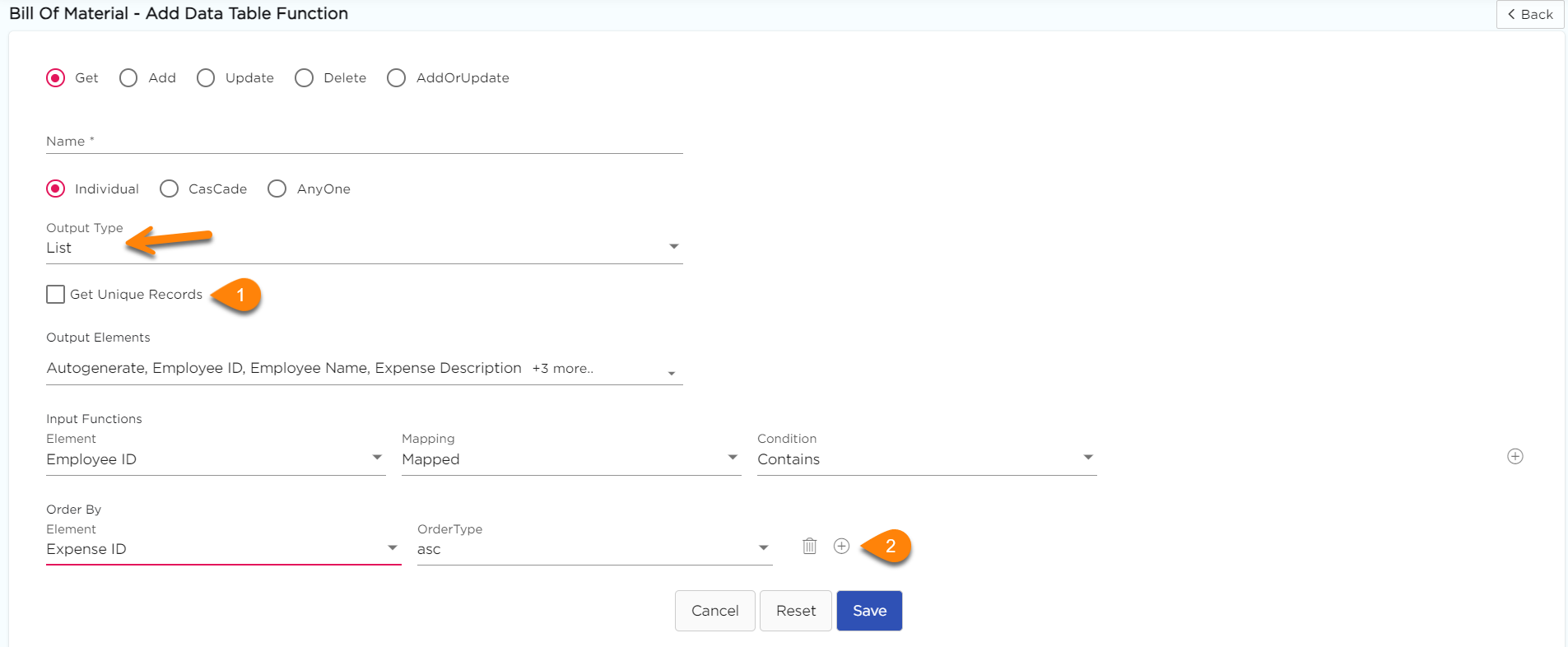
- If you select Output Type as List, the following fields will display on the screen.
- Get Unique Records: This option allows the platform to display only unique output values associated with that particular input field neglecting the duplicates (If any).
- Order by Section: This option allows the platform to ensure the output data is arranged in either Ascending or Descending order. However, to order the output data, selection on the output fields is mandatory.
Example
If you fetch expense records by Employee ID, the system shows all matching expenses in a list. You can sort them by Expense Date in descending order.
¶ 2. Single
Use this option to fetch one record and display values in individual fields. It returns a single matching record, and each output field is mapped separately in the app.
Example
If you fetch employee details using Employee ID, the system returns Name, Department, and Phone Number as individual field values.