The External lookup feature allows you to retrieve single-columned values (such as names, city names, etc.) into a Quixy application from any third-party database with an Open/Rest API.
There are two types of APIs:
- Open Source: These are universal APIs that can be used without any restrictions or authentication.
- Secured: These APIs are secured with a password, secret key, or token, requiring authentication to access them.
¶ 1. Configure External Lookups (Without Authentication)?
- Go to the Admin Menu → Database → External Lookup.
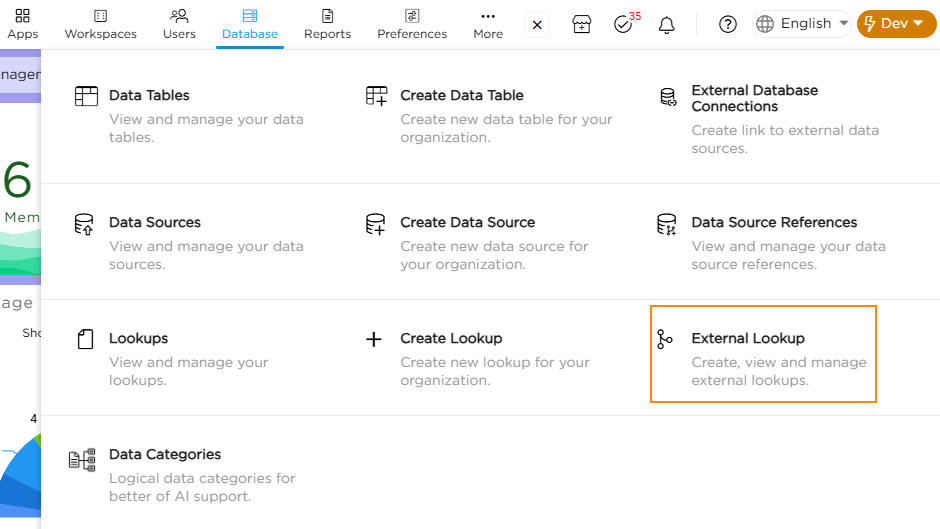
2. Click on the External Lookups tab on the Lookups list page.
3. Click on the Add button. You will land on the Create External Lookup page.

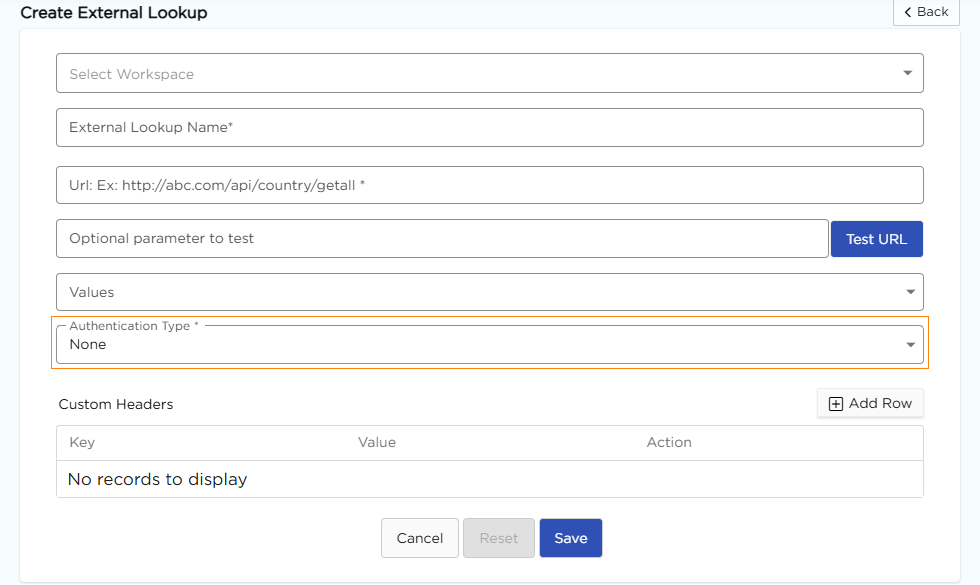
4. Select a Workspace and give a Name to the External Lookup.
5. Enter the API in the App Reference URL box obtained from the third party.
6. Enter optional parameter in Optional parameter to test box and click Test URL to check if API is working.
7.Select the required input values for which you want the output values.
8.Choose the Authentication Type as None since it doesn't require any authentication.
9. Save the External Lookup.
¶ 2. Configure External Lookups (With Authentication)?
To enhance security, databases often secure their APIs with various authentication methods such as passwords, secret keys, or tokens.
In Quixy, we offer different authentication options to access these secured APIs. Users simply need to acquire the security details from the third-party system and input them into Quixy for access.
- Go to the Admin Menu → Database → External Lookup.
- Click on the External Lookups tab on the Lookups list page.
- Click on the Add button on the top right corner.
- Select a Workspace and give a Name to the External Lookup.
- Enter the API in the App Reference URL box obtained from the third party.
- Enter the optional parameter in the Optional parameter to test box and click Test URL to check if the API is working.
- Select the required input values for which you want the output values.
- Choose the required Authentication Type based on the API's security details.
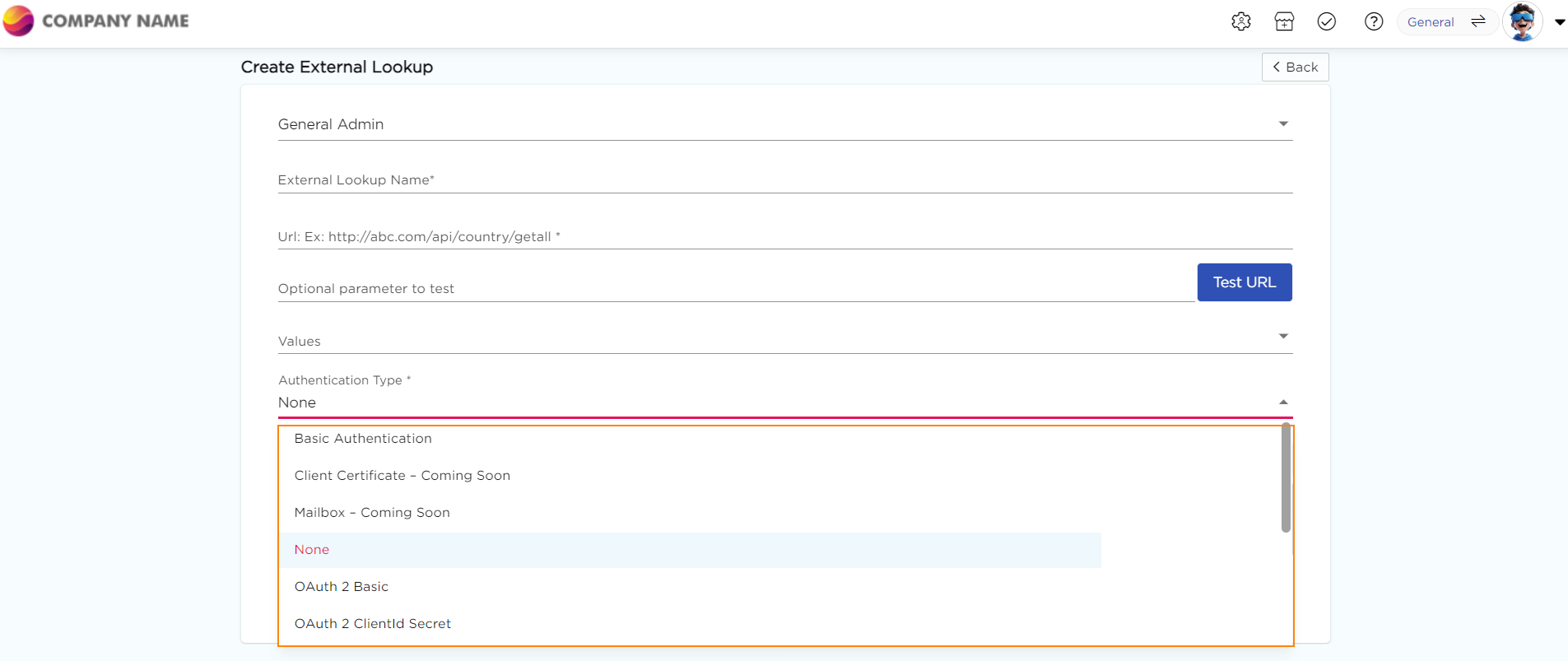
9. Obtain the authentication details from the third-party system and provide them in Quixy.
10. Once the API is authenticated, save the External Lookup.
¶ 3. What is Authentication?
Authentication is the process of verifying the identity of a user or system, ensuring that they are who they claim to be before granting access to resources or services. Quixy offers a variety of authentication types. Choose the one that suits your needs best.
| # | Authentication Type | When to Use |
|---|---|---|
| 1 | OAuth 2 Basic Authentication | This is used when the API is secured with a combination of an Access Token, Username & Password. |
| 2 | OAuth 2 Client ID Secret | This is used when the API is secured with a Secret Key. |
| 3 | Basic Authentication | This is used when the API is secured with a simple Username & Password. |
| 4 | Token Authentication | This is used when the API is secured with an Access Token. |