A Query Data Source uses SQL queries to retrieve specific information from data tables. SQL queries allow you to search, sort, filter, and summarize data by specifying criteria that must be met for the data to be returned. You can use them to generate reports, create charts, and perform data analysis.
¶ 1. Configuration
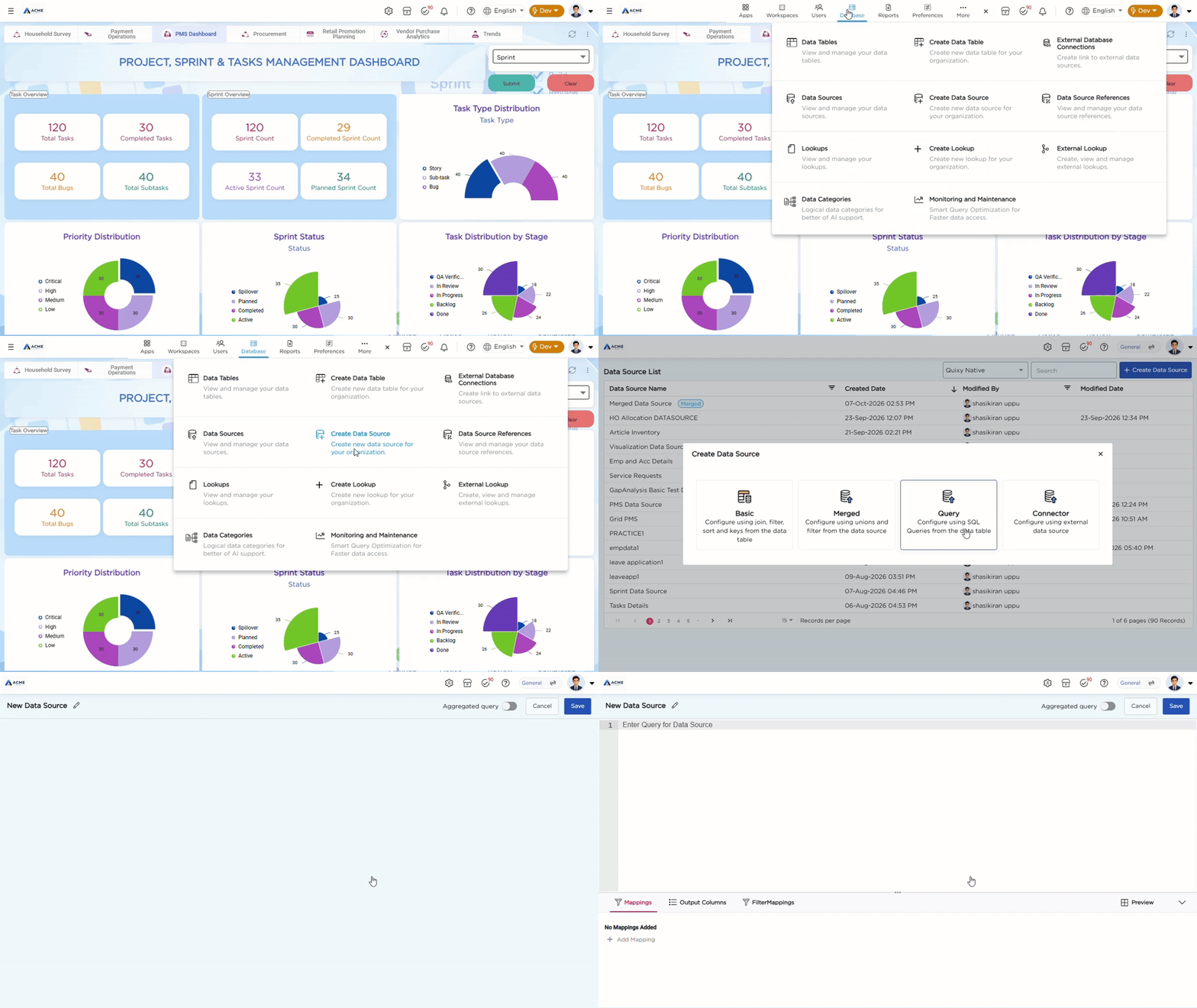
1. Go to Admin Menu → Database → Create Data Source.
2. From the list of data source types, select Query. This opens the configuration page.
3. Provide a unique name for your Query Data Source.
4. Enter your SQL query in the editor.
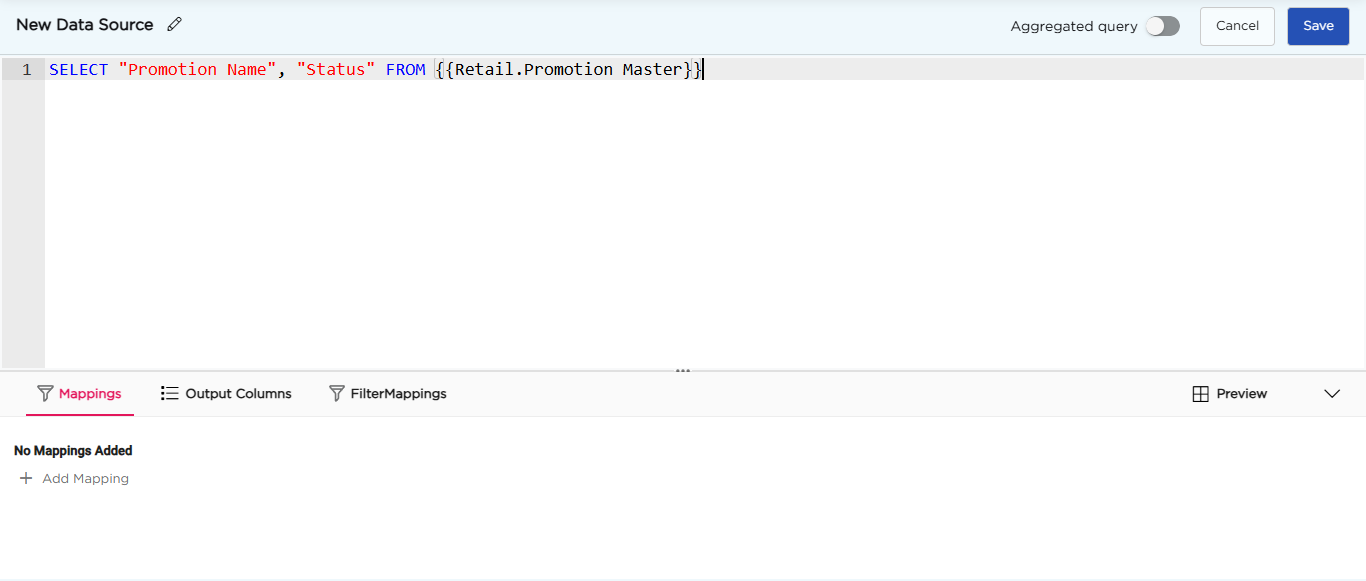
5. Open Output Columns to check the columns your query returns.
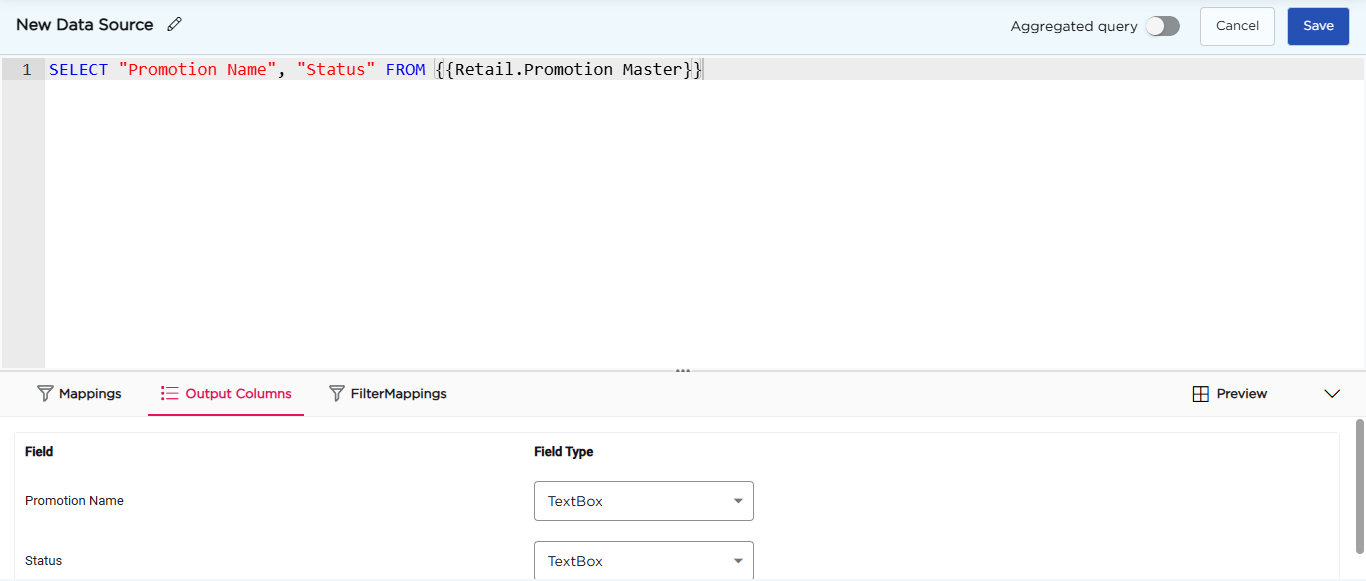
6. (Optional) If your query has parameters, open Mappings and click Add Mapping. For each parameter, select the variable, the element type, the data table or data source, and the column.
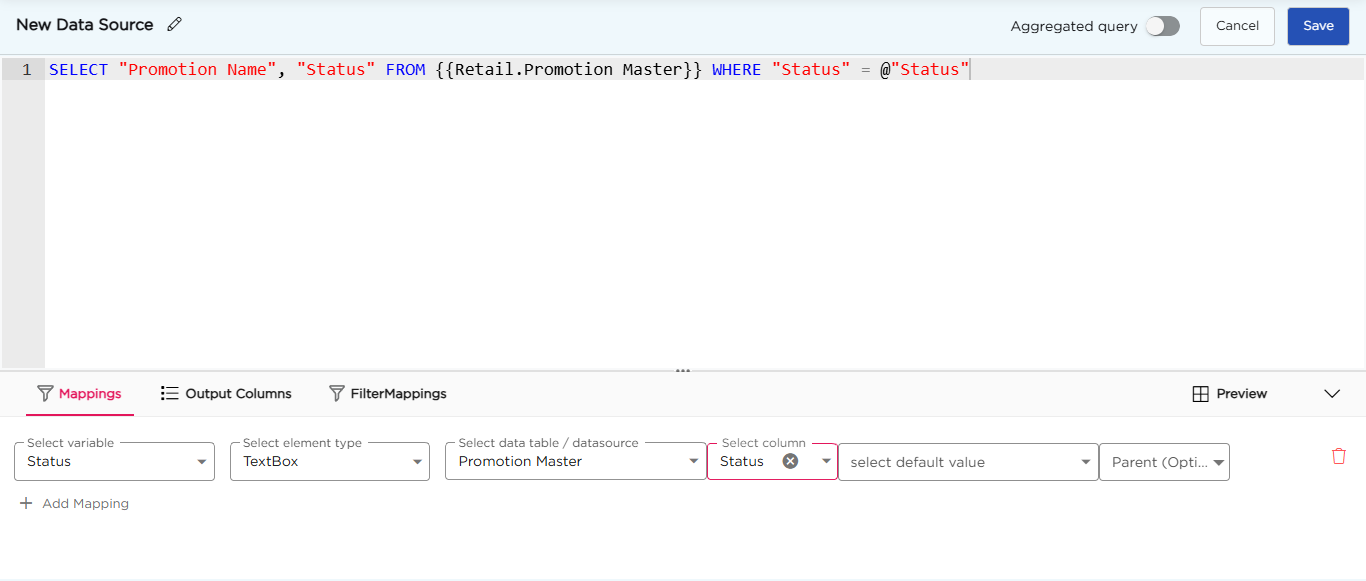
7. (Optional) To let users filter the results, rename the columns in your query using the as keyword. Then open FilterMappings, click Add Filter Mapping, and select the filter variable, the data table or data source, and the column.
8. Open Preview to check the results.
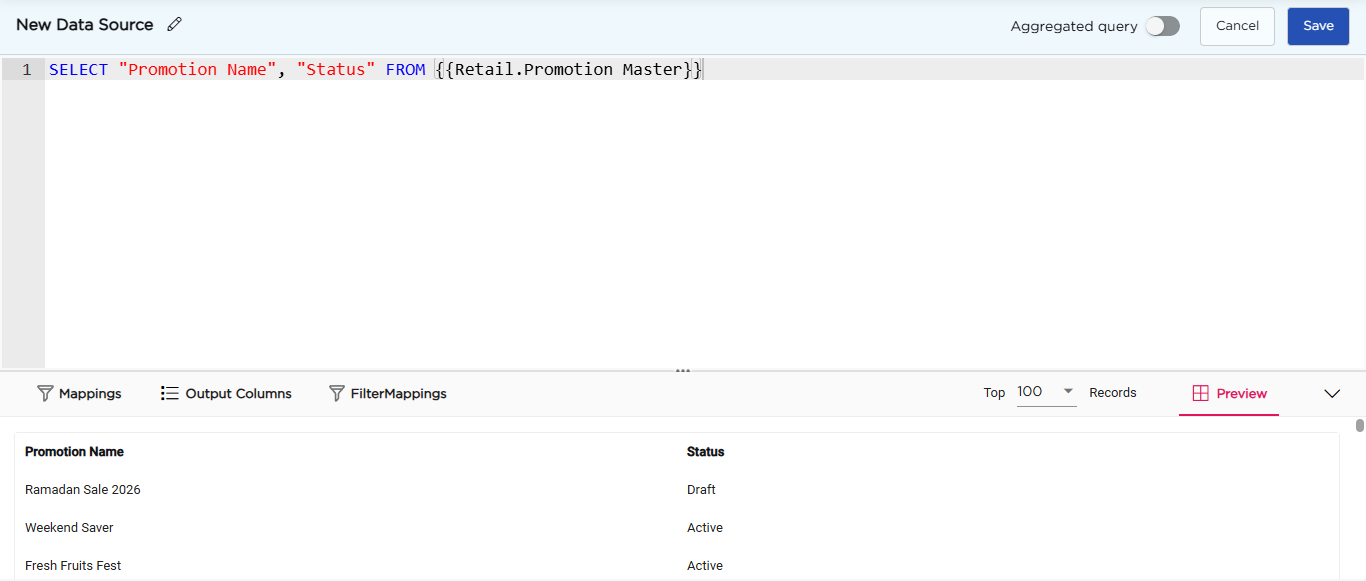
9. Click Save.
Note
A Query Data Source shows a Query tag in the Data Source List.
¶ 2. Let's understand how a query works with a simple example:
Assume two tables' "Orders" & "Order Items"
Table 1 - Orders Table
| Order ID | Customer ID | Order Date |
|---|---|---|
| 1 | 1001 | 2023-02-14 |
| 2 | 1002 | 2023-02-13 |
| 3 | 1003 | 2023-02-13 |
| 4 | 1004 | 2023-02-12 |
| 5 | 1005 | 2023-02-11 |
Table 2 - Order Items
| Item ID | Order ID | Product Name | Quantity |
|---|---|---|---|
| 1 | 1 | Iphone 13 | 2 |
| 2 | 1 | Macbook Pro | 1 |
| 3 | 2 | Airpods Pro | 3 |
| 4 | 3 | Ipad Mini | 1 |
| 5 | 3 | Magic Mouse | 2 |
| 6 | 4 | IMac | 1 |
| 7 | 5 | Apple Watch | 2 |
Now, to query the data, you can use a SQL SELECT statement. For example, to get the total quantity of each product sold, you can use the following query:
SELECT "Product Name", SUM("Quantity") AS Total_Quantity
FROM {{Order Items}}
GROUP BY "Product Name"The result will be as given below:
| Product Name | Total Quantity |
|---|---|
| Airpods Pro | 3 |
| Apple Watch | 2 |
| Ipad Mini | 1 |
| IMac | 1 |
| Iphone 13 | 2 |
| Macbook Pro | 1 |
| Magic Mouse | 2 |
¶ 3. Advanced queries
The above example is a simple one. However, the developers can use advanced queries as well, as given below.
WITH t_account_info AS (
  select
    h."BS Name",
    c."GL Account Category Name",
    h."Flag Name",
    g."GL Account Group Name",
    a."GL Account Name",
    a."Company GL Account ID ",
    a."Opening Balance"
  from
    {{Finance.BS Heads}} as h,
    {{Finance.GL Accounts Category}} as c,
    {{Finance.GL Accounts Groups}} as g,
    {{Finance.GL Accounts}} as a
 where h."Company BS Head ID" = c."Company BS Head ID"
   AND c."Company GL Account Category ID" = g."Company GL Account Category ID"
   AND CAST(g."Company GL Account Groups ID" as varchar) = a."Company GL Account Group ID"
   and a."GL Account Name" = @"Account"
),
t_opening AS (
  select
    a."GL Account Name",
    a."Company GL Account ID ",
    sum(i."Dr Amount")::Numeric as "dr_amount",
    sum(i."Cr Amount")::Numeric as "cr_amount",
    sum(
      CASE
        WHEN h."Flag Name" = 'Dr' then i."Dr Amount" - i."Cr Amount"
        WHEN h."Flag Name" = 'Cr' then i."Cr Amount" - i."Dr Amount"
      END
    )::Numeric as "Account Balance"
  from
    t_account_info as h,
    {{Finance.GL Accounts}} as a,
    {{Finance.JV Items}} as i,
    {{Finance.Journal Vouchers}} as j
 where CAST(a."Company GL Account ID " as varchar) = i."GL Account ID"
   and i."JVI ID" = j."JV ID App"
   and a."GL Account Name" = @"Account"
   and j."Created Date" < @"From Date"
GROUP BY
   a."GL Account Name",
   a."Company GL Account ID "
),
t_opening_balance AS (
  select
    ROW_NUMBER() over() as "seq",
    h."BS Name",
    h."GL Account Category Name",
    h."Flag Name",
    h."GL Account Group Name",
    h."GL Account Name",
    'Opening Balance' as "Particulars",
    to_date(@"From Date" , 'YYYY-MM-DD')-1 as "txn_date",
    '' as "JV Item ID",
    coalesce(o."dr_amount",0) as "dr_amount",
    coalesce(o."cr_amount",0) as "cr_amount",
    coalesce(o."Account Balance",0) + coalesce(h."Opening Balance", 0) as "Account Balance"
  from t_account_info h
       left join t_opening o
       on h."Company GL Account ID " = o."Company GL Account ID "
),
t_txn_details AS (
  select
    *
  from
    t_opening_balance
  union all
  select
    ROW_NUMBER() over() + 1 as "seq",
   h."BS Name",
    c."GL Account Category Name",
    h."Flag Name",
    g."GL Account Group Name",
    a."GL Account Name",
    j."Voucher Type" as "Particulars",
    j."Created Date" as "txn_date",
    i."JVI ID" as "JV Item ID",
    i."Dr Amount" as "dr_amount",
    i."Cr Amount" as "cr_amount",
    CASE
        WHEN h."Flag Name" = 'Dr' then coalesce(i."Dr Amount", 0) - coalesce(i."Cr Amount", 0)
        WHEN h."Flag Name" = 'Cr' then coalesce(i."Cr Amount", 0) - coalesce(i."Dr Amount", 0)
    END as "Account Balance"
 from
    {{Finance.BS Heads}} as h,
    {{Finance.GL Accounts Category}} as c,
    {{Finance.GL Accounts Groups}} as g,
    {{Finance.GL Accounts}} as a,
    {{Finance.JV Items}} as i,
    {{Finance.Journal Vouchers}} as j
where h."Company BS Head ID" = c."Company BS Head ID"
  AND c."Company GL Account Category ID" = g."Company GL Account Category ID"
  AND CAST(g."Company GL Account Groups ID" as varchar) = a."Company GL Account Group ID"
  AND CAST(a."Company GL Account ID " as varchar) = i."GL Account ID"
  and i."JVI ID" = j."JV ID App"
  and a."GL Account Name" = @"Account"
  and j."Created Date" between @"From Date" and @"To Date"
ORDER by
    1, 8
),
t_closing as (
  select
    seq,
    "GL Account Name",
    txn_date,
    "JV Item ID",
    "Particulars",
    sum(coalesce(cr_amount,0)) credit,
    sum(coalesce(dr_amount,0)) debit,
    sum(
        sum("Account Balance")
--      sum(CASE WHEN "Flag Name" = 'Dr' then coalesce(dr_amount,0) - coalesce(cr_amount,0) WHEN "Flag Name" = 'Cr' then coalesce(cr_amount,0) - coalesce(dr_amount,0) END)
    )
      over (partition by "GL Account Name" order by "GL Account Name", seq
    ) closing
  from
    t_txn_details
  group by
    seq,
    "GL Account Name",
    txn_date,
    "JV Item ID",
    "Particulars"
)
select
  seq,
  "GL Account Name",
  "JV Item ID",
  case when seq = 1 then null else to_date(to_char(txn_date, 'dd-mm-yyyy'),'dd-mm-yyyy') end as "Transaction Date",
  "Particulars",
  CASE when seq = 1 then null else lag(closing, 1, 0) over (
    partition by "GL Account Name"
    order by
      "GL Account Name",
      seq
  ) END as "Opening",
  case when seq = 1 then null else credit end as "Credit",
  case when seq = 1 then null else debit end as "Debit",
  closing as "Balance"
from
t_closingThe query above joins four tables from a finance database and creates a report for one account over a chosen period. The report shows the opening balance, the transactions and the closing balance. The query does this in steps, and each step creates a temporary result called a derived table.
- Step 1 (
t_account_info): gets the account’s details: name, group, category and opening balance. - Step 2 (
t_opening): adds up the debits, credits and balance of the account’s journal voucher items before the start date. - Step 3 (
t_opening_balance): uses steps 1 and 2 to create one row with the opening balance. - Step 4 (
t_txn_details): adds the account’s transactions for the period under that row. Each one shows the journal voucher item ID, debit, credit and balance. - Step 5 (
t_closing): adds up the balances one after another, to get the closing balance after each transaction.
Note
To refer to a data table, use {{workspace.data table}}, for example {{Finance.GL Accounts}}.
To use a parameter, start its name with @, for example @"Account". The @ tells Quixy that the text is a parameter and not regular data.