¶ 1. Improvements in web application
¶ 1.1. Reporting an issue is much easier now
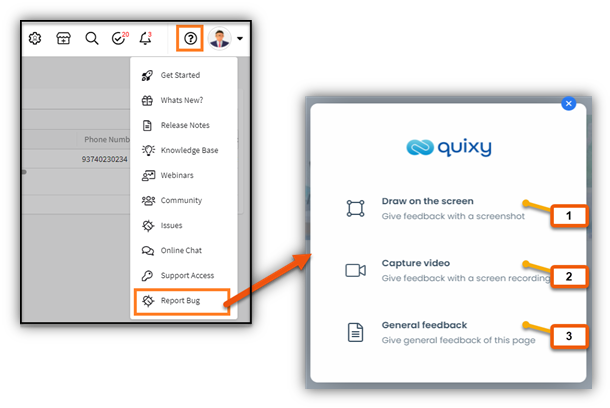
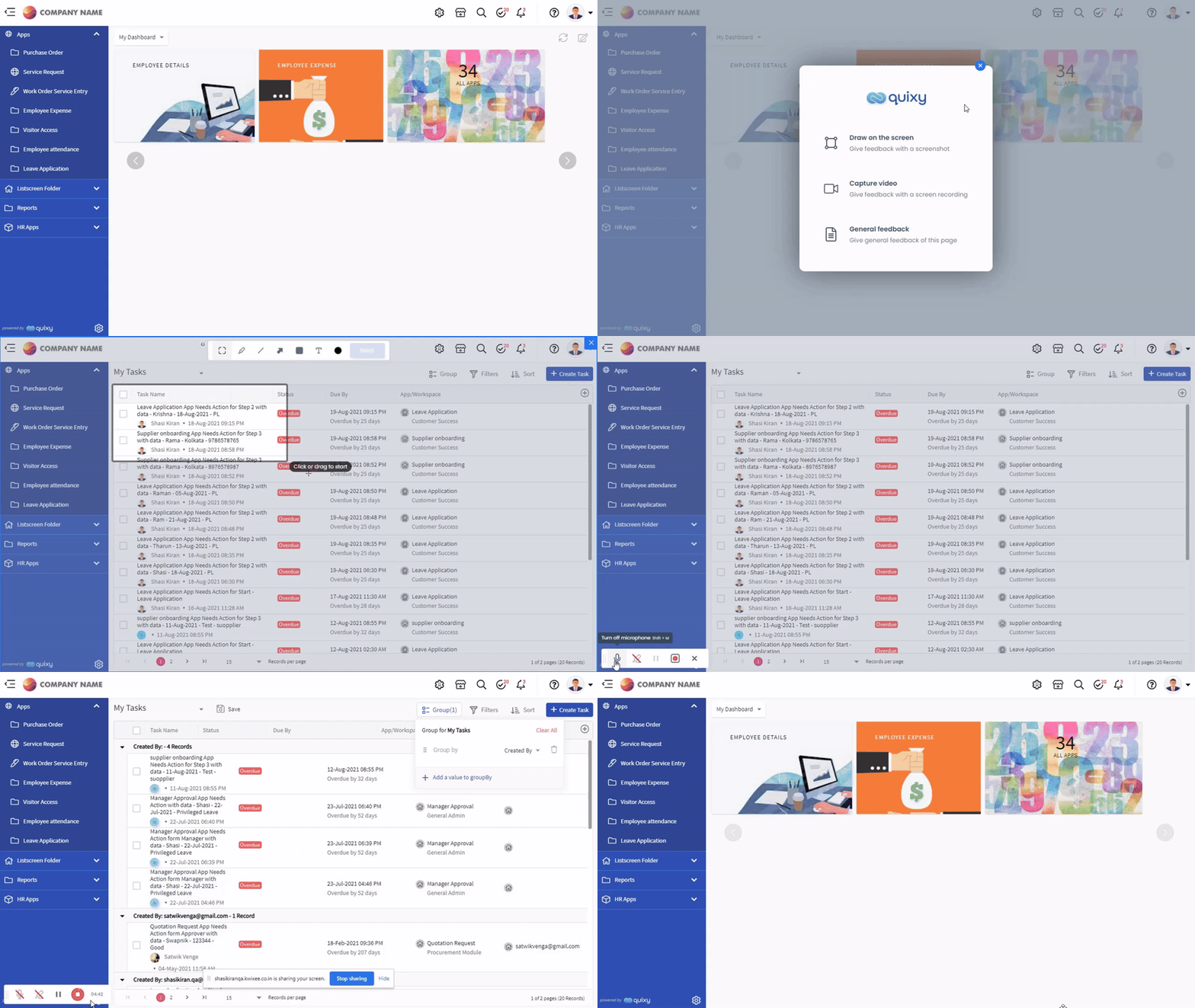
We have streamlined our support process to make it easy for you to share your feedback and report issues in one of the three simple ways: To report an issue, go to Help > Report Bug
| Option | Functionality |
| Draw on the Screen | Use this option to take a screenshot of the platform where you are experiencing the issue (similar to a snipping tool), add your comments/annotations, and share the feedback immediately. |
| Capture Video | Use this option to record a video of your issue (if it consists of sequential steps) and share the feedback. |
| General Feedback | Use this option to provide valuable feedback about the platform, and We will ensure the message reaches the right stakeholders. |
¶ 1.2. Refined Data source feature set
The data source is one of the most powerful features in the platform that empowers you to build customized data views to build reports, create stunning data visualizations, list views, and share data via API.
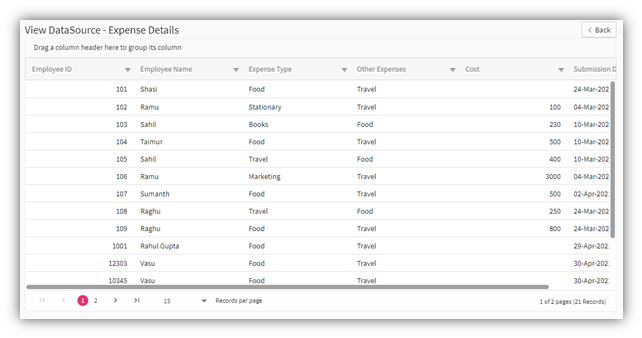
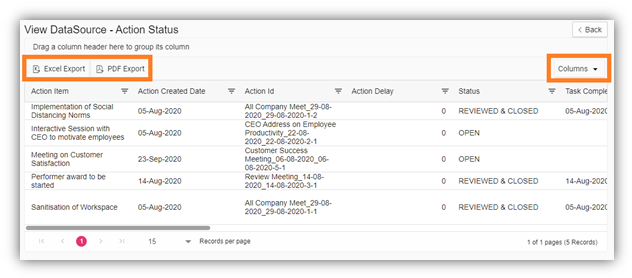
We have refined the preview mode of the data source only to show the top 100 data records. Additionally, from preview mode, you will no longer be able to select Columns or leverage Export features as these features are commissioned out.
¶ 1.2.1. Wondering how to export the data from a data source?
All you have to do is create a Report, and export the data to desired formats, and dabble with the columns. The report is a compelling way to view all the records from a data source,
Prior to the change
After
¶ 1.3. Performance and Security: Our headway with strong Data governance
- You already know how massive the data tables can get. As the business grows and as more & more users come on board, the data can be hard to manage. Security and Performance have been one of our prime focus areas over the past few months.
- We have employed governance targeting Security and Performance by limiting the data export to 2000 records. We want to encourage all our platform users to leverage the rich features such as data sources, filters, and Reports to extract the niche set of data that drives value in their decision-making process.
- We can now enforce better Data governance, and we are confident that all of you will appreciate our efforts towards improving the customer experience across the platform.
- The best practice for exporting data is to apply filters for required criteria in data table records before exporting the records. For example, if there is a requirement to export more than 2000 records, you need to create a data source (Type: Report) on top of the data table and create a report on top of that data source to export a large amount of data.
¶ 2. Technology Upgrade
We have made quite a lot of exciting under the hood changes across the platform. You will be able to experience these elegant improvements in your day-to-day platform usage. Performance and Customer experience was high on our mind when we took this leap towards advancing the tech nuances.