¶ User Interface Improvements
In this enhancement, we've made many significant improvements to the user interface across the Quixy platform to give all our users a better experience when using the platform.
¶ 1. Enhanced UI for Toaster Messages
Users will now experience new and beautiful Toaster Messages (Success, Warning, and Error).
BEFORE

AFTER

¶ 2. Enhanced UI for Grid experience across platform
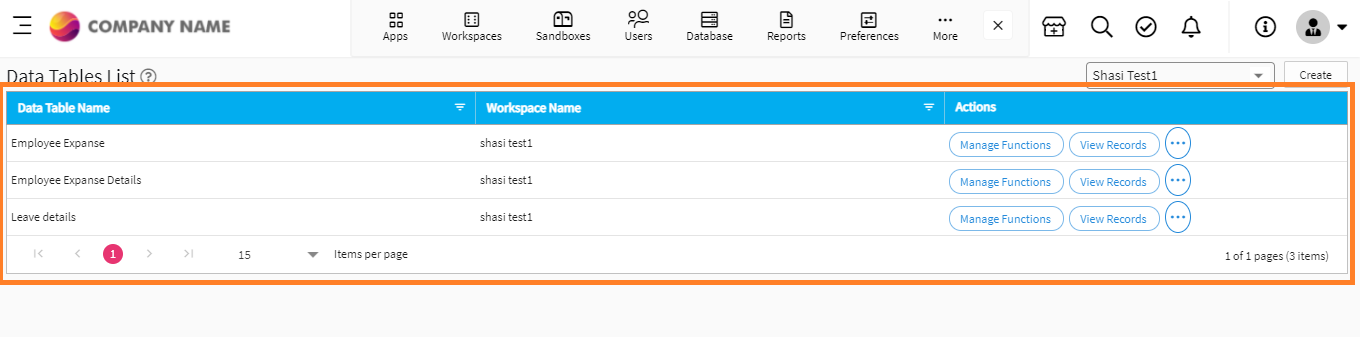
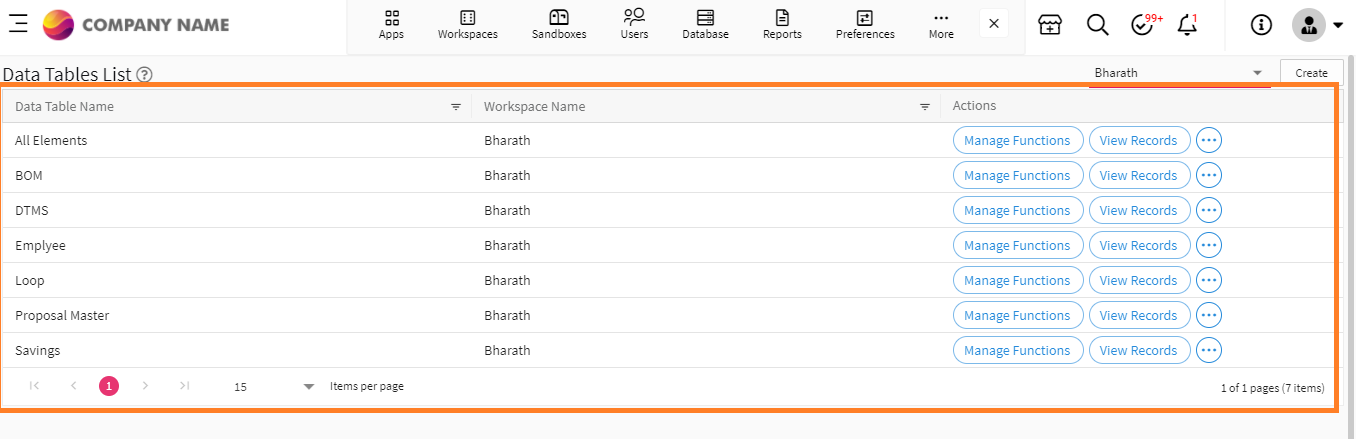
Previously, grid headers used to be blue in color, whereas Users will now experience grid headers to be light gray in color, as shown below.
BEFORE
AFTER
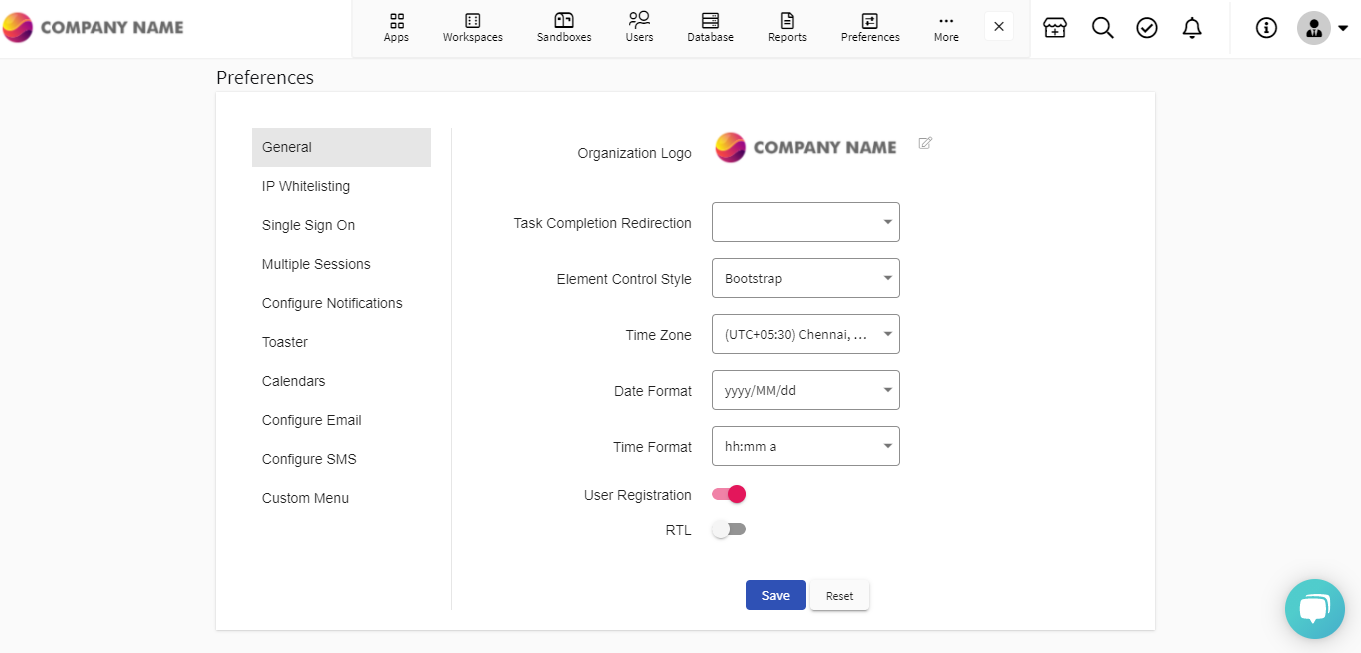
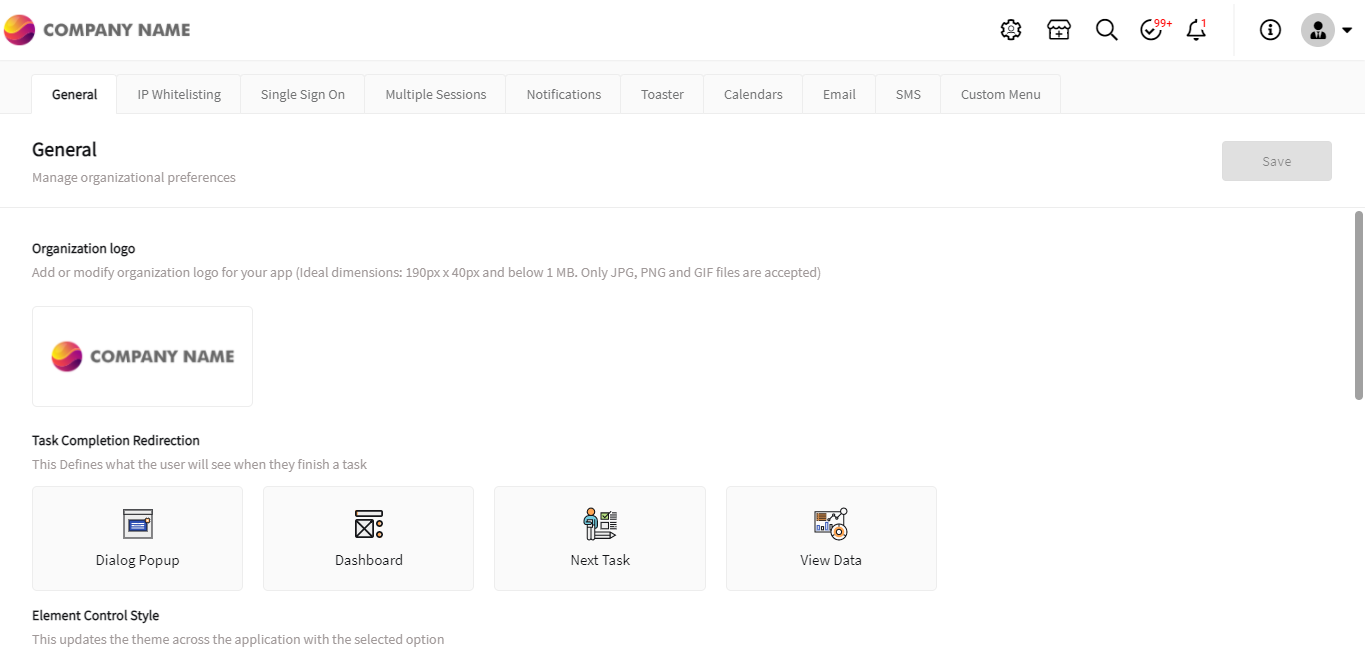
¶ 3. Enhanced UI for Preferences in Admin Menu
BEFORE
AFTER
¶ 4. New Features
¶ Scheduling option to send automated reports
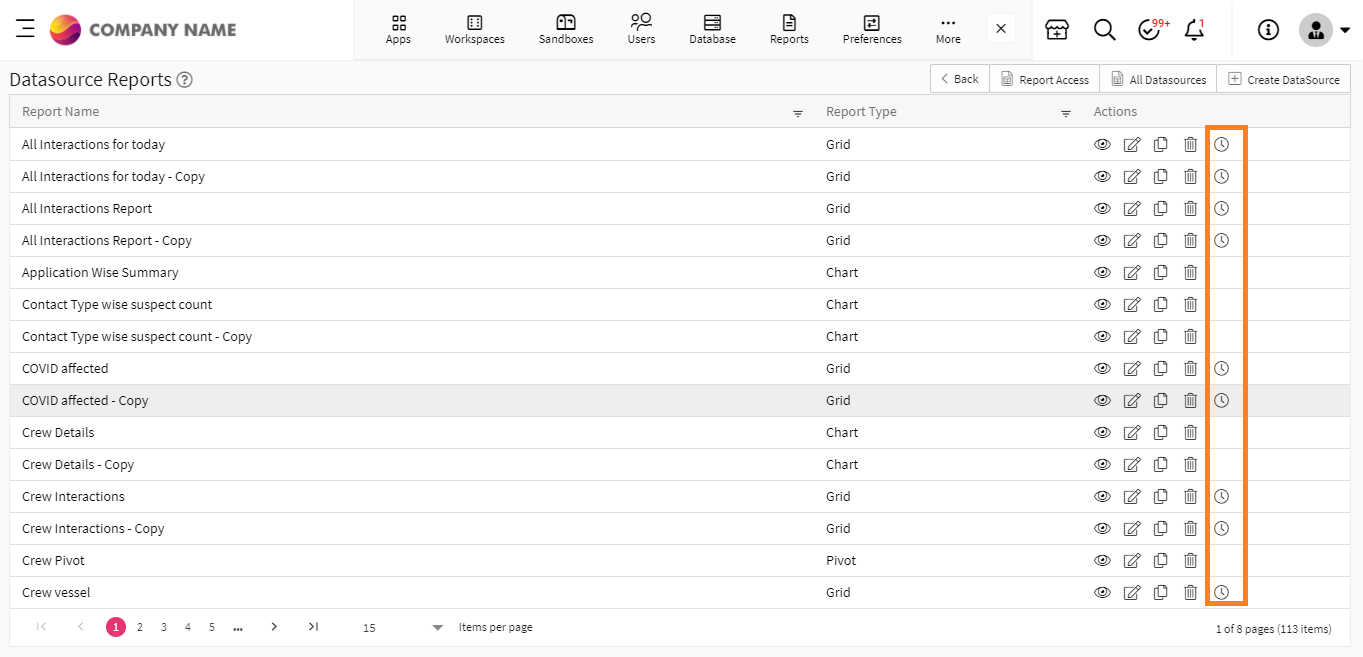
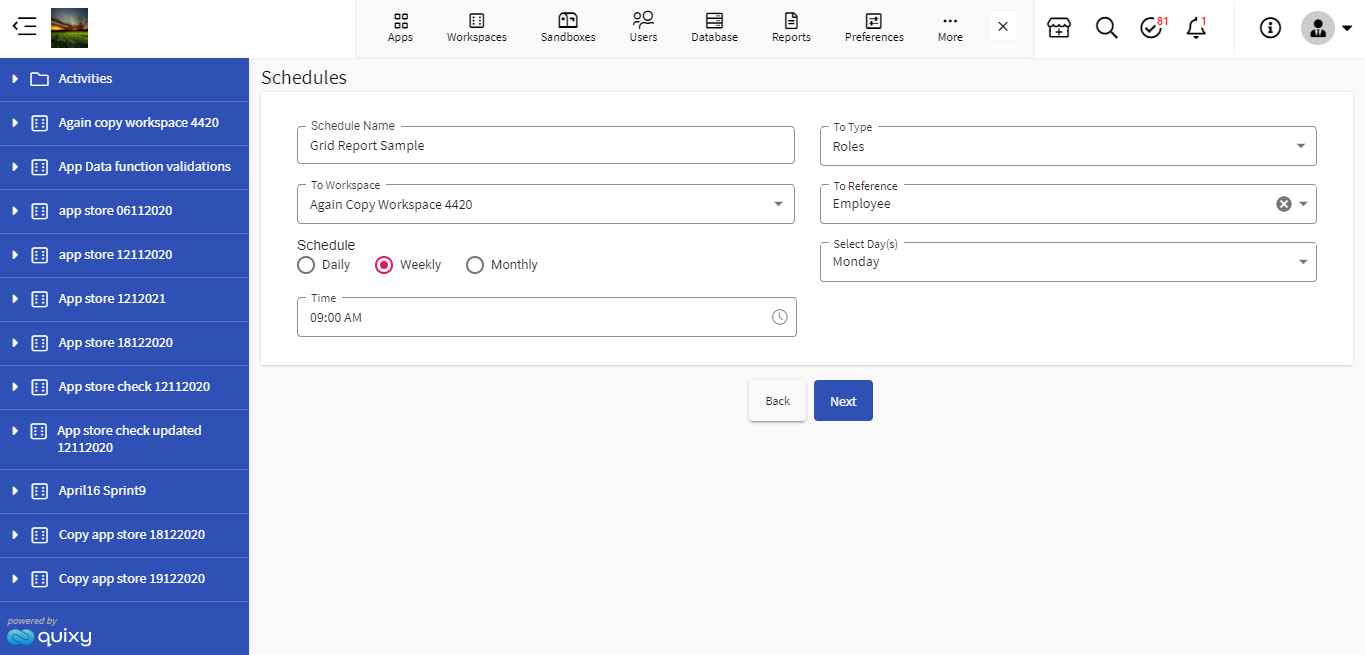
Users will now have an option to schedule reports on daily, weekly, and monthly basis. This feature is now enabled only for Grid Reports.
¶ 5. Improvements in Web Application
¶ 5.1. Location type element in Data Table to store/retrieve location value
Users will now have new Location element in data table to capture longitude and latitude values.
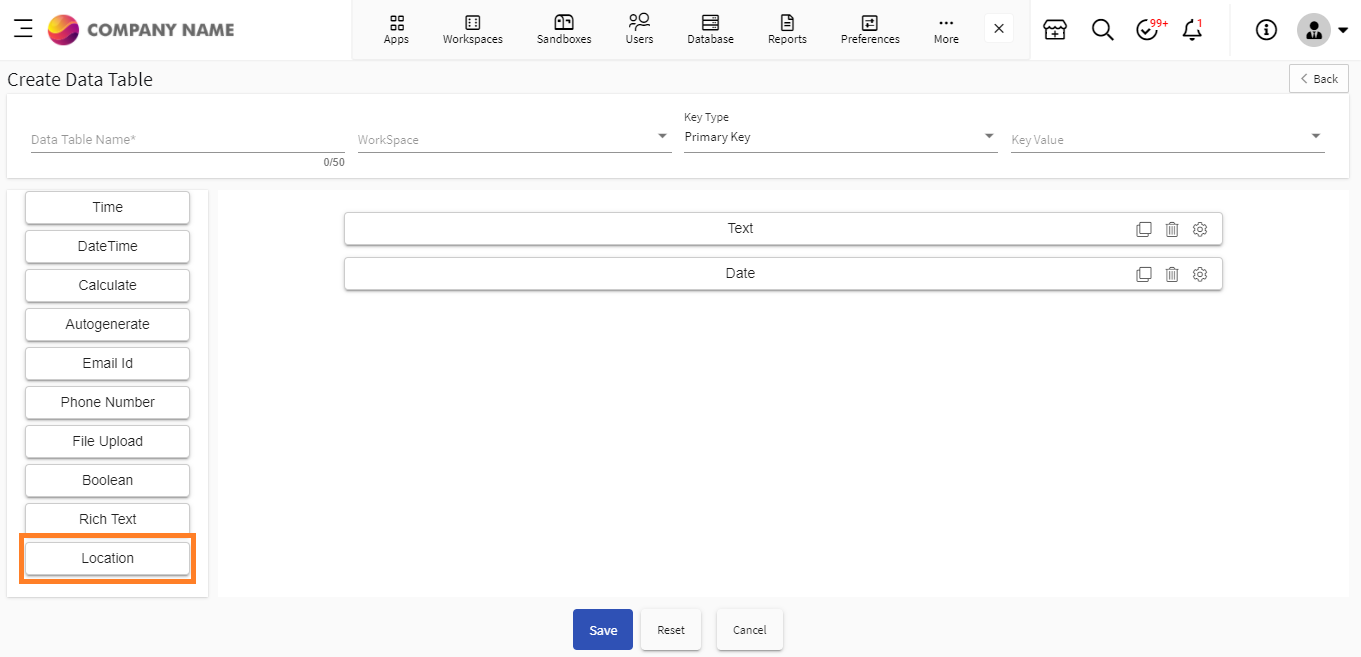
Users will now be able to pin a position on the map in an application and store its value as longitude and latitude in a data-table. Users can also retrieve the longitude and latitude values from a data-table and display them as a position on a map in an app.
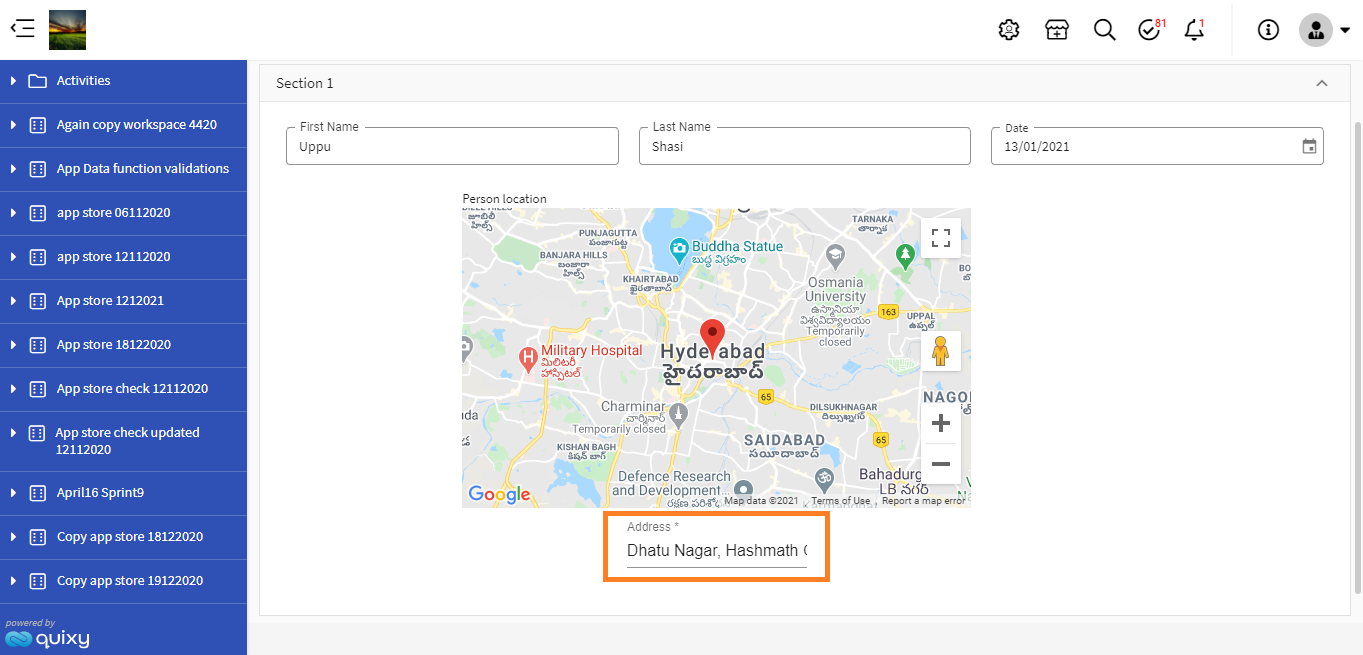
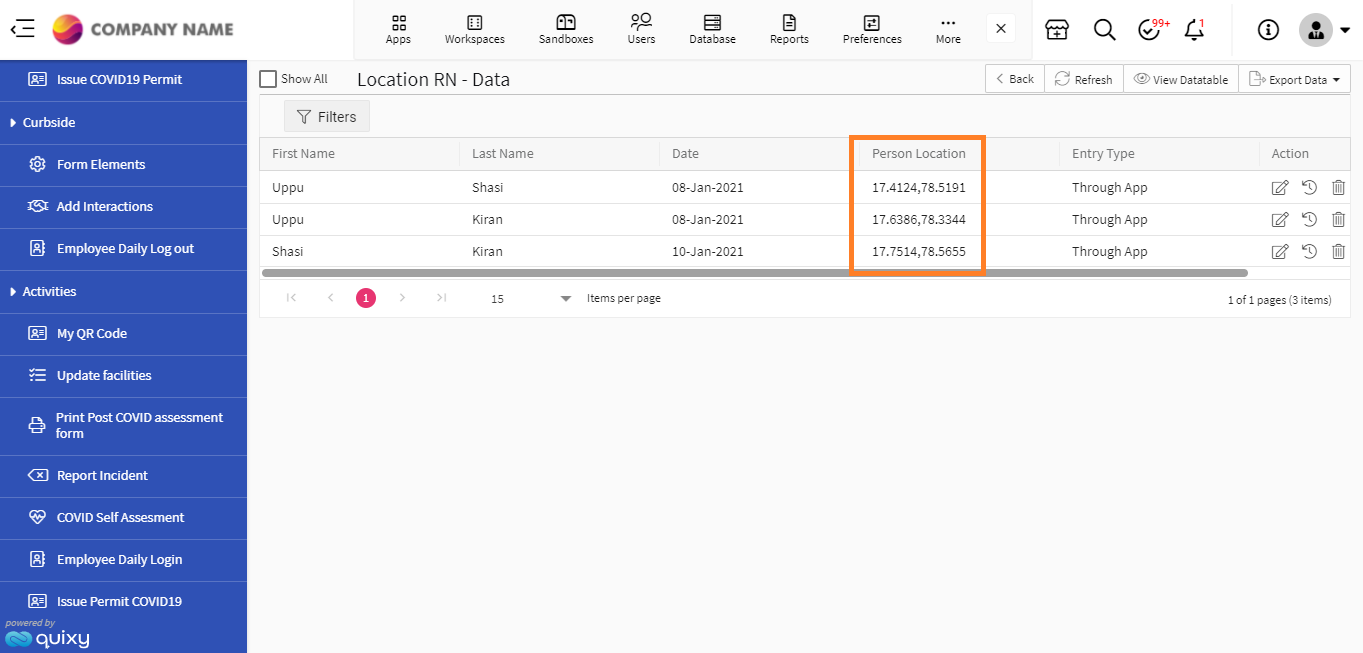
In addition to web application, this feature’s functionality will also reflect in mobile application.
¶ 5.2. Enhancement in Parallel Workflow
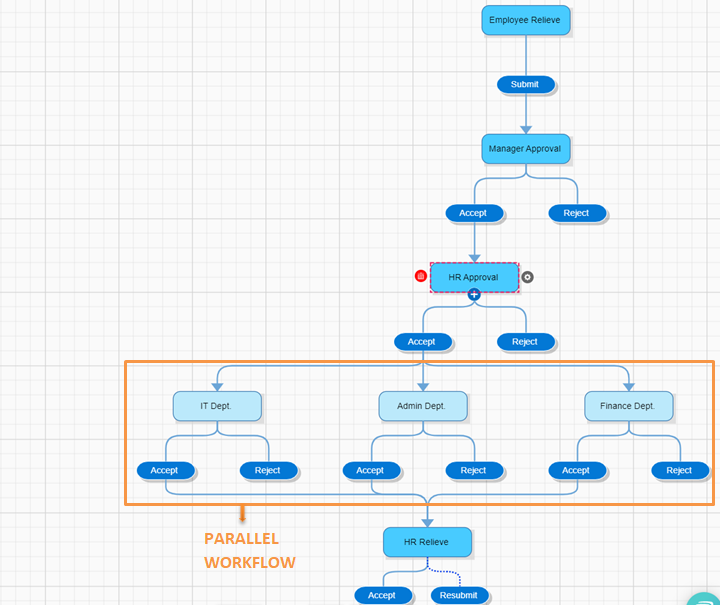
Users can now extend the workflow process to perform parallel tasks and simultaneously connect them to one successive step. Users can also configure sequential or conditional workflow steps under each parallel workflow step, as needed.
¶ 5.3. Customer controlled PIN – To access customer account by Quixy Customer Success Team
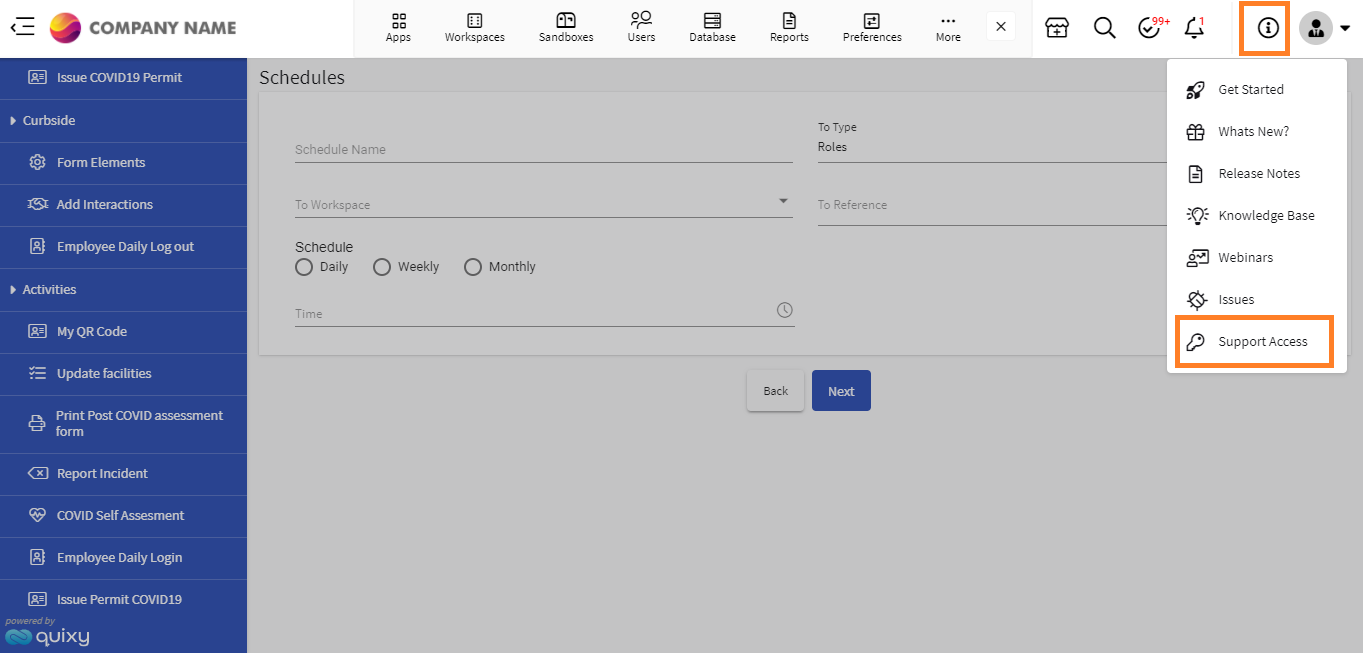
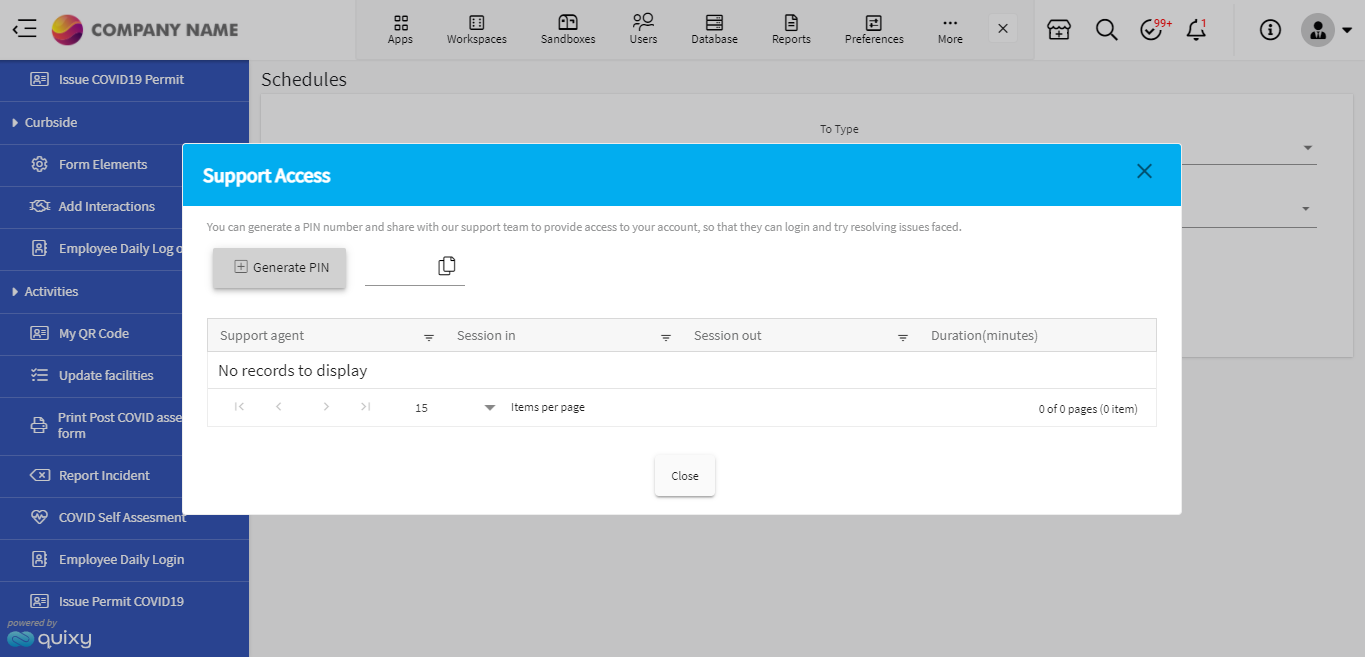
With this enhancement, Quixy customers will now have an option to generate and share a PIN with the Quixy CS team, which will allow the Quixy CS team to access their account without sharing a password for their account to solve issues in their account. This process will ensure the safety and security of the account for Quixy customers.
¶ 5.4. Show Data History’ button is changed as a link
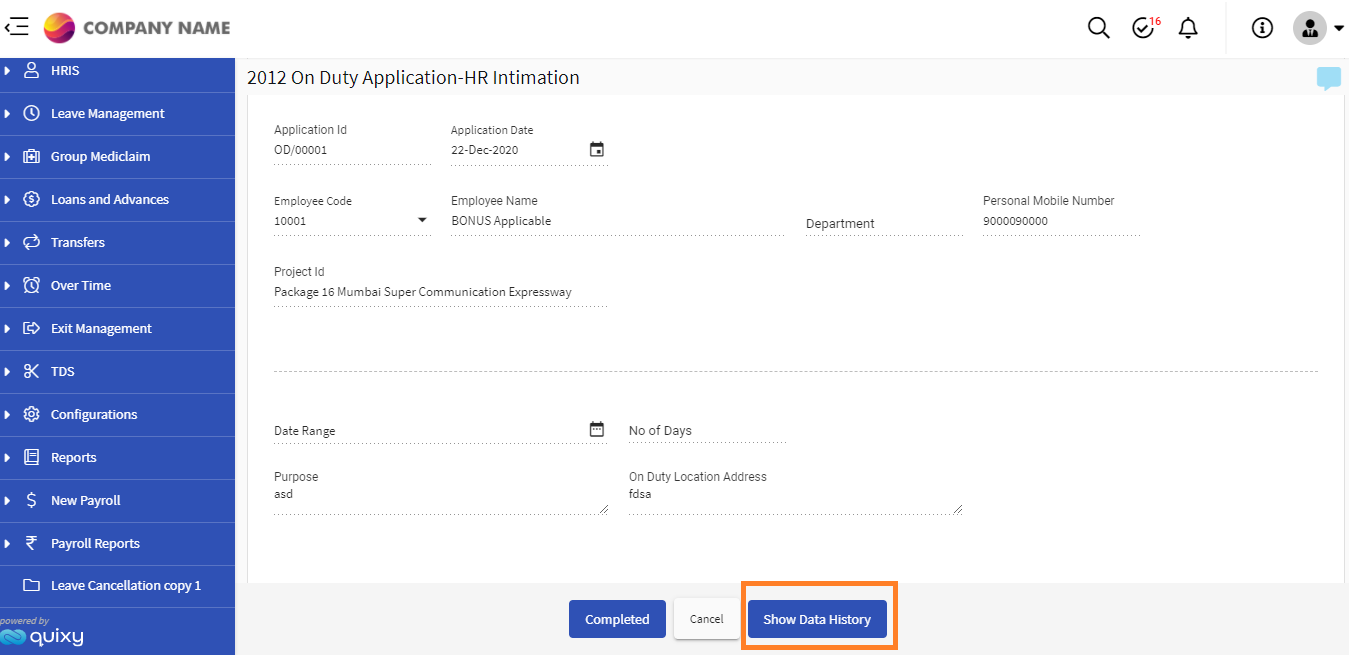
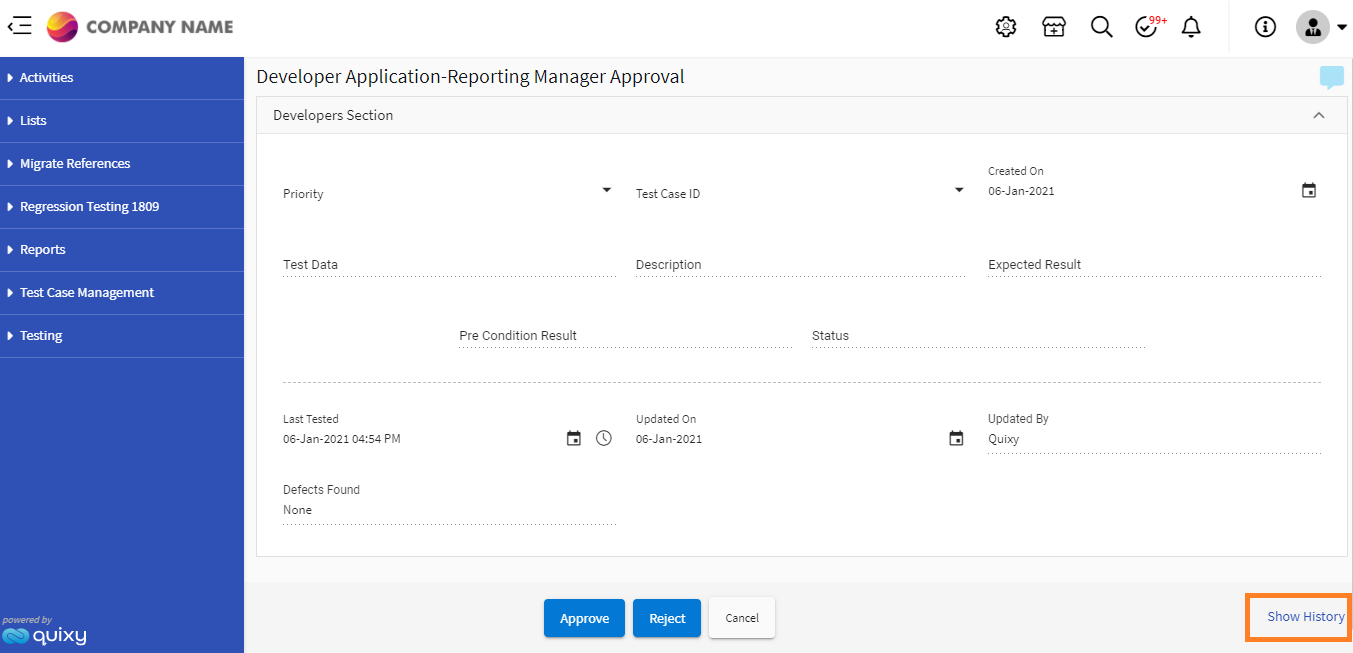
While adding records to an application, the Show Data History button is now changed to a link.
BEFORE
AFTER
¶ 5.5. Forgot password option embedded in password update dialogue box
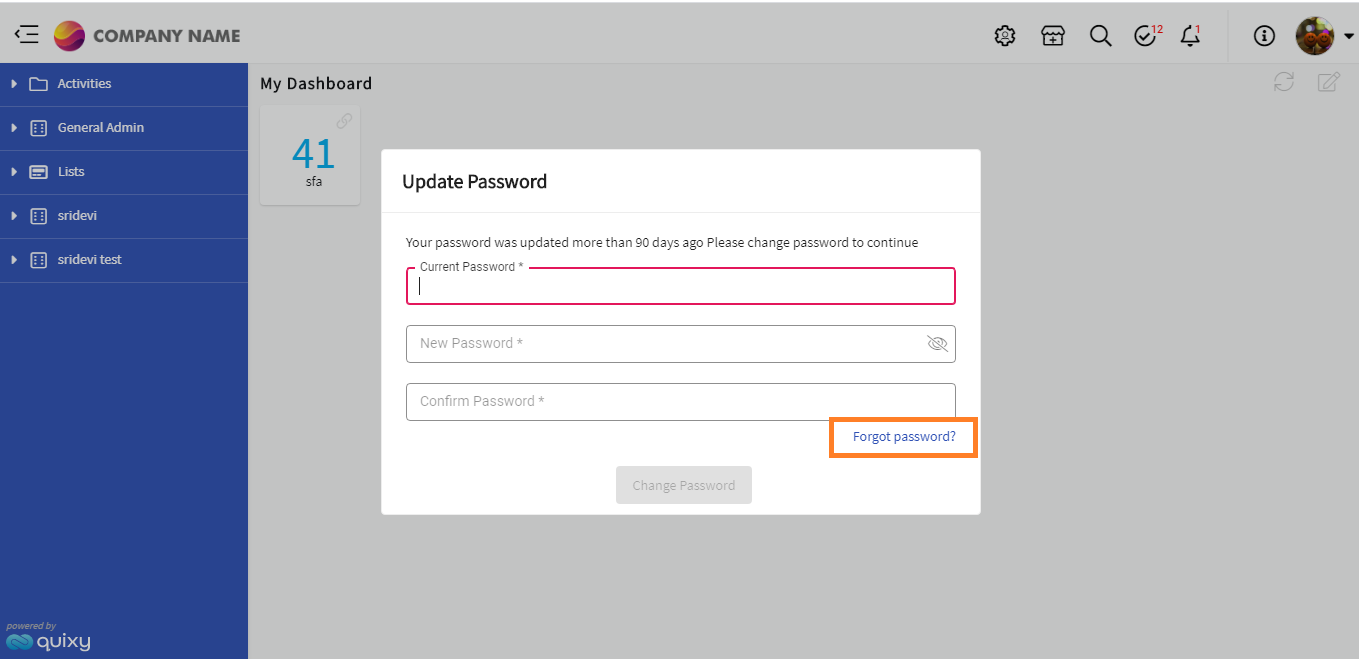
Users will now have an option to choose Forgot Password in the password update dialogue box to update their password, when system insists the users to update their password after 90 days.
Previously, when the system insisted users update their password after 90 days, users had to enter their current password in the Update Password dialogue box. If the user does not remember the current password, there is no option to set a new password. In such cases, the user can click on the ‘forgot password’ link to reset the password.
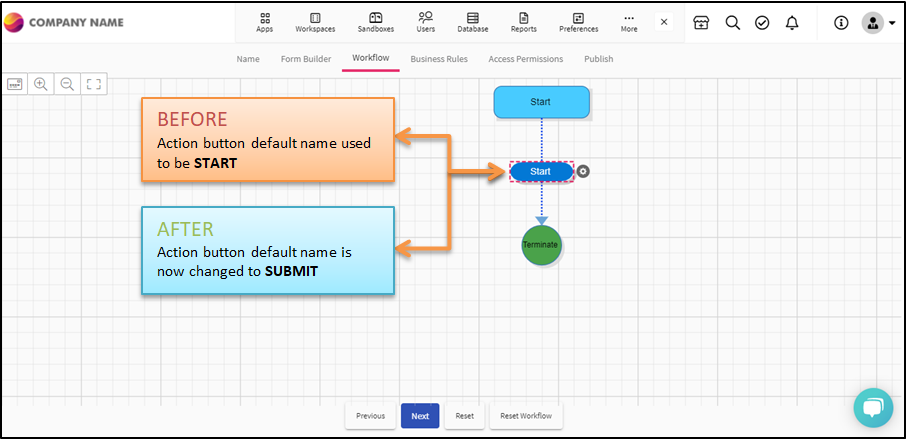
¶ 5.6. Change in the default name of the action button in workflow
¶ 6. Improvements in Mobile Application
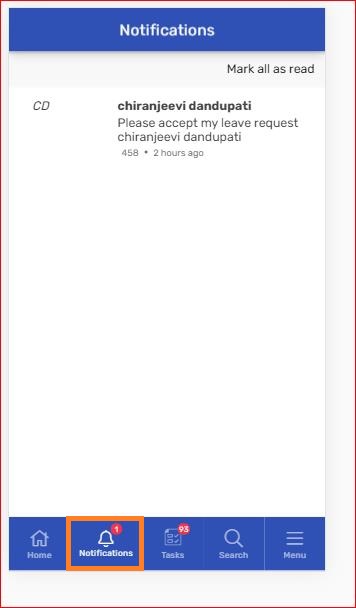
¶ New Notifications icon added in mobile application
Users will now have a notification icon added in mobile application to see the user comments.
¶ 7. Fixes
Fixed few known issues.