¶ New Features
¶ Configure Date and Time Formats (Organization Level)
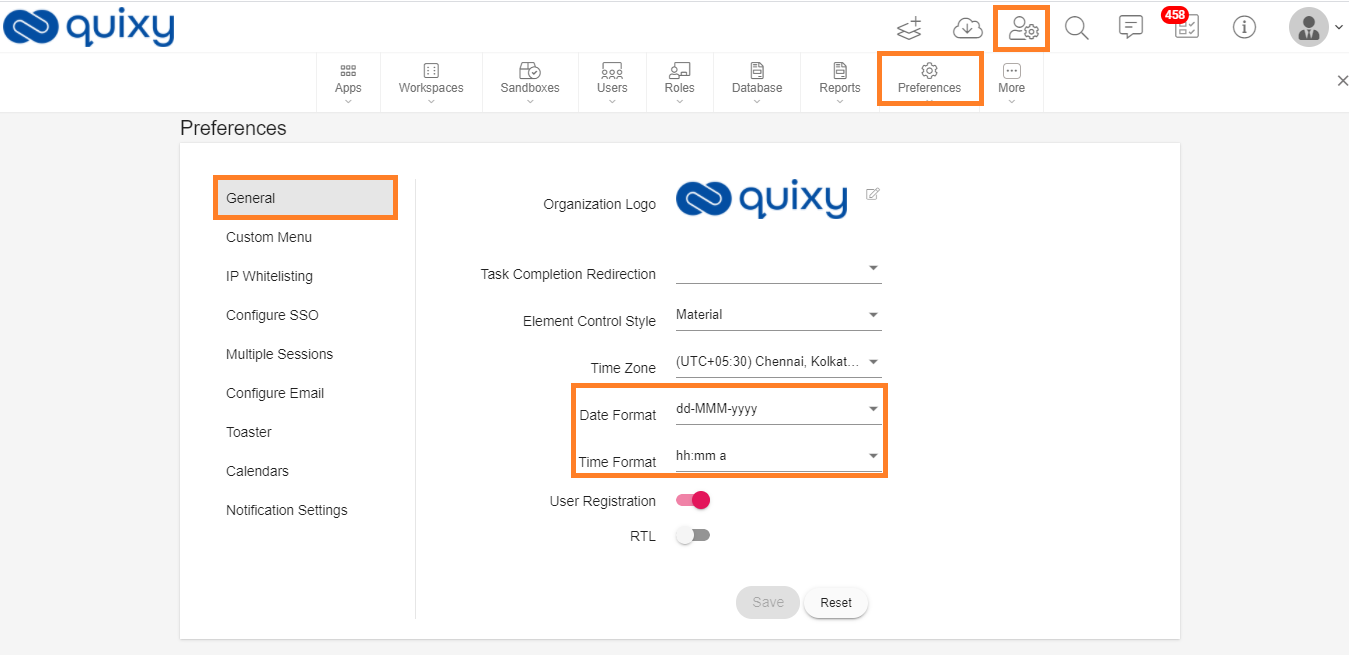
This new feature allows the admin of the organization to select various types of Date and Time formats for the organization according to their needs.
The configuration of the Date and Time formats will reflect in applications, reports, list screens and dashboards, etc., where there is a date and time field across the platform.
Previously, the Date and Time formats were fixed to dd-mm-yyyy, and hh:mm respectively.
User can change the Date and Time formats from Admin Menu --> Preferences --> General.
¶ Improvements in Web application
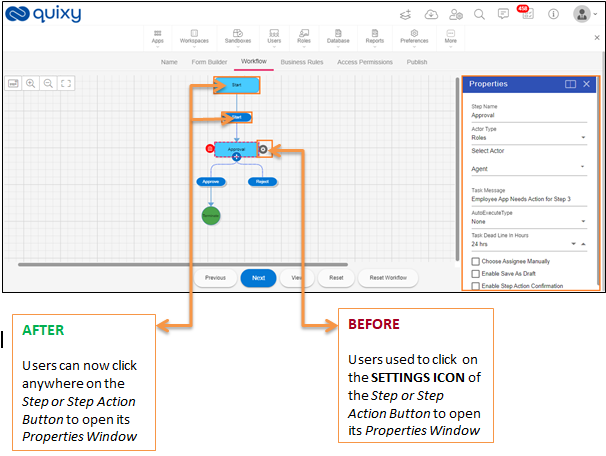
¶ Enhancement for Properties window pop-up in workflow
¶ Display of relevant icons for uploaded Files
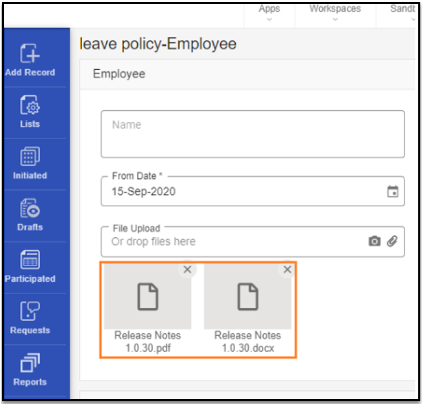
BEFORE
No icons were displayed on the files to identify the types of files that have been uploaded.
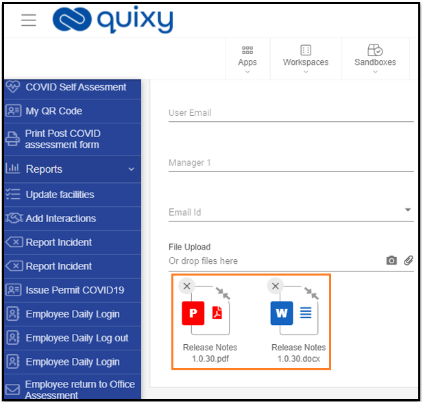
AFTER
Users will be able to see the appropriate file icons to identify the types of files uploaded.
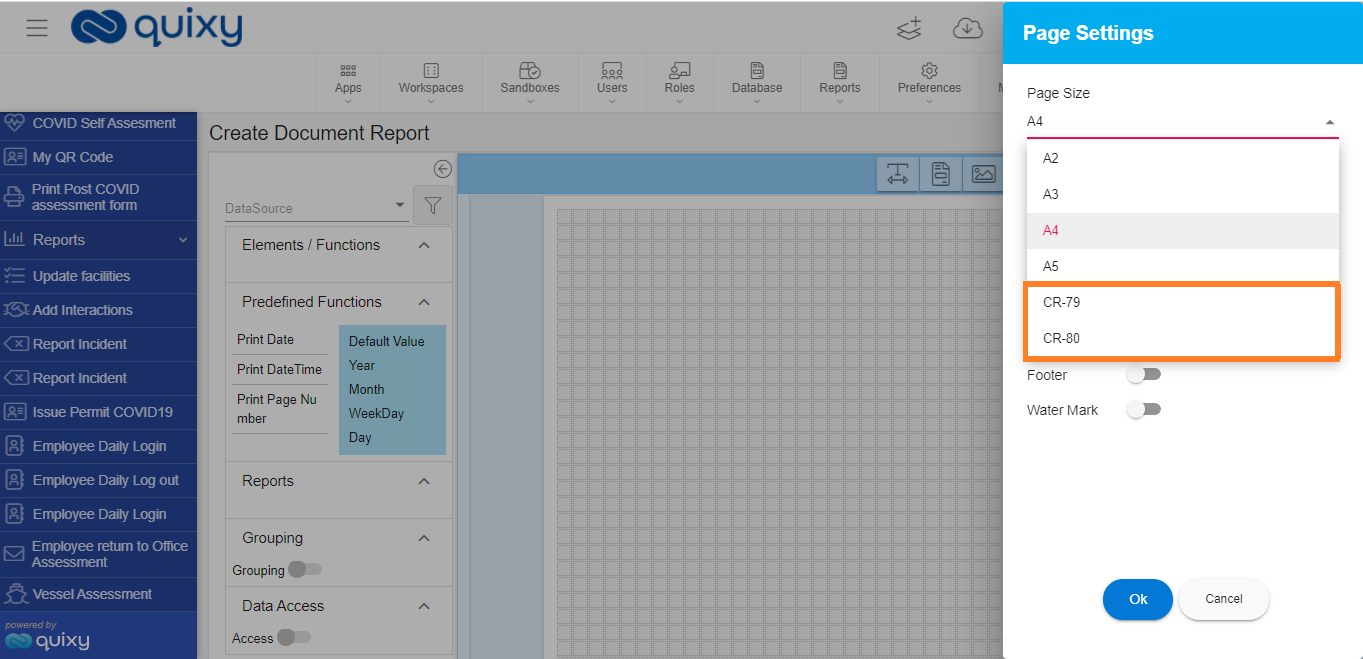
¶ New page size options added in document report
In this enhancement, two new page size options, CR-79 and CR-80, have been added in the document report for users to be able to generate and print ID card type of documents using these options in the document report.
¶ Display of Dashlet in Dashboard when resource access is denied
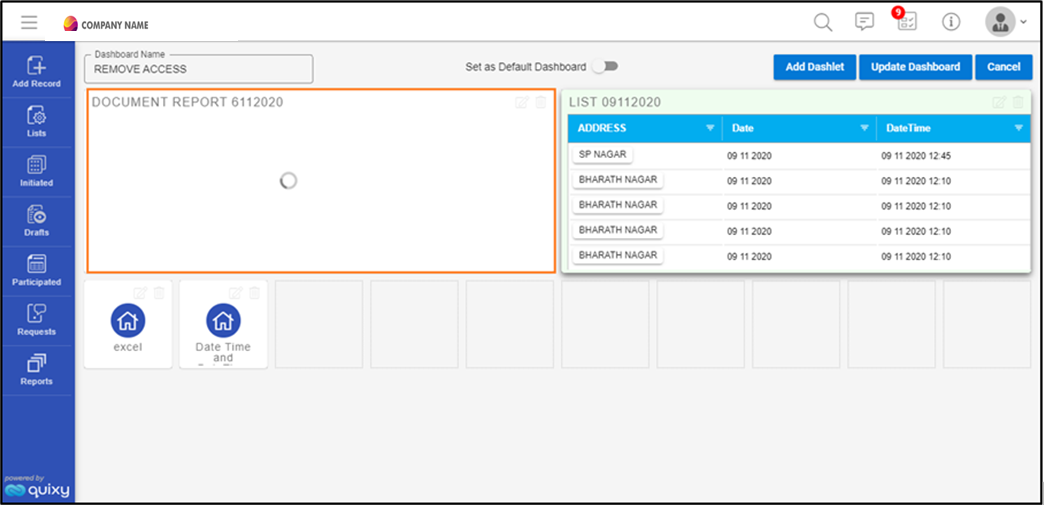
BEFORE
When the resource (Reports, charts, apps etc.) access was denied by the organization's admin, the resource dashlet used to keep on loading without displaying any specific message giving the users an unclear experience.
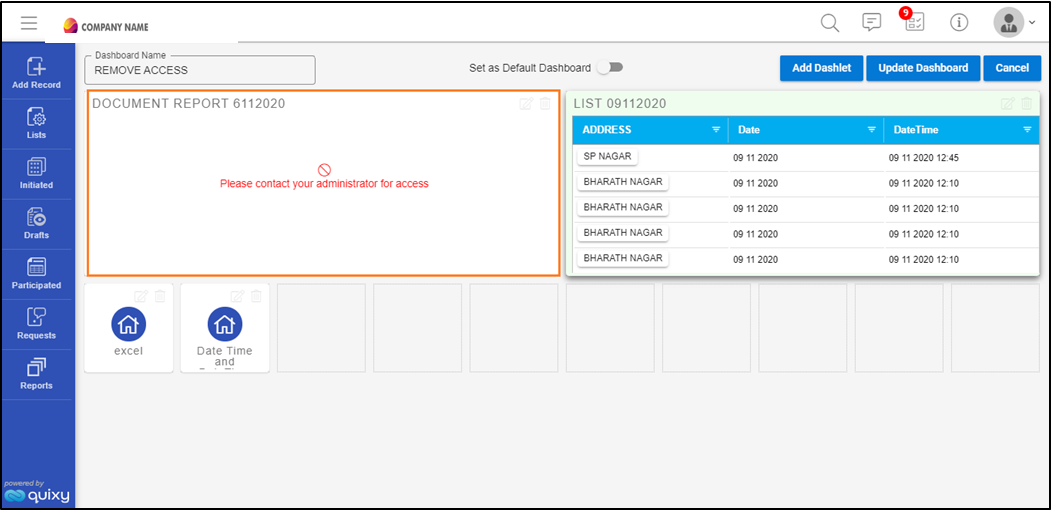
AFTER
Users will now be able to see a message that says Please contact your administrator for access in the resource (Reports, charts, apps etc.) dashlet on the dashboard when the organization’s admin denies the resource access.
¶ Display of Dashlet in Dashboard when resource link is deleted
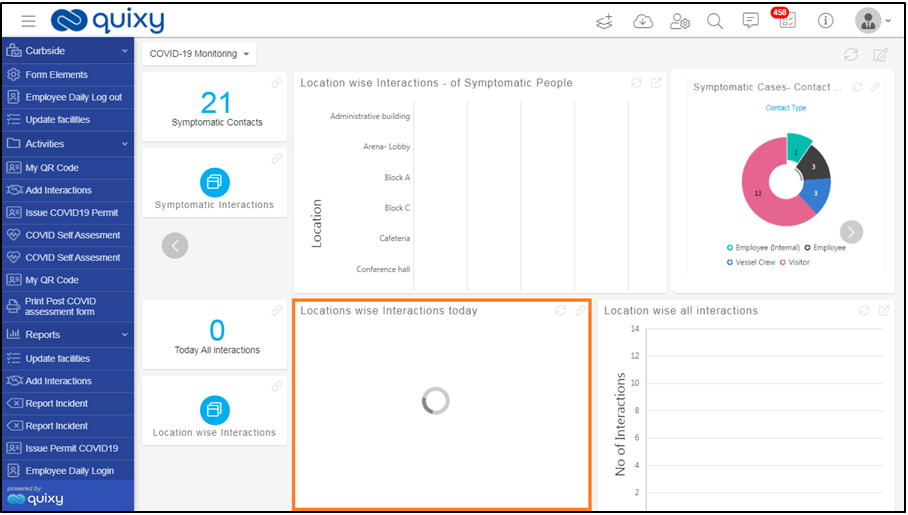
BEFORE
When the resource (Reports, charts, apps etc.) access was denied by the organization's admin, the resource dashlet used to keep on loading without displaying any specific message giving the users an unclear experience.
AFTER
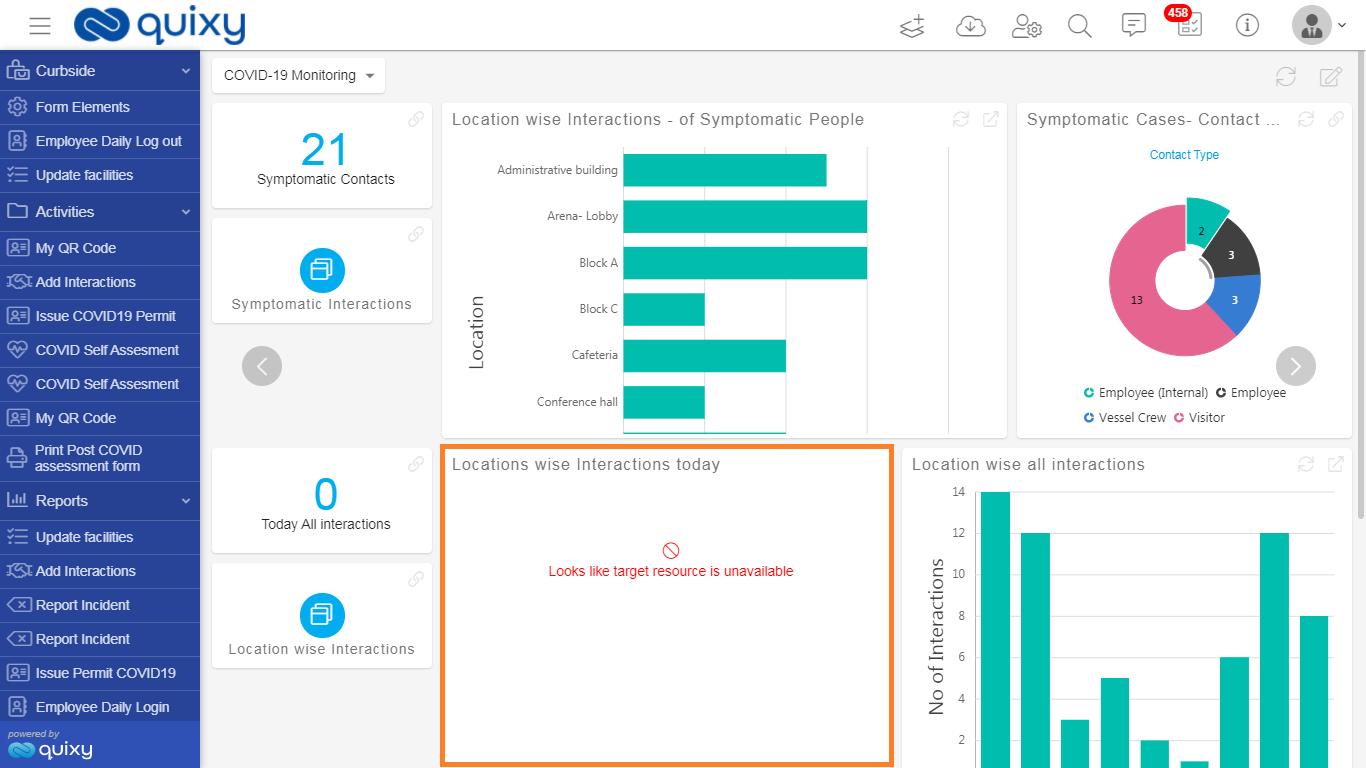
Users will be able see a message that says Looks like target resource is unavailable in the resource (Reports, charts, apps etc.) dashlet on the dashboard when the organization’s admin deletes the resource link.
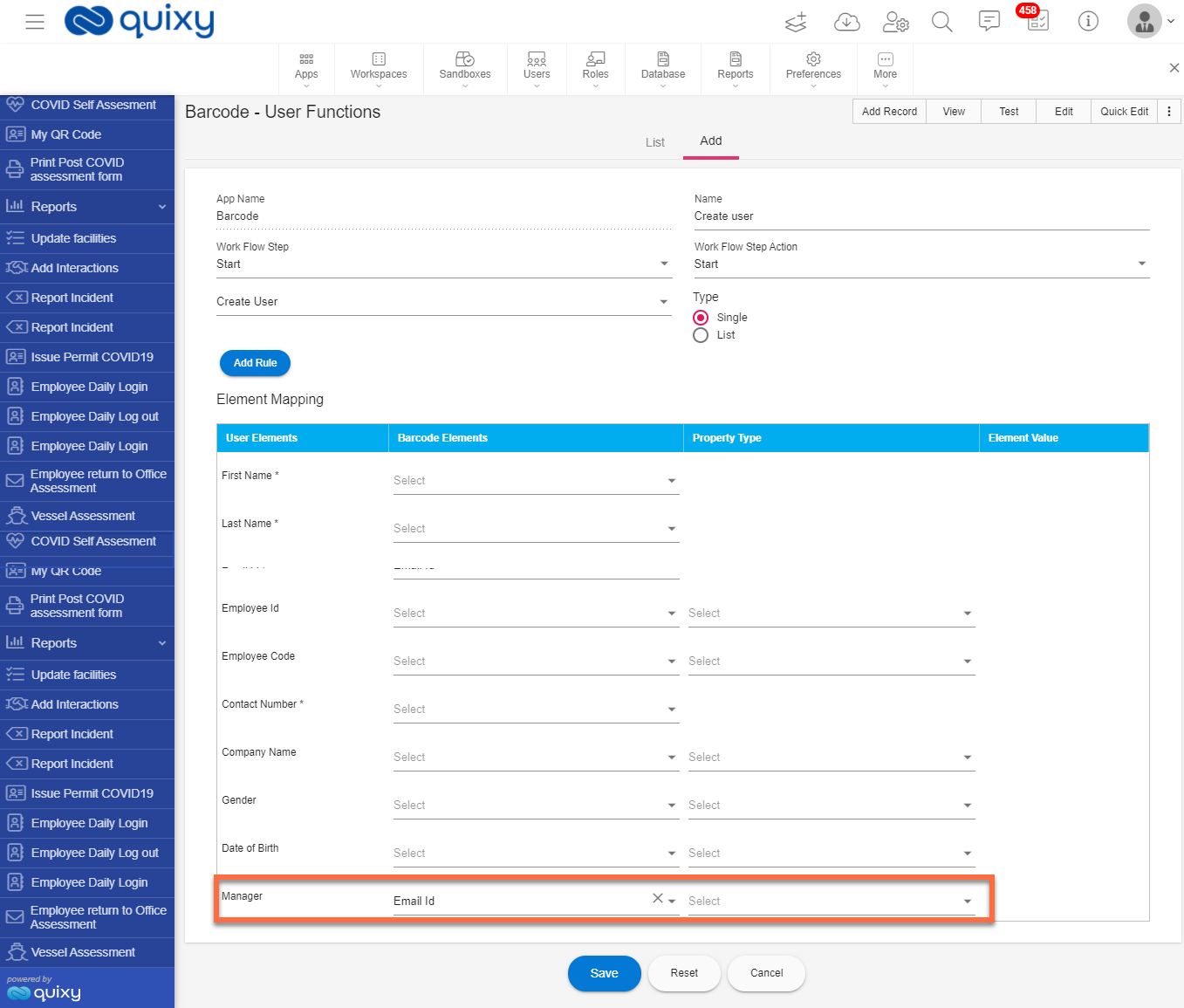
Option to assign Manager from Create User function page
Previously, only an organization admin had the option to create a new user using the App User Functions within an app and admin had to assign a manager to the newly created user manually from Admin Menu --> Users --> Unassigned Users.
With this enhancement, any user who have access to the app can assign a manager to the new user that is being created from the App user functions and directly convert the new user to an active user.
Enhanced search without case sensitive
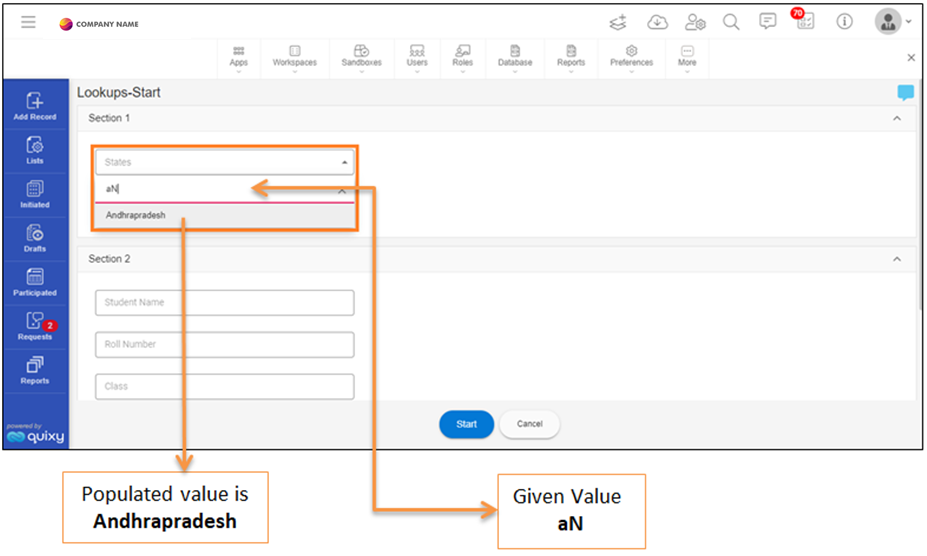
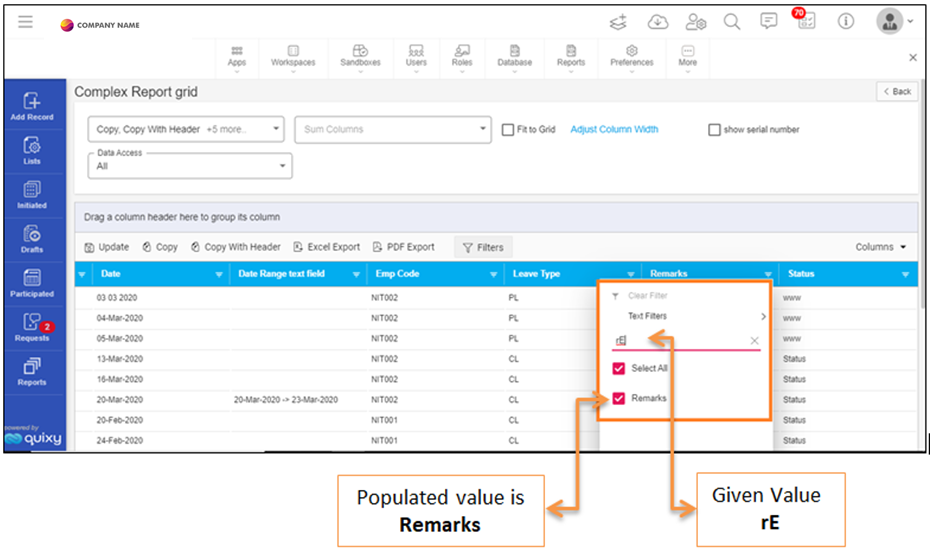
With this enhancement, users will be able enter a lower-case or upper-case alphabet in the data search fields to fetch the relevant data in any resource (Reports, charts, apps etc.) without any alphabet case sensitive problem.
Example: users can enter A or a; B or b; Ma or MA or ma.
The screen which is shown below is an App- add record page.
The screen which is shown below is a Grid Report.
The screen which is shown below is a List Screen.
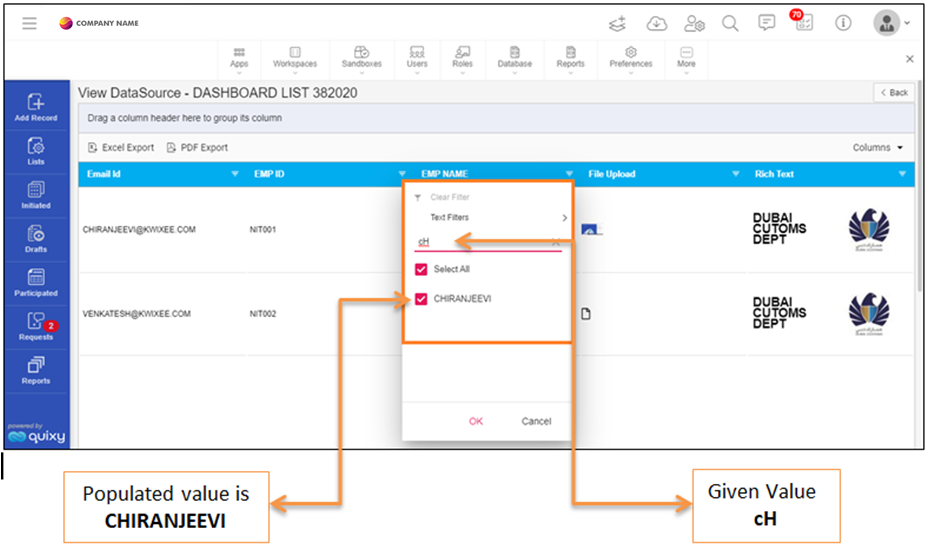
Previously, users were met with some difficulties in accessing the necessary data due to an alphabet case sensitive issue while fetching the data.
Example: A = A or a = a or Ma = Ma.
¶ Default Company Logo for newly created accounts (Self Sign-up)
BEFORE
Platform used to automatically take the names of the users provided when signing up, to be shown as their company logo.
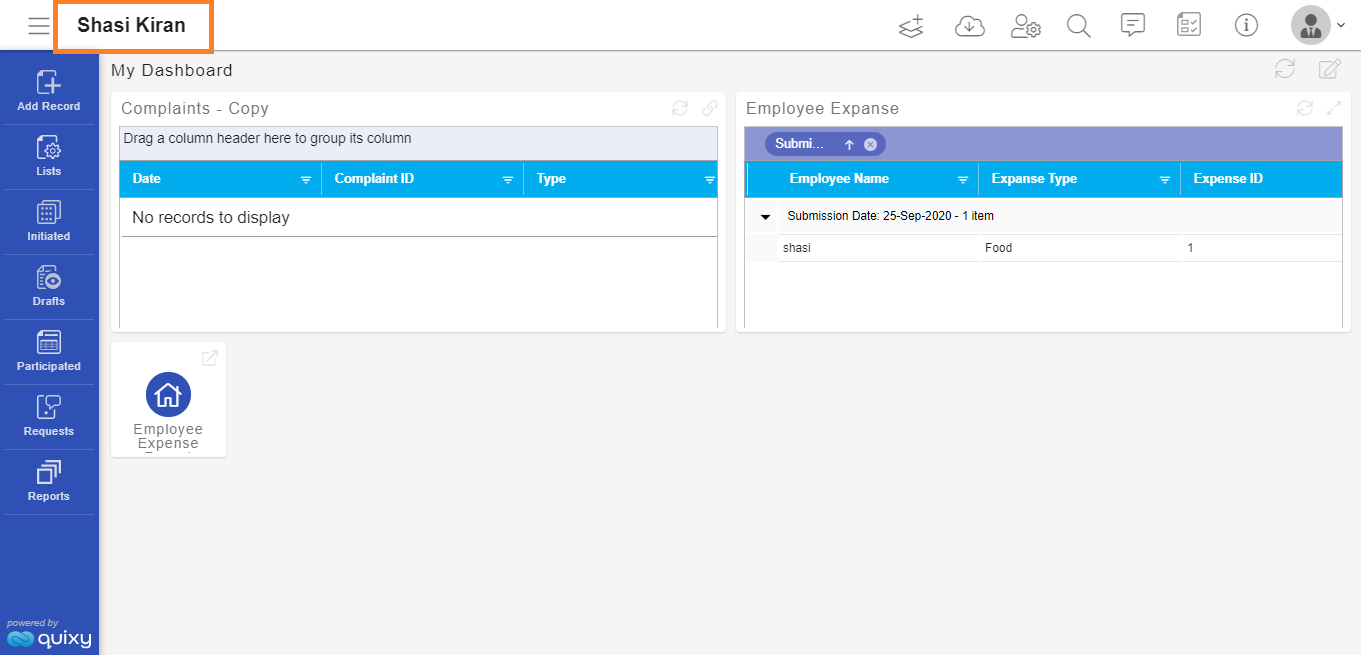
AFTER
Users that have created new accounts in Quixy by self-signing will have a default logo (Company Name) for each user visible on their dashboards.
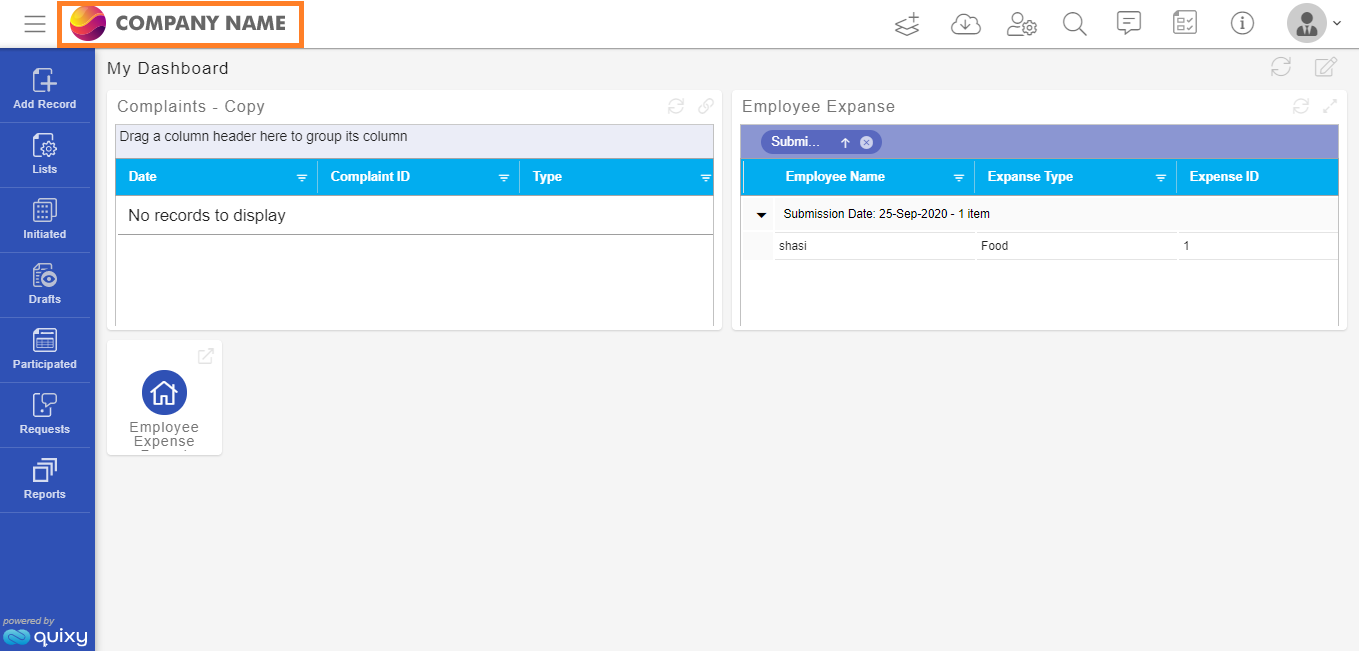
The logo can be changed further in Admin Menu--> Preferences--> General.
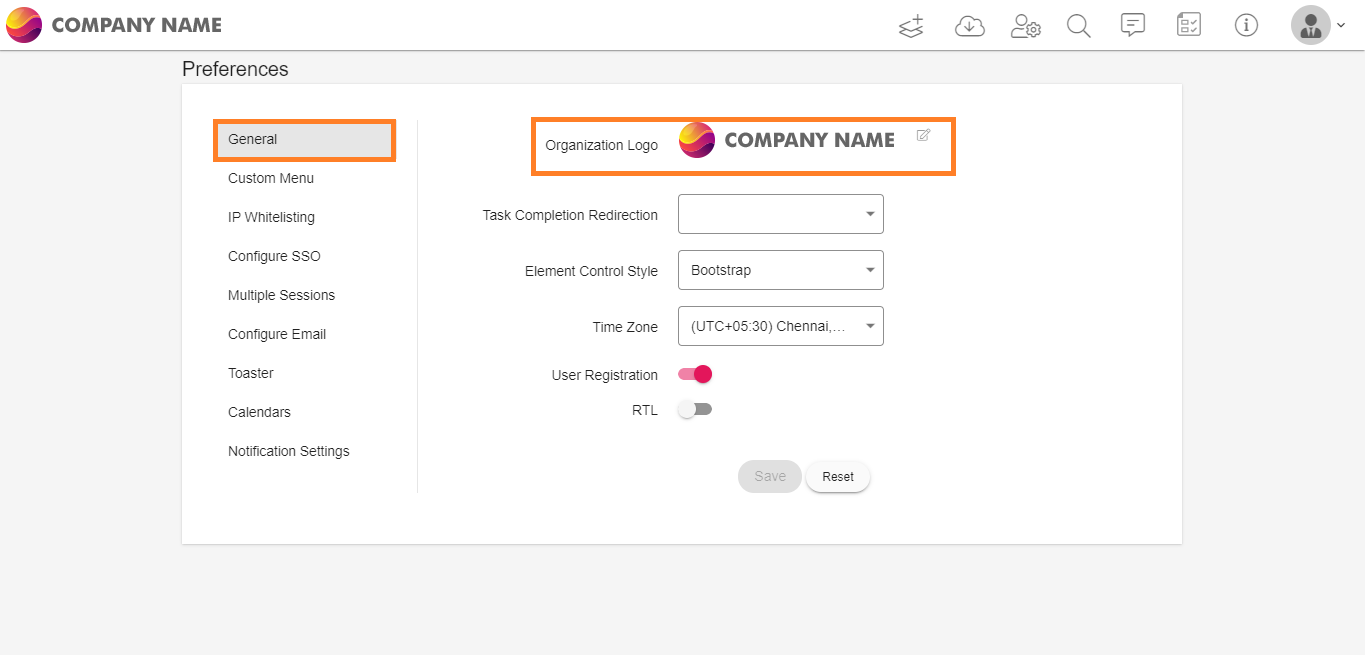
¶ New Email Notification template for Reset Password, Forgot Password, Email Confirmation
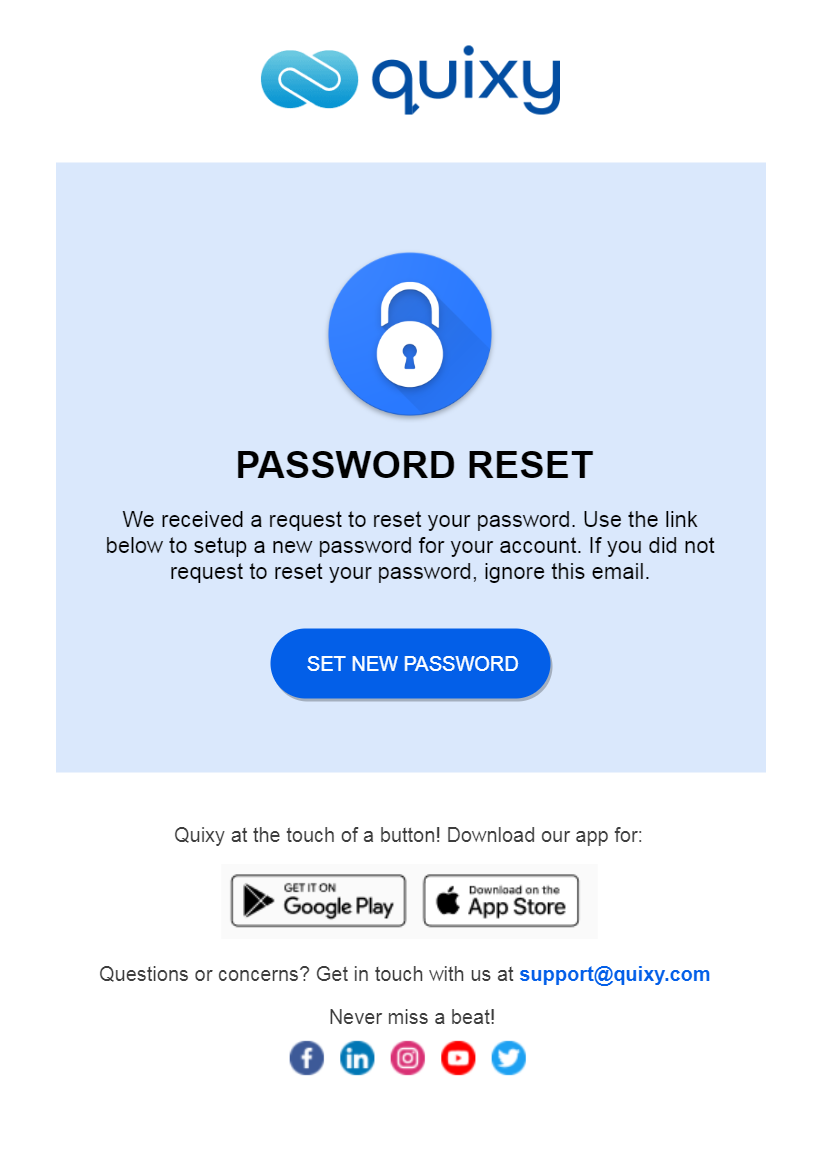
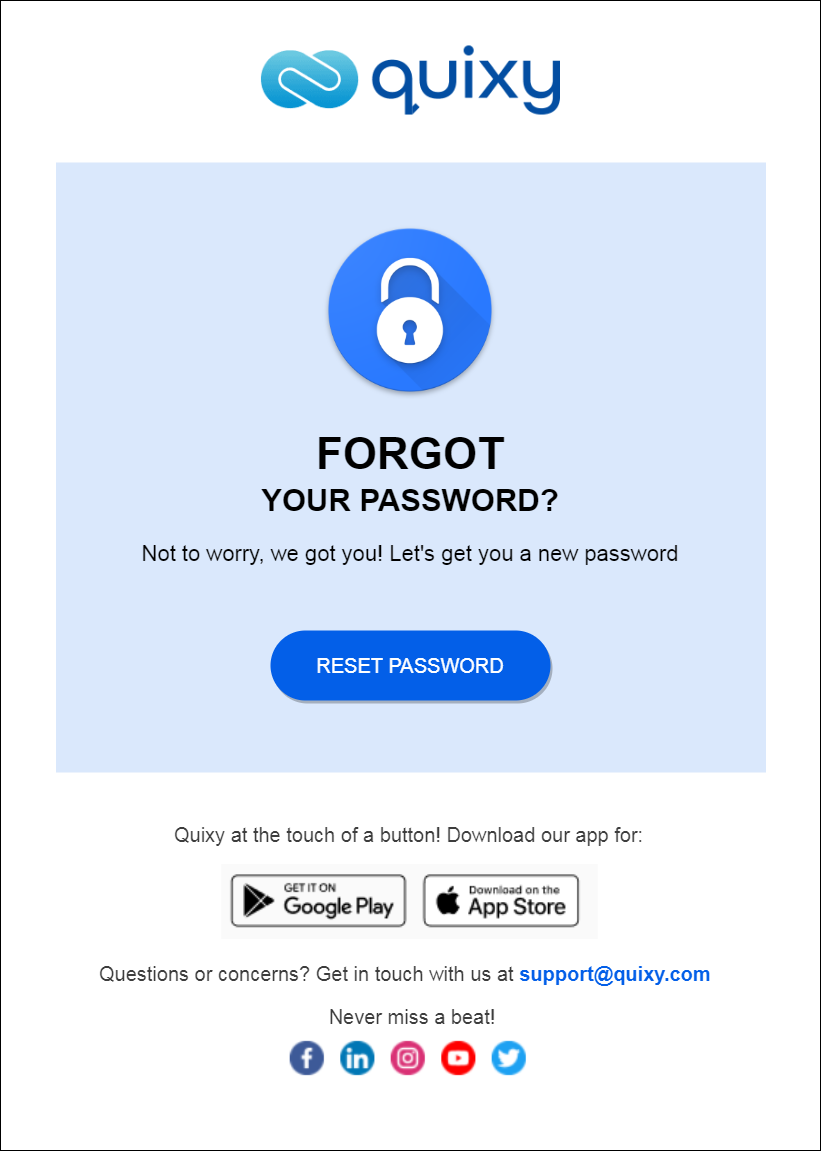
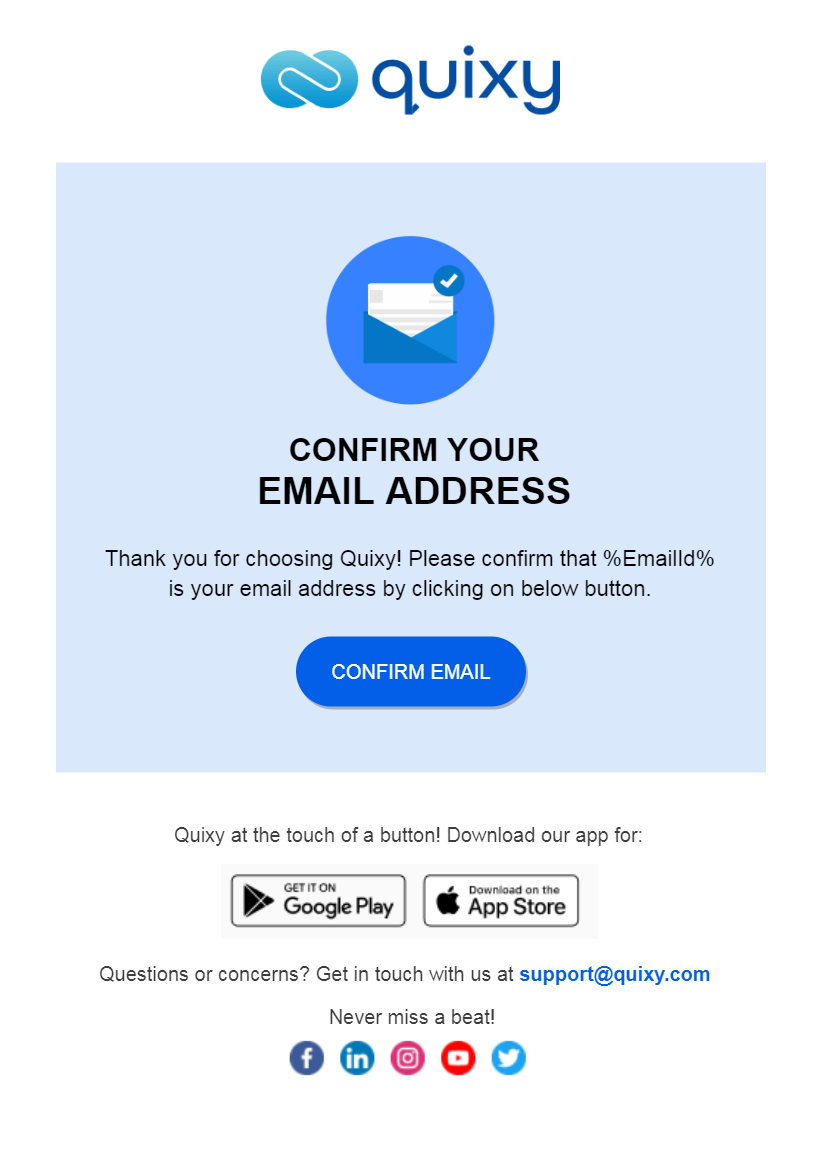
We designed a new series of Email Notification templates for Reset Password, Forgot Password, and Email Confirmation to give users better user experience.
The template shown below is for Reset Password.
The template shown below is for Forgot Password.
The template shown below is for Email Confirmation.
¶ Improvements in Mobile application
¶ Automatic Image resize in List Screens
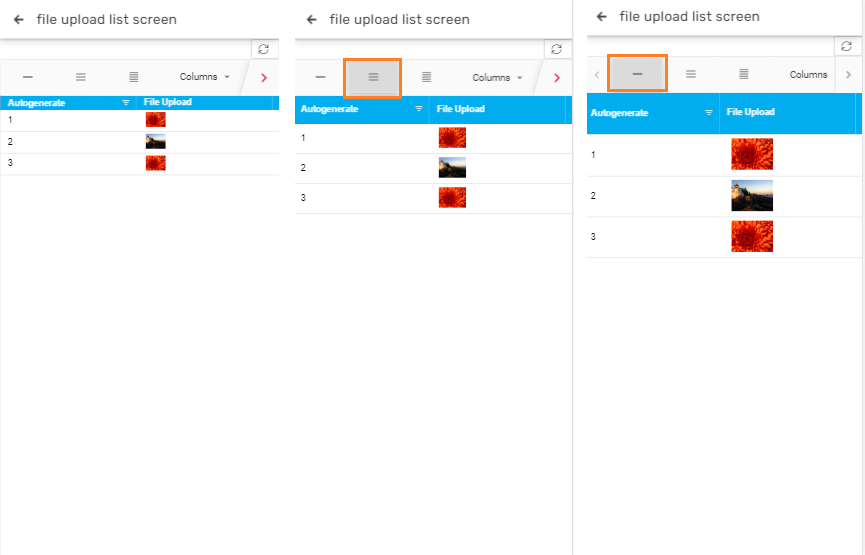
This feature enhancement allows the users to experience an automatic image resize in the list screen page's data columns when the column height is increased or decreased in the mobile application.
Previously, the image size would not change when the column size was increased or decreased.
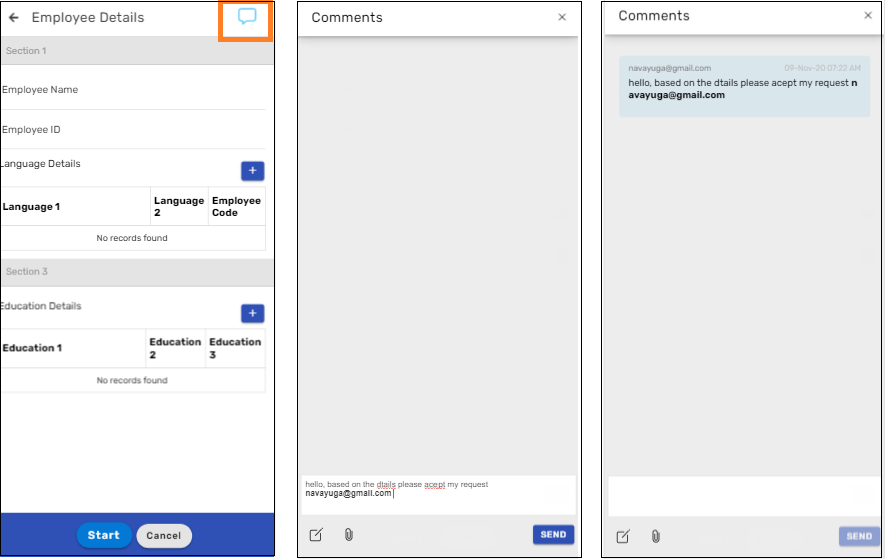
¶ Comments in mobile application
With this new feature, users can now add comments while adding a record in an app or while performing tasks or after initiated/participated.
In addition to the web application this feature is now available in mobile application.
¶ Fixes
Fixed few known issues.