¶ Feature Enhancements
¶ Data Security - Encrypt data and store in database
Feature Description:
- Data security means protecting digital data, such as those in a database, from destructive forces and from the unwanted actions of unauthorized users, such as a cyberattack or a data breach.
- Enhanced the Data Security feature in Quixy to secure user’s data from un authorized users.
- User Data is secured from unauthorized users and cyber-attacks. The user data is encrypted and stored in data base.
- User Data and application data is encrypted/decrypted by using Key management system at user level and application level to secure the data.
Benefits and Usage: User Data and App data is secured from unauthorized users and cyber-attacks.
Known Challenges: Nil
¶ EULA – User Login for the First-time system should display T&C page
Description:
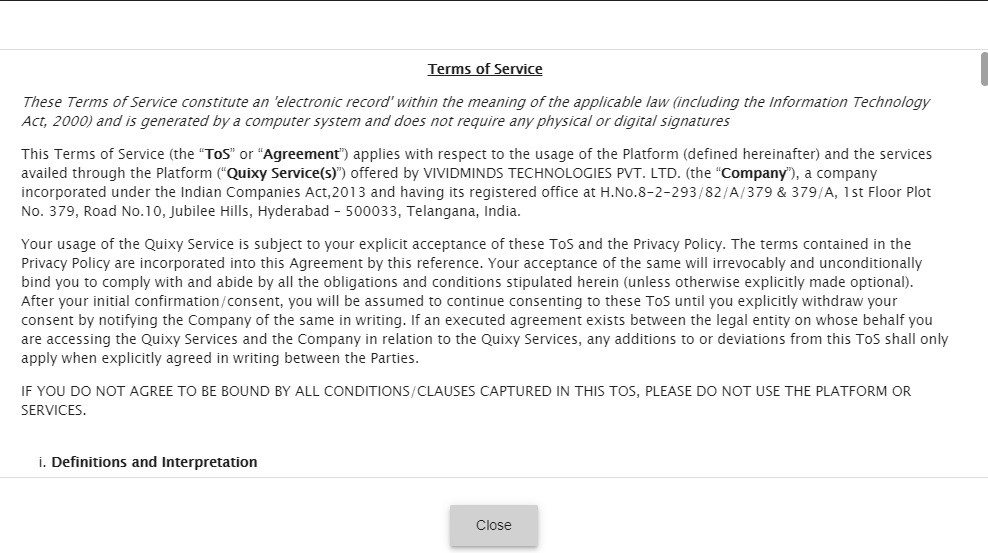
- When a New user Login to the Quixy for the first time, the system should display the T&C conditions page.
- When the time of registration if the user does not accept the terms and conditions then the terms and conditions page displayed in popup when the user login.
Benefits and Usage: When a new User start using Quixy the user needs to accept all terms and conditions of the application then only the user access Quixy application.
¶ Reports – Option to change the filter on dashboard
Description:
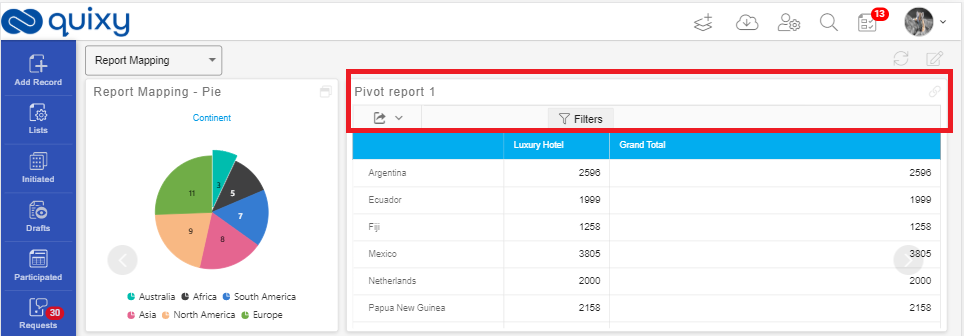
- If a Report is Created with filters and the reports is added to the dashboard, The Report should display with the default filters.
- The user able to see the reports in dashboard with default filters.
- The user able to have an option to change the filter for the report on dashboard.
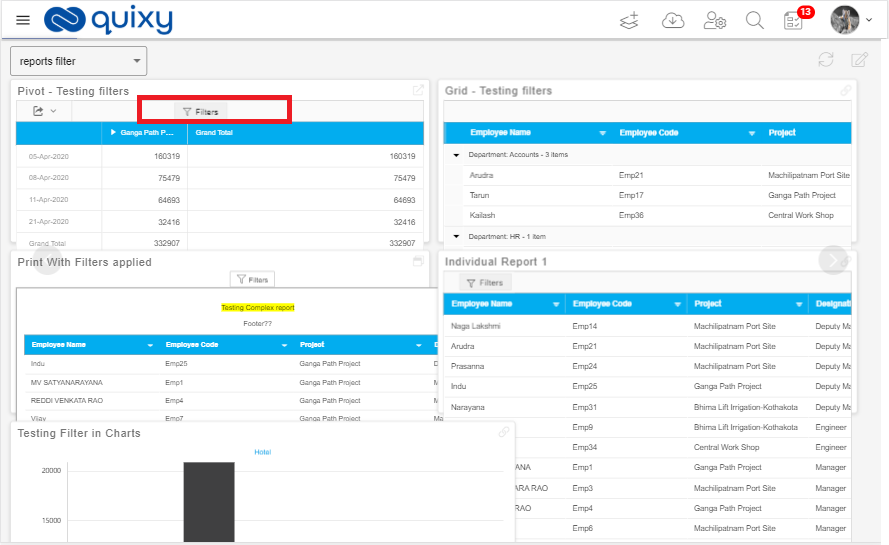
- User can click on Filters then popup is displayed to change filter as shown below.
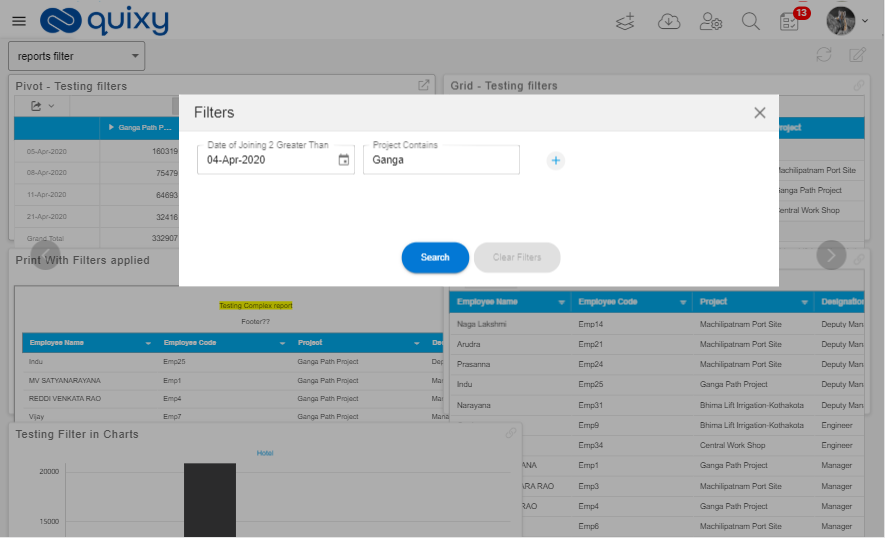
Benefits and Usage: User able to change the filter and view the report on dashboard.
¶ Notifications
Description:
- User able to create Email / SMS Notifications with placeholder’s functionality to send notifications with values being captured from the application form.
- User able to configure Step notifications.
- User able to configure notifications send with file upload elements.
- Platform send email notifications with files with the selected fields as attachments.
- User can able to configure Notifications based on Step Actions and system send notifications based on workflow step actions.
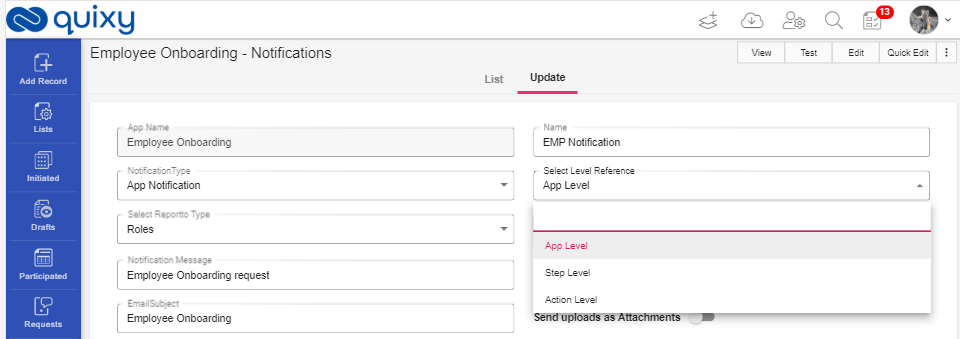
- User can Add Email subject/SMS body to Notifications.
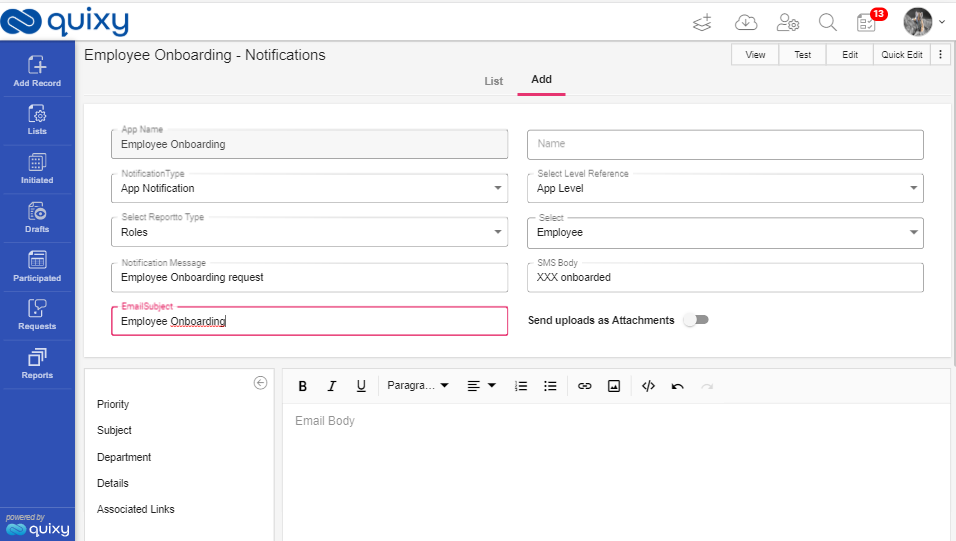
Benefits and Usage: User can configure notifications based on workflow steps, workflow step actions as emails/SMS with file upload elements and custom messages.
¶ Report Builder- ability to adjust column width of the grid report
Description:
- User can be able to define width of columns displayed in grid report (view mode).
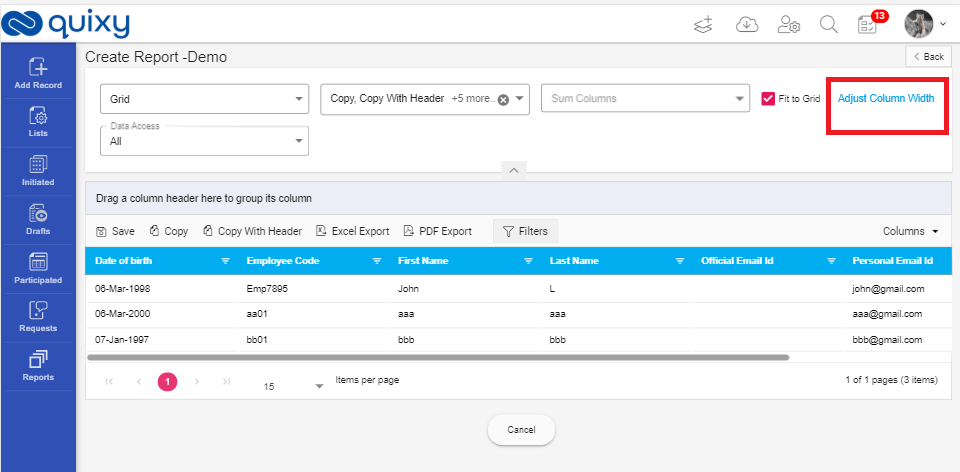
- If the user has adjusted column widths, then all the columns should be viewed in the size defined by the admin in the report builder.
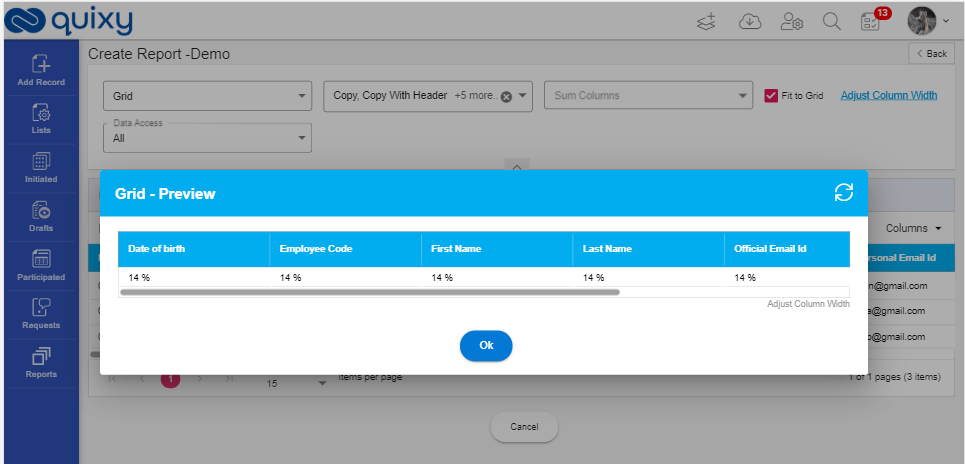
Benefits and Usage:
- User can able to create a report with the column size as he wants.
- It is useful when user want to add many columns with large data or small data as well.
¶ Rich Text Editor – RTE element is usage in data Table Reference / Data Source reference
Description:
While creating References, user can able to use RTE element in Data table reference /Data Source reference.
- User can able to create an app with RTE.
- User can be able to save the data-to-data table through the app.
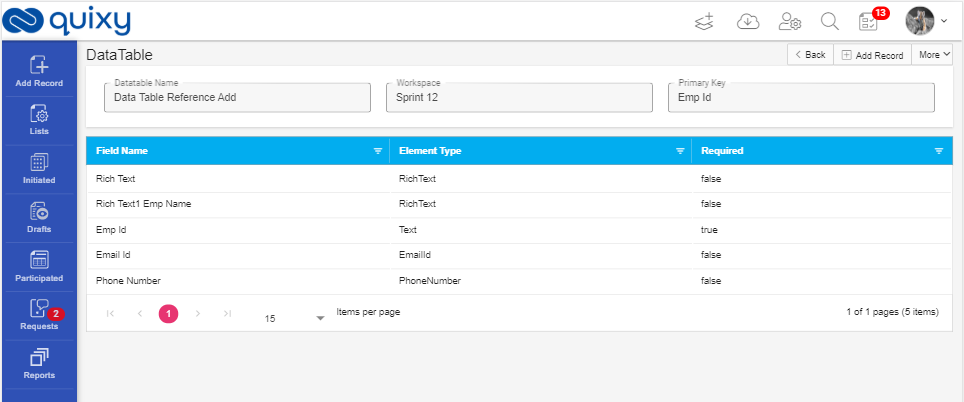
- User can be able to create an app with reference element RTE from the data table.
- User can use RTE element from the data table/app while creating data source.
- User can use RTE element from data source while creating data source reference.
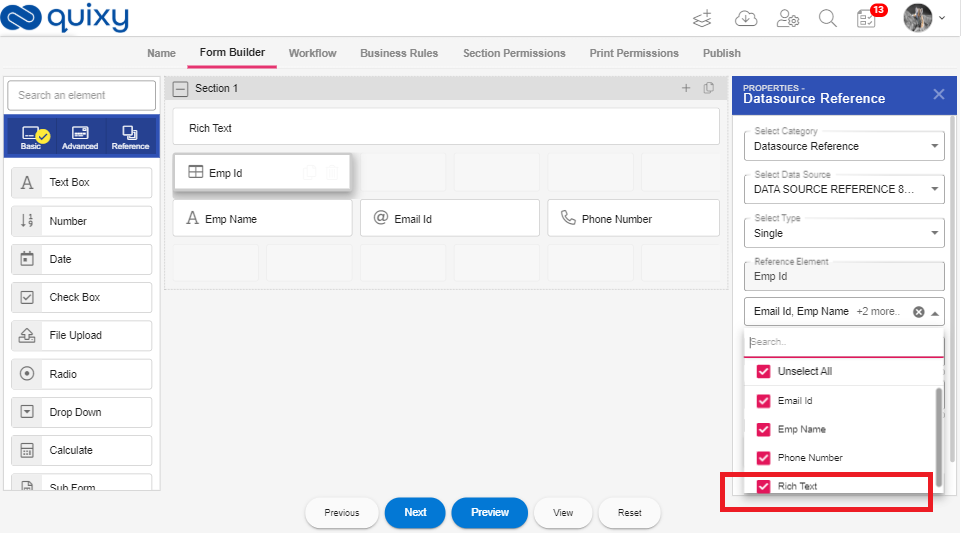
Benefits and Usage: Users have an option to select RTE element from Data source/Data table to create an app with Data table reference/ Data source reference.
¶ Reports – Option to send Email
Description:
- User able to send the report as an attachment through email.
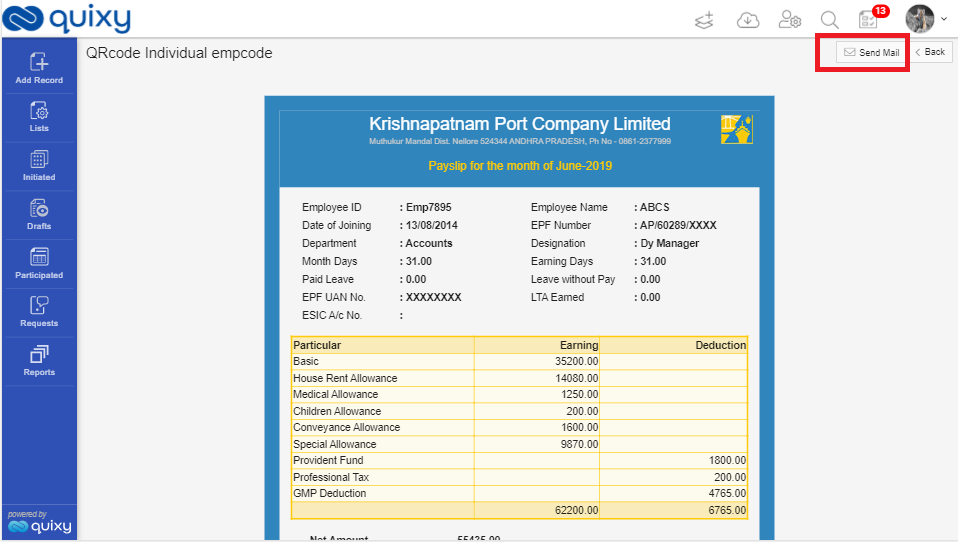
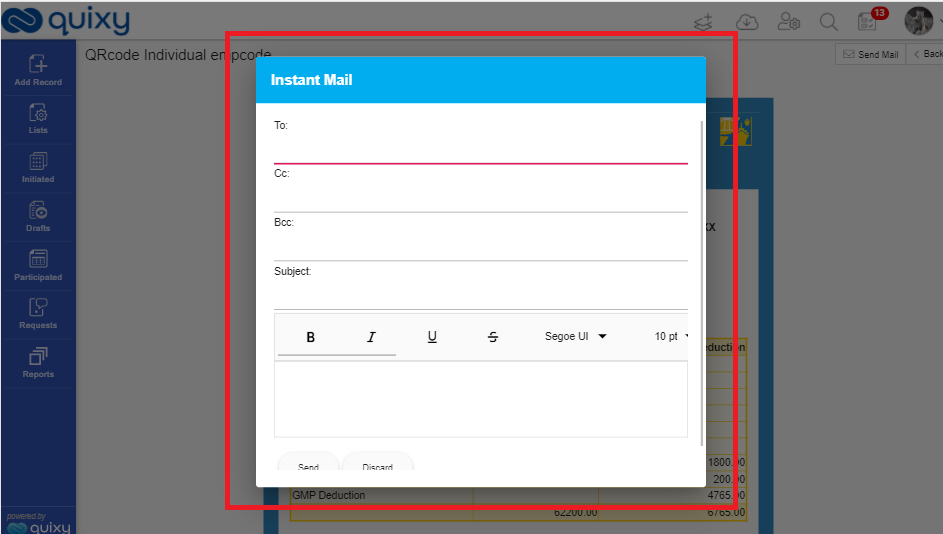
- If user click on 'Send Email' then system opens a popup with below details.
- From (displays logged in user)
- Send To
- CC
- BCC
- Subject
- Body
- Attachments
- User able to click on Option 'Send' button which used to send an email with report as attachment to all the selected email Ids in To, CC, BCC.
Benefits and Usage: User can be able to send an email with report output as an attachment to list of email ids after report is generated on Screen.
¶ List Screens - Group by selected columns
Description:
- Whenever user Opens the List screen the List screen display the data with grouping Column.
- If the user opens the List Screen, then List screen display report with default grouping Column.
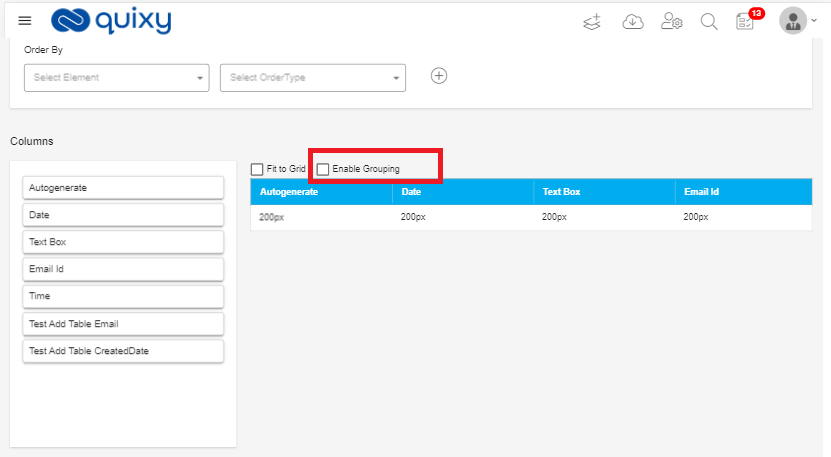
- The List screen display the data by grouping based on the grouping Column which is used in creating List Screen.
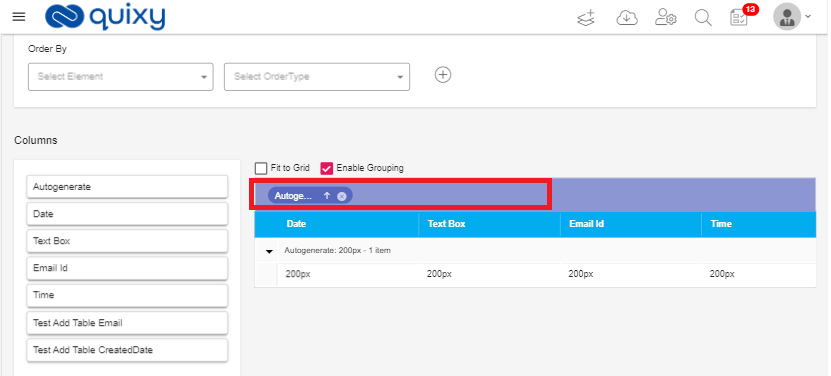
- User can be able to change the grouping Column and can change to other grouping and save the grouping and then list screen displays records based on the new grouping.
Benefits and Usage: User can be able to create a list screen display based on the grouping column.
¶ List Screen - Create customized views
Description:
User can be able to create customized views based on user requirements in list screen and view them.
- The user can able to do following on standard list screen view.
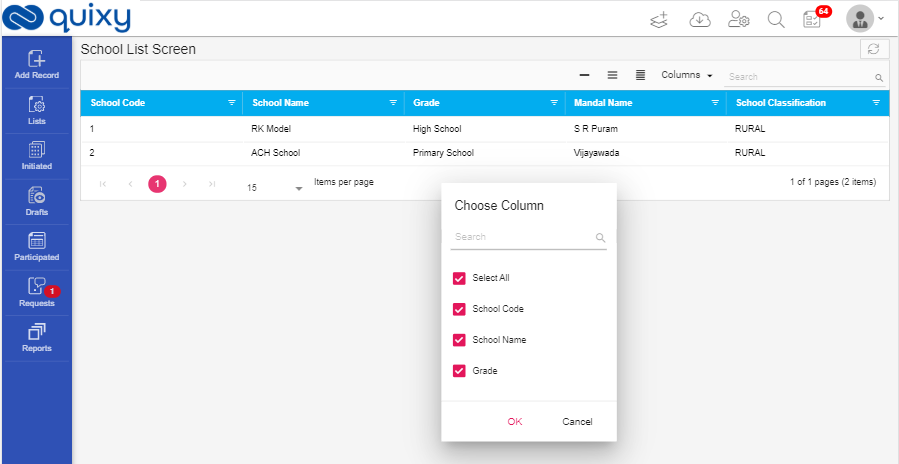
- User can select/deselect columns selection and deselection.
- User can able to create the order of columns to display.
- User can able to set the width of each column.
- User can set the height of the row.
- User can able to see the list screen using group by columns.
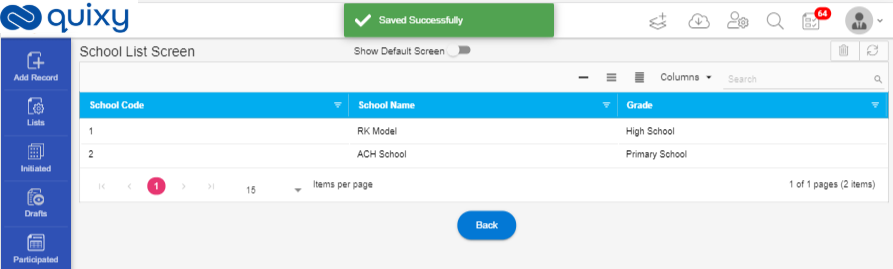
- User can view the list screen, 'My View' as default view and user can have an option to switch between 'My View' and 'Standard' view.
Benefits and Usage:
- User able to create customized views based on requirements in List screen.
- User can be able to switch from default view to created view of the list screen.
¶ Rich Text Editor in Individual Reports and Complex Reports
Description: User can be able to add Rich Text Editor element from data source to Complex Reports and Individual Reports.
Complex Report
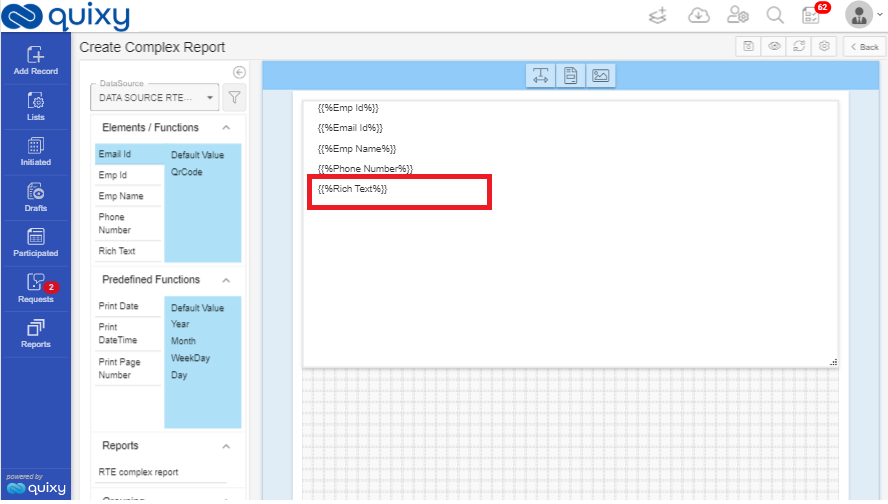
- User can be able to create a complex report by selecting RTE element from data source.
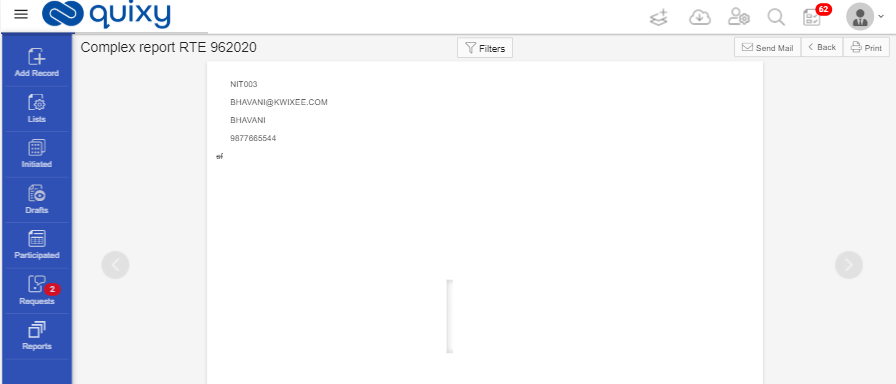
- When view the complex report, the report is opened in view mode and the RTE element is displayed in view.
Individual Report
- User can be able to create an Individual report by selecting RTE element from data source.
- When view the individual report, the report is opened in view mode and the RTE element is displayed in view.
Benefits and Usage: User can be able to add Rich Text Editor element from data source to Complex Reports and Individual Reports.
¶ Audit Log for Admin
Description:
- The audit log records creation, modification, and deletion of all user-accessible configuration elements, access to critical security data such as public keys.
- For each logged event it provides associated user-id, date, time, event type, and success/failure data for each event.
- Only admin-level users have audit log access.
- Admin can retrieve, read, copy, and upload the audit log. The original log cannot be deleted or edited by any operator action.
- For ex:
Audit log records the following…
- App create/update/delete
- Report create/update/delete
- Data table create/update/delete
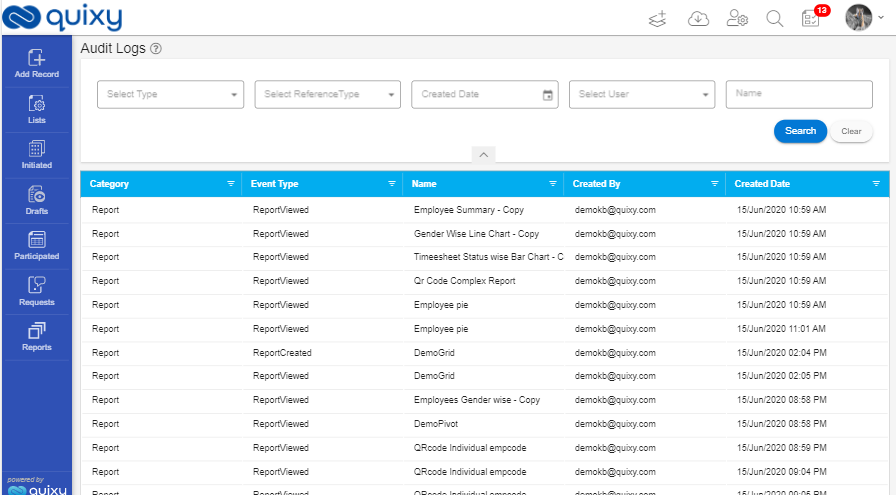
Benefits and Usage: Admin able know about the users' activities with time and action related category when he views the log.
¶ SSO Authentication using Internal Quixy User Store
Description: Single sign-on (SSO) is an authentication scheme that allows a user to login with a single ID and password to any of several related, yet independent, software systems.
Benefits and Usage: TBD
¶ Task Requests to Admin
Description:
When adding Roles, User Deactivation, User Added, user deactivated … then a task is assigned to the Organization Admin to do the actions permanently.
- When the User is deactivated then a task is assigned and send Notification to the admin to take action against the task to deactivate user permanently from the Quixy.
- When the User is Added then a task is assigned and send Notification to the admin to take action against the task to Add user permanently from the Quixy.
- When Role is added then a task is assigned and send Notification to the admin to take action against the task to Add Role to the Quixy.
- When the User is deactivated in AD then a task is assigned and send Notification to the admin to take action against the task to deactivate user permanently from the Quixy.
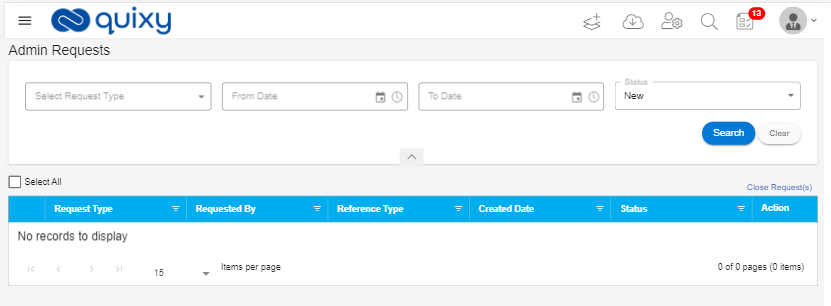
Benefits and Usage: Admin only can confirm the actions belongs to Roles and Users.
References: QXY-3226
¶ CR’s
¶ Enable www.Quixy.com link in Powered by Quixy icon
Description: When click on the Powered by Quixy icon system opens Quixy web page (www.Quixy.com page).
- In login page, bottom of the page web site link is displayed. When click on it Quixy web page is opened.
- In Menu bar of Quixy, Powered by Quixy icon displays in the bottom. When click on t Quixy webpage is displayed.
¶ List Screen- Based on the Business rules Actions should work.
Description: List screen display list view along with the given conditions when click the lists menu item from the left menu.
¶ Email Service – Configuration changes
Description: Previously we have Email configurations with AWS account now we implemented SMTP.
¶ Admin Login – No need to check AD or SSO credentials
Description:
- Users belong to that organization only should be validated with either AD or SSO as per configuration, BUT NOT /admin login user.
- User Should be able to login (/admin login) through Quixy Login credentials
¶ Complex Report– Print
Description: User can be able to view Print option in complex report view and to take print directly from the view page.
¶ Workflow – display reference element in App data
Description:
- Previously while creating app with reference element, in workflow the app data drop down does not displaying Reference element.
- Now User can be able to add Reference element in Workflow app data.
¶ Show Number of active Users in organization
Description: The Organization admin able to view the count of the active users and inactive users when open the Users List page.
¶ List screen- Option to resize column width in grid preview
Description:
- In List screens, previously there is no option to adjust column width.
- Now we enhance the feature in list screen to adjust column width for grid preview.
¶ QR code Form element – Add icon for QR code element
Description: For QR code element, there is no icon displayed in the form element, now we added the icon for the QR code form element.
¶ Reports – File Upload in List screen
Description: In List screen while creating List screen data source:
- If the uploaded file is image, the user can be able to view the image.
- If the uploaded file is audio/video file, then the user can be able to see the link of the audio/video file.
¶ Hide App Reference Category in Reference Element
Description:
- In Reference form element previously, we have 3 categories.
- App Reference
- Data Table Reference
- Data Source Reference
- Now we hide the App reference category from reference element.
¶ Time Format in the Application should be HH:MM am/pm
Description:
- Previously we had 24 hr. format in some screens and 12 hrs. format in some screens.
- Now we change the Time format to 12 hrs. across the application
Ex: 06:15 AM or 11:25 PM
¶ Data Security - VAPT - 02 Using component with known vulnerability
Description: We improved data security to protect data from hackers.
¶ Data Source Reference Element – should display the Date element in calendar format
Description: Previously, when creating a data source with Date element and creating an app with the data source which has date element, when user doing mapping the Date element is displayed as calendar.
¶ Set Managers – Create User page
Description: We provide an option for admin to set manager while creating the user, but it is not mandatory to select while creation.
¶ Business Rules – Unable to set field value to the form element when Form element and Data table reference element has same Data type
Description: Previously the user not able to set field value to the form element when Form element and Data table reference element has same Data type. The Field value drop down displays empty. now we resolve this problem.
- User can be able to select field value to the form element if the data table reference element and form element has same data type
¶ Logout – Logout from one tab should logout from all other tabs
Description: Previously if the user logout from one-tab duplicate tabs is not logging out.
- Now we enhance the feature if the User logout from one tab, then automatically log out from all other duplicate tabs.
¶ Enhancement in Enable Add Record API
Description: In Add Record API page, the header and body displayed.
- Header displays Key and value
- Body displays the corresponding values.