The Edit Record property is used to define the preferred record-editing modes for end-users. The grid supports multiple interaction modes for editing records based on the business requirement and user experience. The supported Edit Record modes are:
- Inline
- Pop-up
- Side Panel
- Inline and Pop-up
- Inline and Side Panel
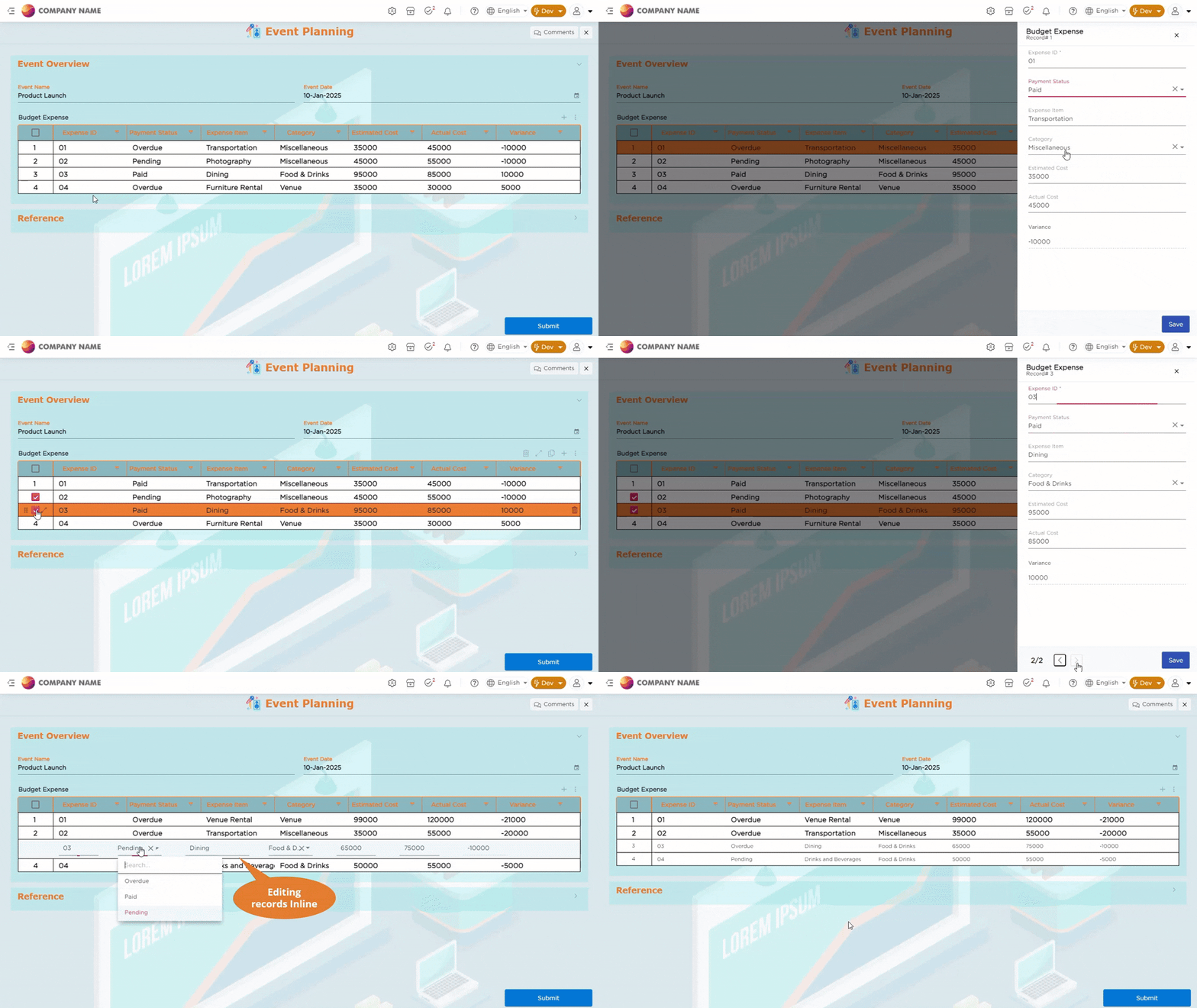
¶ 1. Inline
This option allows end users to edit records directly within the grid.
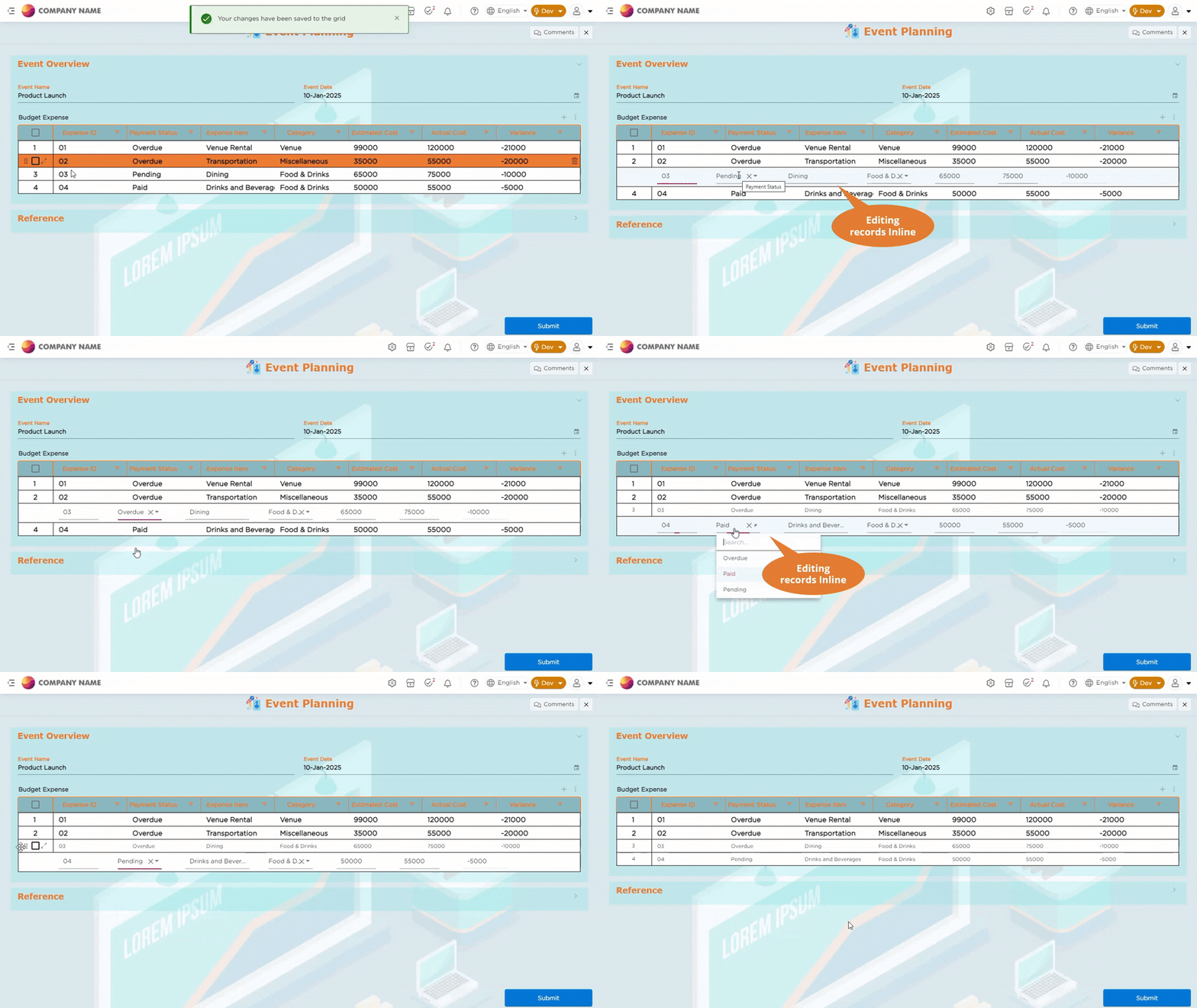
¶ 2. Pop-up
This option allows end users to edit records through a pop-up. When a record is edited in a pop-up and saved, the updated data will be reflected in the respective row.
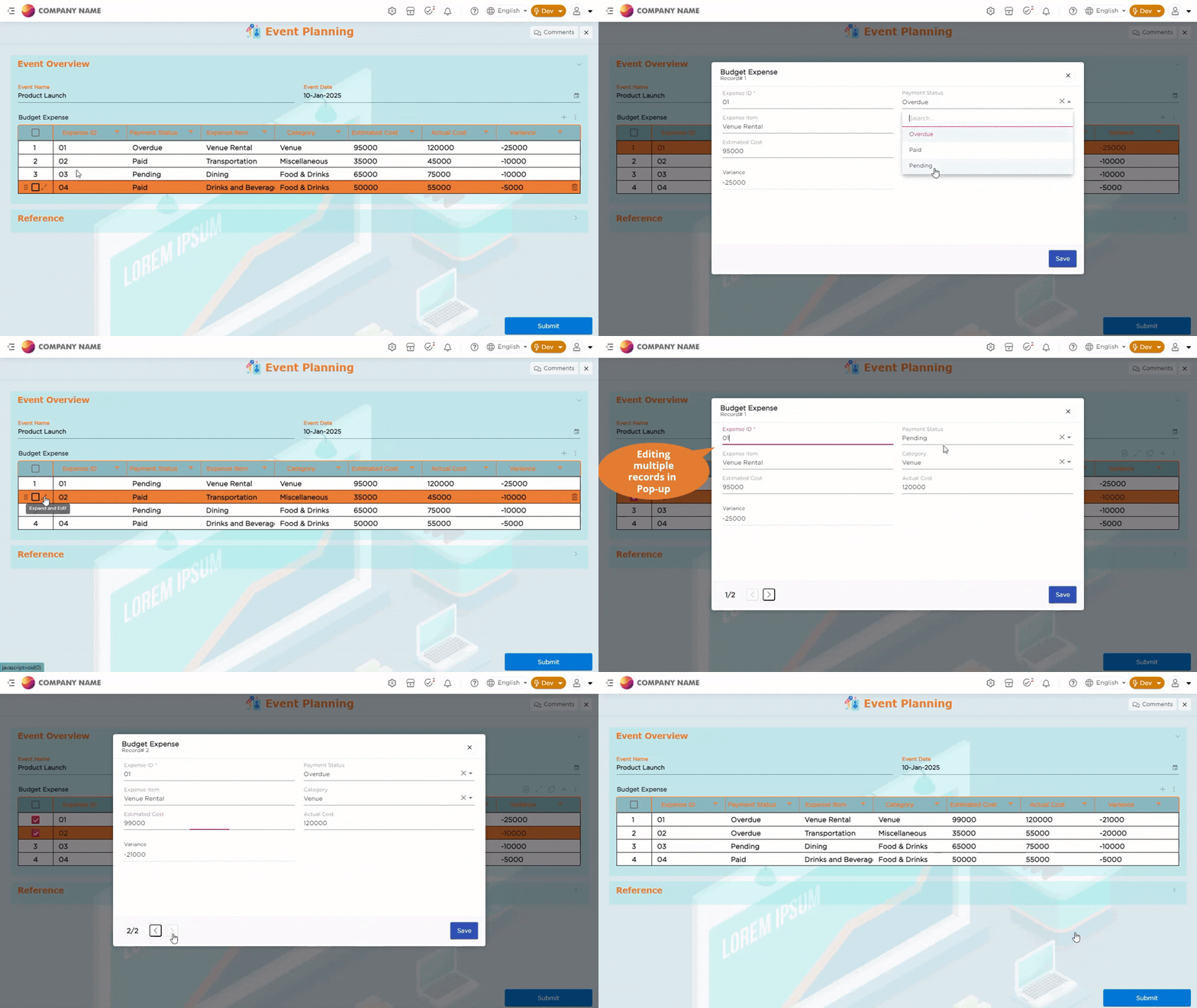
¶ 3. Side-Panel
This option allows end users to edit records in a side panel. When a record is edited in a side panel and saved, the updated data will be reflected in the respective row.
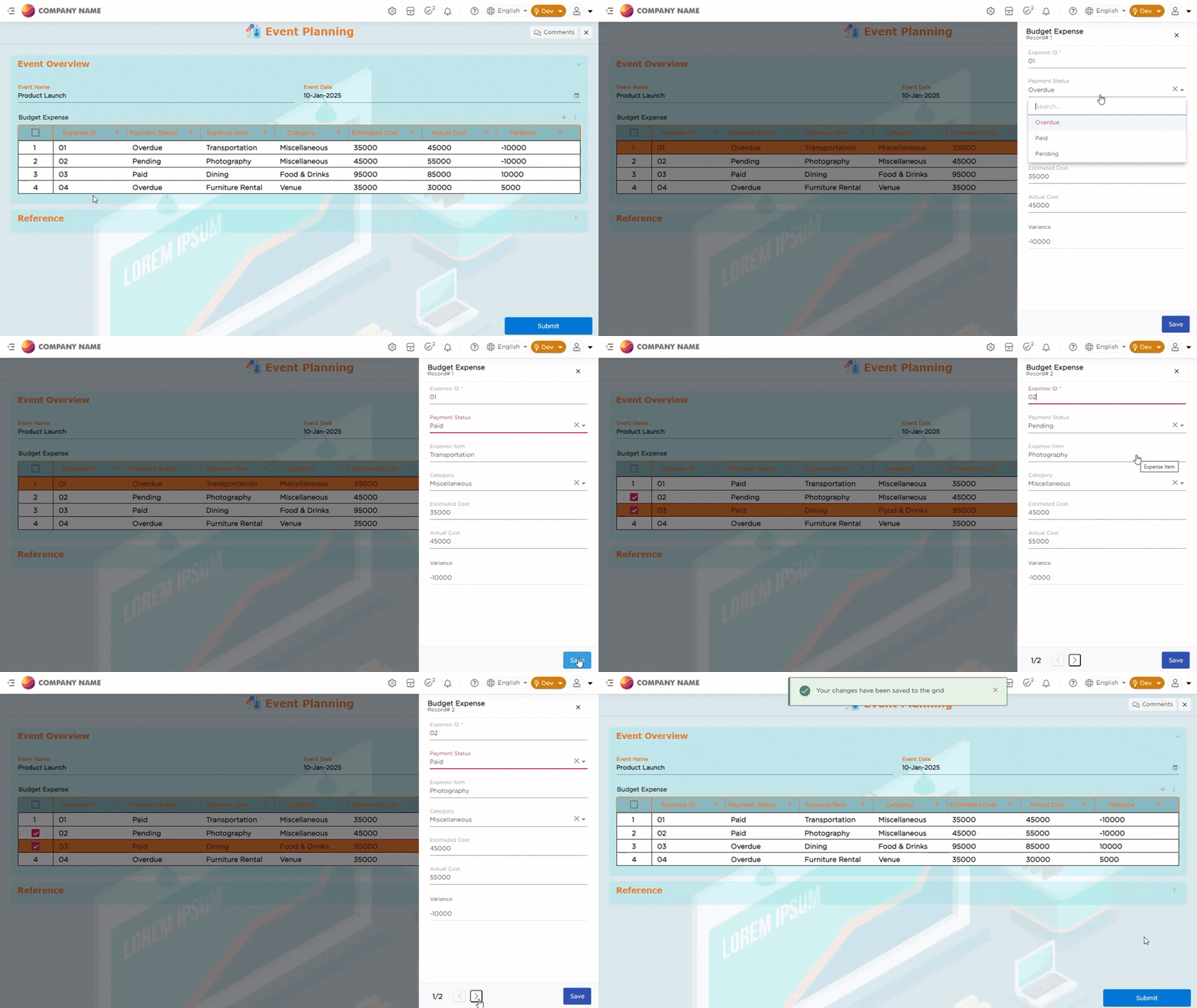
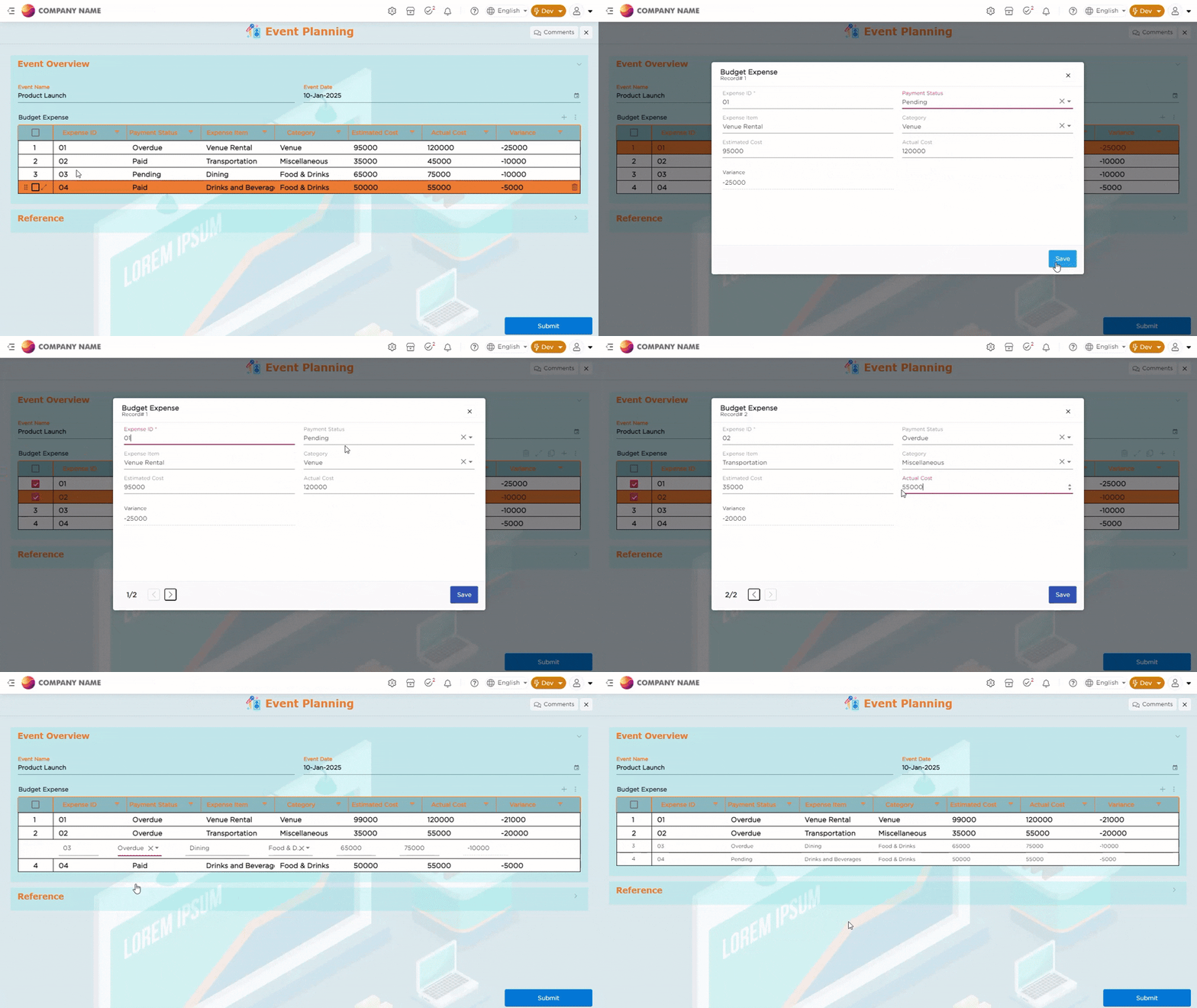
¶ 4. Inline and Pop-up
This option allows end users to edit records directly within the grid or through a pop-up. Whether users edit the record inline or in the pop-up, the changes are saved, and the updated data will be reflected in the respective row.
¶ 5. Inline and Side Panel
This option allows end users to edit records directly within the grid or in a side panel. Whether users edit the record inline or in the side panel, the changes are saved, and the updated data will be reflected in the respective row.