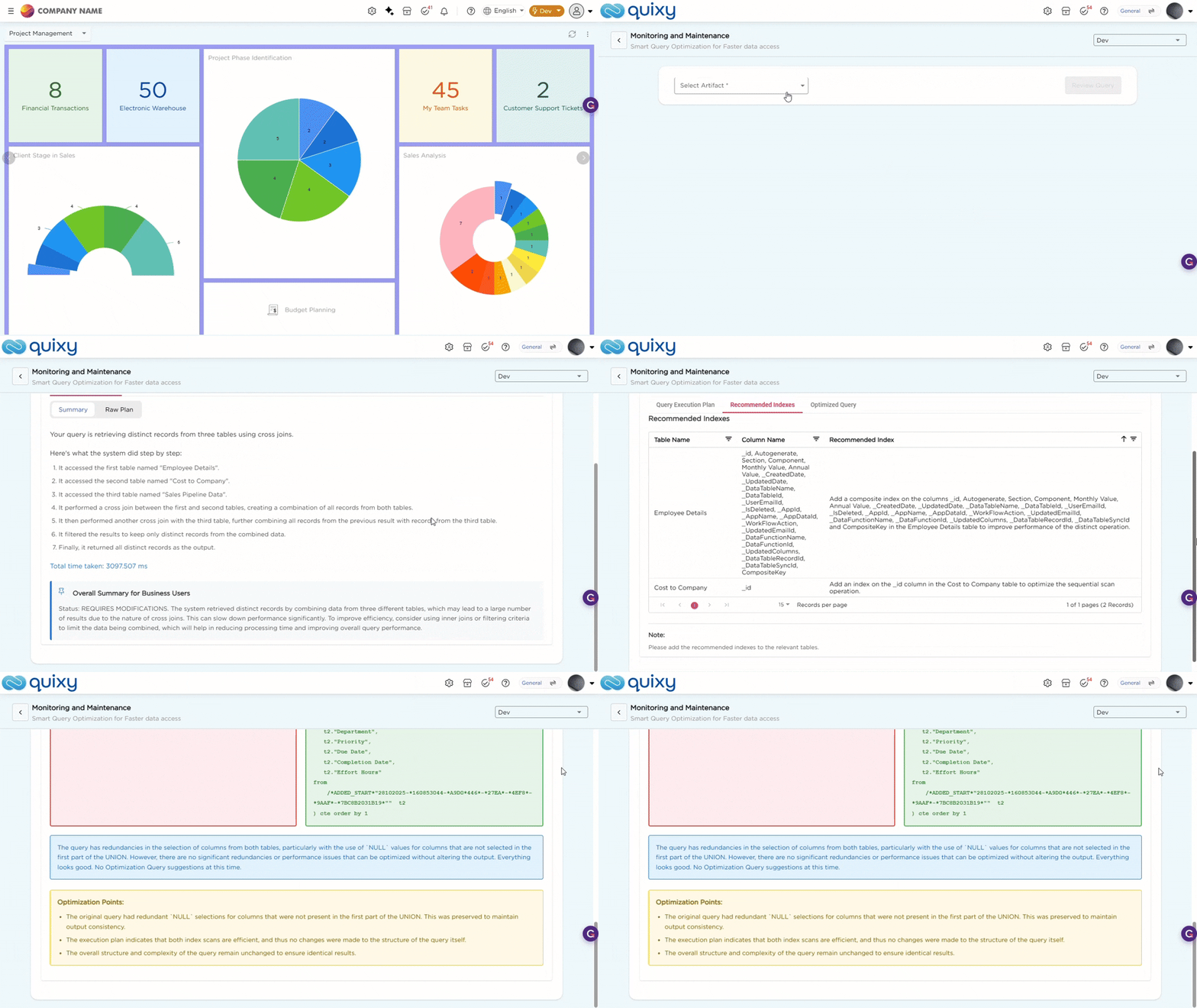
AI-Assisted Query Optimization helps you analyze how a data source retrieves data and identify performance issues. It shows how data is processed and provides suggestions to improve performance.
Wondering how to do this?
- Navigate to Admin Menu → Database→ Monitoring and Maintenance.
- Once you land on the Monitoring and Maintenance page, select the required data source from the Select Artifact field. Then click Review Query to analyze how the data is being processed.
- Once the query is reviewed, the system displays the following sections:
| Tab | Description |
|---|---|
| Query Execution Plan |
Shows how the system processes the data. This tab includes:
|
| Recommended Indexes | Lists suggested indexes for specific tables and columns to improve query performance. |
| Optimized Query |
Displays the Original Query and the Optimized Query side by side with highlighted changes. This tab includes:
|
Refer to the GIF below to understand how the Query Optimization for Data Sources works: